Overview
Introduction
TRX is the native coin of the TRON network and one of the more practical assets to hold if you use stablecoins. A significant share of global USDT volume moves on TRON because fees are low and settlement is fast. That makes TRX useful beyond price exposure, it is the gas token for every transaction on the network, including USDT sends, smart contract interactions, and wallet-to-wallet transfers.
TRON has a few mechanics that matter before you buy. New wallets need activating before they appear on-chain. Sending USDT or any TRC-20 token requires Energy, not just a token balance. Get either wrong and a transaction can fail, or funds can get stuck until you top up with native TRX.
This guide covers every buying route, centralized exchanges, card purchases, bank transfers, wallet apps, and crypto swaps, along with network selection, staking options, and what to check before you move funds to a wallet.

How to Buy TRON (TRX)
TRON can be bought through exchanges, wallet apps, on-ramp providers, or crypto swaps. The best route depends on your country, payment method, fee tolerance, and whether you plan to hold TRX on a platform or move it to a wallet you control.
For most beginners, this list of beginner-friendly crypto exchanges is the simplest starting point. Those who already hold crypto may prefer a swap. Wallet-app purchases work well for self-custody, but the final quote, network selection, and TRON account activation rules all matter before you confirm.
TRX is the native coin of the TRON network. TRON uses Bandwidth and Energy as network resources. If an account does not have enough of either, TRX can be burned to cover the transaction cost. New TRON accounts also require activation before they appear on-chain, and a standard activation fee of 1 TRX applies.
For live market data, use the TRON price page.
| Quick TRX check | Detail |
|---|---|
| Asset | TRON |
| Ticker | TRX |
| Asset type | Native Layer 1 coin |
| Primary network | TRON |
| Common address format | TRON Base58Check addresses begin with T |
| Main transfer risk | Buying or withdrawing the wrong network version of TRX |
| Wallet setup risk | New TRON accounts may need activation before normal use |
TRON uses an account model, with accounts that can receive, hold, and send TRX or other tokens. All Base58Check addresses begin with T.
Where to Buy TRON (TRX)
The best place to buy TRON depends on your route, not just the platform name. A bank-funded exchange trade may suit fee-sensitive buyers, while a card or wallet on-ramp may work better for those who want TRX delivered straight to a self-custody wallet.
| Buying route | Best for | Main trade-off |
|---|---|---|
| Centralized exchange | Beginners, bank transfers, larger purchases | Requires account verification and platform custody unless you withdraw |
| Instant buy or broker flow | Fast card purchases | Final quotes can include wider spreads or payment fees |
| Wallet app | Buying directly into self-custody | Provider availability, fees, and networks vary |
| Crypto swap | Users who already hold crypto | Requires network and wallet knowledge |
| Decentralized exchange | Self-custody users already on the right network | Requires Bandwidth, Energy, slippage checks, and correct wallet setup |
Platforms to compare include Kraken, OKX, Crypto.com, Bitpanda, Gemini, Bitstamp, MetaMask, Trust Wallet, TronLink, and Ramp Network, depending on your country and account eligibility. For U.S. users specifically, availability needs a direct check before funding any account. Coinbase's TRON page currently states TRON is not tradable on Coinbase, while Gemini and Crypto.com publish TRON buying pages. Not every state, payment rail, or withdrawal route is available to every account, so always verify inside the platform.
The Easiest Way to Buy TRON (TRX)
Most platforms follow a similar flow: find TRON, review the quote, and confirm. The review screen is the step most people skip, and it's the one that matters most.
- Choose a platform that supports TRON in your country.
- Create an account or open your wallet app.
- Add a payment method or deposit crypto.
- Search for TRON or TRX.
- Review the final quote.
- Confirm the purchase.
- Decide whether to keep TRX on the platform or withdraw it to a wallet.
Before confirming, check the final TRX amount, platform fee, spread, payment fee, withdrawal fee, network fee, and any withdrawal hold. Kraken's fee page is a useful example of why this matters. Instant Buy transactions can include trading fees, payment fees, and a spread, and the spread can shift based on market volatility, asset type, order size, and account activity.
The Cheapest Way to Buy TRON (TRX)
The cheapest way to buy TRX is usually a bank-funded exchange trade rather than an instant card purchase. Card purchases are faster but often include payment fees and wider spreads. Wallet on-ramps are convenient, but provider quotes vary by region, payment method, and network.
These are the cost factors worth comparing before you confirm:
| Cost | Why it matters |
|---|---|
| Deposit fee | Bank transfers can be cheaper than cards, but settlement may take longer |
| Trading fee or spread | Spot trades are usually easier to compare than instant-buy quotes |
| Withdrawal fee | This matters if you plan to move TRX to a wallet |
| Network resource cost | TRON transactions consume Bandwidth and some actions consume Energy |
| FX cost | Non-USD purchases may include currency conversion costs |
For small purchases, convenience often matters more than saving a small amount on fees. For larger amounts, compare a bank-funded exchange trade, a card quote, and a wallet-provider quote side by side before committing. MetaMask's buy flow includes provider fees, network fees, and a MetaMask service fee in quotes, with MetaMask compiling quotes while the provider executes. Trust Wallet TRX buy fees are dynamically determined by third-party fiat gateway partners and vary by payment method and geography.
TRON Markets
Showing 10 spot markets sorted by CoinMarketCap exchange rank. Markets excluded from CMC price or volume calculations are hidden.
| Pair | ||||
|---|---|---|---|---|
| 1 | TRX/USDT | $0.33 | $26.28M | |
| 2 | TRX/USDC | $0.33 | $1.75M | |
| 3 | TRX/KRW | $0.33 | $1.75M | |
| 4 | TRX/USDT | $0.33 | $3.92M | |
| 5 | TRX/USDT | $0.33 | $1.66M | |
| 6 | TRX/USDT | $0.33 | $1.53M | |
| 7 | TRX/USDT | $0.33 Best price | $2.11M | |
| 8 | TRX/USDT | $0.33 | $4.55M | |
| 9 | TRX/USDT | $0.33 | $5.27M | |
| 10 | TRX/USDT | $0.33 | $14.79M |






Affiliate Disclaimer: CryptoSlate may receive a commission when you click trading links on this page and complete an action with a third party. This does not influence our editorial independence or coverage.
How to Buy TRON (TRX) with a Debit Card or Credit Card
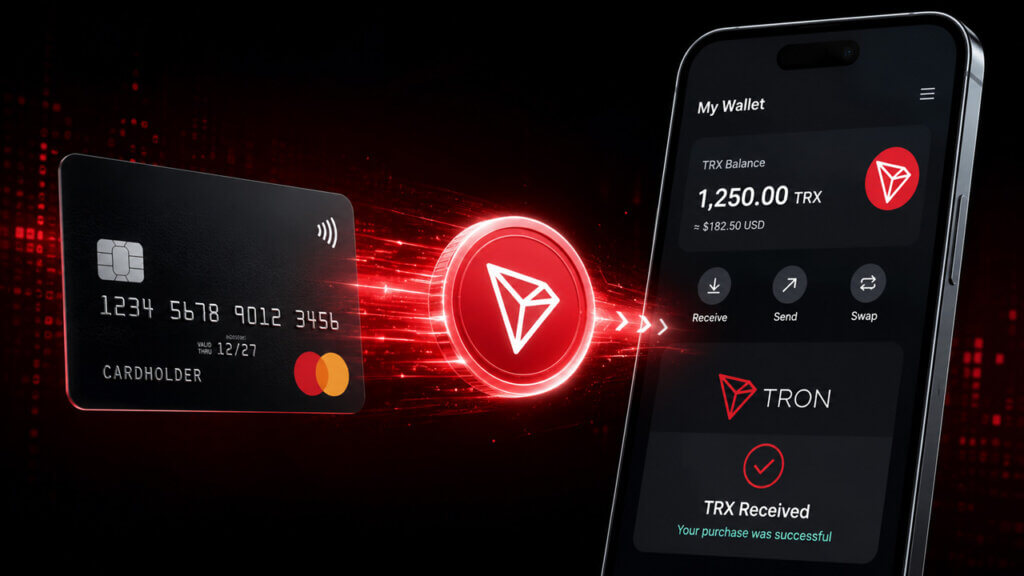
Card buys are the fastest route to TRX. They can also be more expensive than bank-funded spot trading because the quote may include a payment fee, platform fee, spread, or third-party provider charge.
Credit card support tends to be more limited than debit. Some card issuers treat crypto purchases differently, so check whether the transaction might be declined, coded as a cash advance, or charged extra by the issuer.
Check these before placing a card order:
| Item | What to check |
|---|---|
| Card support | Debit, credit, Apple Pay, Google Pay, or third-party checkout |
| Final TRX amount | The amount credited after fees and spread |
| Cash advance risk | Some card issuers may classify crypto purchases differently |
| Withdrawal hold | Some platforms delay withdrawals after card-funded buys |
| Provider identity | Wallet apps often use third-party on-ramp providers |
OKX users can fund TRON purchases by bank transfer, credit card, or Apple Pay. Crypto.com lists bank transfer, credit or debit card, crypto transfer, Apple Pay, and Google Pay as funding methods for buying TRX in its U.S. guide. Ramp Network supports TRON purchases with credit or debit cards, Apple Pay, Google Pay, bank transfers, and local payment methods, depending on country.
How to Buy TRON (TRX) with a Bank Transfer
Bank transfer routes suit fee-sensitive buyers who don't need instant delivery. The main trade-off is timing. A bank transfer may take longer to settle, and some platforms apply withdrawal holds after fiat deposits. Check both funding support and TRX trading support before sending money.
Funding rails vary by region. U.S. platforms may offer ACH or wire transfers, European platforms may offer SEPA, and other regions use local bank rails. Here's what each major platform supports:
- Kraken accepts funding via bank wire, ACH purchase, and credit or debit card, subject to geo restrictions.
- Gemini lists wire and bank transfers, ACH transfers, Apple Pay and Google Pay, debit card purchases, and crypto transfers as funding routes.
- Bitpanda supports SEPA and card routes for European users.
How to Buy TRON (TRX) with Crypto
Those who already hold crypto can buy TRX by swapping or trading another asset. Common pairs include USDT to TRX, BTC to TRX, ETH to TRX, or fiat-stablecoin-to-TRX routes, depending on the platform.
Here's the basic swap flow:
- Deposit or hold a supported crypto asset.
- Select a TRX trading pair or swap route.
- Review the rate, fee, and slippage.
- Confirm the trade.
- Keep enough TRX for future TRON network activity.
This route needs more attention than an exchange instant-buy flow. Check the deposit network, trading pair, swap route, and the network where the final TRX will land. A platform can support TRX trading without supporting every TRX deposit or withdrawal route. MetaMask users can move funds to TRON through built-in swaps, centralized exchange transfers, or in-wallet purchases. TRON swaps may require Energy, and accounts without enough Energy or TRX may be unable to complete basic swaps.
How to Check If You Can Buy TRON (TRX) in Your Country
Regional restrictions apply to assets, payment methods, and withdrawal routes separately. Always confirm availability inside the platform before funding an account. A global marketing page may not reflect the rules for every country, state, or region.
| Check | Why it matters |
|---|---|
| Regional support | Some platforms restrict assets or services by country, state, or legal entity |
| Local currency funding | Card, bank, and crypto deposits may not all be available |
| TRX trading support | A platform can support crypto trading without supporting every asset |
| Withdrawal support | Buying and withdrawing TRX are separate checks |
| Network support | The withdrawal network must match the wallet network |
| Verification level | Some payment methods or withdrawal limits require higher KYC |
Coinbase currently lists TRON as not tradable on Coinbase. MetaMask's buy flow is not available in every country or region, and Crypto.com notes that product and service availability is subject to jurisdictional limitations.
How to Buy TRON (TRX) Without Coinbase
Coinbase is not the only route to TRX. Coinbase's own TRON page currently states the asset is not tradable there, so anyone searching for TRX on Coinbase needs to compare other options.
| Goal | Route to compare |
|---|---|
| Lowest cost | Bank-funded exchange trade |
| Fastest buy | Card purchase or wallet on-ramp |
| Self-custody | Wallet app or exchange withdrawal |
| Already holding crypto | Swap into TRX |
| Network use | Buy or withdraw TRX on the TRON network |
Alternatives to check include Kraken, OKX, Crypto.com, Bitpanda, Gemini, Bitstamp, Trust Wallet, MetaMask, and TronLink. Compare the quote, withdrawal availability, and network support before sending funds.
How to Buy TRON (TRX) on Kraken, MetaMask, Trust Wallet, and Other Platforms
Each platform has a slightly different flow. Here's what to expect on the most common routes.
Kraken
Kraken's TRON page covers buying with ACH, bank wire, and card routes, subject to restrictions. Verify TRX deposit and withdrawal support inside the account before placing an order.
MetaMask
MetaMask now supports TRON by default, letting users manage TRX, USDT, and other TRON assets from the wallet. You can buy USDT or TRX directly by selecting Buy, choosing the token and network, selecting a payment method, and reviewing provider quotes. Buying through MetaMask is region-dependent.
Trust Wallet
Trust Wallet users can buy TRX from the home screen by selecting Buy, searching for TRX or Tron, choosing a currency, selecting a third-party provider and payment method, and completing the provider flow. Fees are determined in real time by affiliated fiat gateway partners and vary by payment method and location.
TronLink
TronLink is a TRON-focused self-custody wallet. TronLink fully supports the TRON network and supports TRX, TRC-10, TRC-20, and TRC-721 tokens. It suits users who want full TRON-native wallet control built around staking, resources, and dApps.
Other Exchange Routes
Kraken, OKX, Crypto.com, Bitpanda, Gemini, and Bitstamp all publish TRON buying pages or TRX buying flows. Treat each as a region-specific option. Check whether your account can buy, trade, and withdraw TRX before depositing funds.
Which Network Should You Choose for TRON?
For most users, TRX means native TRX on the TRON network. Choose the TRON network when you need TRX for TRON wallets, TRON transfers, TRON dApps, or TRC-20 token activity.
Not every TRX-like listing is the same asset on the same network. Some platforms show network-specific versions, wrapped versions, or derivatives. The withdrawal network shown in the platform and the receiving wallet network must match.
Before withdrawing TRX, run through this checklist:
- Match the exchange withdrawal network to the wallet network.
- Confirm the wallet supports native TRX on TRON.
- Avoid legacy or wrapped-network instructions unless the platform clearly supports them.
- Send a small test transaction before larger transfers.
- Keep enough TRX for future transactions, account activation, and resource costs.
- Save the transaction ID.
TRON uses Bandwidth for transactions and Energy for smart contract activity. Basic transactions consume Bandwidth, smart contract execution can consume Energy, and TRX may be burned when available resources run low.
New TRON accounts need extra attention. Newly created accounts do not exist on-chain until activated and can be activated by receiving TRX or TRC-10 tokens from an existing account. The standard account creation fee is 1 TRX.
Native TRX, Wrapped TRX, and TRC-20 Tokens Are Not the Same Thing
Native TRX on the TRON network is what you need to pay transaction fees, stake, vote for Super Representatives, activate a new TRON account, or use TRON wallets and dApps. A TRX-like asset on another network may track TRX's price, but it cannot do any of that without bridging or swapping into native TRX first.
This is where purchases go wrong most often. A token labeled TRX on the wrong network cannot pay TRON Energy, activate a TRON wallet, or send TRC-20 tokens.
| Asset or balance | What it means | Best use |
|---|---|---|
| Native TRX on TRON | The real TRON network coin | Fees, staking, voting, TRON wallets, TRON dApps |
| TRC-20 USDT or other TRON tokens | Tokens running on TRON | Stablecoin transfers and TRON apps |
| Wrapped TRX | TRX represented on another network | Trading or DeFi on that other network |
| Exchange TRX balance | TRX held inside a platform account | Trading, selling, or withdrawing later |
| Wallet-app quote | A third-party provider route into a wallet | Convenience and self-custody |
The receiving wallet, the withdrawal network, and the asset version are three separate variables. Getting one wrong means funds land on the wrong network, can't cover TRON fees, or are stuck until you bridge. Check all three before confirming any purchase or transfer.
Where to Store TRON (TRX) After Buying
Exchange Custody
Keeping TRX on an exchange is the simpler option. It suits users who plan to trade or prefer not to manage seed phrases. The trade-off is that the platform controls custody until you withdraw.
Self-Custody Wallet
A self-custody wallet gives direct control over your TRX. It works well for TRON transfers, staking, and wallet-based activity. The user is responsible for the seed phrase, private key security, network selection, and transaction approvals.
TronLink is one TRON-focused option, and MetaMask now supports TRON by default. Trust Wallet, Atomic Wallet, and Exodus also support TRX. CryptoSlate also has a dedicated TRON wallet comparison page, which compares TRX wallets, TRC-20 support, staking, and self-custody options.
Hardware Wallet
A hardware wallet suits long-term storage but doesn't remove the need to choose the correct network when transferring. Test transfers still make sense when moving larger amounts. Ledger Flex supports TRX and TRON staking, including voting for Super Representatives through Ledger's TRON staking flow. Trezor should not be treated as a TRON storage option — TRON is not currently supported. Always check the wallet's official supported asset page before withdrawing TRX to any hardware device.
How to Stake TRON (TRX) and Earn TRX Daily
The best staking route depends on what you want from it. Native TRON staking gives you voting rights and network resources. Exchange staking is easier but typically means the platform controls custody, and the TRX staked there won't generate Energy or Bandwidth for your own wallet.
TRON staking works differently from a simple exchange earn product. When you stake TRX on TRON, you choose whether the stake generates Energy or Bandwidth, and you receive TRON Power (TP). Staking 1 TRX gives 1 TP, which can be used to vote for Super Representatives and earn voting rewards.
| Staking route | Best for | Reward timing |
|---|---|---|
| TronLink or TronScan | Users who want native TRON control, resources, and voting | Depends on SR and claim method |
| MetaMask Mobile | Users who want a simpler mobile staking flow | APR shown in app; staking creates sTRX view balance |
| Ledger | Hardware wallet users who want TRX staking with stronger key isolation | Rewards may be claimable every 24 hours or paid based on SR policy |
| Kraken or another exchange | Users who prefer convenience over wallet control | Kraken currently shows weekly payouts for TRX staking |
Energy or Bandwidth: Which One Should You Choose in TRON Staking?
The choice depends on how you use TRON.
Choose Energy if you plan to send USDT, use TRC-20 tokens, swap on TRON, or interact with smart contracts. Energy is the more useful resource for stablecoin transfers and DeFi activity.
Choose Bandwidth if you mainly send basic TRX transactions. Every TRON transaction uses Bandwidth, but TRON accounts receive a limited amount of free daily Bandwidth. If you transact rarely, you may not need to stake much for Bandwidth.
How to Stake TRX in a Wallet
Start with native TRX on the TRON network, then move it to a wallet that supports TRON staking:
- Buy native TRX on the TRON network.
- Move it to a wallet that supports TRON staking, such as TronLink, MetaMask Mobile, or a Ledger-backed TRON setup.
- Make sure the wallet is activated with native TRX.
- Open the wallet's staking, resources, or voting section.
- Choose whether to stake for Energy or Bandwidth.
- Confirm the amount of TRX to stake.
- Vote for a Super Representative if the wallet requires manual voting.
- Check how rewards are claimed, paid, or compounded.
- Keep some liquid TRX unstaked for fees, activation, or mistakes.
- Review the unstaking delay before locking a large amount.
Unstaking can be started at any time, but the released TRX must wait 14 days before it can be withdrawn back into the account. Unstaking also removes the matching voting power and can affect ongoing votes.
How to Stake TRX on MetaMask
MetaMask supports TRX staking on MetaMask Mobile only — staking is not supported on MetaMask Extension. Open MetaMask Mobile, tap TRX, scroll to Stake or Stake More, choose the amount, select a resource such as Energy, review the details, and confirm. MetaMask represents staked TRX as sTRX. That balance is visible but not a transferable TRX balance. Unstaking carries a typical 14-day unlocking period during which TRX cannot be transferred and does not generate Energy or Bandwidth.
How to Stake TRX with Ledger
On Ledger, users can delegate TRX through Ledger Live, choose a validator, and earn rewards while keeping control of assets through a hardware device. Rewards depend on the Super Representative selected and may be claimable every 24 hours or handled directly by the SR, depending on policy. Before staking, check the validator, reward rate, commission, claim method, and unstaking rules inside the current Ledger flow.
How to Stake TRX on an Exchange
Exchange staking is simpler because there's no Super Representative voting, resource management, or wallet signatures to handle. The trade-off is custody. The exchange holds the TRX, sets the staking terms, and controls the payout schedule. Kraken offers flexible and bonded options for TRX staking, with weekly payouts and a 14-day bonded period for the higher quoted rate. Exchange staking does not give your personal TRON wallet Energy or Bandwidth.
Common Mistakes When Buying TRON (TRX)
Most TRX buying mistakes come down to skipping the review step, ignoring the network, or assuming any TRX listing means native TRX. These are the most common ones to watch for:
| Mistake | How to avoid it |
|---|---|
| Buying through the first quote shown | Compare card, bank, exchange, and wallet-provider costs |
| Ignoring the withdrawal network | Match the exchange network to the wallet network |
| Sending wrapped TRX when the recipient expects native TRX | Confirm the asset and network before sending |
| Using a new TRON wallet without activation | Send a small amount of TRX first and check the wallet status |
| Forgetting TRX resource costs | Keep a small TRX buffer for Bandwidth, Energy, and future transfers |
| Treating “instant buy” as cheapest | Check the spread, not just the fee label |
| Using old guides | Prefer current official docs and platform instructions |
| Skipping test transfers | Send a small amount first when moving meaningful funds |
The most common TRX-specific mistake is treating every TRX listing as native TRX on TRON. The second is ignoring TRON's account activation and resource mechanics, which affect new wallets and TRC-20 activity differently than most other networks.
TRON Fees, Energy, Bandwidth, and Why USDT on TRC-20 Can Get Stuck
TRON does not use a single gas fee. It runs on two main resources: Bandwidth and Energy. Basic transactions use Bandwidth. Smart contract activity — including most TRC-20 transfers such as USDT — also uses Energy. If the wallet doesn't have enough of either, the network burns TRX to cover the cost.
This is why a wallet can receive USDT on TRON but fail when trying to send it. Receiving doesn't require the recipient to pay. Sending does. If the wallet has no TRX, no Energy, or too little Bandwidth, the outgoing transaction may fail or prompt for more TRX.
| Action | What usually pays for it | What to check first |
|---|---|---|
| Receive TRX | Sender pays the cost | Make sure the address starts with T |
| Receive USDT on TRON | Sender pays the cost | The wallet may still need activation before normal use |
| Send TRX | Bandwidth first, then burned TRX if needed | Keep a small TRX balance |
| Send USDT or other TRC-20 tokens | Energy + Bandwidth, or burned TRX | Check the wallet fee preview before signing |
| Swap on TRON | Energy + Bandwidth, or burned TRX | Make sure you have enough TRX or resources |
| Stake TRX | TRX is locked to generate resources and voting power | Choose Energy or Bandwidth based on your use case |
New TRON accounts also need activation. A newly created account doesn't exist on-chain until it receives TRX from an existing account. The standard activation fee is 1 TRX. Sending TRC-20 tokens such as USDT does not activate an account.
The safest habit is to keep a small native TRX balance in the same wallet before moving TRC-20 tokens. If you use TRON often, staking TRX for Energy reduces the need to burn TRX for smart contract activity. If you only send TRX occasionally, the free daily Bandwidth may be enough — but check the fee preview before signing.
Is Now a Good Time to Buy TRON (TRX)?
This guide covers how to buy TRON, not whether TRX is a suitable investment. Crypto assets move quickly, and timing depends on risk tolerance, time horizon, liquidity, and broader market conditions.
For live data, use CryptoSlate's TRON price page.
FAQs
Where can I buy TRON?
TRON can be bought through centralized exchanges, instant-buy flows, wallet apps, on-ramp providers, or crypto swaps. Availability depends on your country, payment method, account verification level, and whether the platform supports TRX withdrawals on the TRON network. Compare Kraken, OKX, Crypto.com, Bitpanda, Gemini, Bitstamp, MetaMask, Trust Wallet, and TronLink before funding an account.
What is the easiest way to buy TRON?
The easiest route is usually a centralized exchange or wallet-app buy flow. Open an account, add a payment method, search for TRON or TRX, review the quote, and confirm. The review step matters because it shows fees, spread, final TRX amount, and any withdrawal restrictions.
What is the cheapest way to buy TRON?
The cheapest route is often a bank-funded spot trade on an exchange, but this isn’t guaranteed. Card purchases and instant-buy flows are faster but may carry higher costs. Compare the final TRX amount, trading fee, spread, payment fee, and withdrawal fee before confirming.
Can I buy TRON with a credit card?
Some platforms and on-ramp providers support TRX card purchases, but credit card support varies by platform, country, and card issuer. Some issuers may decline crypto purchases or treat them differently. Always check the final quote, provider identity, card fees, and withdrawal rules before buying.
Can I buy TRON in the U.S.?
TRX availability in the U.S. depends on the platform, state, and product. Coinbase currently says TRON is not tradable on its platform, while Kraken, Gemini, and Crypto.com publish TRX buying pages. U.S. users should verify whether an account can buy, trade, and withdraw TRX before depositing USD.
Can I buy TRON without Coinbase?
Yes. Coinbase’s own TRON page currently says TRON is not tradable there. Alternatives include Kraken, OKX, Crypto.com, Bitpanda, Gemini, Bitstamp, Trust Wallet, MetaMask, and TronLink, depending on region and network support.
How do I buy TRX on MetaMask or Trust Wallet?
MetaMask supports TRON by default and lets users buy or move TRX through provider quotes, swaps, or centralized exchange transfers, subject to region. Trust Wallet users can select Buy, search for TRX, choose a fiat currency, and complete the purchase through a third-party provider.
What network should I use for TRX?
Use native TRX on the TRON network to hold TRX, use TRON wallets, send TRX, or interact with TRON-based apps. Match the exchange withdrawal network to the wallet network. The wrong network version can delay crediting or make recovery difficult.
Why do I need TRX to send USDT on TRON?
USDT on TRON is a TRC-20 token. Sending it usually requires Energy and Bandwidth because the transfer interacts with a smart contract. If the wallet doesn’t have enough resources, TRX may be burned to cover the cost. This is why receiving USDT can be free for the recipient, but sending it can fail when the wallet has no TRX.
Should I stake TRX for Energy or Bandwidth?
Choose Energy if you plan to send USDT, use TRC-20 tokens, swap, or interact with TRON smart contracts. Choose Bandwidth if you mostly send basic TRX transactions. Some wallets require separate staking actions for each resource type, so one stake may only generate one resource at a time.
Can I stake TRX on MetaMask?
TRX staking is available on MetaMask Mobile, not MetaMask Extension. MetaMask Mobile lets users stake TRX for Energy or Bandwidth and shows the staked balance as sTRX.
Is TRON staking paid daily?
Native TRON voting rewards are generated through Super Representative voting, but the claim schedule depends on the wallet, validator, or platform. On Ledger, rewards may be claimable every 24 hours or paid based on the Super Representative’s policy.
Can I use Trezor to store TRON?
Trezor does not currently support TRON. Ledger supports TRX, and TronLink is a TRON-focused wallet option. Check the wallet’s official supported asset page before withdrawing TRX to any hardware device.
Why did my TRON transaction burn TRX even though I had Bandwidth?
Bandwidth is not the only resource needed. Basic transactions use Bandwidth, but TRC-20 transfers and smart contract actions also need Energy. If the account doesn’t have enough Energy, TRX can be burned to cover the shortfall.
Is TRX on Ethereum the same as TRX on TRON?
No. A TRX-like asset on Ethereum or another network cannot be used for TRON wallet activation, staking, voting, or TRON transaction costs. Use native TRX on the TRON network for TRON-native functionality.
Can I buy TRON without KYC?
Most fiat routes, including exchange purchases and card on-ramps, require identity verification. Some crypto swaps don’t require opening a new exchange account, but they do require an already funded wallet and don’t remove legal, tax, or platform compliance obligations. Avoid peer-to-peer offers that bypass basic protections.
Why is my TRON withdrawal pending?
A TRON withdrawal can be pending because of platform review, withdrawal holds, network congestion, incorrect network selection, or a wallet activation issue. Save the transaction ID, confirm the withdrawal network, check whether the receiving wallet is activated, and contact the sending platform if the transaction hasn’t broadcast.