Explore CryptoSlate’s Institutional Playbook, a 3-part guide series on exchange due diligence, crypto-as-a-service, and token listing strategy for institutional teams.
Explore CryptoSlate’s Institutional Playbook, a 3-part guide series on exchange due diligence, crypto-as-a-service, and token listing strategy for institutional teams.
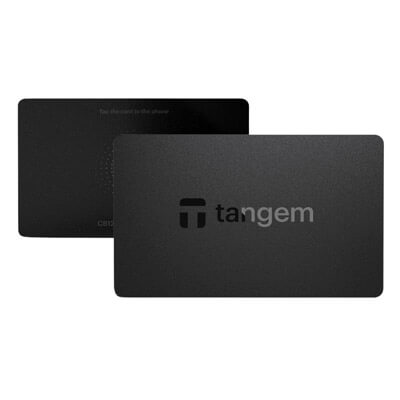
Tangem is a non-custodial NFC hardware cold wallet built around cards or a ring and a phone app rather than a USB device with its own screen. It suits phone-first users who want the lightest cold-storage routine possible. There is no cable, no battery, and no charging cycle. The trade-off is straightforward: you review transactions on the phone, and seedless recovery becomes unforgiving if every linked device is lost.
Seedless setup removes the written recovery phrase from the default flow.
NFC setup is fast, and the wallet has no battery, cable, or charging cycle.
Two or three devices can act as equal-access backups in the same wallet set.
One Tangem wallet can be used on multiple smartphones.
Multi-Accounts supports up to 20 active accounts, making it easier to separate long-term funds, daily-use funds, and dApp activity.
Cons
There is no hardware screen for final transaction review.
There is no native desktop suite or browser-extension-first experience.
All-device loss in a seedless setup means unrecoverable loss.
You cannot add a new backup device later to the same seedless wallet.
Some advanced flows still depend on WalletConnect, integrated providers, or phone NFC behavior.
Who Tangem Is Best for — and Who Should Skip It
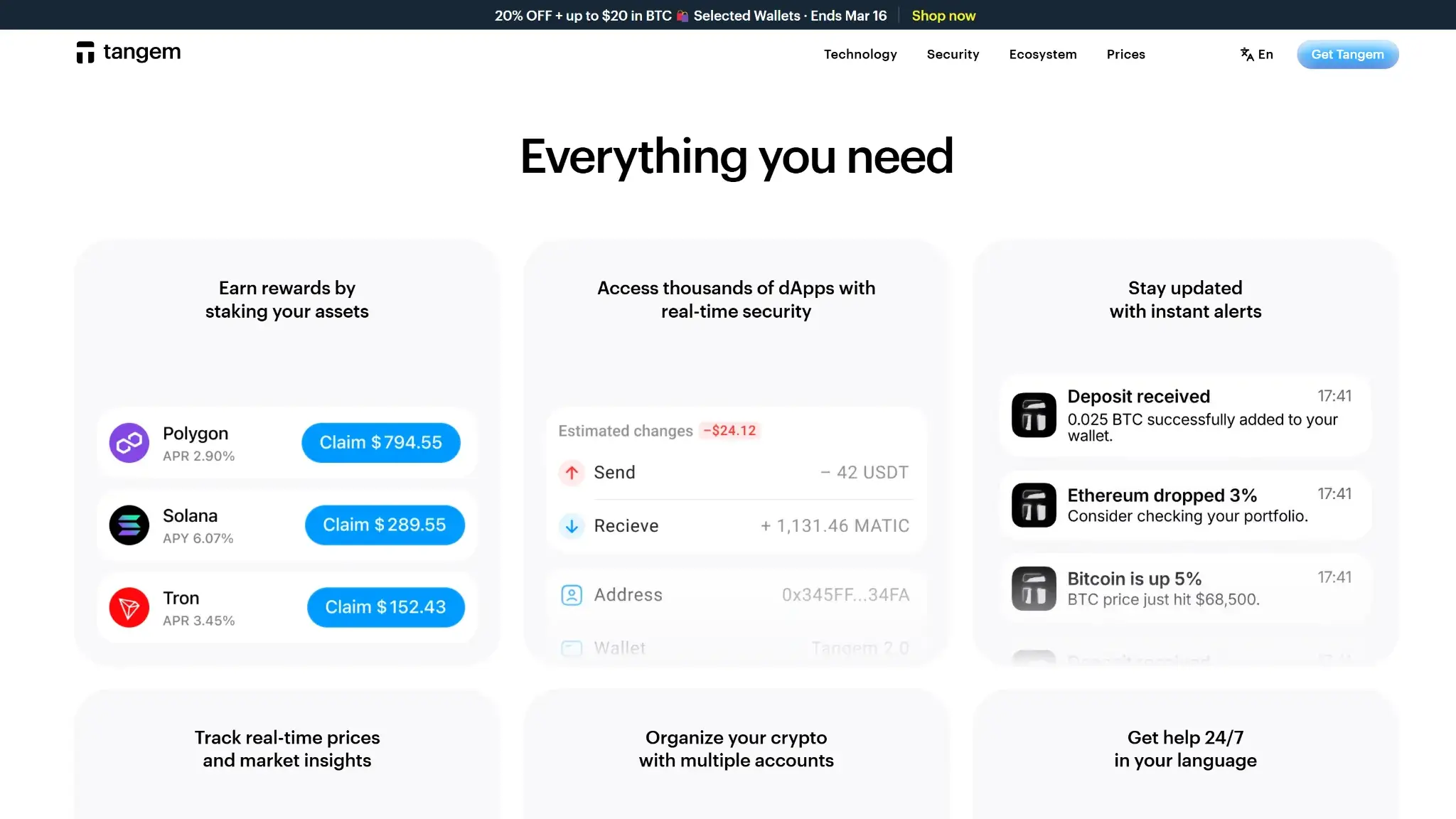
Tangem Wallet desktop features page showing staking rewards, dApp access, instant alerts, price tracking, and multi-account support
Tangem is a strong fit for buyers who want cold storage without the usual hardware-wallet overhead. It works best for mobile-first users who want self-custody that feels close to using a phone accessory rather than a desk device. It could be classified as a beginner crypto wallet, especially for users who dislike handling a written recovery phrase and for travelers who want a battery-free wallet that is easy to carry.
Desktop-first users, buyers who want a built-in screen for independent transaction verification, and users who want the most forgiving recovery model should look elsewhere. DeFi use is possible through WalletConnect, but the workflow is thinner than what stronger extension-first or desktop-led alternatives provide.
Best fit
Why it fits
Who should skip it
Why they should skip it
Long-term mobile cold storage
Works well for holders who want cold storage without cables, charging, or a bulky device, as long as they accept screenless signing and manage backups carefully.
Users who want on-device transaction verification
Tangem does not have a built-in screen, so final transaction review happens on the phone rather than on a separate trusted display.
Everyday phone-based self-custody
The tap-based NFC flow is fast, battery-free, and built around iPhone and Android use rather than desktop routines.
Desktop-first users
Tangem has no native desktop suite and no browser-extension-first workflow.
Beginners who want to avoid a written seed by default
The seedless setup removes the written recovery phrase from the default flow and keeps setup simple.
Users who want the strongest recovery flexibility
Seedless recovery is less forgiving because all-device loss means unrecoverable loss.
Users who want one wallet across multiple phones
One Tangem wallet can be used on multiple smartphones, which suits travel or secondary-device use.
Active DeFi users who prefer extension-first workflows
DeFi access exists through WalletConnect, but the workflow is thinner than stronger desktop-led or extension-first setups.
What Is Tangem and How Does It Work?
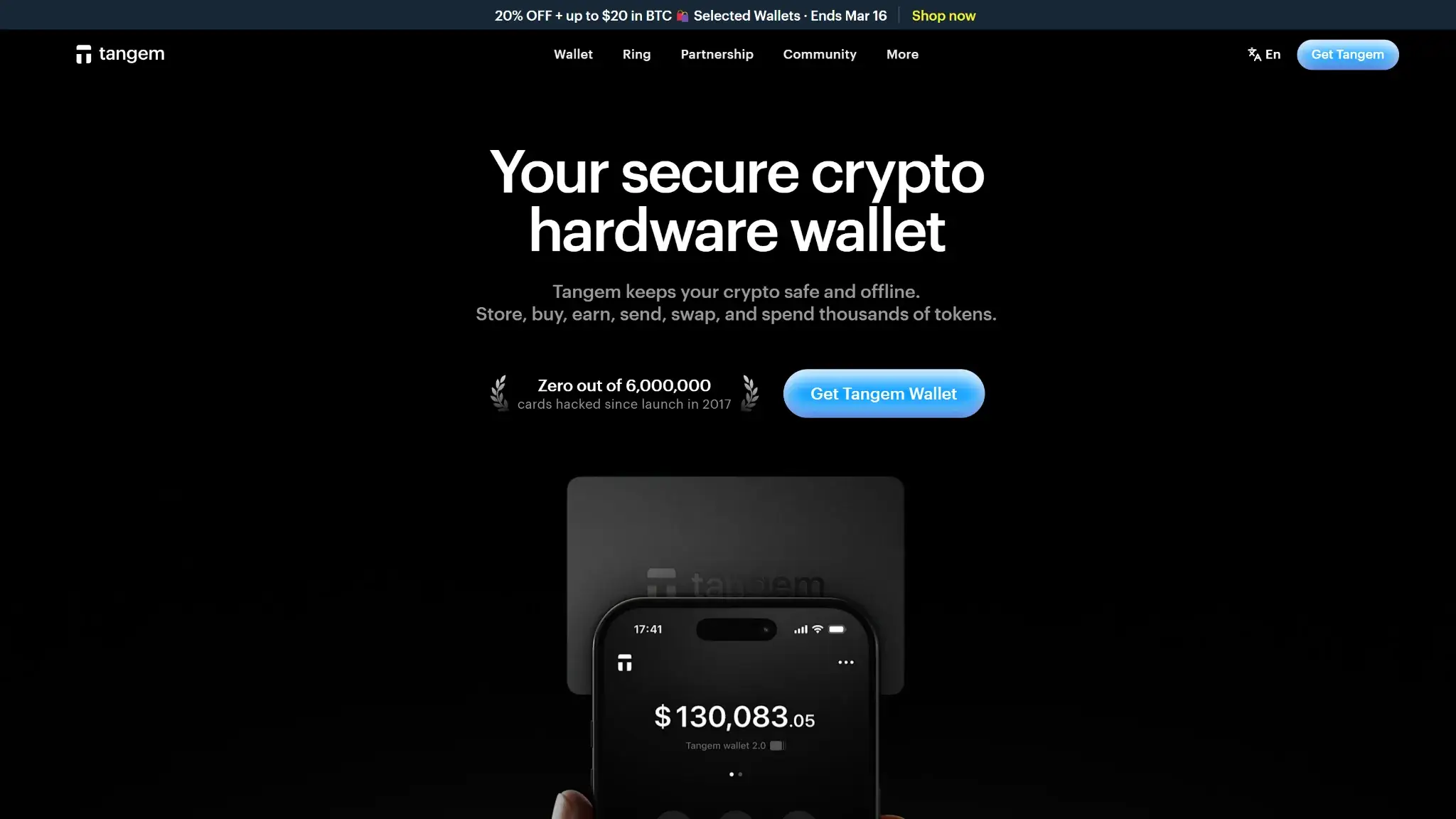
Tangem Wallet desktop page highlighting the app ecosystem with portfolio balance, swap, sell, and family account features
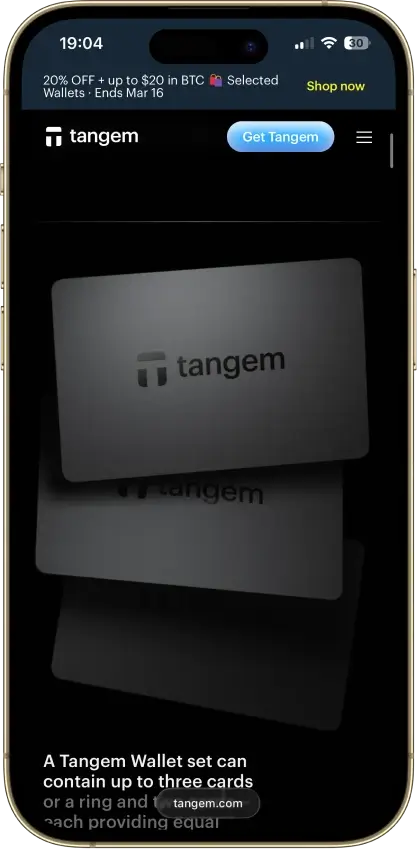
Tangem is a hardware wallet that stores private keys in an NFC card or ring instead of on a phone or inside a USB device with its own screen. In practical use, it is a phone-first cold wallet: the app is the interface, while the card or ring is the signer.
You use Tangem through the Tangem mobile app on iPhone or Android, with official downloads available through the App Store, Google Play, and GitHub/APK. The app shows balances, addresses, transaction details, swaps, staking options, and WalletConnect flows. The card or ring is where custody actually sits: the private key stays there, and signatures happen there.
The phone handles the interface. The card or ring handles signing. NFC connects the two. The private key is generated inside the secure chip and stays in the device during normal use, while final transaction review still happens on the phone rather than on a built-in hardware screen.
You prepare the action in the app, review the details on the phone, tap the card or ring with NFC, sign, and let the app broadcast the transaction. Tangem supports receiving and sending crypto, built-in swaps, selected staking, buy and sell flows through integrated providers, WalletConnect for dApps, and Multi-Accounts for separating different balances and use cases inside one wallet.
There is also one branding distinction worth clearing up early. Tangem Wallet is the self-custody hardware wallet. Tangem Pay is a separate payment feature inside the same app. They are not the same product. Basic Tangem Wallet use is non-custodial and does not require wallet-level KYC, while Tangem Pay is a separate optional feature with its own verification requirement.
Tangem Wallet launched in 2021. Tangem 1.0 is discontinued. Tangem 2.0 added 12- or 24-word seed phrase generation, seed import, and passphrase support. Those changes affect recovery and portability because the wallet behaves differently in seedless and seed-based setups.
Wallet Type, Custody and Recovery Model
Tangem is a non-custodial hardware wallet, but the recovery model is less flexible than the setup may suggest. In seedless mode, recovery depends on the linked Tangem devices in the wallet set. In seed phrase mode, recovery is more portable because there is an outside restore path.
Wallet classCold hardware wallet
Who controls the keysUser
Recovery methodBackup devices by default; optional seed phrase on Tangem 2.0+
Can you export keys or seed?Limited
Portability to another walletPartial
What happens if you lose the deviceThe wallet remains usable if another linked card or ring from the same wallet set still works.
What happens if you lose the recovery methodIn seedless mode, losing every linked device means unrecoverable loss. In seed phrase mode, losing the phrase removes the clean external recovery path.
Who can help recover accessNobody
Best use caseLong-term mobile storage and everyday phone-based self-custody
Seedless setup removes the written recovery phrase but makes all-device loss the main failure point. Seed phrase setup adds a clearer exit path outside the Tangem device set, and Tangem generates either 12 or 24 words that are shown only once during setup. Access-code recovery is also separate from wallet recovery, because forgetting the access code usually requires two linked devices from the same wallet set.
Portability is stronger with a seed phrase and weaker in seedless mode. You also cannot casually add a new backup device later to strengthen an existing seedless wallet. If the original backup plan is weak, the clean fix is to create a new wallet and move funds.
Supported Assets, Networks and Compatibility
Tangem is a broad multichain wallet rather than an ecosystem-specific wallet. It covers 90 blockchains overall and more than 16,000 assets. Coverage is uneven across features: storage and transfers are broad, but buy, sell, swap, staking, yield, NFT, and dApp tools vary by chain and often depend on integrated providers, WalletConnect, or phone-side handling.
Major chains supported90 blockchains overall; major chains include Bitcoin, Ethereum, Solana, XRP Ledger, Stellar, Hedera, XDC Network, and TRON
Token standardsNative BTC, ERC-20, SPL, TRC-20
PlatformsiOS and Android; app available via App Store, Google Play, and GitHub/APK
Hardware supportNone
Connection methodsNFC and WalletConnect
Notable gapsNo native desktop suite, no browser extension, no built-in device screen, and some advanced flows depend on WalletConnect or integrated providers
Tangem is mobile-first in real use, not just in positioning, so anyone who prefers laptops will likely find the workflow thin. dApp access is available, but it is usable rather than ideal for people who want an extension-led or desktop-led Web3 routine. There is also no separate hardware-wallet support layer, because Tangem itself is the hardware wallet.
Some transfer flows still need chain-specific care, including XRP destination tags, Stellar memos, and enough native gas for sends on supported networks. NFC quality on the phone also matters more here than it does with a cable-based wallet. If a phone has weak or inconsistent NFC behavior, Tangem can feel less reliable in daily use even when the wallet itself is working normally.
Core Features and Real-World Use Cases
Compared with direct competitors, Tangem’s feature set is broad enough for everyday self-custody, occasional on-chain use, and light mobile Web3 activity, but it is not especially deep for power users. It stands out for simple cold storage on a phone, quick NFC signing, and low-friction account organization through Multi-Accounts. It is weaker when the workflow becomes more advanced, because dApp access runs through WalletConnect, desktop options are thin, and several useful actions rely on integrated providers or external protocols rather than a fully self-contained wallet stack. It suits beginners, passive holders, and mobile-first users more than people who want heavy DeFi, richer NFT tooling, or a stronger desktop routine.
Feature area
What users can do
How it works in practice
Key limitations, costs, or risks
Swaps and trading
Swap supported assets and convert between supported assets
Swaps run inside the mobile app through integrated services, with the phone handling the interface and the card or ring handling signing
Provider fees and network fees apply, route visibility is not the main selling point, and support varies by asset and flow
Staking and earn
Stake selected assets and use yield features
Tangem supports selected native staking in the app, and Yield Mode uses Aave for supported flows
Not every asset is eligible, and costs or risks depend on the asset, validator, provider, or protocol design
dApp access and connectivity
Connect to supported dApps on mobile or from a PC through the phone
Tangem uses WalletConnect rather than a browser-extension-first flow, with transaction review happening on the phone before NFC signing, plus simulated transactions and real-time threat checks for supported sessions
Session friction, thinner desktop usability, network-switching awkwardness, and normal phishing or approval risk still apply
NFTs
View and manage NFTs on supported networks and connect to marketplaces
NFT support covers Arbitrum, Avalanche, Base, BSC, Chiliz, Cronos, Ethereum, Fantom, Moonbeam, Moonriver, Optimism, Polygon, and Solana. Marketplace activity runs through WalletConnect to services such as OpenSea or Rarible.
No built-in NFT marketplace; usability still depends on supported network flows, WalletConnect, and connected services
Buy, sell, and account organization
Buy and sell through integrated providers and separate balances inside one wallet
Buy and sell use integrated partner services, while Multi-Accounts allows up to 20 active accounts with separate addresses, balances, and transaction history
Fees vary by provider, payment method, region, and asset, and Multi-Accounts helps organization more than portability or privacy
Card and spending tools
Use an optional spending account and virtual Visa card where supported
Tangem Pay sits inside the same app but is separate from the self-custody wallet itself
It is a separate product, not the core wallet, and it requires KYC in supported regions
For everyday self-custody, the feature set covers the essentials. The native strengths are the custody model, the signing flow, Multi-Accounts, and selected staking. Swaps, buy and sell flows, Yield Mode, marketplace access, and much of the dApp experience depend on partners, protocols, or WalletConnect. Advanced users will still notice the missing pieces: no desktop suite, no browser extension, lighter approval controls, and a thinner experience for more complex on-chain activity.
Fees and Total Cost of Ownership
Tangem is inexpensive at entry-level, but total cost is not just the sticker price of the first card set. The real cost depends on whether you buy two cards or three, whether you choose a ring or bundle, whether shipping or import charges apply, and how often you use swaps, buy and sell flows, staking, or yield features that depend on outside providers or protocols.
Cost component
What users pay
When it applies
Notes
Device or wallet price
From $54.90 for the 2-card set and $69.90 for the 3-card set
One-time
Family Pack is $125.80, Ring & 2 cards is $150.00, and Pro Kit is $180.00 at review time; Tangem also offers a 25-year limited hardware warranty
Accessories
Cardholder sold separately
Optional
Accessory cost is separate from the base wallet packages
Shipping and import costs
Varies
Hardware orders
Free standard shipping applies above $100.00 (VAT excl.); taxes and duties are not included
Network fees
Variable
Sending, swapping, staking, yield, and other on-chain actions
Blockchain fees depend on the network and are separate from Tangem hardware costs
Swap spread or routing fee
Variable
Swaps
Costs come through integrated services or protocols and sit on top of any network fee
On-ramp fee
Variable
Buying crypto
Provider, payment method, region, and asset all affect the final cost
Sell or off-ramp fee
Variable
Selling crypto
Exit costs depend on the integrated service handling the transaction
Withdrawal fee
Not applicable as a wallet fee
Moving assets out of self-custody
Users still pay normal blockchain network fees when sending assets
Staking or yield cost
Variable
Staking or Yield Mode use
Cost and risk depend on the asset, validator, provider, or protocol
Subscription or premium fee
None disclosed
Not applicable
No recurring wallet subscription is disclosed
The cheapest way to buy Tangem is still not always the best long-term value. The 2-card set lowers the entry cost, but the 3-card set usually gives a better recovery margin. Costs also become less predictable once you move beyond simple storage into swaps, buy and sell flows, or yield features, because partner pricing, protocol rules, and network fees start to matter more than the hardware itself.
Security Architecture and Trust
Tangem’s security model is credible for mobile-first cold storage, but it is built around a clear trade-off rather than maximum isolation. The keys stay in the card or ring, signing still requires the hardware device, and the wallet avoids the usual cable-and-battery friction. Final transaction review happens on the phone instead of on a dedicated hardware screen, which reduces separation between the internet-facing device and the final approval step.
Key control modelNon-custodial; the user controls the keys
Recovery modelSeedless backup devices by default, with optional seed phrase support on Tangem 2.0+
External validationIndependent firmware audits by Kudelski Security and Riscure, plus app-side authenticity checks; the Tangem Mobile Wallet was also audited by Cure53 in 2026
Open-source statusPartial; the app is open source, while the firmware is immutable and independently audited rather than broadly open to public inspection
Incident postureActive bug bounty program; no confirmed device-compromise incident has been publicly documented, but phishing, malicious approvals, device loss, and phone-side review mistakes still matter
The private key is generated inside the secure chip and stays in the card or ring during normal use. Signing happens when you review a transaction in the app and tap the device to the phone with NFC. Tangem uses a Samsung secure element with an EAL6+ claim, relies on a certified hardware True Random Number Generator for its default key-generation path, checks device and firmware authenticity in the app, and uses immutable firmware instead of relying on later firmware updates. The app is open source and available on GitHub, while the hardware side depends more on secure-chip trust, authenticity checks, and original device integrity than on broad public hardware transparency. Access control is built around an access code, optional phone biometrics for convenience, and the physical card or ring for important actions. The core trade-off remains the same: keys stay off the phone, but final transaction review still happens on the phone rather than on a dedicated hardware screen, so phishing, harmful approvals, and phone-side mistakes matter more here than they do on a screen-based hardware wallet.
Tangem lists two independent firmware audits from Kudelski Security and Riscure, and the Tangem Mobile Wallet was independently audited by Cure53 in 2026. Tangem also runs an active bug bounty program. Simulated transactions, real-time threat checks, and active WalletConnect protection improve the dApp safety layer. Approval controls are still lighter than what power users may want from more advanced browser-led setups.
Backup, Recovery and Loss Scenarios
Recovery is where Tangem becomes less forgiving than its day-to-day use suggests. The wallet is easy to set up and easy to carry, but the backup model works only if the cards are stored separately and the recovery plan is set up correctly from the start. The key choice is seedless versus seed phrase. Seedless setup removes the written phrase, while seed phrase setup gives you an external restore path if every hardware device is gone.
Scenario
What happens
What support can help with
When loss is permanent
Lost phone
Funds are still accessible because the key is not on the phone. The wallet can be used again from another supported phone if the user still has the card or ring and access code.
Support is not the recovery path for funds.
It is not permanent if the hardware device and access path remain available.
Lost one card or ring
The wallet still works if another linked device from the same wallet set remains. The main problem is reduced backup margin.
Support cannot recreate the lost device inside the same wallet set.
It is not permanent if another linked device or a valid seed phrase remains.
Broken card or ring
This behaves much like losing one device. Another linked device can still open the wallet if one remains.
Support cannot restore keys from a dead device.
It becomes permanent only if every seedless device is gone and there is no seed phrase fallback.
Forgot access code
Access-code reset usually requires two linked devices from the same wallet set.
Support cannot bypass the recovery rule.
It can become a hard failure if the user does not have the required linked devices.
Lost every seedless device
There is no recovery path because the backup model lived inside the missing linked devices.
Support cannot recover the wallet.
Permanent loss.
Lost every device but kept the seed phrase
Funds can still be restored on a new compatible setup with the 12- or 24-word seed phrase.
Support does not recover the funds for the user, but this is the clearest external recovery path.
It is not permanent if the seed phrase is intact and usable.
Lost seed phrase but still have working linked devices
The wallet can still be used while the devices survive, but the external restore path is gone.
Support cannot recreate the missing phrase.
It becomes permanent only if the remaining device-based access is lost later.
Realized the backup plan is weak after setup
The clean fix is to create a new wallet and move funds. A new backup card cannot simply be added to an existing seedless wallet.
Support cannot patch a weak seedless layout into a stronger one without migration.
Permanent loss is avoided only if the user migrates before a full-loss event happens.
Cloud restore or synced recovery
Not supported.
Not applicable.
There is no cloud fallback.
The biggest risk is not losing a phone. It is losing too much of the hardware backup structure at once. A 2-card setup can work, but it leaves much less room for travel, damage, or one unreachable backup during an access-code reset. A 3-card set is easier to live with because it gives the wallet more margin for normal life problems without collapsing the whole recovery plan.
Support can help with product-side issues, but it cannot restore a seedless wallet after all linked devices are lost, recreate a missing seed phrase, or undo a weak backup layout that was chosen at setup. That is why Tangem’s recovery model needs to be judged before funding the wallet, not after something goes wrong.
UX, Performance and Platform Support
Tangem works best in a phone-first routine centered on simple custody flows. It is far less suited to desktop parity, richer transaction review, or advanced Web3 control. The interface is straightforward, setup is fast, and the card-or-ring form factor keeps the hardware side almost frictionless. The trade-off is that simplicity comes partly from removing hardware elements that make other wallets feel safer or more flexible, especially a built-in screen and a broader desktop stack.
Platform
Availability
Notes
iOS
Yes
Core platform for Tangem’s mobile-first workflow; requires iOS 15.0 or later with full NFC support.
Android
Yes
Core platform; requires Android 6.0 or later with full NFC support, and weak NFC behavior can still create friction.
Browser extension
No
Tangem is not built around an extension-first Web3 flow.
Desktop
No
There is no native desktop suite. PC dApp use still routes through the phone app with WalletConnect.
Web app
No
No web-first workflow is part of the product.
Tangem’s hardware handling is about portability, not device-side interaction. There is no built-in screen, no buttons, no battery, and no charging cycle. The cards and ring are IP69K-rated, the operating range is -25° to 50°C, and the hardware is resistant to X-rays, electromagnetic pulses, and electrostatic discharge. That makes the wallet unusually light in daily use and easy to carry, whether you choose cards or the ring variant. The connection flow is also simple: open the app, prepare the action, and tap the hardware device to the phone with NFC. When the phone’s NFC behavior is good, the process feels fast and clean. When the phone’s NFC behavior is inconsistent, the same simplicity can turn into repeated scan friction.
Phone-side review, direct mobile actions, and Multi-Accounts make the product easy to understand for storage, transfers, and light on-chain use. Expert users are more likely to notice what is missing: no trusted hardware display for final review, no desktop-first management, no browser-extension workflow, and thinner controls around complex dApp approvals. Tangem 2.0 added seed phrase generation, seed import, and passphrase support, but the overall product still favors usability and portability over maximal review depth or desktop power.
Customer Support, Documentation and Incident Handling
Tangem’s documentation is reasonably complete, and the support paths are clear. The help center covers setup, authenticity checks, recovery rules, dApps, troubleshooting, and version differences. Support is available through 24/7 live chat, email, and a ticket form. Support can help with setup, orders, shipping, and troubleshooting, but it cannot reverse an on-chain transfer, recover a missing seed phrase, or restore a seedless wallet after all linked devices are lost.
Channel
Availability
Typical use
Notes
Help center
Yes
Docs, setup, troubleshooting
Strong coverage across getting started, security, dApps, troubleshooting, and recovery rules.
Live chat
24/7
Urgent support
Available around the clock for product and store issues.
Email or tickets
Yes
Store or technical issues
[email protected] and the official submit-request form are available; replies are typically within a few days.
Official channels are available across Tangem’s site.
Documentation is useful for routine setup and troubleshooting, and the support coverage is broad. The recovery boundary is unchanged: support can guide, but it cannot restore user-controlled keys, undo a blockchain transfer, or rescue a seedless wallet after total device loss.
Alternative Wallets Like Tangem
Each alternative below solves a different weakness in Tangem’s setup. Some are better for desktop use, some are better for on-device verification, and some give you a more familiar recovery model.
Card-style cold storage with a more familiar recovery model
It keeps the card-and-phone concept but uses a classic 12- or 24-word recovery phrase, which is easier to understand for users who want clearer vendor-independent recovery.
It is still phone-first and still does not solve the lack of a dedicated device screen.
It offers on-device confirmation with broader desktop support, which makes it a stronger fit for users who want both phone use and a fuller laptop workflow.
It adds more hardware overhead, including charging considerations, and feels less frictionless than a card wallet.
Stronger independent verification and desktop-led use
It is the cleaner choice for users who want a touchscreen, clearer on-device review, and a more traditional desktop-first hardware-wallet flow.
It is less pocket-friendly and less tap-and-go convenient than Tangem.
SafePal S1 Pro
Screen-based QR isolation
It is a better fit for users who want on-device review and an air-gapped QR signing model rather than NFC and phone-side verification.
The flow is slower and less convenient than Tangem’s tap-based mobile routine.
There is no single best replacement for Tangem. The right alternative depends on which trade-off matters most to you: recovery, desktop support, or stronger on-device review.
Final Verdict
Tangem is a credible mobile-first hardware wallet built for simplicity, portability, and low-friction daily use. The limits show up just as clearly: final transaction review happens on the phone, desktop and dApp workflows are thinner than stronger competitors, and seedless recovery becomes unforgiving if all linked devices are lost. It is a strong fit for users who want the easiest cold-wallet experience on a phone, but it is not a top-tier choice for buyers who prioritize independent verification, recovery flexibility, or advanced Web3 use.
Disclaimer: CryptoSlate may receive a commission when you click links on our site and make a purchase or complete an action with a third party. This does not influence our editorial independence, reviews, or ratings, and we always aim to provide accurate, transparent information to our readers.
FAQ
Is Tangem Custodial or Non-Custodial?
Tangem Wallet is non-custodial. You control the keys.
Is Tangem a Hot Wallet or a Cold Wallet?
Tangem is a cold hardware wallet, even though you use it through a phone app.
Does Tangem Give You a Seed Phrase?
Not by default in seedless setup. Tangem 2.0+ also supports seed phrase generation and import on supported flows.
Is Tangem Safe?
The keys stay in the card or ring rather than on the phone, but final transaction review still happens on the phone instead of on a dedicated hardware screen.
Which Chains Does Tangem Support?
Tangem supports Bitcoin, Ethereum, Solana, XRP Ledger, Stellar, Hedera, XDC Network, and TRON, along with major token standards such as ERC-20, SPL, and TRC-20.
What Fees Does Tangem Charge?
The main direct cost is the hardware itself. You also pay variable network fees and provider-dependent costs for swaps, buy and sell flows, staking, or yield features.
Does Tangem Require KYC?
Not for basic wallet use. Tangem Pay is separate and requires KYC in supported regions.
What Happens if You Lose Your Device or Recovery Method?
If another linked device remains, the wallet can still be used. In seedless mode, losing every linked device means permanent loss. In seed phrase mode, recovery is still possible if the phrase is intact.
Disclaimer: CryptoSlate may receive a commission when you click links on our site and make a purchase or complete an action with a third party. This does not influence our editorial independence, reviews, or ratings, and we always aim to provide accurate, transparent information to our readers.