Part 1 Advanced The Market Maker’s Exchange Checklist (Liquidity, Latency, and Risk Controls) Market makers and HFT desks: evaluate exchanges on execution quality, liquidity, latency, fees, margin, and security — with a WhiteBIT walkthrough. Open guide Trezor Safe 3 Wallet Review
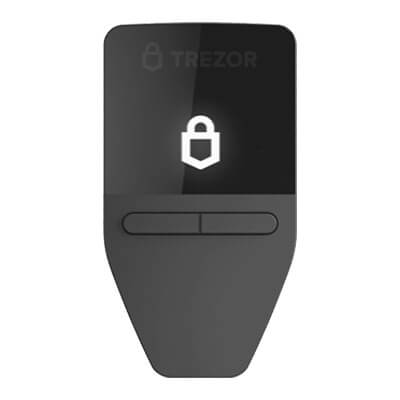
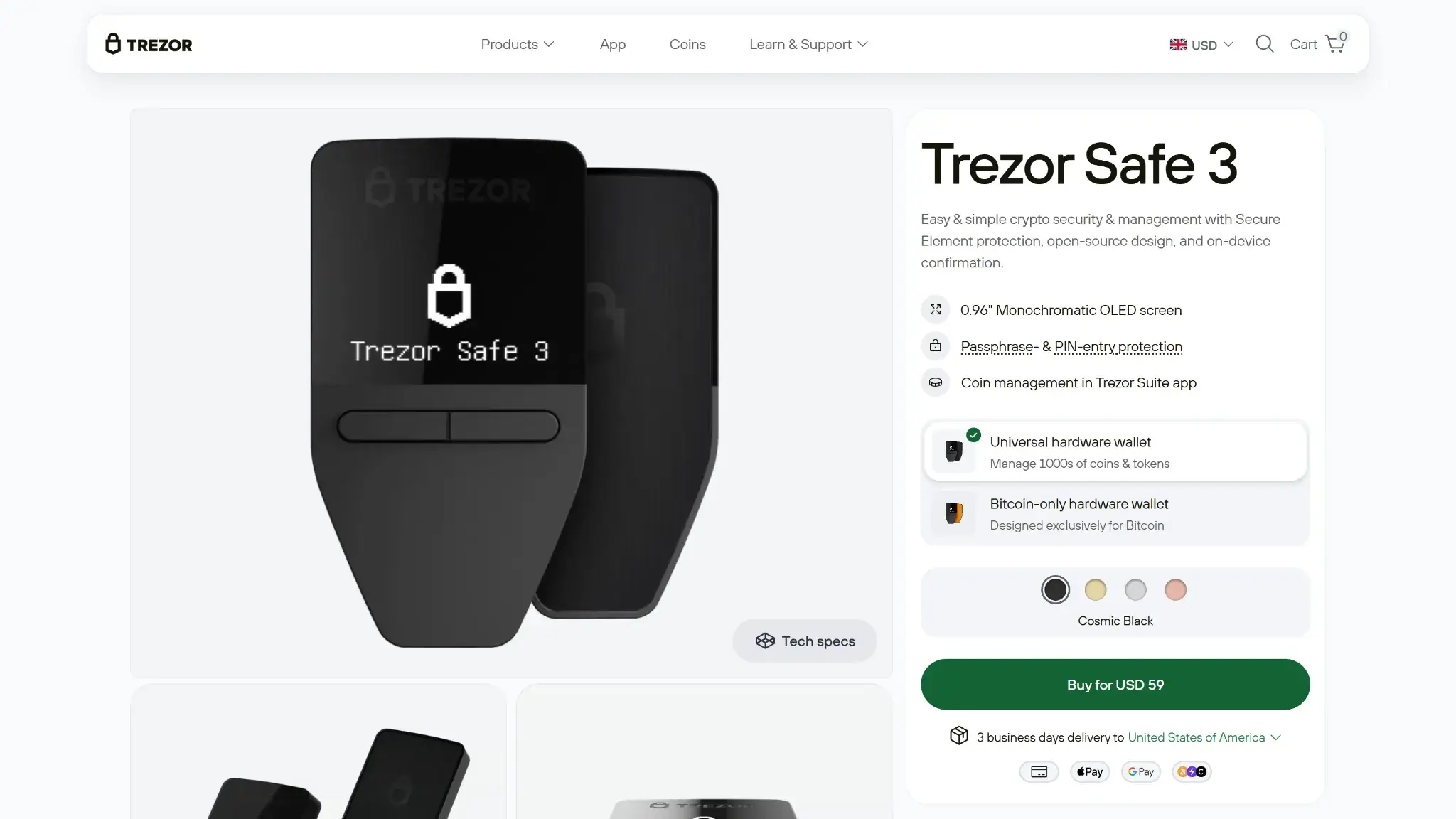
Trezor Safe 3 is a cold hardware wallet for people who want lower-cost self-custody without buying an older Trezor model. It fits desktop-first and Android-first users who want strong core security, flexible wallet-backup options, and a simple wired setup. The secure element, open-source design, and on-device approval give Trezor Safe 3 a strong base without pushing buyers toward Safe 5 pricing. The trade-off is everyday comfort: the small screen and two-button input slow frequent use, and iPhone support is limited to portfolio tracking, buying, and receiving. For sending, swapping, setup, and device management, you need desktop or Android.
Not available in your region
Trezor Safe 3 is unavailable in your region.
Trezor Safe 3 Overview
Trezor Safe 3 Screenshots

Trezor Safe 3 Pros and Cons
Pros
- Lower cost than Safe 5 while still giving you a secure element and on-device approval.
- Supports BIP39 and SLIP39 wallet backups, including the current 20-word Single-share Backup default on newer units.
- Works well for desktop and Android users who want a simple wired signing flow without battery upkeep.
- Open-source design makes it easier to inspect and compare against more closed hardware-wallet models.
- Trezor Safe 3 Bitcoin-only and the standard Safe 3 give buyers a clear choice between a Bitcoin-only setup and broader multi-asset support.
Cons
- Safe 3 is a weak fit for iPhone-first users. On iOS it is limited to portfolio tracking, buying, and receiving, with no sending, swapping, setup, or device management.
- Small screen and two-button controls make address checks, PIN entry, and passphrase use slower than on touchscreen wallets.
- No Bluetooth or battery means it always depends on a cable and host device.
- Some assets and many dApp workflows still rely on third-party wallets outside Trezor Suite.
- The lower price comes with fewer comfort features than Safe 5, especially for frequent signers.
Who Trezor Safe 3 Is Best For — And Who Should Skip It

Trezor Safe 3 fits best when the goal is simple self-custody, not a premium everyday wallet experience. It works well for people who care most about long-term storage, price, and basic signing security, and it makes less sense for users who want smoother mobile use or faster on-device review.
| User type | Fit | Why |
|---|---|---|
| Long-term holders | Strong fit | Good for storing major assets with on-device approval and flexible wallet-backup options |
| Desktop-first users | Strong fit | Desktop gives the clearest setup, signing, and update experience |
| Android users | Good fit | Works well over USB-C if wired use is not a problem |
| iPhone-first users | Weak fit | Non-Bluetooth models like Safe 3 are limited on iOS to portfolio tracking, buying, and receiving. Full setup, sending, swapping, and device management require desktop or Android. |
| Heavy DeFi users | Weak fit | Some dApp flows need third-party wallets, and the small screen slows repeated approvals |
| Users who want premium hardware comfort | Weak fit | The two-button layout and small screen feel basic next to Safe 5 and other larger-screen wallets |
The short version is that Safe 3 is strongest for buyers who want solid core self-custody at a lower cost. People who want more mobile freedom, faster signing, or a more polished hardware experience should look higher up the market.
What Is Trezor Safe 3 and How Does It Work?

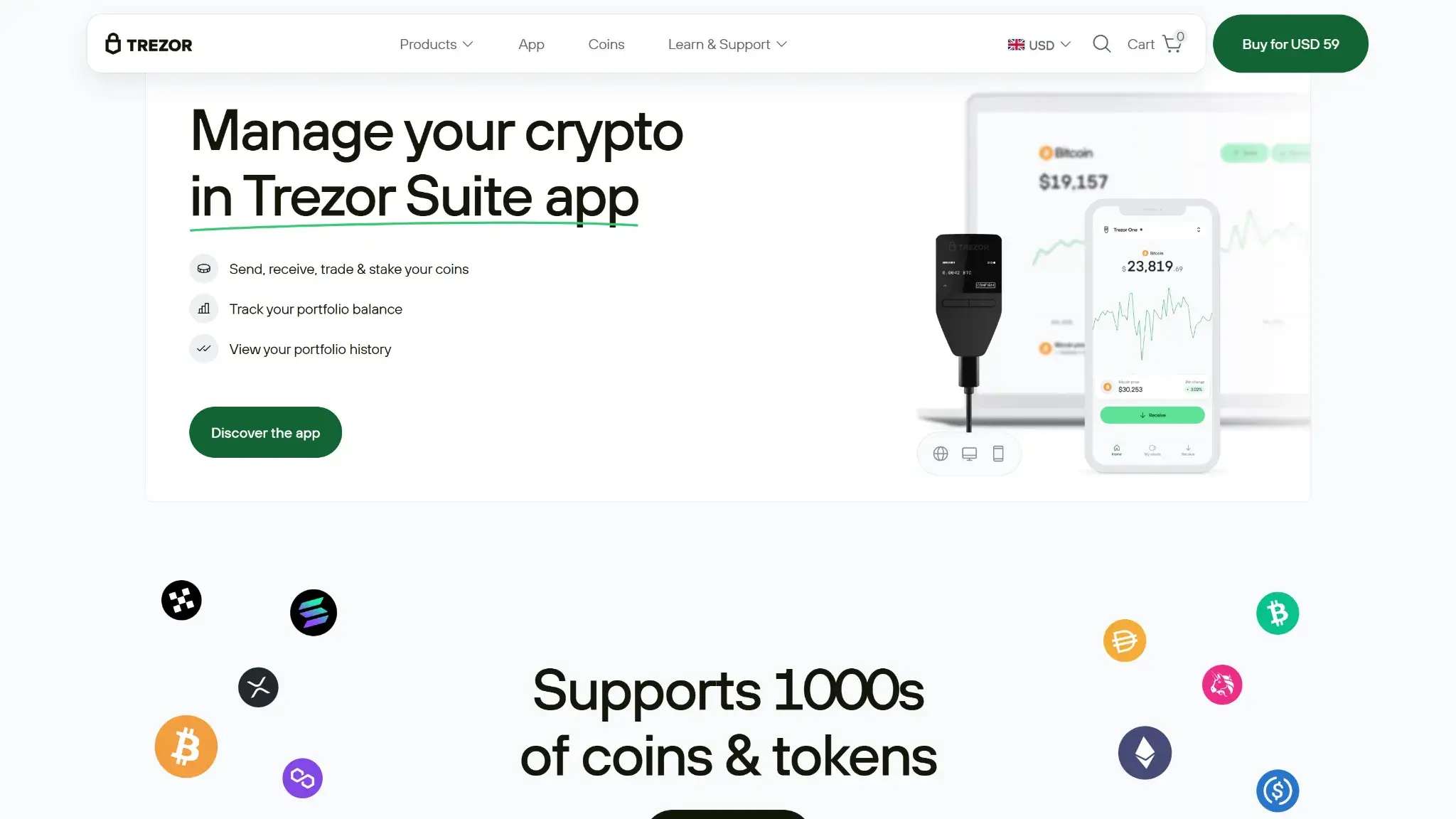
Trezor Safe 3 is Trezor’s lower-cost current hardware wallet. It is a physical USB-C device that works best with Trezor Suite on desktop and Android, with limited iOS support and Trezor Suite Web support in Chromium-based browsers.
Here is the basic flow:
- You connect Safe 3 to a desktop computer or Android phone.
- Your keys stay on the device, not on the computer or phone.
- Trezor Suite prepares the transaction.
- You review and approve it on the Safe 3 screen with the two buttons.
- You can store, receive, send, swap, and stake supported assets, and use third-party wallets for some coins or dApp activity.
Inside Trezor’s current lineup, Safe 3 is the entry model, Safe 5 is the touchscreen mid-tier model, and Safe 7 is the top model with Bluetooth, battery power, and full iOS compatibility.
Wallet Type, Custody and Recovery Model
Safe 3 is a non-custodial hardware wallet, which means the user controls the keys and the wallet backup, not Trezor.
Recovery depends on the wallet backup created during setup. If the device is lost but the wallet backup still exists, the wallet can be restored. If both the device and the recovery method are lost, support cannot restore access.
Current Safe 3 units default to a 20-word Single-share Backup. Older units defaulted to 12-word BIP39, and older 20-word SLIP39 wallets created before June 2024 cannot be upgraded to Multi-share Backup.
Supported Assets, Networks and Compatibility

Safe 3 has broad support across major chains, but the experience is not the same for every asset. Most people checking Trezor Safe 3 supported coins and supported chains want to know whether their main assets work cleanly inside Trezor Suite.
What matters most is not the raw token count. It is whether the workflow stays inside Trezor Suite. Safe 3 covers many major assets well, but some coins, dApps, and advanced tasks still depend on outside wallet software.
Native Trezor Suite support is only part of the picture. Monero, Stellar, Tezos, and some EVM networks such as Avalanche rely on third-party wallet apps rather than native Suite support.
Core Features and Real-world Use Cases
Core Features and Real-World Use Cases
Safe 3 does more than basic storage, but the experience changes once you leave core wallet tasks. Storage, send and receive, selected staking, and partner-powered trading work cleanly inside Trezor Suite, while more advanced activity often depends on outside tools.
| Feature area | What users can do | How it works in practice | Key limitations, costs, or risks |
|---|---|---|---|
| Swaps and trading | Buy, sell, and swap supported assets | Trezor Suite includes partner-powered buy, sell, and swap flows, with both centralized and decentralized routes depending on the asset and network | Provider spreads, network fees, gas, regional limits, and KYC on some providers; DEX swaps are limited to selected EVM assets and networks |
| Bridging | Not available natively in Trezor Suite | Cross-chain moves usually happen through third-party bridge dApps or compatible outside wallets | Bridge fees, settlement delays, smart-contract risk, and extra software steps |
| Staking and earn | Stake selected assets | Staking is available in Trezor Suite for Ethereum, Cardano, and Solana, with network-specific validator or partner flows | Limited asset coverage, validator fees, lockups, staking delays, and withdrawal delays |
| dApp access and connectivity | Connect to dApps and some NFT marketplaces | WalletConnect in Trezor Suite gives access to thousands of dApps across multiple blockchains. Outside native Suite support, Trezor Connect works with third-party apps such as MetaMask, Rabby, Backpack, and NuFi. | Session drops, phishing exposure, awkward switching between apps, and outside-wallet dependence |
| NFTs | Store and secure NFTs on supported chains | The device can protect NFTs that live on supported networks, but viewing and management often depend on third-party tools rather than a full native gallery in Trezor Suite | Weak native NFT display, limited chain support, and basic management tools |
| Exchange and account features | Buy and sell with fiat, then move assets into self-custody | Fiat on-ramp and off-ramp flows run through integrated partner providers inside Trezor Suite rather than through an exchange account | KYC requirements, provider dependence, regional limits, and no exchange-linked balance system |
| Card, borrowing, and spending | Not available natively | There is no built-in card, credit line, or borrowing layer in Trezor Suite | Users need outside services for spending or borrowing, which adds extra counterparties and fees |
| Smart account, MPC, or passkey features | Not available | Safe 3 uses a traditional hardware-wallet flow with device approval, wallet-backup recovery, and optional passphrase use | Better portability and user control than MPC or passkey systems, but fewer onboarding shortcuts and less convenience |
The feature set is useful, but it is not fully self-contained. Safe 3 works best when you stay inside Trezor Suite for core wallet tasks such as storage, send and receive, selected staking, and provider-powered trading. Once you move into bridging, heavier dApp use, or richer NFT handling, the experience becomes more fragmented and depends on third-party apps or partner services.
Fees and Total Cost of Ownership
The total cost is wider than the device itself. Buyers need to separate one-time hardware costs from network fees and from the third-party fees that appear when they buy, sell, or swap inside Trezor Suite.
That split matters because the wallet itself is only one part of the bill. Network fees come from the chain, while trading and on-ramp costs depend on outside providers and can change by region, payment method, and market conditions.
| Cost component | What users pay | When it applies | Notes |
|---|---|---|---|
| Device or wallet price | USD 59 list price before any destination-specific taxes or customs. | One-time | Hardware purchase only |
| Shipping and import costs | Varies | Hardware orders | Depends on country and shipping method. Checkout prices do not include tax/customs fees, and customs may apply outside the USA, UK, and EU. |
| Network fees | Variable | Send, swap, bridge | Chain dependent |
| Swap spread or routing fee | Not disclosed in one fixed rate | Swaps | Third-party provider dependent; total cost is reflected in the quote |
| On-ramp fee | Variable | Buying crypto | Partner dependent |
| Withdrawal fee | N/A at wallet level | Withdrawals | Non-custodial wallet; users still pay network fees where relevant |
| Subscription or premium fee | None | N/A | No monthly or yearly wallet subscription |
The device itself is inexpensive, but checkout price does not include destination-specific tax or customs.
Security Architecture and Trust

Trezor Safe 3 has a strong security model for its price, but the protection comes from layers, not from one feature. Keys stay on the device, approval happens on the device, firmware and device authenticity are checked, and the broader design stays open to public review. Risk still remains around phishing, bad wallet-backup handling, and user mistakes.
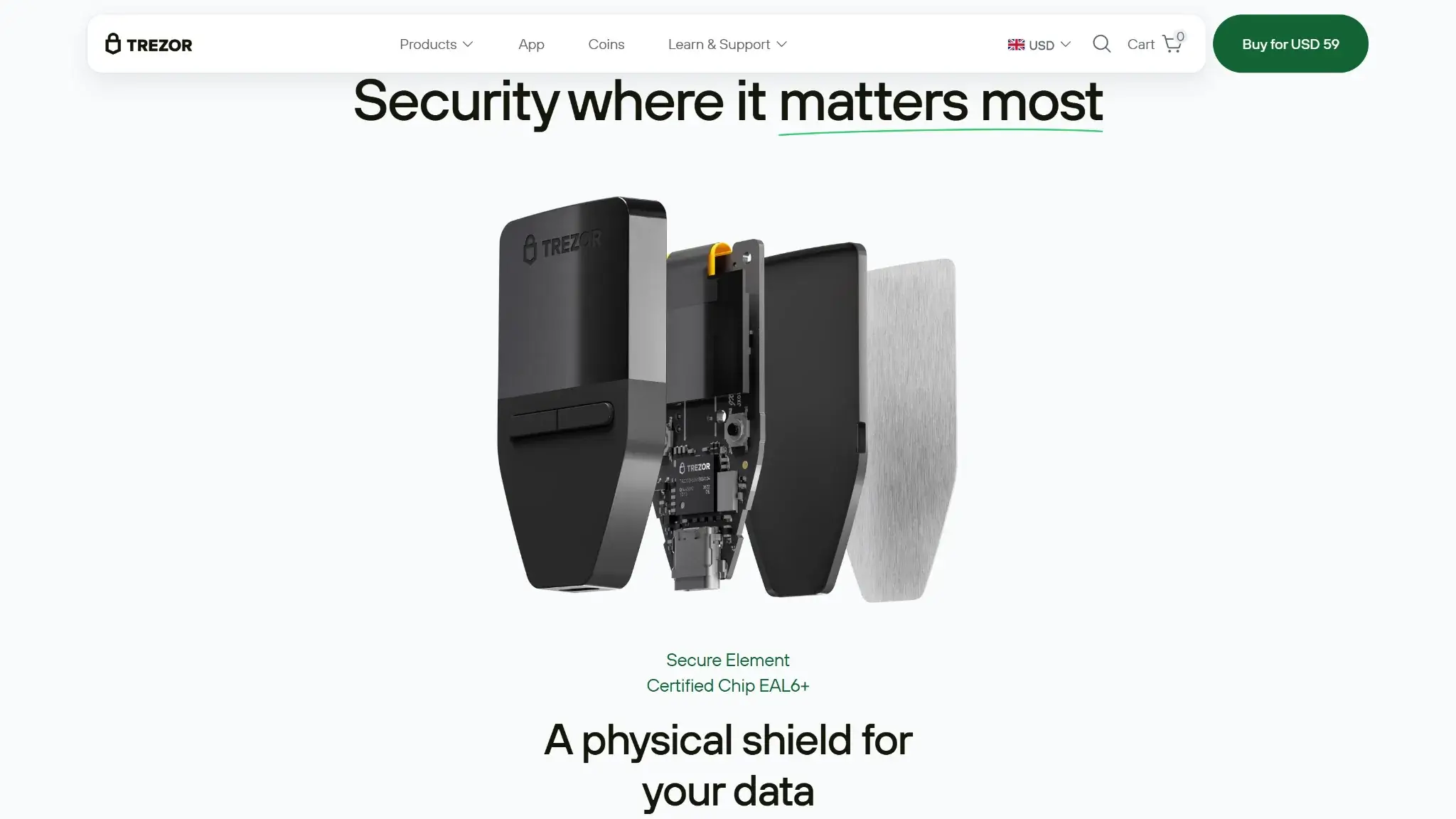
In real use, keys stay on the Safe 3 rather than on the computer or phone. The OPTIGA Trust M (V3) Secure Element, certified to CC EAL6+, strengthens PIN protection, device-authenticity checks, and resistance to physical attacks. Signing works by preparing the transaction in Trezor Suite, then reviewing and approving it on the Safe 3 screen with the two buttons. The wallet uses PIN protection and optional passphrase use, but it does not use biometrics.
Recovery still depends entirely on the wallet backup. After 16 incorrect PIN attempts, Safe 3 resets and erases the wallet, which is why the backup matters so much. FIDO2 support is available for 2FA-style use cases outside simple wallet storage, and the bug bounty program covers hardware, software, and related infrastructure. New Trezor devices ship without firmware, so first setup installs signed firmware through Trezor Suite and runs a Secure Element authenticity check. If firmware is already installed when you first unbox a new device, do not use it.
Backup, Recovery and Loss Scenarios
Recovery is one of the most important parts of the Safe 3 experience because the wallet is fully non-custodial. Support can help with setup guidance, troubleshooting, and recovery instructions, but it cannot restore funds if the wallet backup is gone.
| Scenario | What happens | What support can help with | When loss is permanent |
|---|---|---|---|
| Lost hardware wallet | You can restore on a new compatible device if the wallet backup still exists | Setup guidance and recovery instructions | Loss becomes permanent if the wallet backup is also gone |
| Broken device | You can restore on a replacement device if the wallet backup still exists | Device troubleshooting and recovery guidance | Loss becomes permanent if the device fails and the wallet backup is gone |
| Forgotten PIN | The PIN protects the device, but the wallet can still be recovered with the wallet backup | Instructions for wipe and recovery flow | Loss becomes permanent only if the wallet backup is missing too |
| Lost wallet backup | The device may still work for now, but recovery becomes fragile | Guidance on moving funds to a new wallet while access still exists | Loss becomes permanent if the device is later lost, wiped, or damaged |
| Lost phone or computer | Funds are still safe because keys are on the hardware wallet | Help reinstalling Trezor Suite and reconnecting the device | Not permanent if the Safe 3 and wallet backup still exist |
| Cloud restore or synced recovery | Not offered | N/A | N/A |
If the wallet backup survives, most hardware and access-loss problems are manageable. If the wallet backup is gone, support cannot recover the wallet for you.
UX, Performance and Platform Support
Safe 3 is easy enough to use correctly, but only if the workflow matches the device. Desktop is the best fit, Android works well, and iPhone support stays limited enough that it changes who this wallet makes sense for.
The interface is clear inside Trezor Suite, and the signing flow is easy to understand because approval still happens on the hardware wallet. The main weakness is speed and comfort, not clarity. The small screen and two-button controls slow down PIN entry, passphrase use, and repeated address checks, especially if you sign often.
| Platform | Availability | Notes |
|---|---|---|
| iOS | Yes, limited | Limited to portfolio tracking, buying, and receiving. No sending, swapping, setup, or device management on Safe 3. |
| Android | Yes | Full USB-C flow with the device |
| Browser extension | No | Not offered as a dedicated browser extension wallet |
| Desktop | Yes | Best overall experience for setup, updates, signing, and management |
| Web app | Yes | Trezor Suite Web works in Chromium-based browsers only. |
Firefox and Safari are not supported for WebUSB, and ChromeOS is not officially supported.
A few points matter most in daily use:
- The screen is small but readable enough for careful review.
- The two buttons are reliable, but slower than a touchscreen.
- There is no battery, which removes charging and battery-aging problems but also keeps the wallet tethered to a cable.
- The device is light and easy to carry, so portability is good if you do not mind wired use.
- The connection flow is simple on desktop and Android, but much weaker on iPhone.
- Updates are straightforward through Trezor Suite, which helps beginners follow the correct path.
- Expert users still get passphrase support and flexible wallet-backup choices, even if the hardware itself stays basic.
Safe 3 is easiest to recommend when the goal is correct use, not fast use. It gives beginners a clear signing flow and offers more experienced users decent flexibility, but it does not try to feel premium, mobile-first, or especially fast.

Customer Support, Documentation and Incident Handling
Human support has clear limits. Support cannot reverse an on-chain transfer, restore a lost wallet backup, or recover funds after both the device and the recovery method are lost.

Documentation is the stronger part of the support experience. Setup guides, recovery instructions, firmware warnings, and phishing guidance are detailed enough to solve many issues without live human help.
| Channel | Availability | Typical use | Notes |
|---|---|---|---|
| Help center | 24/7 | Docs, setup, troubleshooting | Strong documentation depth and good device-specific guides |
| Live chat | Support contact runs through the chat bubble / Chatbot Hal, with support-team follow-up when needed. | Urgent support | Not a standard always-live human chat queue |
| Email or tickets | Support requests are routed through the chat bubble / Chatbot Hal rather than a standard always-live human chat queue. | Account or technical issues | Ticket-style support flow rather than direct inbox support |
| Status page | Yes — Trezor has a public system status page. | Outages and incidents | https://status.trezor.io |
| Community channels | X, Reddit, and Trezor Forum | Announcements or peer help | Forum is the most useful official community support surface |
For service incidents, Trezor also maintains a public system status page, while security disclosures appear in the security portal and support content.
Final Verdict
Trezor Safe 3 is a solid value pick for anyone who wants genuine self-custody without spending on a flagship device. The fundamentals hold up: keys never leave the hardware, transaction approvals happen on the device itself, backup options are flexible, and Trezor's open-source approach puts it ahead of most competitors on transparency. There are some limitations to consider: the small screen and two-button interface slow things down, and iPhone support is thin enough to be a genuine inconvenience. That makes it a better fit for long-term storage and occasional sends than for frequent signing or anyone working primarily from mobile. For desktop or Android users who want a lower-cost cold wallet that does not cut corners on the core security model, it is an easy recommendation.
Overall Score
7.5PROS
- Lower cost than Safe 5 while still giving you a secure element and on-device approval.
- Supports BIP39 and SLIP39 wallet backups, including the current 20-word Single-share Backup default on newer units.
- Works well for desktop and Android users who want a simple wired signing flow without battery upkeep.
- Open-source design makes it easier to inspect and compare against more closed hardware-wallet models.
- Trezor Safe 3 Bitcoin-only and the standard Safe 3 give buyers a clear choice between a Bitcoin-only setup and broader multi-asset support.
CONS
- Safe 3 is a weak fit for iPhone-first users. On iOS it is limited to portfolio tracking, buying, and receiving, with no sending, swapping, setup, or device management.
- Small screen and two-button controls make address checks, PIN entry, and passphrase use slower than on touchscreen wallets.
- No Bluetooth or battery means it always depends on a cable and host device.
- Some assets and many dApp workflows still rely on third-party wallets outside Trezor Suite.
- The lower price comes with fewer comfort features than Safe 5, especially for frequent signers.

Disclaimer: CryptoSlate may receive a commission when you click links on our site and make a purchase or complete an action with a third party. This does not influence our editorial independence, reviews, or ratings, and we always aim to provide accurate, transparent information to our readers.
FAQ
Is Trezor Safe 3 a cold wallet?
Yes. Safe 3 is a cold wallet because it keeps private keys on the device and requires on-device approval before a transaction is signed, but it is not an air-gapped QR wallet because it signs through USB-C rather than through cameras or removable media.
Does Trezor Safe 3 work with iPhone?
Only in a limited way. On iOS, Safe 3 is limited to portfolio tracking, buying, and receiving. For sending, swapping, setup, and device management, you need desktop or Android.
Is Trezor Safe 3 open source, and does it have a secure element?
Yes. Safe 3 uses an open-source design and includes an EAL6+ secure element, which gives buyers broader public review plus stronger resistance to some physical attacks.
Does Trezor Safe 3 give you a seed phrase?
Current Safe 3 units default to a 20-word wallet backup. Older Safe 3 units defaulted to 12-word BIP39. Safe 3 also supports 24-word BIP39 and Multi-share SLIP39 when selected.
Which coins and chains does Trezor Safe 3 support?
Trezor Suite currently supports Bitcoin, Ethereum, Cardano, Litecoin, Zcash, Ethereum Classic, Dogecoin, XRP, Bitcoin Cash, Solana, Polygon PoS, BNB Smart Chain, Arbitrum One, Base, and Optimism. Some additional assets require third-party wallet apps.
What fees does Trezor Safe 3 charge?
There is no recurring wallet fee. The device currently lists at USD 59 before destination-specific tax or customs. Users still pay network fees, and buy, sell, or swap costs depend on third-party providers in Trezor Suite.
Does Trezor Safe 3 require KYC?
Not for the wallet itself. KYC may apply when you use buy/sell services or some CEX swap providers. DEX swaps do not require KYC.
What happens if you lose your device or recovery method?
If the device is lost but the wallet backup still exists, the wallet can be restored on a new compatible device. If the wallet backup is gone and the device is later lost, wiped, or damaged, the loss can become permanent.