Explore CryptoSlate’s Institutional Playbook, a 3-part guide series on exchange due diligence, crypto-as-a-service, and token listing strategy for institutional teams.
Explore CryptoSlate’s Institutional Playbook, a 3-part guide series on exchange due diligence, crypto-as-a-service, and token listing strategy for institutional teams.
Solflare is a non-custodial hot wallet built mainly for people who spend most of their time on Solana. It suits users who want staking, swaps, NFT management, and dApp access in one wallet, with optional hardware signing for stronger key separation. It is strongest as an everyday Solana wallet. The main compromise is that its native coverage does not extend far beyond that ecosystem.
Deep Solana-native feature set with staking, swaps, NFTs, and dApp connectivity in one interface.
Supports hardware signing through Ledger, Keystone, and Solflare Shield for users who want stronger key isolation.
Available across web, browser extension, iOS, and Android, which makes it easier to manage the same wallet on desktop and mobile.
Recovery phrase export is supported for eligible software accounts, which helps with backup and wallet migration.
Built-in security tooling has improved with transaction simulation and scam-warning features before signing.
Cons
Narrow chain support, so it is a poor fit if you want Bitcoin, Ethereum, and Solana in one wallet.
Open-source visibility is limited. Some repositories are public, but the full wallet stack is not clearly open-source.
Fiat buys and card features rely on third-party providers or regional programs, adding compliance and support friction.
Self-custody is unforgiving: if you lose your recovery phrase and have no active backup, Solflare cannot restore access.
Who Solflare is Best for — and Who Should Skip It
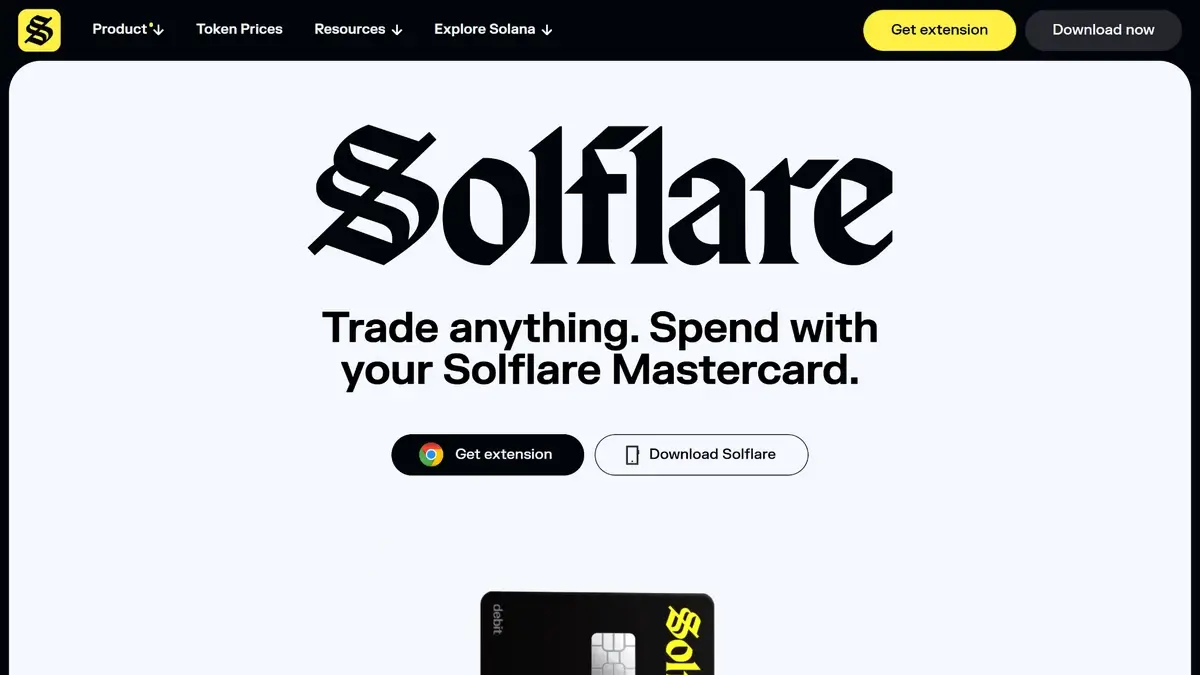
Solflare homepage hero showing “Trade anything. Spend with your Solflare Mastercard” with extension and download buttons.
Solflare is best for people who mainly use Solana and want one wallet for everyday on-chain activity. It fits users who stake SOL, manage SPL tokens, collect NFTs, and connect to Solana dApps from both desktop and mobile. It also makes sense for people who want self-custody with the option to add hardware signing later. For readers comparing close alternatives, see our guide to the best Solana wallets, the Phantom Wallet review, and our broader list of best crypto wallets.
People should look elsewhere if they want a company-managed recovery model instead of seed-phrase responsibility. Solflare is also not the best starting point for users whose main goal is offline-first long-term storage for larger balances. In those cases, a hardware-focused option from our best cold wallets and hardware wallets guide or a dedicated device in our Ledger Nano S Plus review will usually fit better.
What is Solflare and How Does it Work?
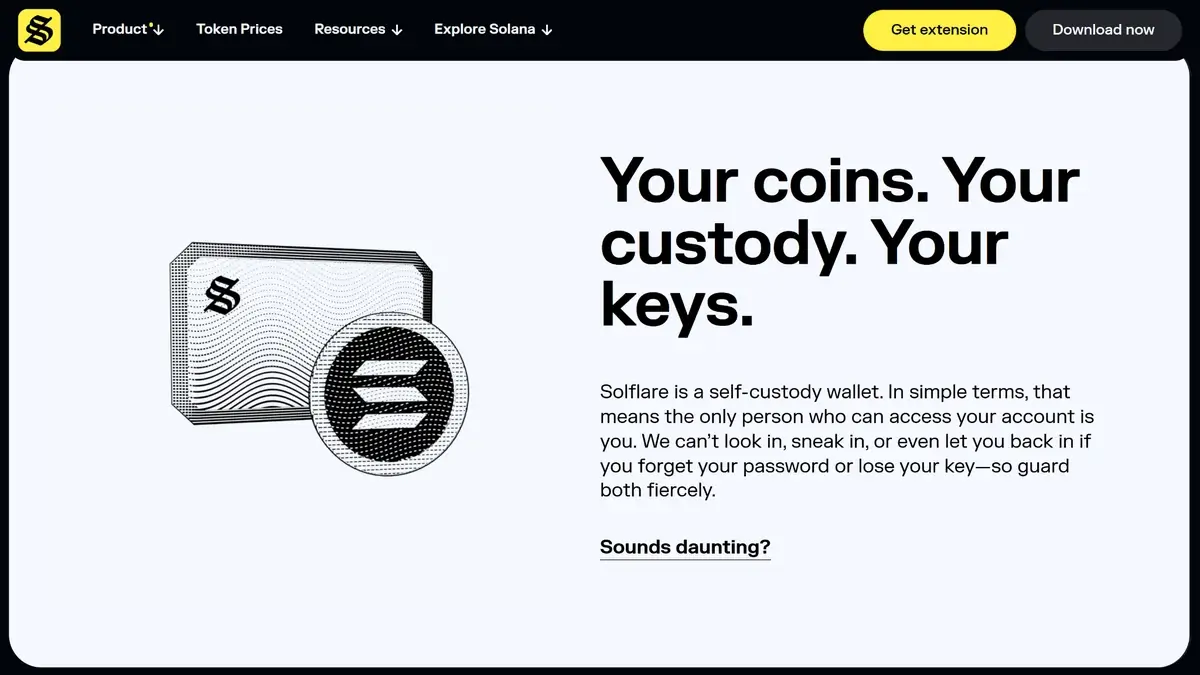
Solflare product page section reading “Your coins. Your custody. Your keys.” explaining self-custody security.
Solflare is a self-custody wallet built for the Solana ecosystem. The core wallet is available as a web app, browser extension, and mobile app, so users can access Solana from desktop or phone without using an exchange account as the main wallet layer. The branding can feel broader than the wallet itself because Solflare now promotes add-on products like Solflare Shield and Solflare Card. The wallet reviewed here is the non-custodial software wallet.
Solflare lets users manage assets that live on Solana. Other people send tokens to your wallet address, while the private keys that control those assets are generated and stored locally on your device in the standard software-wallet setup. When you send funds, approve a swap, stake SOL, or connect to a dApp, you review the action and sign it from the app or extension. If you connect Ledger, Keystone, or Solflare Shield, the signing step moves to the hardware device instead of relying only on the hot-wallet environment.
With Solflare, you can hold SOL and SPL tokens, send and receive assets, stake SOL, swap tokens, manage NFTs, and connect to Solana dApps. Recovery is based on self-custody credentials rather than account-based support. That means restore and migration depend on your recovery phrase or exported private key, not on Solflare recovering the wallet for you.
Wallet Type, Custody, and Recovery Model
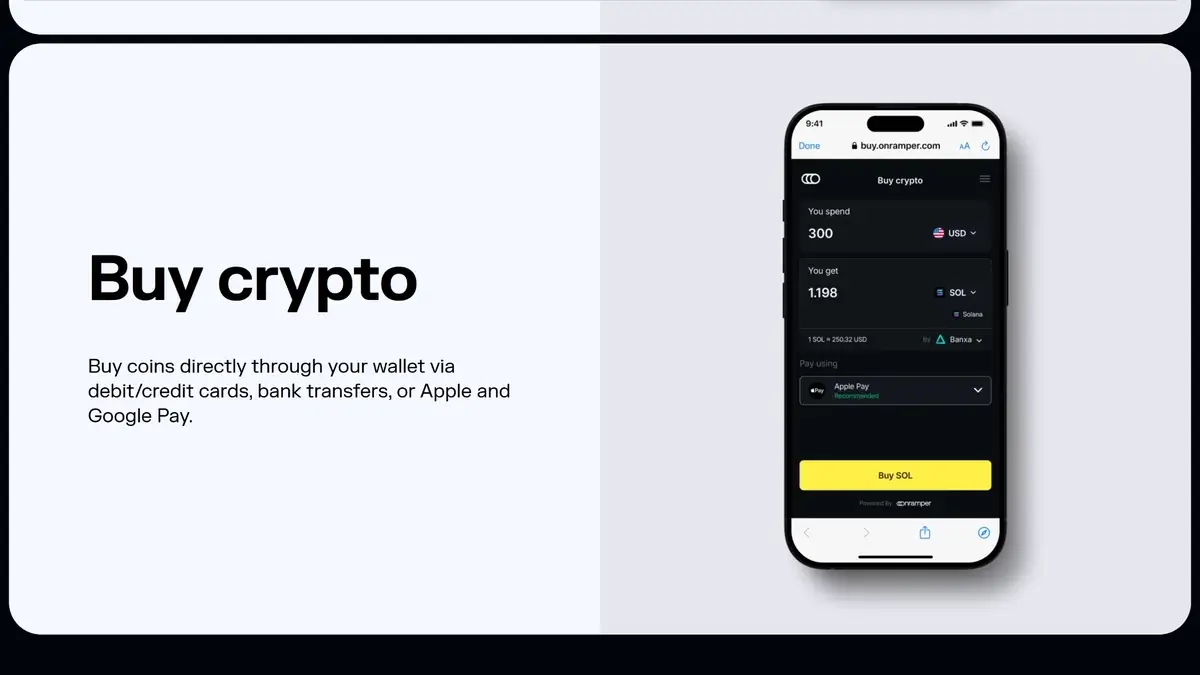
Solflare buy crypto screen showing an in-wallet on-ramp flow to purchase SOL using card, bank transfer, Apple Pay, or Google Pay.
Solflare is a self-custody software wallet first, not a managed account. In the standard wallet setup, you control the credentials that control the assets, and Solflare acts as the interface for sending, staking, swapping, and connecting to Solana apps. If you connect Ledger, Keystone, or Solflare Shield, the signing authority shifts to that hardware device, but Solflare still remains the front-end you use to manage the wallet.
Wallet classHot software wallet with optional hardware-wallet integration
Who controls the keysUser in the standard wallet setup; hardware signer controls approvals when Ledger, Keystone, or Shield is connected
Recovery methodSeed phrase in the standard software wallet; hardware-wallet recovery follows the connected device flow
Can you export keys or seed?Yes — the standard software wallet supports recovery-phrase and private-key export
Portability to another walletEasy within Solana-compatible wallets; limited outside the Solana ecosystem
What happens if you lose the deviceIf you still have the recovery phrase or private key, you can restore the wallet on a new device or browser. If you were using Solflare Shield, you can pair the card to a new phone or restore onto a new Shield card with the recovery phrase.
What happens if you lose the recovery methodAccess becomes a serious problem. If no active device still has wallet access, Solflare cannot restore the wallet for you.
Who can help recover accessSupport can help with setup or troubleshooting, but it cannot restore self-custody access
Best use caseDaily Solana use, staking, NFTs, and DeFi with full user control
Solflare is portable between Solana-compatible wallets, but that portability stops at the Solana boundary. You can move the wallet between Solflare and other Solana wallets by using the recovery phrase or private key, but this is not a multi-chain recovery model. If the same phrase also controls assets on other networks, Solflare will not show or manage those assets.
Supported Assets, Networks, and Compatibility
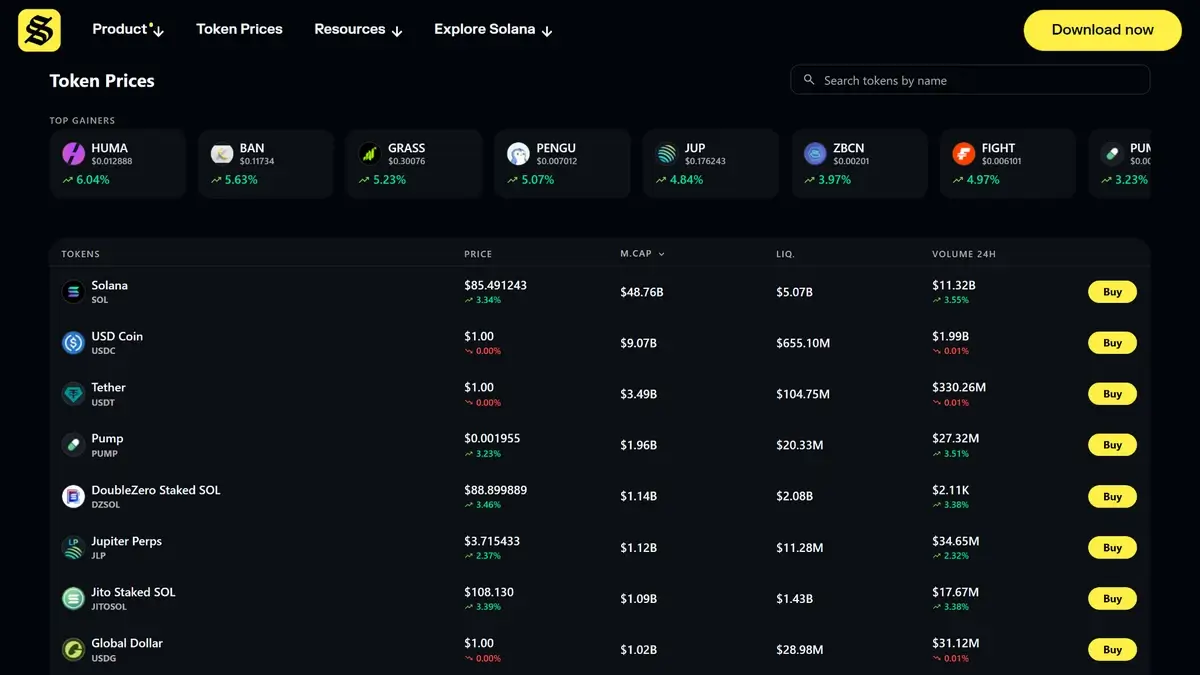
Solflare token prices dashboard showing top gainers and a table of Solana ecosystem tokens with buy buttons.
Solflare is ecosystem-specific rather than broad multi-chain. It is built around Solana, so the practical support story is SOL, SPL tokens, Solana NFTs, staking, and Solana dApps. That makes it a strong fit for users who want depth inside one ecosystem, but a weaker fit for readers who want one wallet for Bitcoin, Ethereum, and multiple EVM chains.
Connection methodsBrowser extension and web wallet on desktop; in-app mobile browser for dApps; USB for Ledger on desktop; Bluetooth for Ledger on mobile; QR scan for Keystone on desktop; NFC tap-to-sign for Solflare Shield on mobile
Notable gapsNo native Bitcoin support, no Ethereum or EVM asset management, no visibility into non-Solana assets tied to the same recovery phrase, and no separate desktop app confirmed beyond web and extension access
Compatibility is strongest when your activity already lives on Solana. That includes sending and receiving SOL, managing SPL tokens, viewing NFTs, staking, and signing into Solana dApps from the extension, web wallet, or mobile app.
Core Features and Real-world Use Cases
Compared with broader multi-chain wallets, Solflare is narrower in scope but more complete for active Solana use. This is not just a wallet for holding tokens and checking balances. It is built for people who actually use Solana day to day: swapping SPL tokens, staking SOL, minting or managing NFTs, and connecting to DeFi, NFT, and DAO apps from desktop or mobile. Its edge is that many of those actions sit in one interface, with optional hardware signing layered on top. Outside that lane, the product is less convincing. Cross-chain movement is limited, and fiat purchase or spending still depends on partner flows or separate region-limited products rather than one seamless global account system.
Feature area
What users can do
How it works in practice
Key limitations, costs, or risks
Swaps and trading
Swap SOL and SPL tokens inside the wallet
Solflare includes a built-in swap flow that routes through Jupiter, with route discovery and user-controlled slippage settings.
Price impact, slippage, network fees, failed swap attempts, and exposure to low-quality or risky tokens.
Bridging
Limited movement between Solana and some EVM assets
Solflare’s help docs describe a bridge flow between Solana and EVM ecosystems, but it relies on extra tooling such as MetaMask and older Snap-based setup rather than a clean native one-wallet bridge.
Bridge fees, settlement delays, smart-contract and bridge risk, extra wallet dependence, and uncertainty because Solflare says Snap support is being sunset.
Staking and earn
Stake SOL for rewards and manage validator exposure
Native staking is built into the wallet. Users choose a validator, create a staking account, and track rewards in-app. Solflare also documents instant-unstake options when liquidity is available.
Staking is Solana-only, rewards depend on validator performance, there is a small staking-account network fee, and unstaking can take 1 to 3 epochs unless you pay for instant unstake.
dApp access and connectivity
Connect to Solana dApps, sign transactions, and use DeFi, NFT, and DAO applications
On desktop, Solflare works through the browser extension. On mobile, users connect through Solflare’s in-app browser. Transaction prompts show token movement, fees, smart-contract calls, and risky permission requests before signing.
Phishing risk, malicious dApps, mistaken approvals, and a Solana-only app ecosystem rather than broad multi-chain connectivity.
NFTs
Store, view, send, receive, and clean up Solana NFTs
Solflare supports NFT handling in-wallet and can connect directly to Solana NFT marketplaces and apps.
Solana-only NFT scope, weak or misleading metadata on some collections, and scam or spam NFTs still require user caution.
Exchange and account features
Buy SOL from within the wallet and move assets to or from external exchanges
Solflare’s buy flow connects users to third-party fiat-to-crypto vendors. For cash-out, Solflare’s own help docs generally direct users to send assets to a centralized exchange and withdraw fiat from there.
Third-party KYC and compliance checks, regional restrictions, vendor delays, support handoff, and token or network mismatch risk when transferring to exchanges.
Card, borrowing, and spending
Spend USDC from a connected wallet through the Solflare Card in supported regions
The Solflare Card is a separate Mastercard product linked to the Solflare ecosystem. It lets approved users spend USDC on Solana without pre-loading a custodial balance.
Separate approval and KYC, limited regional availability, USDC-on-Solana dependence, 1% FX fee on non-USD purchases, and spending or ATM limits.
Solflare feels strongest when you stay inside the workflow it was built for. Staking, swaps, NFT handling, and dApp access are the parts that feel most integrated and most useful. The friction starts when you move beyond that core use case. Bridge flows are less elegant, fiat access depends on outside vendors, and cashing out still usually means sending assets to a centralized exchange. Newer add-ons such as Shield and the Solflare Card expand what the ecosystem can do, but they also bring extra eligibility, device, and region constraints. That trade-off can still work well for users who spend most of their time on Solana.
Fees and Total Cost of Ownership
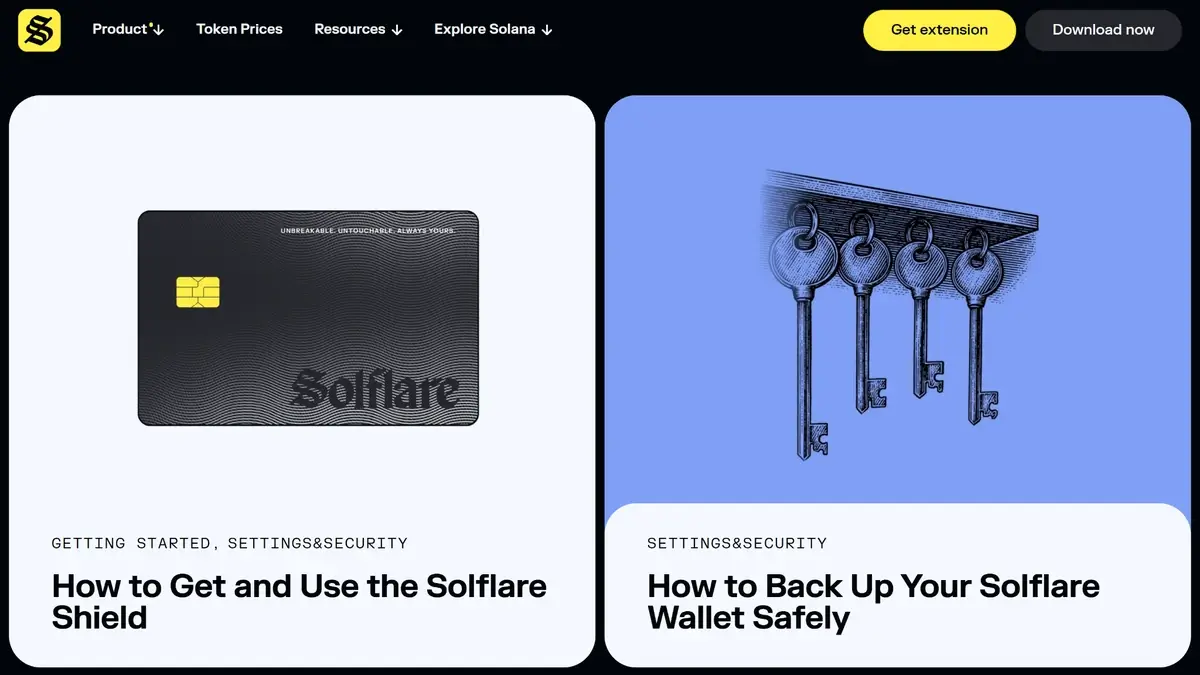
Solflare guides page for Settings & Security featuring articles on Solflare Shield and backing up your wallet safely.
Solflare is free to download and use as a self-custody wallet, but normal use still comes with real costs. Most of the real expense comes from Solana network fees, swap execution costs, optional staking shortcuts, and third-party services used for buying crypto or spending through add-on products. The most useful way to read Solflare’s pricing is to separate core wallet use from optional extras like Solflare Shield or the Solflare Card.
Cost component
What users pay
When it applies
Notes
Device or wallet price
Free for the software wallet; optional Solflare Shield hardware starts at $49
Free for normal wallet use; one-time only if you add optional hardware
Shield is not required to use Solflare as a standard hot wallet
Shipping and import costs
N/A for normal software-wallet use; varies if you order optional hardware
Hardware orders only
Only relevant if you separately buy a device such as Solflare Shield
Network fees
Variable Solana network fees; staking account creation requires a refundable 0.002 SOL deposit
Sending, swapping, staking, bridging, and other on-chain actions
These are blockchain costs, not Solflare wallet fees
Swap spread or routing fee
Variable; no clear fixed Solflare wallet swap fee is disclosed
In-wallet swaps
Solflare routes swaps through Jupiter, so total cost depends on liquidity, price impact, and route quality rather than one simple flat wallet fee
Staking and instant-unstake cost
Standard staking has no extra fixed Solflare fee beyond network costs; instant unstake costs 0.5% to 3%
Only when you stake or choose instant unstake
Standard unstake avoids the instant-unstake fee but usually takes 1 to 3 epochs
On-ramp fee
Variable, partner dependent
Buying crypto with card, bank transfer, or local payment methods
Solflare uses integrated third-party providers, so the quote, fees, and KYC requirements depend on the provider and region
Withdrawal fee
No wallet-level withdrawal fee
Sending crypto out of Solflare
Users still pay Solana network fees, and fiat cash-out usually requires a centralized exchange or another third party that may charge separately
Optional card and FX fees
1% FX fee on non-USD purchases; ATM operators may charge separately
Only if you use the separate Solflare Card product
This is not a core wallet fee and only matters in supported card regions
Subscription or premium fee
None disclosed
N/A
No recurring wallet subscription was clearly disclosed in the public materials reviewed
Solflare is relatively cheap on everyday Solana activity, especially if you already hold SOL and mostly use the wallet for sending, staking, NFTs, and dApps. Costs rise when you depend on fiat on-ramps, swap illiquid tokens, bridge between ecosystems, use instant unstake, or spend through the Solflare Card in non-USD currencies. It makes the most sense for users who are already active on Solana, and less sense for people who constantly move between fiat, multiple chains, and partner-powered services.
Security Architecture and Trust
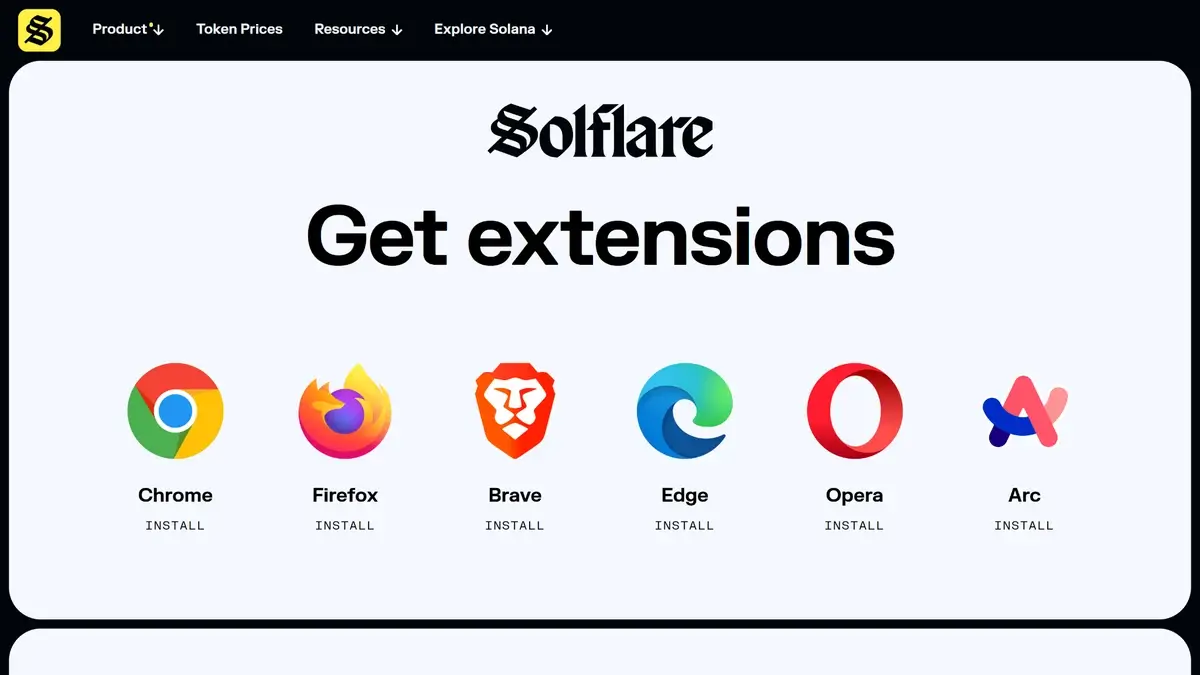
Solflare get extensions page with browser options for Chrome, Firefox, Brave, Edge, Opera, and Arc.
Solflare can be accessed through its web application, browser extension, or mobile apps on iOS and Android. Official download sources should be used to avoid counterfeit applications.
Creating a wallet involves generating a recovery phrase and setting a local password. The recovery phrase must be stored offline and never shared.
Existing wallets can be restored using the recovery phrase. Hardware wallets can be connected during setup for external signing.
Sending crypto requires selecting the token, entering the recipient address, confirming the correct network, and approving the transaction. Users must maintain a small SOL balance for fees.
Common usability errors include sending tokens on the wrong network, approving malicious token delegations, or swapping away all SOL needed for fees.
Key control modelSelf-custody. In the standard wallet, keys stay with the user and are stored locally on the device. Optional hardware devices move signing away from the hot-wallet environment.
Recovery modelSeed phrase for the standard software wallet. Hardware-wallet recovery follows the connected device’s recovery flow.
External validationPublic GitHub repositories exist, but a clearly published public third-party audit of the wallet itself was not disclosed in the reviewed materials. A public bug-bounty program was also not clearly disclosed.
Open-source statusPartial. Solflare has public repositories, but the wallet is not clearly documented as fully open-source end to end.
Anti-scam protectionsTransaction simulation, suspicious-activity and delegation warnings, approvals management, scam-NFT filtering, and guidance around fake apps and phishing.
Incident postureSolflare is transparent about the limits of self-custody support. No clearly documented Solflare-specific wallet exploit was surfaced in the public materials reviewed.
Solflare's wallet data is stored locally and encrypted with your password. On mobile, it supports biometric unlock, app lock, and auto-lock timers. Passwords are device-specific rather than cloud-managed, so there is no account-style recovery layer. In the core wallet, your seed phrase remains the real backup.
Solflare’s signing flow is one of its stronger points. The wallet uses transaction simulation, clearer prompts, and warnings for risky approvals or delegations. Users can also review and revoke dApp permissions, and suspicious NFTs are pushed into an unverified area instead of the main collection.
Users who want more separation can connect Ledger or Keystone, or use Solflare Shield as an NFC hardware signer. Solflare says Shield stores the recovery phrase in an EAL6+ secure chip, keeps keys unexportable, uses a PIN, and locks after three wrong attempts. That is a meaningful upgrade over pure hot-wallet storage, though Solflare publishes less detail on Shield’s deeper architecture and verification model than some older hardware-wallet brands.
Transparency is decent, but not complete. Some code is public, and Solflare is clear about what support cannot do. But the reviewed materials did not clearly show a public wallet audit, a public bug bounty, or a fully open-source wallet stack. Solflare offers stronger protection than a bare-bones browser wallet, but user behavior still matters most.
Backup, Recovery, and Loss Scenarios
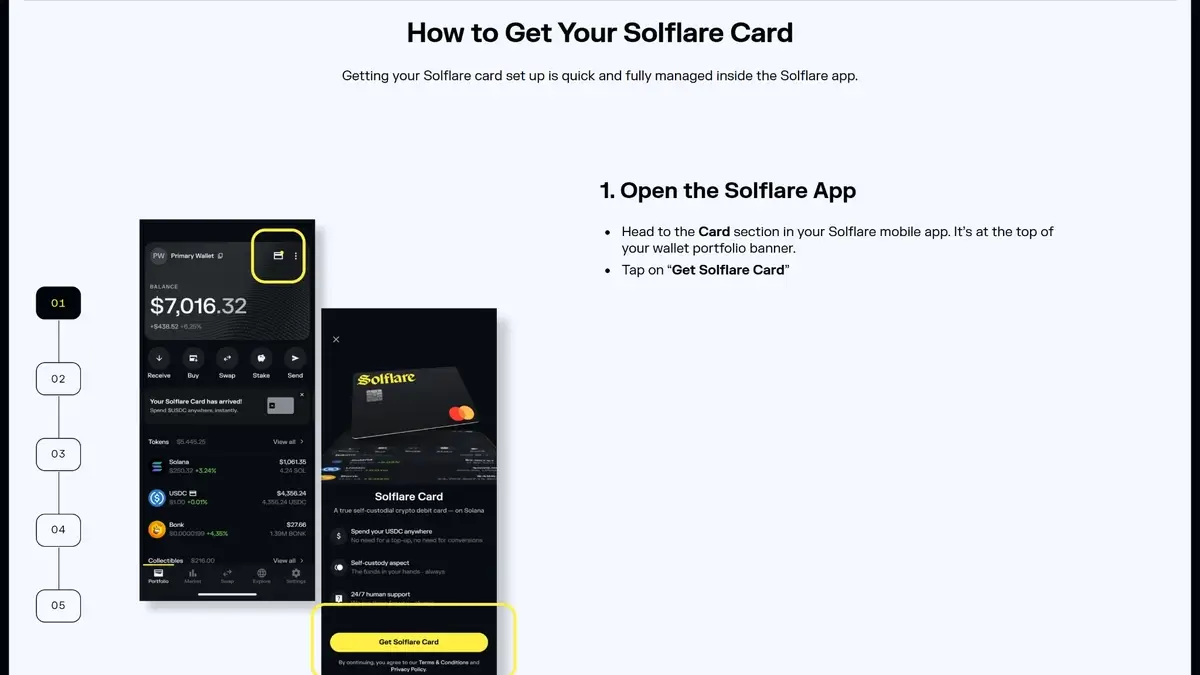
Solflare guide page explaining how to get your Solflare Card with step-by-step setup inside the Solflare app.
Recovery is the make-or-break part of Solflare. This is a self-custody wallet, so the real backup is your recovery phrase, not your email address, cloud account, or a support ticket. If that phrase is stored correctly, most device-loss scenarios are fixable. If it is lost and no signed-in device remains, the loss is usually permanent.
Scenario
Can you recover access?
What to do
What support can and cannot do
Lost phone or lost access to the mobile app
Yes, if you still have the recovery phrase
Reinstall the app, tap Restore Wallet, and enter the phrase. Solflare says wallet access and Solflare Card details should restore in the app flow.
Support can help if recovery fails, but it cannot restore the wallet without the correct phrase.
Broken laptop, deleted browser profile, or lost extension access
Yes, if you still have the recovery phrase or the correct private key
Install Solflare again on web, extension, or mobile and import the wallet from the original backup method.
Support can help troubleshoot import problems, but it cannot reconstruct missing credentials.
Forgotten Solflare password
Usually yes, if you still have the recovery phrase
Use Forgot your password? on desktop, which logs you out and requires re-import with the recovery phrase before you set a new password.
Support cannot view or reset your local wallet password because Solflare says passwords are device-local and not stored on its servers.
Lost or stolen Solflare Shield
Yes, if you still have the recovery phrase
Get another Solflare Shield and restore the wallet with the phrase. If the old card was stolen, Solflare says it is useless without the PIN and locks after repeated wrong attempts.
Support cannot bypass missing recovery credentials, but the loss of the card alone should not mean loss of funds.
Damaged or malfunctioning Solflare Shield
Yes, if you still have the recovery phrase
Replace the device and recover the wallet onto another Shield.
Support may help with troubleshooting, but Solflare says it is not responsible for losses caused by hardware damage or misuse.
Lost recovery phrase but still signed in on one device
Sometimes
Immediately export the recovery phrase or private key from the still-active device and create a new offline backup.
Support cannot reveal or regenerate the phrase, so the active session may be your only rescue path.
Lost recovery phrase and no active device access
No, in most cases
There is no normal recovery path. The wallet cannot be restored from email, account identity, or support verification.
This is the hard line: Solflare says it cannot retrieve or reset a lost recovery phrase.
Recovery fails with an “invalid mnemonic” or wrong import method
Sometimes
Check for typos, wrong phrase order, lowercase entry, or whether the wallet was originally imported with a private key, keystore file, or hardware wallet instead of a seed phrase.
Support may help you troubleshoot the restore process, but it still cannot reconstruct the correct phrase.
Cloud restore or synced account recovery
No normal cloud recovery for the core wallet
Recovery depends on the original self-custody backup method, usually the seed phrase.
There is no standard account-style recovery layer that lets support or email verification unlock the wallet.
Recovery stays straightforward only if you handle backups well. The wallet does not offer the softer safety nets some newer smart-account or custodial products use, such as social recovery, email-based resets, or provider-managed cloud restore. That is good for user control, but unforgiving in real life. Support can help with restore troubleshooting and app issues, but it cannot act like an account-recovery desk for self-custody losses.
If your recovery phrase may be exposed, the problem is no longer device recovery but wallet compromise. In that case, the safest move is usually to treat the wallet as unsafe and move any remaining assets to a newly created wallet with a fresh backup, rather than continuing to use the old credentials.
UX, Performance, and Platform Support
Solflare’s UX is strongest when judged as a Solana-first wallet rather than a general-purpose crypto wallet. Because it stays focused on one ecosystem, it is usually easier to navigate than multi-chain wallets packed with network toggles, bridge tools, and account modes. The result is a cleaner day-to-day experience for sending SOL, managing SPL tokens, staking, signing into dApps, and checking NFTs. Platform coverage is also broad for a software wallet: iOS, Android, browser extension, and web app are all available. The trade-off is that parity is good but not perfect. Mobile has some extras that feel more native, while desktop dApp use is still better through the extension than through a plain browser tab.
iOSYes — Mobile app with in-app browser, staking, swapping, notifications, and Solana Pay support
AndroidYes — Same core mobile experience as iOS, including in-app browser and wallet management
Browser extensionYes — Available across major desktop browsers and usually the best way to connect to Solana dApps on desktop
DesktopNo — Desktop use is handled through the web wallet and browser extension rather than a standalone app
Web appYes — Useful for browser-based access and portfolio management, but frequent dApp use is usually smoother through the extension
We found the Solflare interface as quite convenient. Common actions are not buried under too many menus, and the Solana-only design reduces the network confusion that beginners often run into with broader wallets. Solflare now leans more heavily on transaction simulation, readable prompts, and warnings around risky delegations or suspicious activity, which makes it easier to approve actions correctly rather than just quickly. Expert users still get useful flexibility through hardware-wallet support, private-key export, approvals management, and more advanced Solana activity, but the wallet does not try to be a power-user dashboard for every chain.
Performance is usually strong because most actions depend on Solana’s speed and low fees, not on a bloated wallet interface. In normal use, Solflare feels fast for staking, swaps, and NFT handling, especially on mobile. That said, speed and stability are not entirely under Solflare’s control. Network congestion can still cause slow or failed transactions, and some complex swap or liquidity interactions can fail even when the wallet itself is working properly. Solflare’s own help docs also tell users to stay on the latest version for bug fixes and performance improvements, which is a good sign, though a clean public changelog is not especially prominent. For beginners, the wallet is easier to understand than many rivals, but it still expects self-custody discipline. For advanced users, it is practical and flexible inside Solana, but intentionally narrow outside it.
Customer support, documentation, and incident handling
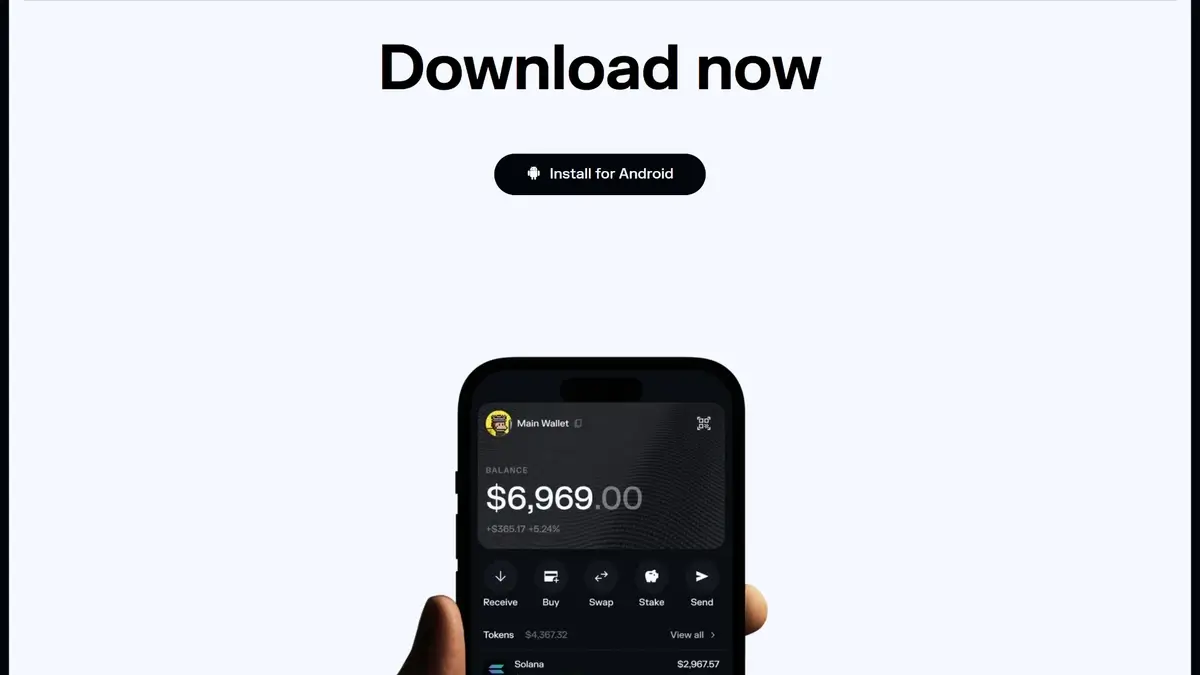
Solflare download page highlighting the mobile wallet app with an Install for Android button and phone preview.
Documentation is one of Solflare’s stronger operational areas. The help center is broad, task-based, and easier to use than the thin FAQ pages many wallets still rely on. Human support is also more visible than usual for a non-custodial wallet. Solflare publicly promotes live chat and offers a contact form instead of hiding support behind community channels alone. The important limit is that this is still self-custody support, not account-level fund recovery.
Channel
Availability
Typical use
Notes
Help center
Yes
Docs, setup, troubleshooting, staking, swaps, card and Shield help
Strong article coverage across getting started, wallet creation, security, NFTs, card features, and hardware guidance
Live chat
Yes
General support and urgent troubleshooting
Solflare publicly advertises around-the-clock human support and links directly to live chat from the site; response timing was not independently tested
Email or tickets
Yes, but mixed
Card issues, contact requests, and non-urgent questions
Solflare lists a support email in card documentation and also provides a website contact form; a general response window was not disclosed
Status page
No dedicated public Solflare status page found in the reviewed materials
Outages and incident checks
For chain-level issues, Solflare’s troubleshooting docs point users to Solana Network Status
Community channels
X, Discord, YouTube, LinkedIn
Announcements, updates, and community touchpoints
Official links are shown on Solflare’s site; official Telegram or Reddit channels were not clearly surfaced in the reviewed materials
Solflare support can help with wallet setup, restore troubleshooting, app or extension issues, general product guidance, and some card-related problems. It may also help you understand what happened after a scam or failed transaction. Support also becomes less useful once a third-party provider is involved. Solflare’s own docs say purchase delays often need to be handled by the fiat vendor, and missing exchange deposits usually need to be resolved with the destination exchange, not with Solflare itself.
That line matters most during incidents. Solflare is more transparent than some wallets about the difference between wallet support and asset recovery, which is useful. Readers should still treat support as guidance rather than a safety net. If the issue is a UI problem, restore failure, card question, or general troubleshooting case, Solflare looks better than many peers.
Final Verdict
Solflare is a solid Solana-first self-custody wallet with strong dApp compatibility plus built-in staking, swaps, NFTs, and hardware signing options (including Solflare Shield), but it’s not a multi-chain generalist and the public security transparency signals (like a clear audit or bug bounty) aren’t easy to verify. Use it if you mostly live on Solana and can practice strict signing hygiene.
Deep Solana-native feature set with staking, swaps, NFTs, and dApp connectivity in one interface.
Supports hardware signing through Ledger, Keystone, and Solflare Shield for users who want stronger key isolation.
Available across web, browser extension, iOS, and Android, which makes it easier to manage the same wallet on desktop and mobile.
Recovery phrase export is supported for eligible software accounts, which helps with backup and wallet migration.
Built-in security tooling has improved with transaction simulation and scam-warning features before signing.
CONS
Narrow chain support, so it is a poor fit if you want Bitcoin, Ethereum, and Solana in one wallet.
Open-source visibility is limited. Some repositories are public, but the full wallet stack is not clearly open-source.
Fiat buys and card features rely on third-party providers or regional programs, adding compliance and support friction.
Self-custody is unforgiving: if you lose your recovery phrase and have no active backup, Solflare cannot restore access.
Affiliate Disclosure
Disclaimer: CryptoSlate may receive a commission when you click links on our site and make a purchase or complete an action with a third party. This does not influence our editorial independence, reviews, or ratings, and we always aim to provide accurate, transparent information to our readers.
FAQ
Is Solflare safe?
Solflare uses a self-custody architecture where users control their recovery phrase. Safety depends on secure storage practices and cautious transaction approvals. Hardware wallet integration reduces device-level risks but does not eliminate phishing threats.
Why isn't Solflare Card valid in the USA?
Solflare’s public eligibility information lists residents of the EEA and the UK, plus other countries approved case by case. The USA is not listed as a standard eligible region at the time of writing.
Solflare’s card launch announcement described an initial rollout in the UK and EEA, with other regions planned later. If you apply in the Solflare mobile app and your region is unsupported, the application can be declined because the card is unavailable in that region.
Does Solflare charge fees?
Solflare does not set network gas fees. Users pay Solana network fees and any applicable swap, staking, or on-ramp charges. Exact costs vary depending on liquidity and transaction type.
Can I use Solflare on mobile and desktop?
Solflare supports web, browser extension, and mobile applications. Features are available across platforms with similar functionality.
How do I withdraw from Solflare?
Select the token, confirm the recipient address, review the network, and approve the transaction. Ensure sufficient SOL is available for fees.