Explore CryptoSlate’s Institutional Playbook, a 3-part guide series on exchange due diligence, crypto-as-a-service, and token listing strategy for institutional teams.
Explore CryptoSlate’s Institutional Playbook, a 3-part guide series on exchange due diligence, crypto-as-a-service, and token listing strategy for institutional teams.
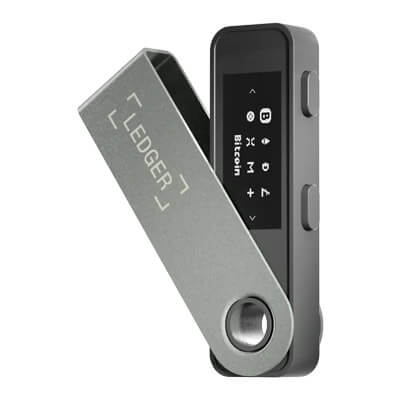
Ledger Nano S Plus is a cold hardware wallet built for simple, desktop-led self-custody. It suits people who want broad Ledger asset support, offline key storage, and on-device approval without paying for Bluetooth or a touchscreen. Its appeal is clear: low official pricing, current support, a standard 24-word recovery model, and a simple cable-only setup. Those strengths come with clear trade-offs. The small screen, two-button navigation, and lack of iPhone support make it a weaker fit for mobile-first users and frequent dApp signing.
Low official pricing for a still-supported Ledger hardware wallet.
Strong core security model with Secure Element storage, on-device approval, and recovery based on a standard 24-word phrase.
Broad asset coverage, with much more app capacity than the original Nano S.
No battery and no Bluetooth, which keeps the device simple and removes battery upkeep.
Cons
No Nano S Plus hardware support on iPhone or iPad.
The small 128 x 64 screen and two-button navigation make repeated review slower and less comfortable.
Dense smart-contract and dApp signing are less clear than on larger touchscreen devices.
Some assets and advanced workflows still depend on third-party wallets.
Who Ledger Nano S Plus Is Best For — And Who Should Skip It
Ledger Nano S Plus works best for people who mainly manage crypto from a desktop or laptop and want Ledger’s ecosystem at the lowest current price in the lineup. It also suits buyers who prefer a simple cable-only signer with no battery to maintain and no Bluetooth to manage.
It is a weaker fit for iPhone-first users, frequent dApp signers, and people who want a larger screen for reviewing addresses and approvals. It also makes less sense for buyers who depend on many third-party wallet flows or who strongly prefer a more open firmware design.
Best fit
Why it fits
Who should skip it
Why they should skip it
Desktop-first long-term holders
It works well as a straightforward storage signer with a low entry price.
iPhone-first users
There is no Nano S Plus hardware support on iOS.
Android users who do not mind cables
Android works by USB/OTG, and the device is built around a wired workflow.
Frequent DeFi or smart-contract users
The small screen and two-button flow make dense signing slower and harder to review.
Buyers who want simple self-custody fundamentals
It keeps keys on the device, uses on-device approval, and supports a standard 24-word recovery phrase.
Buyers who depend on many third-party wallet flows
Some assets and advanced workflows still rely on third-party wallets.
Buyers who want simple hardware with no battery or Bluetooth
The cable-only design keeps the device straightforward and removes battery upkeep.
Buyers who want modern mobile convenience
It is a wired device with desktop-first use and no iPhone support, so it is less flexible on the go.
What Ledger Nano S Plus Is and How It Works
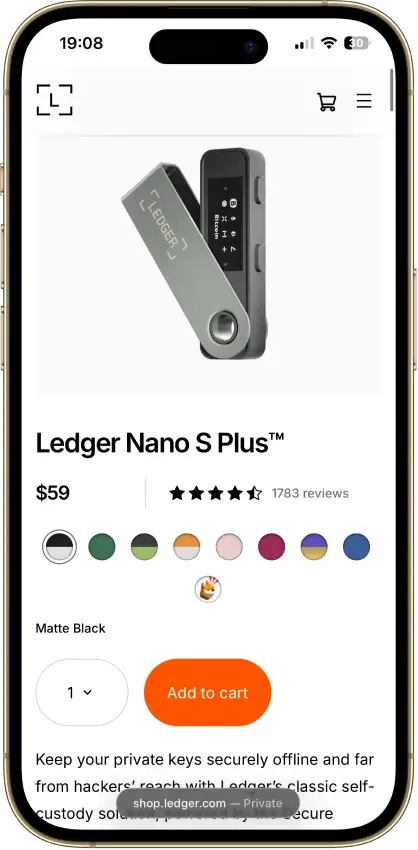
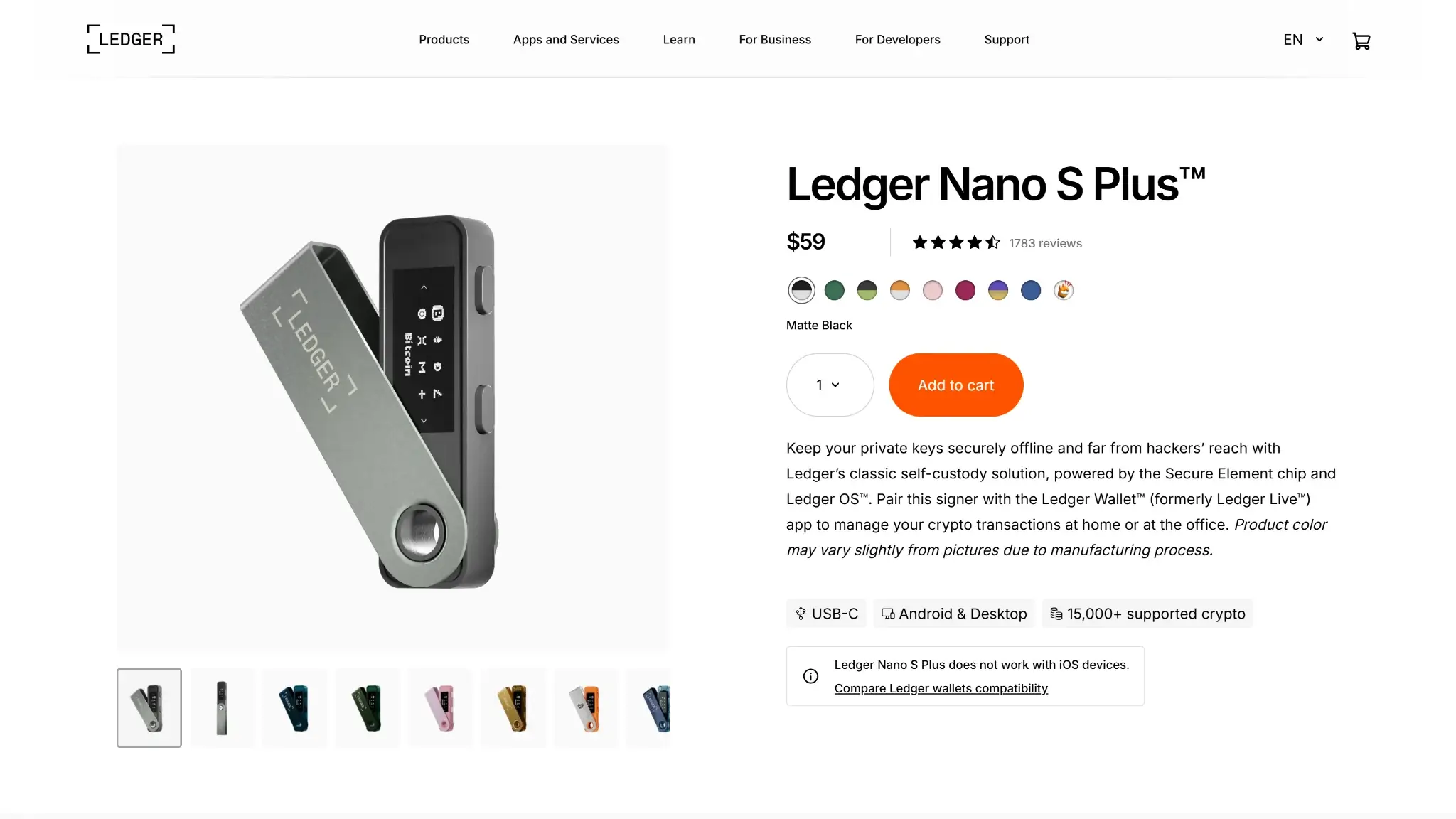
Ledger Nano S Plus product page on desktop showing price, color options, reviews, USB-C compatibility, Android and desktop support, and add-to-cart button.
Ledger Nano S Plus is Ledger’s lower-cost cable-only hardware wallet. It launched in 2022 as the practical upgrade from the original Nano S, and that distinction matters because the original Nano S is the phased-out model, not Nano S Plus.
This is dedicated hardware, not a browser wallet or a phone-only wallet. It connects to Ledger Wallet on desktop or Android, prepares actions in the app, then finishes approval on the device itself.
It works with Windows, macOS, Linux, and Android by cable or OTG.
It does not have Nano S Plus hardware support on iPhone or iPad.
It uses a USB-C device port and ships with a USB-C to USB-A cable.
It has no battery and no Bluetooth, so the workflow stays wired.
The private keys stay on the device. Setup happens on the wallet itself, the 24-word recovery phrase is generated on the device screen, and transaction approval happens on the device with its two buttons and 128 x 64 monochrome OLED screen.
You can install asset apps, add accounts, receive funds, send funds, and manage a wide range of assets through Ledger Wallet. Many major assets work natively, while some assets and more advanced actions still use outside wallet connections.
There is also a naming detail that can confuse buyers. The companion app is now called Ledger Wallet. Older material may still refer to Ledger Live. Here, it serves the same role: it prepares transactions and manages accounts, while Nano S Plus remains the signer that holds the keys and confirms approvals.
Wallet Type, Custody and Recovery Model
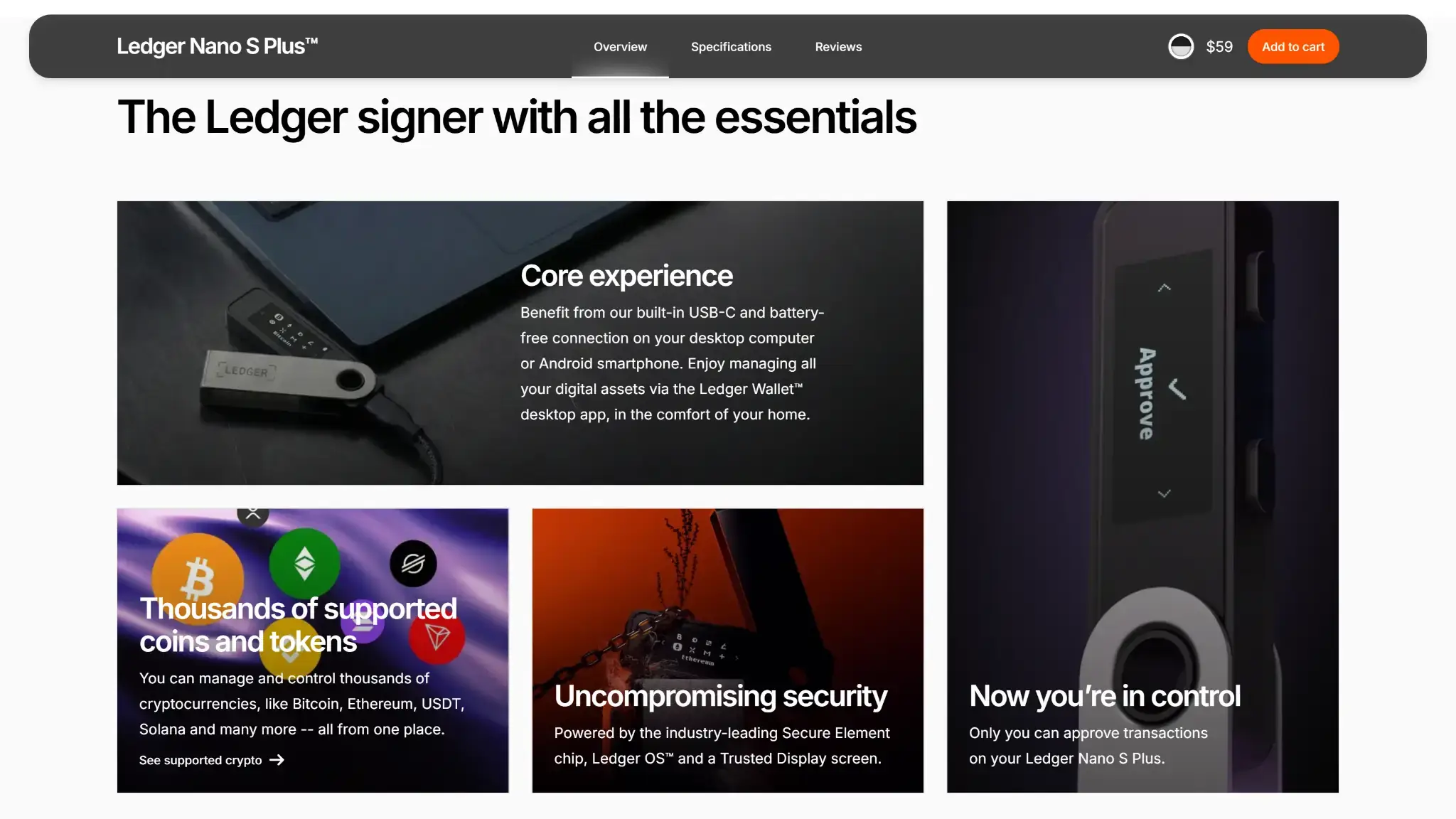
Ledger Nano S Plus desktop overview page with core experience, supported coins and tokens, uncompromising security, and on-device transaction approval sections.
Nano S Plus is a non-custodial hardware wallet. The user controls the recovery phrase, the device holds the signing keys, and recovery does not depend on Ledger alone.
The backup uses a standard 24-word phrase that works in a compatible wallet environment. That makes restore possible outside Ledger, but full responsibility stays with the user. If you lose the recovery phrase or forget a passphrase, there is no provider fallback.
Can you export keys or seed?Limited — the 24-word recovery phrase is generated and recorded during setup, but the private keys stay on the device
Portability to another walletEasy, with the 24-word phrase and a compatible wallet environment
What happens if you lose the deviceAccess can be restored with the 24-word recovery phrase on another Ledger device or a compatible wallet environment
What happens if you lose the recovery methodYou may still have access while the device and PIN still work, but if the device is later lost, damaged, or reset, access is gone
Who can help recover accessNobody can recover a lost recovery phrase or forgotten passphrase for you
Best use caseLong-term storage and simple self-custody
Three wrong PIN attempts reset the device, which helps with physical security but also raises the stakes for recovery. For passphrase users, the risk is even stricter: a forgotten passphrase can permanently block access to the accounts tied to it.
Supported Assets, Networks and Compatibility
Ledger Nano S Plus supports more than 15,000 coins and tokens overall, but support is not the same across every chain. More than 500 crypto work directly in Ledger Wallet, while many additional assets and NFTs depend on third-party wallet flows. The key question is whether your asset works natively in Ledger Wallet or needs extra setup.
The device works best when your main holdings stay inside native Ledger Wallet flows. It becomes less smooth when you need outside wallet connections, chain-specific workarounds, or smart-contract flows that are harder to review on a small screen.
Nano S Plus can also hold up to 100 apps, which is one of its clearest practical improvements over the original Nano S for buyers with wider asset mixes.
Major chains supportedBitcoin, Ethereum, Solana, XRP, Cardano, Hedera, XDC, and Monero, with support quality varying by asset
Token standardsNative coins plus broad token support across supported networks, including ERC-20; many extra assets and NFTs rely on third-party wallet support
PlatformsWindows, macOS, Linux, Android by USB/OTG; no Nano S Plus hardware support on iOS; no Chromebook / ChromeOS support
Hardware supportNot applicable — Ledger Nano S Plus is the hardware wallet
Connection methodsUSB-C device port; included USB-C to USB-A cable; desktop by USB; Android by USB/OTG; no Bluetooth
Notable gapsNo iOS hardware support; some assets and advanced workflows depend on third-party wallets; no native Ledger Wallet account creation for Monero
A few limits matter more than the headline coin count. Bitcoin is native, but UTXO-heavy workflows are still button-heavy on a small screen. Ethereum and ERC-20 support are native, but some dApp and token flows still rely on external wallet connections.
Solana support is native, though some ecosystem tools still depend on Phantom, Solflare, or blind-signing flows. XRP and HBAR work natively, but XRP reserve rules still matter and HBAR has a current mobile add-account issue in Ledger Wallet.
XDC and Monero are the clearest examples of support that comes with extra friction. XDC still uses a third-party MyEtherWallet path, and Monero still requires Monero GUI or Feather rather than native Ledger Wallet account creation.
Core Features and Real-World Use Cases
Compared with newer Ledger devices such as Nano X, Nano Gen5, and Flex, Nano S Plus is the narrower, lower-cost option. It handles broad asset storage better than the original Nano S, but it is more storage-first than activity-first. Next to devices built around larger screens, phone-first convenience, or smoother daily signing, Nano S Plus feels more basic. It is manageable for beginners who can handle a recovery phrase carefully, but it suits passive holders and backup-signer use much better than frequent DeFi or smart-contract use.
Feature area
What users can do
How it works in practice
Key limitations, costs, or risks
Swaps and trading
Swap supported assets and access buy or sell flows through Ledger Wallet partner services
The device signs, while Ledger Wallet handles the flow and routes the service through third-party providers
Provider fees, spreads, and route quality vary; costs depend on provider, region, asset, and route
Staking and earn
Stake supported assets and track rewards in the Ledger Wallet Earn section
Staking is accessed through Ledger Wallet and runs through provider integrations rather than as a special device-native feature
Availability depends on asset and provider, and third-party service fees still apply
dApp access and connectivity
Connect to some dApps and smart-contract flows, especially where external wallet integrations are supported
Native Ledger Wallet flows are usually clearer, while some advanced actions rely on third-party wallets, chain-specific integrations, or blind-signing flows
The small screen slows review, dense prompts are harder to verify, and there is no iPhone support or wireless workflow
Exchange and account features
Install asset apps, add accounts, receive funds, send funds, and manage a wide range of assets from one device
Ledger Wallet handles app installation, account setup, and transaction preparation, while Nano S Plus confirms approvals on-device
The experience is strongest for native Ledger Wallet assets and weaker when an asset depends on outside wallets or extra setup
Core storage and account management are solid, but the broader feature list depends heavily on partner services and outside wallet connections. Swaps, staking, and buy or sell flows run through providers inside Ledger Wallet, while some chains and more advanced actions still need separate wallet connections. As a result, Nano S Plus feels dependable for long-term storage and occasional transfers, but less comfortable for daily on-chain activity or frequent contract-heavy signing.
Fees and Total Cost of Ownership
Nano S Plus is easy to justify on sticker price alone, but the full cost of ownership goes beyond the device itself. Shipping, import costs, optional backup materials, accessories, and partner-service fees all matter once the wallet moves from checkout to real use.
Cost component
What users pay
When it applies
Notes
Device or wallet price
$59 excl. VAT / 49€ incl. VAT
One-time
Current official reference price for the device
Shipping and import costs
Varies
Hardware orders
Final checkout cost depends on region, shipping, customs, and import VAT
Network fees
Variable
Sending funds and any on-chain service flow
Chain dependent and not set by Ledger
Swap spread or routing fee
Variable
Swaps
Third-party provider cost inside Ledger Wallet; depends on provider, region, asset, and route
On-ramp fee
Variable
Buying crypto
Partner dependent inside Ledger Wallet
Withdrawal fee
Not applicable at wallet level
Sending from the wallet
The wallet itself does not add a separate withdrawal fee, but network fees still apply
Subscription or premium fee
Not applicable
N/A
No recurring wallet subscription is described in this review
Optional add-ons can change value more than the device price suggests. Recovery Sheets are included, but metal backups, the Ledger OTG Kit, travel accessories such as the Nano Case or Nano Pod, and bundle options such as Backup Pack or Family Pack S Plus all add to the real cost. Ledger devices also include a one-year limited hardware replacement warranty, and Ledger Replace is an optional protection plan that extends coverage to three years. A simple desktop storage setup stays inexpensive, but redundancy, travel, or Android-only cable convenience can push the total cost higher.
Security Architecture and Trust
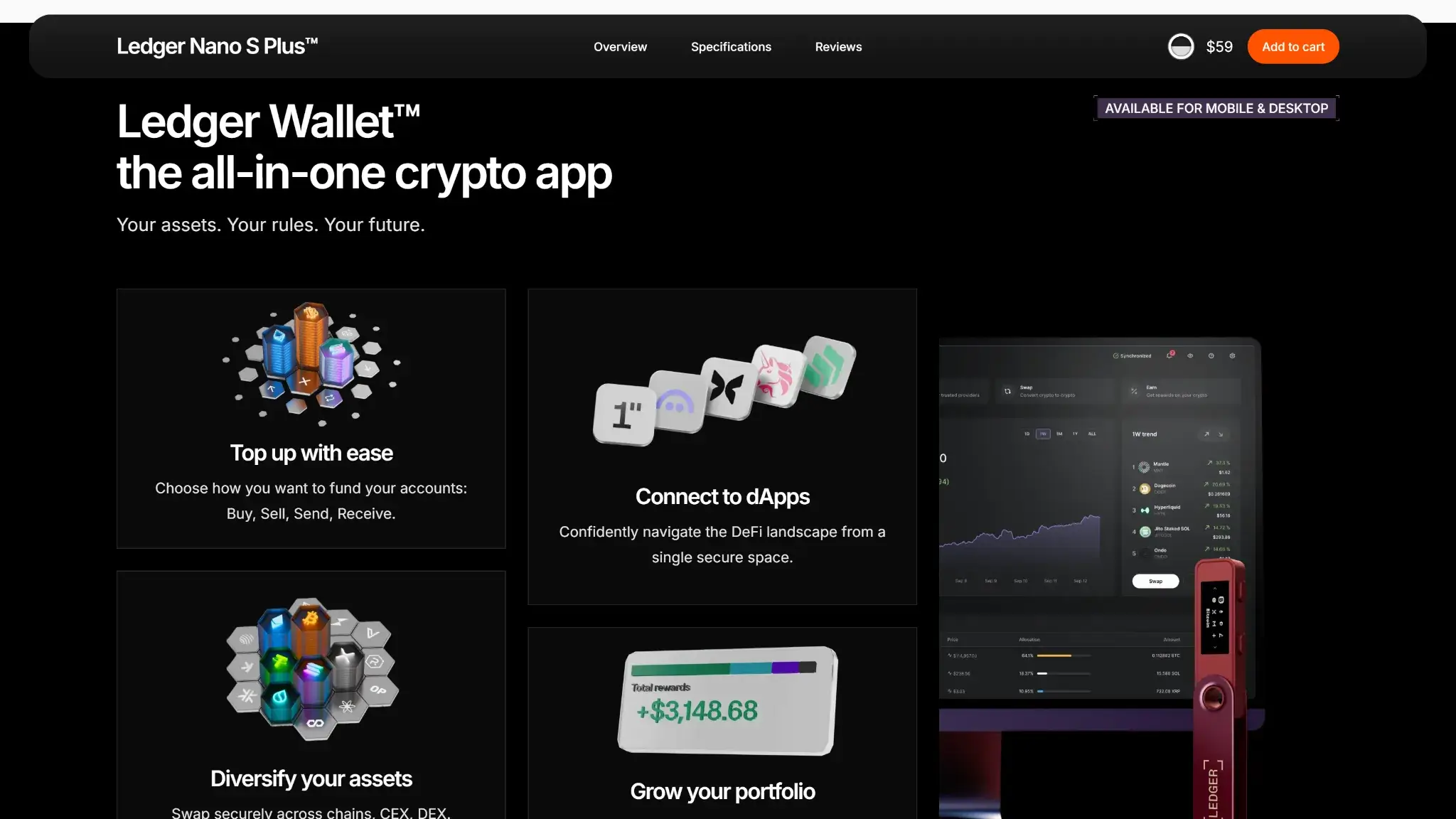
Ledger Wallet desktop page promoting the all-in-one crypto app with top-up, dApp connection, asset diversification, and portfolio growth features.
The core model is clear: keys stay on the device, approvals happen on the device, and recovery uses a standard 24-word phrase that works outside Ledger. Where it gets weaker is in review and integration. The small screen makes dense approvals harder to verify, and some assets or smart-contract flows still depend on third-party wallet paths.
Key control modelPrivate keys stay on the device, while Ledger Wallet prepares actions and Nano S Plus signs them
Recovery model24-word recovery phrase with optional passphrase accounts; recovery works outside Ledger in a compatible wallet environment
External validationST33K1M5 Secure Element, CC EAL6+, and public ANSSI CSPN certification
Open-source statusLedger Wallet is open source; parts of Ledger OS are open; Secure Element firmware remains closed-source and NDA-bound
Anti-scam protectionsOn-device address verification, Genuine Check, warnings about pre-seeded devices, fake apps, phishing, and address-poisoning risk
Incident postureThe device model remains sound, but Ledger still carries trust baggage from earlier customer-data exposure and the January 2026 Global-e order-data incident
Ledger Wallet prepares transactions, but final approval happens on the device. Signing stays on dedicated hardware, and you can verify addresses on the wallet itself. Native Ledger Wallet flows are usually clearer, while some third-party dApp and smart-contract actions are harder to read and can still rely on blind-signing or chain-specific integrations. The small 128 x 64 screen and two-button navigation also make repeated review slower than it is on larger touch devices.
Local protection relies on the device PIN, optional passphrase accounts, and automatic reset after three wrong PIN attempts. Recovery handling matters more than convenience features here, and a forgotten passphrase can permanently block access to the accounts tied to it. Buyers should avoid any device with a prewritten recovery phrase, use Genuine Check during setup, and keep in mind that Nano S Plus remains a current supported device distinct from the phased-out original Nano S. The open-source model is partial rather than fully open. Broad public audit coverage is not detailed here. Real ownership risk still includes phishing, fake apps, social engineering, and Ledger-branded scam attempts tied to earlier company-level data incidents.
Backup, Recovery and Loss Scenarios
Nano S Plus uses a standard hardware-wallet backup model. There is no synced or cloud restore layer. Recovery depends on the 24-word phrase and any optional passphrase, and support cannot replace either one. It can help with setup guidance and troubleshooting, but it cannot reverse on-chain transfers, recover a lost 24-word phrase, or reconstruct a forgotten passphrase.
Scenario
What happens
What support can help with
When loss is permanent
Lost or stolen Nano S Plus
Funds are still recoverable if you have the 24-word recovery phrase
Support can explain the restore process and device setup steps
Loss becomes permanent if the device is gone and the recovery phrase is also unavailable
Broken or damaged device
Access can be restored on another Ledger device or in a compatible wallet environment with the 24-word phrase
Support can help with restore guidance and general troubleshooting
Loss becomes permanent if the device fails and the recovery phrase is missing
Forgotten PIN
The device can no longer be unlocked normally, and three wrong attempts reset it
Support can explain reset and restore steps
Loss becomes permanent only if you reset or lose the device and do not have the recovery phrase
Lost recovery phrase
You may still have access while the device and PIN still work
Support cannot recover the phrase for you
Loss becomes permanent once the device is lost, broken, or reset
Forgotten passphrase
Passphrase-protected accounts become inaccessible even if the 24-word phrase is available
Support cannot recover or verify a forgotten passphrase
Loss is permanent for those passphrase-protected accounts if the exact passphrase is gone
Address or transfer mistake
On-chain activity still follows blockchain finality rules
Support can provide guidance, but it cannot reverse a completed transfer
Loss is permanent once a mistaken on-chain transfer cannot be recovered by the recipient side
The setup to follow is basic: write the 24-word phrase offline, check it once, store it safely, and only use a passphrase if you can preserve it accurately. Ledger Wallet accounts, password, and settings are stored locally on each computer or smartphone, so moving to a new device can still require re-adding accounts even when the recovery phrase remains the same. A second device, metal backup, or inheritance plan can reduce failure risk, but none of them makes up for poor recovery handling.
UX, Performance and Platform Support
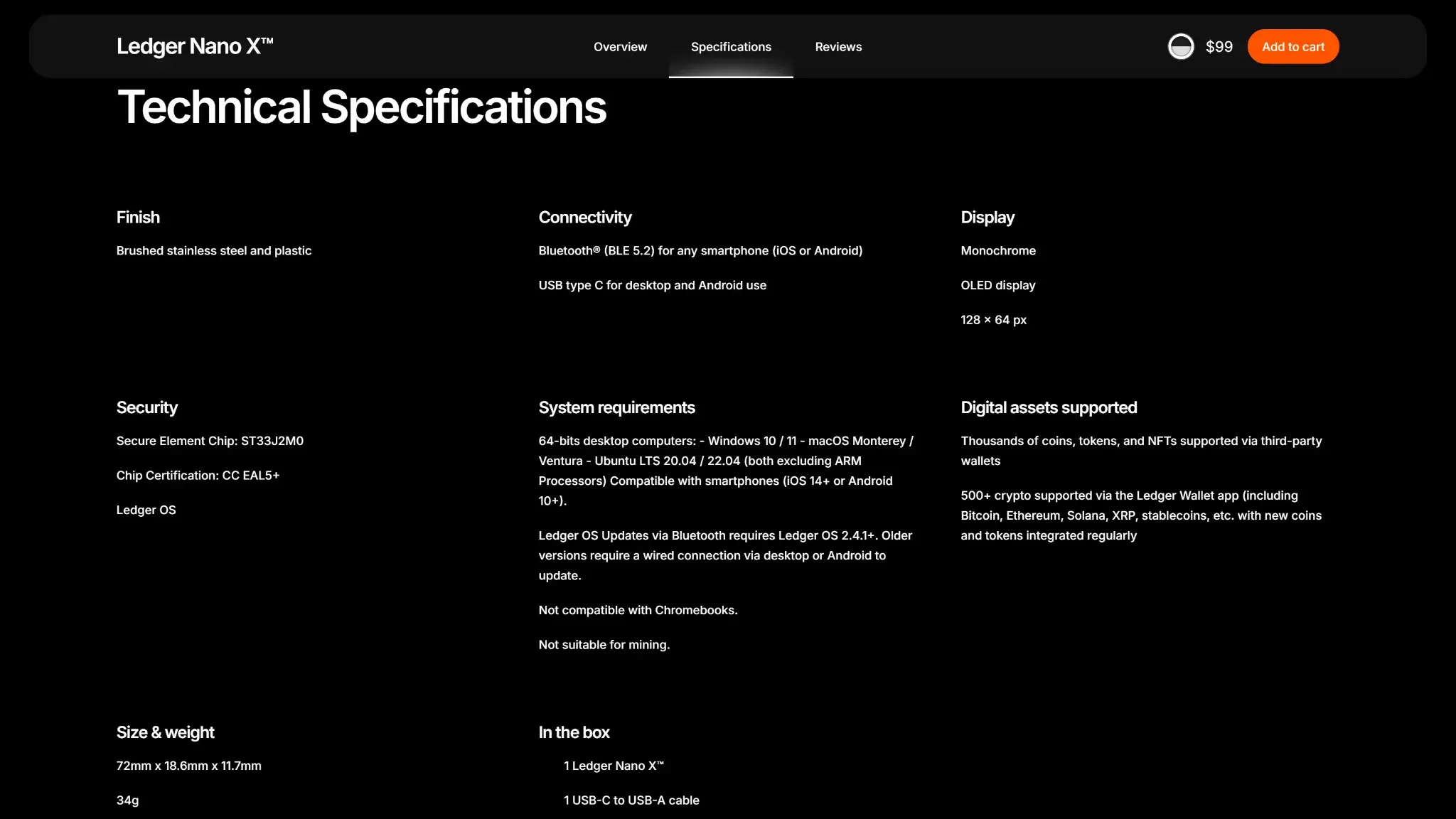
Ledger Nano X technical specifications page listing connectivity, display, security, and supported assets.
Nano S Plus is easy enough to use when your routine is simple, but it is not the easiest Ledger for daily use. Ledger Wallet is available on desktop and mobile, but Nano S Plus hardware support only works with desktop and Android. Desktop is the cleanest fit, and Android works if you are fine with a cable. It is manageable for beginners who can follow a careful setup process, but it suits storage better than active on-chain use.
Platform
Availability
Notes
iOS
No
Ledger Wallet mobile exists, but Nano S Plus hardware is not supported on iPhone or iPad
Android
Yes
Ledger Wallet mobile works with Nano S Plus by USB/OTG; mobile use is wired rather than wireless
Browser extension
No
No browser extension
Desktop
Yes
Windows, macOS, and Linux support; this is the strongest fit for real use
Web app
No
No web app
The device uses a 128 x 64 monochrome OLED screen with two-button navigation. The hardware stays simple and sturdy enough for normal handling, but repeated reviews take more time than they do on newer touchscreen wallets. For occasional approvals, that trade-off is manageable. For frequent dApp use, dense smart-contract signing, or repeated address checks, it becomes the main source of friction.
Portability is solid in the basic sense: the wallet is small, light at 21 grams, and has no battery to age or maintain. The trade-off is the connection flow. It uses a USB-C device port and ships with a USB-C to USB-A cable. Some USB-C-only laptops and some Android setups may need a different cable or an adapter. Nano S Plus remains an actively supported device, with Ledger OS and Ledger Wallet updates still arriving. Advanced users get the best experience when assets work natively. Once third-party wallet paths or chain-specific workarounds enter the picture, the experience feels less polished.
Customer Support, Documentation and Incident Handling
Ledger’s documentation is one of Nano S Plus’s practical strengths. The help center covers setup, firmware notes, asset-specific issues, scam warnings, recovery guidance, common troubleshooting problems such as USB issues, add-account confusion, missing balances after restore, and questions about whether an asset works natively or through a third-party wallet. A separate Ongoing Issues page tracks live service problems and known app or asset-specific disruptions.
Live chat is available when offered, and ticket-based email support runs through the support chat widget and email verification flow. Official community and social channels are available as well. Support can explain setup steps, restore flows, compatibility questions, and general troubleshooting, but it cannot reverse an on-chain transfer, recover a lost 24-word phrase, or restore a forgotten passphrase.
Channel
Availability
Typical use
Notes
Help center
Yes
Docs, setup, recovery guidance, scam warnings, and troubleshooting
Strong practical coverage for common user problems
Live chat
Yes, when available
Urgent support and troubleshooting
Accessed through the support chat widget on support.ledger.com
Email or tickets
Yes
Technical issues, replacements, and order support
Ticket submission runs through the support chat widget and email verification flow
Status page
Yes
Outages and incidents
Ledger maintains an Ongoing Issues page in the support center
Community channels
Yes
Announcements, peer help, and product updates
Official channels include Reddit, Discord, X, YouTube, and GitHub
Incident handling is strongest where the company can publish scam warnings, setup checks, and guidance around known user-side risks such as pre-seeded devices, phishing, fake apps, and address-poisoning attempts. That matters because Ledger-branded phishing attempts remain part of the ownership environment.
Final Verdict
Ledger Nano S Plus remains a reliable low-cost hardware wallet for simple, desktop-led self-custody. It gets the fundamentals right, but the small screen, wired-only workflow, and lack of iPhone support make it better as a storage signer than a daily DeFi device.
Low official pricing for a still-supported Ledger hardware wallet.
Strong core security model with Secure Element storage, on-device approval, and recovery based on a standard 24-word phrase.
Broad asset coverage, with much more app capacity than the original Nano S.
No battery and no Bluetooth, which keeps the device simple and removes battery upkeep.
CONS
No Nano S Plus hardware support on iPhone or iPad.
The small 128 x 64 screen and two-button navigation make repeated review slower and less comfortable.
Dense smart-contract and dApp signing are less clear than on larger touchscreen devices.
Some assets and advanced workflows still depend on third-party wallets.
Affiliate Disclosure
Disclaimer: CryptoSlate may receive a commission when you click links on our site and make a purchase or complete an action with a third party. This does not influence our editorial independence, reviews, or ratings, and we always aim to provide accurate, transparent information to our readers.
FAQ
Is Ledger Nano S Plus custodial or non-custodial?
It is non-custodial. The user controls the recovery phrase, and the device holds the signing keys.
Is Ledger Nano S Plus a hot wallet or a cold wallet?
It is a cold hardware wallet. Transactions are prepared in Ledger Wallet, but approval happens on the device.
Does Ledger Nano S Plus give you a seed phrase?
Yes. It generates a standard 24-word recovery phrase during setup on the device screen.
Is Ledger Nano S Plus safe?
Its core model is strong: keys stay on the device, approvals happen on the device, and recovery works outside Ledger. The bigger real-world risks are phishing, fake apps, pre-seeded devices, and weak recovery handling.
Which chains does Ledger Nano S Plus support?
This review specifically covers Bitcoin, Ethereum, Solana, XRP, Cardano, Hedera, XDC, and Monero. Support quality varies by asset, and some chains rely on third-party wallets.
What fees does Ledger Nano S Plus charge?
The device has a one-time purchase price, and network fees still apply when sending funds. Swaps, staking, and buy or sell flows can also add third-party provider fees inside Ledger Wallet.
Does Ledger Nano S Plus require KYC?
No. The wallet itself does not require KYC, but third-party buy, sell, swap, or staking providers can.
What happens if you lose your device or recovery method?
If you lose the device but still have the 24-word recovery phrase, you can restore access. If you lose the recovery phrase and later lose, break, or reset the device, access is gone.