Explore CryptoSlate’s Institutional Playbook, a 3-part guide series on exchange due diligence, crypto-as-a-service, and token listing strategy for institutional teams.
Explore CryptoSlate’s Institutional Playbook, a 3-part guide series on exchange due diligence, crypto-as-a-service, and token listing strategy for institutional teams.
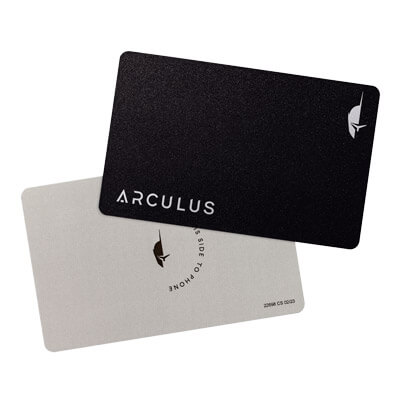
Arculus is a non-custodial cold wallet with two parts: a metal NFC card and a mobile app. It suits mobile-first holders who want simple self-custody without cables, batteries, or a small device with buttons. The phone runs the interface. The card stores keys and signs transactions. That setup works well for people who mostly move funds off exchanges, check balances on mobile, and send only when needed. Its biggest strength is low friction. The trade-off is that you review transactions on your phone, not on a separate device screen. Buyers who want on-device confirmation before every send may prefer something else.
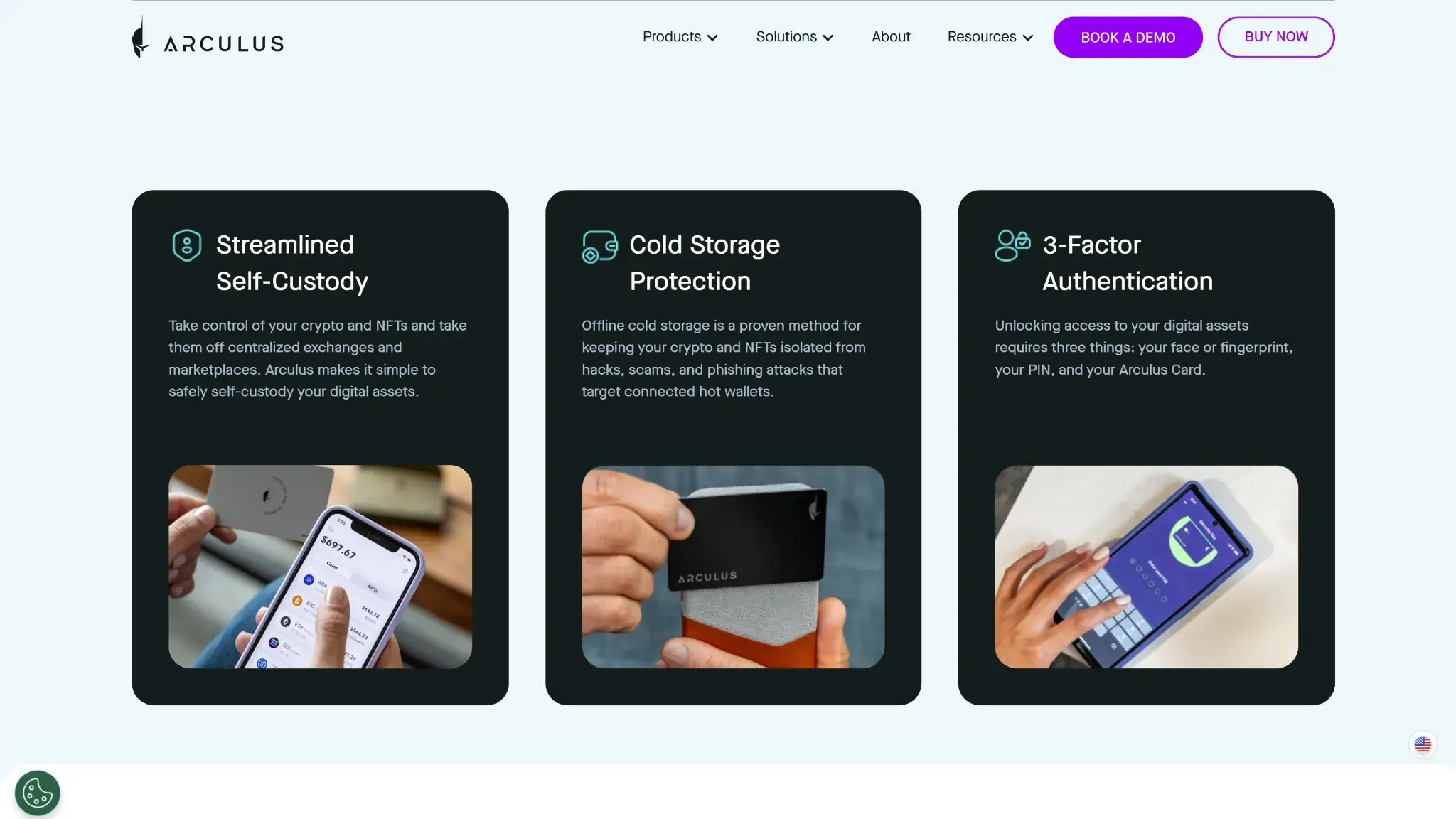
The card fits in a normal wallet, and there is no battery, cable, or Bluetooth routine to manage.
Keys stay on the card, so the phone app never becomes the place where private keys are stored.
Setup is easier to follow than on many button-based hardware wallets because the phone handles the full interface.
Built-in swaps and staking on supported assets reduce the need to move funds into another app for basic actions.
MetaMask and WalletConnect give it a usable path into web3 without turning it into a browser wallet.
Cons
There is no separate device screen for checking addresses and send details before approval.
The wallet is built around a phone, so it is a weak fit for desktop-first users.
Recovery still depends on a written seed phrase, not a simpler account-recovery system.
Native multisig is not part of the core product.
Each card pairs with one wallet at a time, which limits flexibility compared with some other card-style setups.
Who Arculus Is Best For — And Who Should Skip It
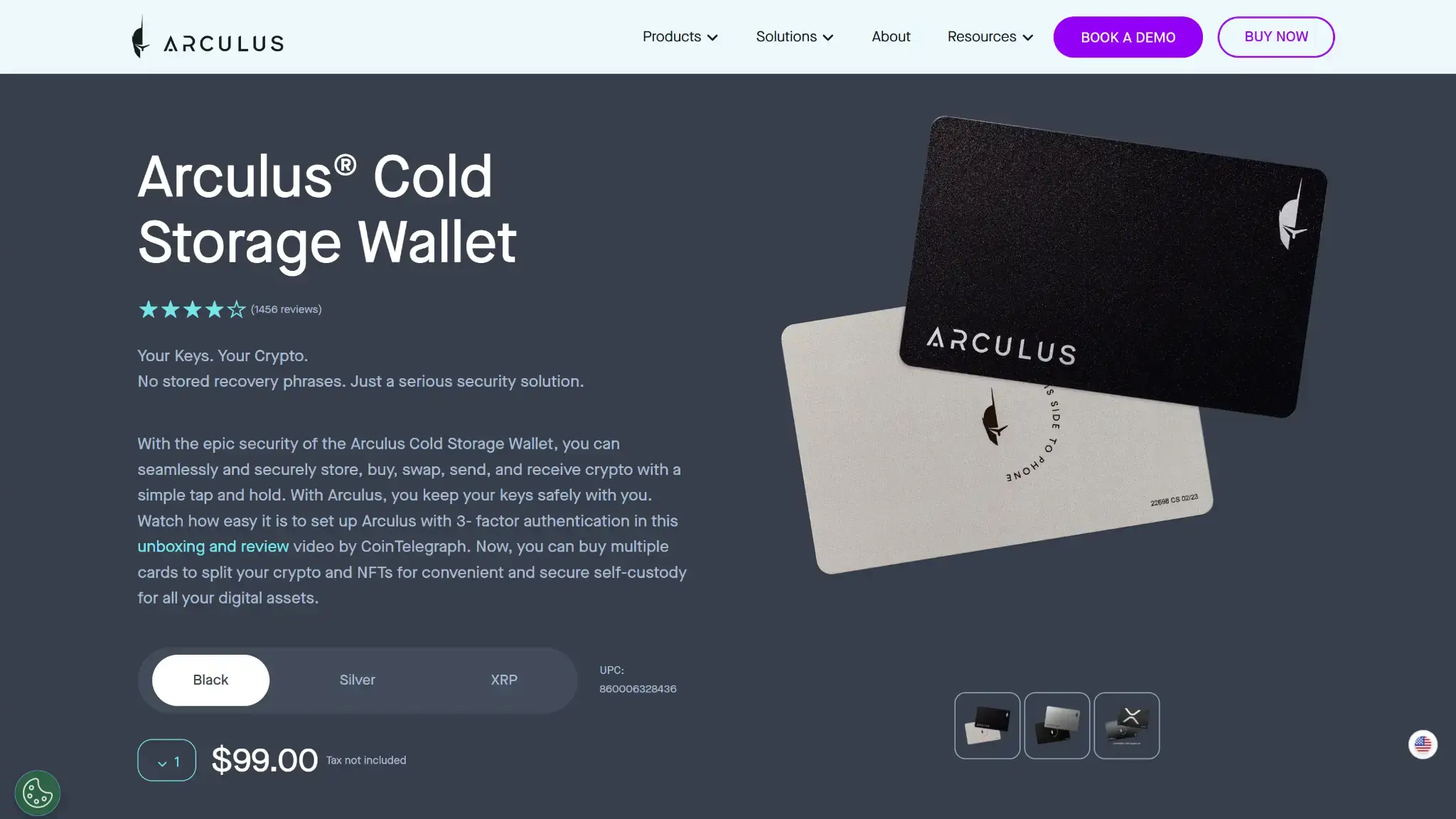
Arculus cold storage wallet product page showing the wallet cards, price, and buy options.
Arculus fits people who want cold storage without learning a more traditional hardware-wallet workflow. It works especially well for passive holders who mostly move funds off exchanges, check balances on mobile, and send only when needed. It also makes sense for beginners who want full key control but do not want a cable-based device.
It is a weaker fit for people who are deep into DeFi, sign transactions often, or want maximum clarity before every send. It also falls short for buyers who want desktop-first use, native multisig, or account recovery instead of seed-phrase responsibility.
Best fit
Why it fits
Who should skip it
Why they should skip it
Long-term holders
Easy to carry and simple to use for storage and occasional sends
Active DeFi users
Phone-based review is less ideal for frequent signing
Mobile-first users
The whole product is built around the app and NFC card
Desktop-first users
There is no full desktop workflow
Beginners who want full key control
Setup is easier to follow than many hardware wallets
Buyers who want account recovery
Recovery depends on the seed phrase
Users who want cold storage without cables
No battery, no charging, no USB routine
Users who want on-device confirmation
There is no separate screen on the card
Holders who want basic web3 access
WalletConnect and MetaMask support cover light to moderate use
Users who want native multisig
Multisig is not built into the wallet
What Is Arculus And How Does It Work?
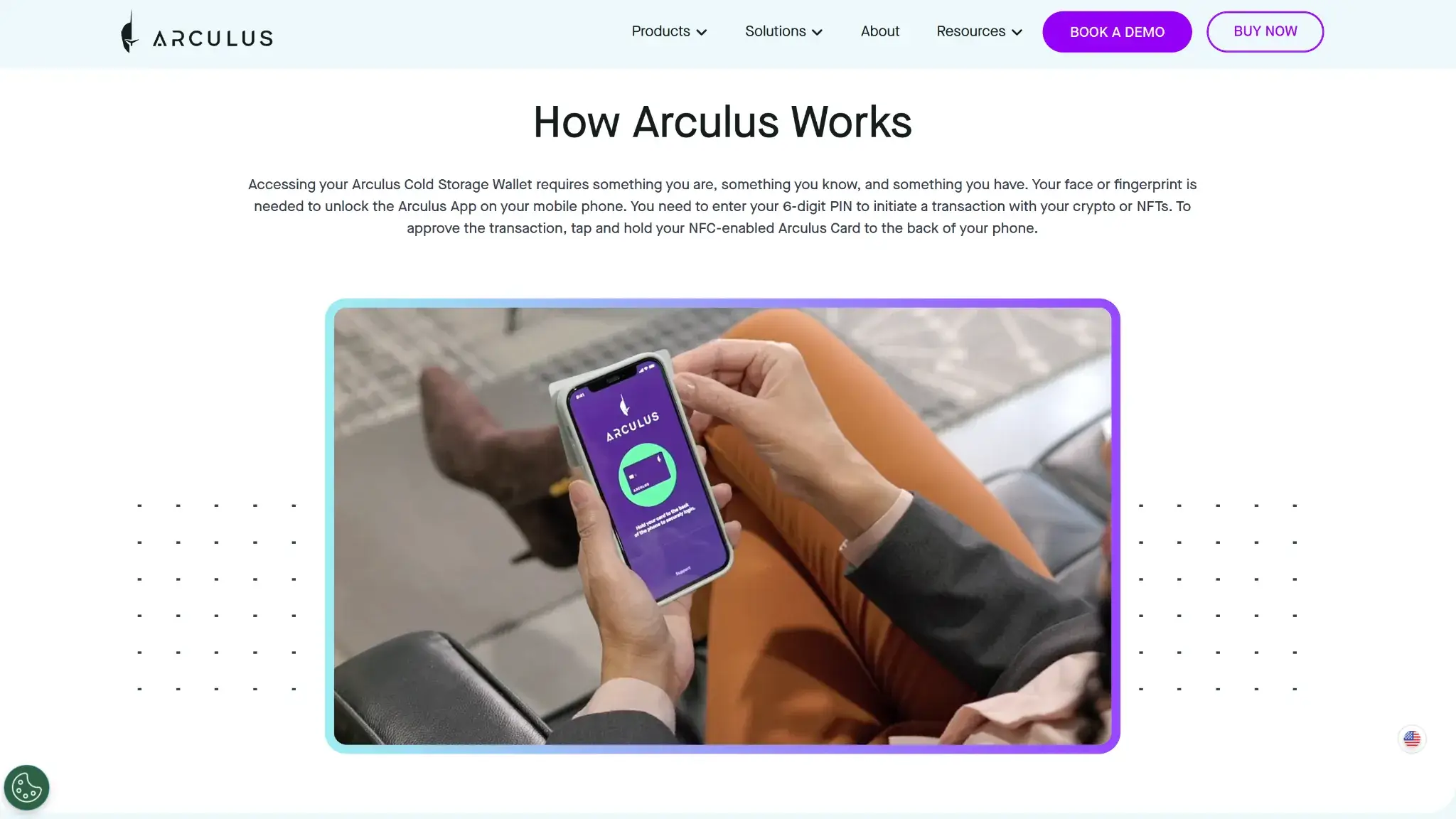
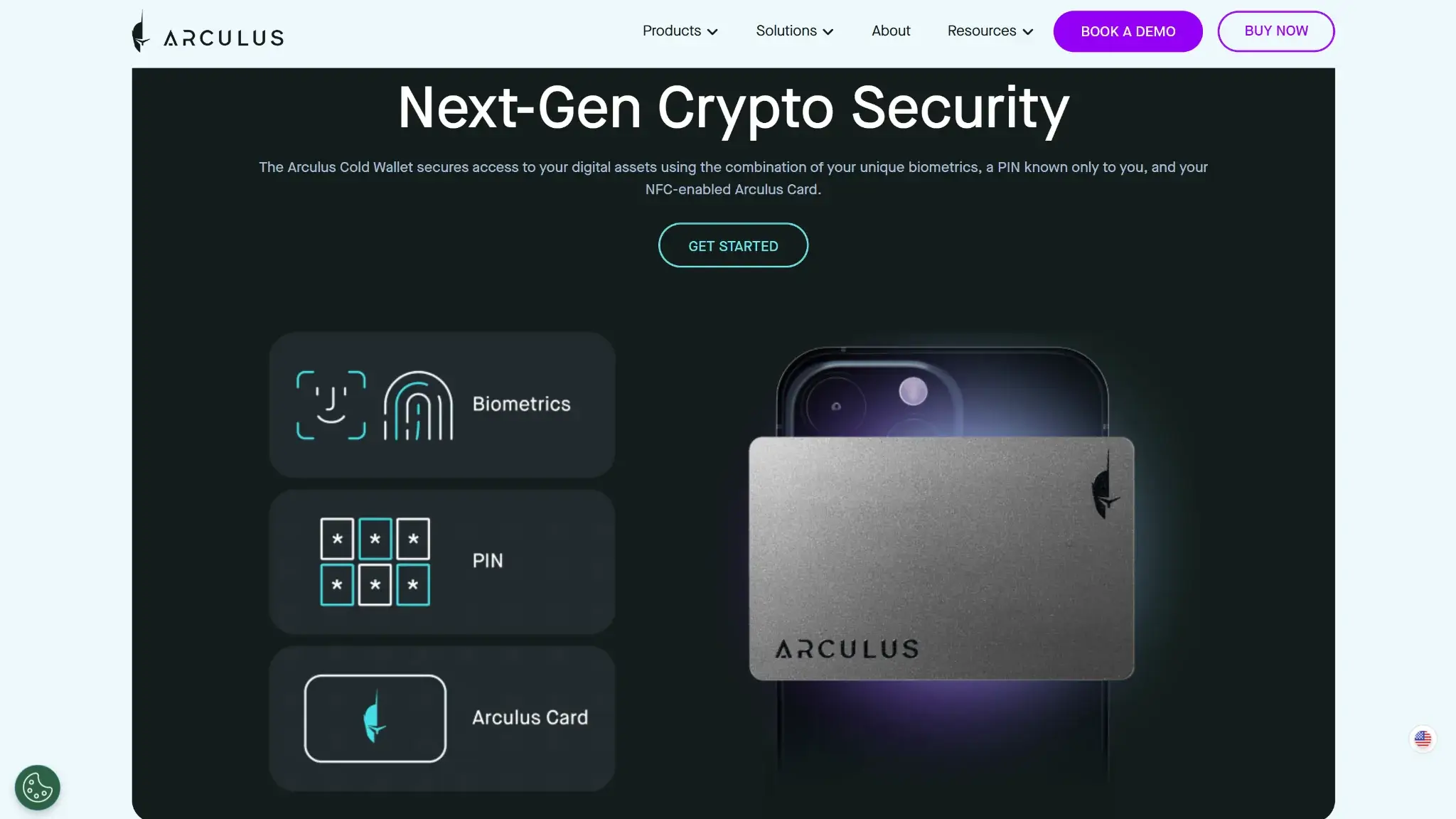
Arculus section titled How Arculus Works with a phone app setup image and explanation of authentication steps.
Arculus is a cold wallet made up of a phone app and a metal NFC card. The card is not a backup accessory. It is the hardware that stores the keys and signs transactions.
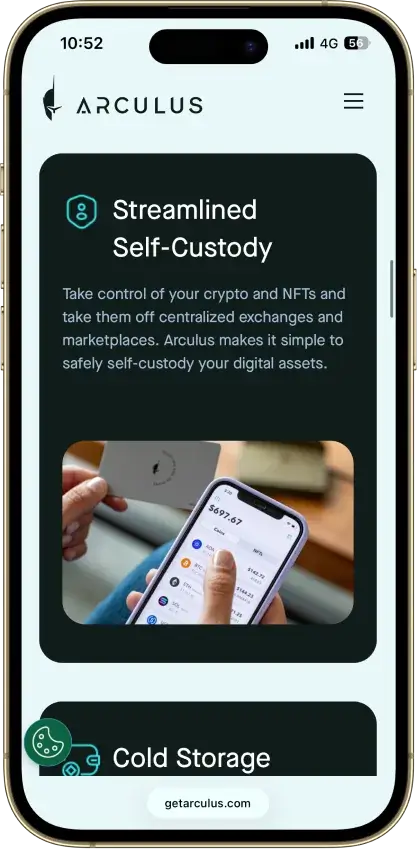
It runs on iPhone and Android. There is no full desktop app. Users open the app on their phone, unlock it, and manage balances, addresses, swaps, staking, and supported web3 connections there.
Keys sit on the card’s secure element. They do not sit in the phone app. That is the core point of the product.
Transactions follow a simple flow:
You prepare the transaction in the app.
You review the amount, address, and network on the phone screen.
You enter your 6-digit PIN.
You tap the card to the phone to approve the signature.
Arculus lets users store, send, receive, swap, stake supported assets, connect to MetaMask through a QR flow, and use WalletConnect on supported chains. It does not work like an exchange account wallet, and it does not work like a browser extension. It is a self-custody card-and-phone system.
This split can confuse first-time buyers. The wallet is not just the app, and it is not just the card. The phone gives you the interface. The card gives you the signing authority.
Arculus is a non-custodial hardware wallet. You control the recovery phrase. You also carry the full recovery burden if access is lost.
The card stores the keys. The phone provides the interface. That gives Arculus some portability, but not full portability. You can move the wallet to another compatible setup with the recovery phrase, but only if derivation-path support matches.
Wallet classCold hardware wallet
Who controls the keysUser
Recovery method12- or 24-word recovery phrase
Can you export keys or seed?Limited — seed phrase yes, private keys no
Portability to another walletPartial
What happens if you lose the deviceYou can restore the wallet on a new phone or new card with the recovery phrase
What happens if you lose the recovery methodAccess is effectively gone if the card is lost, reset, or no longer usable
Who can help recover accessNobody
Best use caseLong-term storage with light to moderate mobile use
Arculus gives you full key control, but it does not reduce seed-phrase risk. If you want self-custody with provider-managed recovery, this is the wrong wallet type.
Supported Assets, Networksa and Compatibility
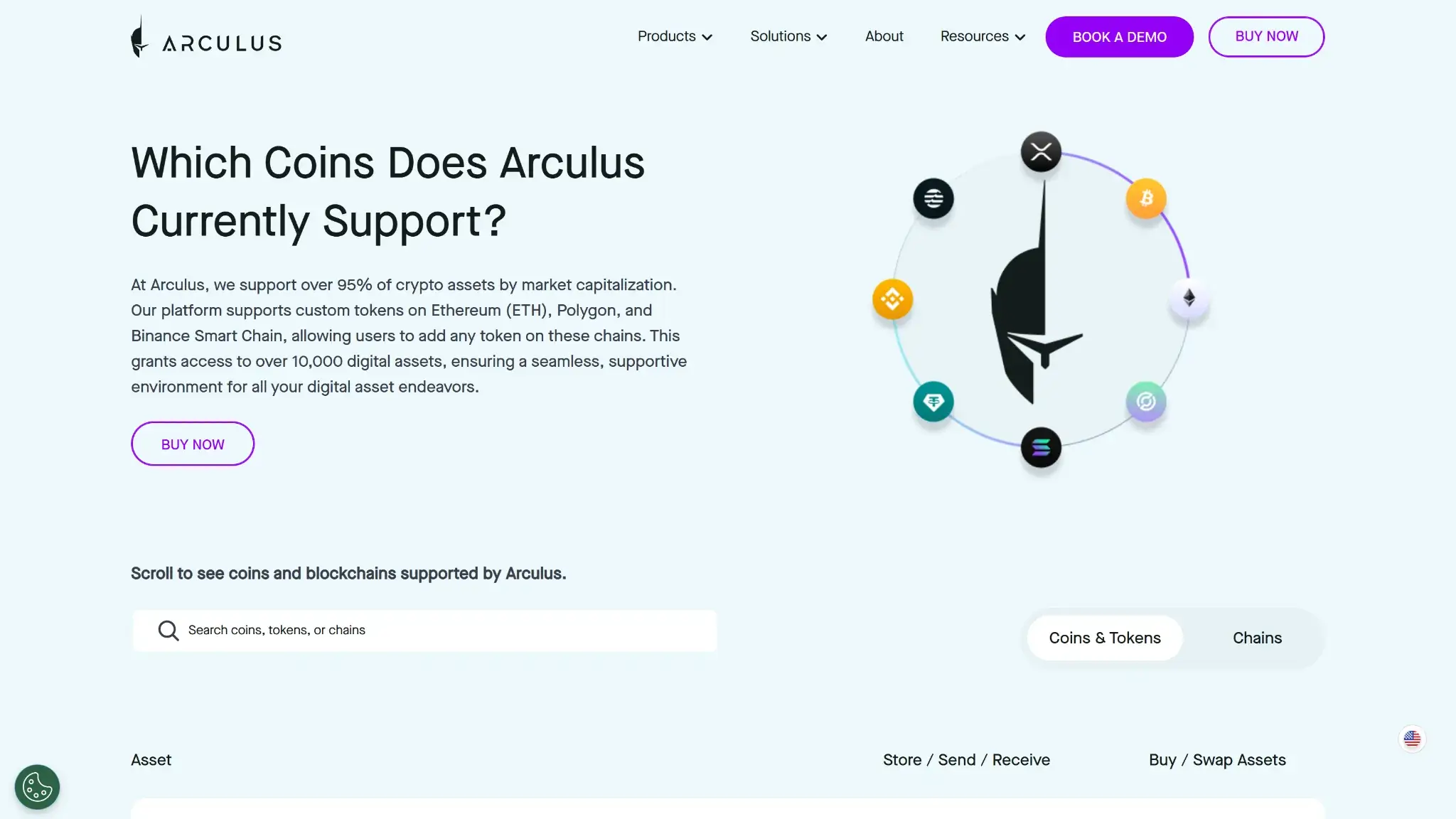
Arculus coin support page explaining which coins and chains are supported with a searchable assets table.
Arculus has broad coverage, but the useful question is not just whether an asset is listed. The real question is what you can do with it. Some assets support storage and sending only. Others also support swaps, staking, NFTs, or WalletConnect.
Major chains supportedBitcoin, Ethereum, Solana, XRP, Cardano, Avalanche, Arbitrum One, Base, BNB Smart Chain, TON, Sui, XDC, Algorand, Aptos, Hedera, Internet Computer, Near, VeChain, Worldchain, Scroll, Blast, Berachain, zkSync, and more
Token standardsNative assets plus custom tokens on supported networks, including Ethereum, Arbitrum One, Avalanche C-Chain, Base, BNB Smart Chain, Blast, Cosmos Hub, Hedera, Linea, Optimism, Osmosis, Polygon, Ripple, Solana, Stellar, Sui, TON, Tron, VeChain, Worldchain, XDC, and zkSync Era
PlatformsiPhone and Android
Hardware supportArculus is the hardware wallet
Connection methodsNFC, QR, WalletConnect
Notable gapsNo full desktop app, no browser extension, no built-in screen, and no native multisig
Arculus suits people who already manage crypto on mobile. It gives broad chain coverage without asking you to carry a cable-based wallet every day. The limits are also easy to see. Desktop-first use is weak, and advanced users may hit the ceiling faster if they want extension-first web3 flow or deeper multisig support.
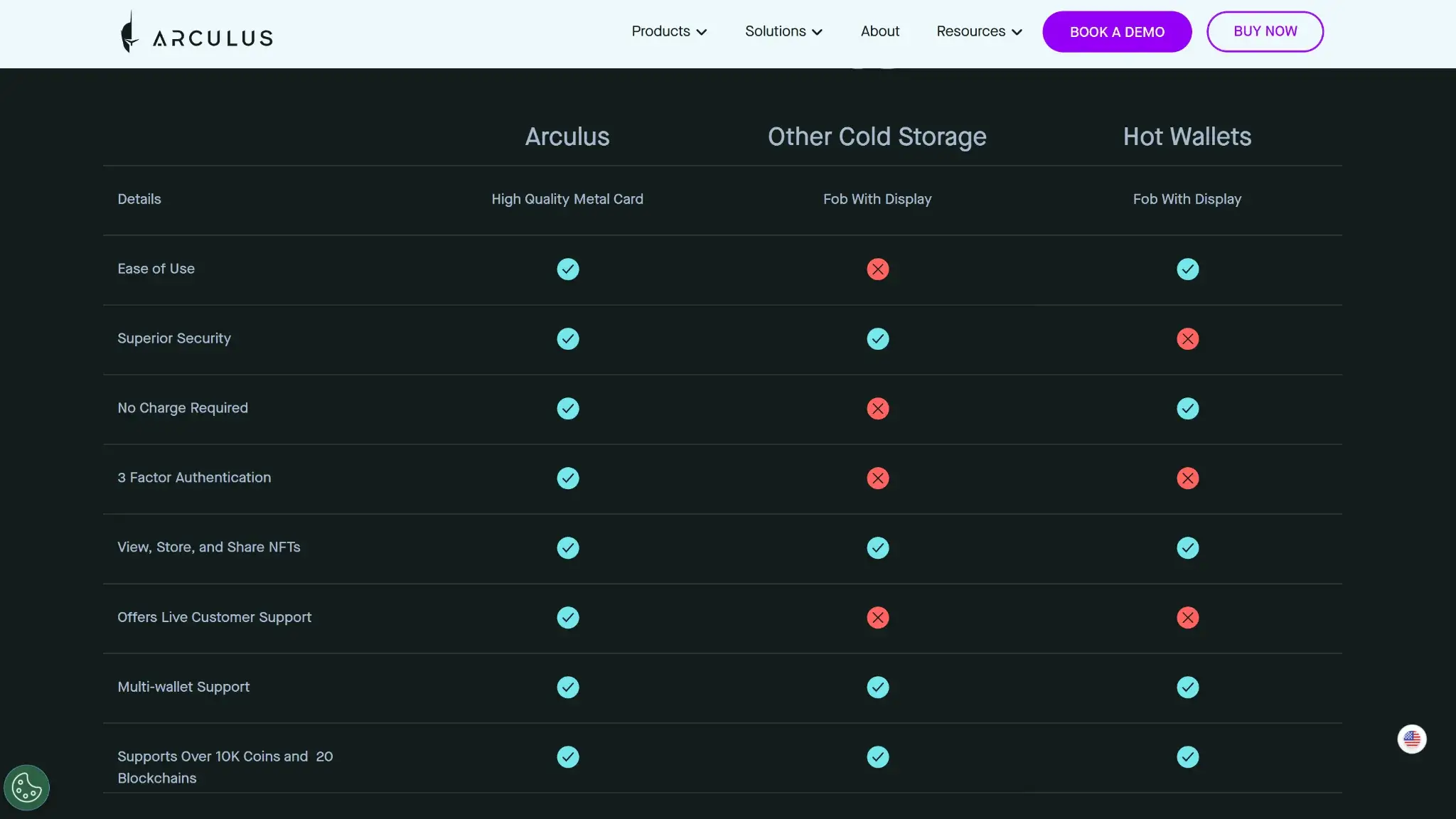
Arculus does more than basic cold storage. It supports swaps, staking, NFTs, and web3 connections. That gives it a broader feature set than simpler card wallets like Tangem. Still, it is not as strong for heavy DeFi use as a browser wallet or a hardware wallet with a better desktop flow. It works best as a storage-first wallet with some extra on-chain tools, not as a full-time DeFi wallet.
Feature area
What users can do
How it works in practice
Key limitations, costs, or risks
Swaps and trading
Swap supported assets and convert tokens inside the app
Uses built-in partner-powered swap and trading flows inside the mobile app
Rates depend on partner routing, and users still pay spreads, network fees, and any third-party charges
Bridging
No native bridge workflow
Moving assets across chains usually means using outside services or handling the move off-platform
Extra steps, extra fees, and more room for user error
Staking and earn
Stake selected assets and use some liquid staking routes
Uses native or delegated staking flows on supported assets such as ADA, SOL, ATOM, Polygon via POL/MATIC on Ethereum, CORE, DYDX, INJ, OSMO, SEIv1, and TIA; liquid staking includes sAVAX, stETH, and rETH
Asset support is selective, and staking still comes with chain-specific lockups, delays, or slashing risk
dApp access and connectivity
Connect to dApps through WalletConnect and MetaMask
Uses mobile WalletConnect sessions and a QR-based MetaMask connection flow
Sessions can feel less direct than extension wallets, and phone-based prompts are weaker for heavy DeFi use
NFTs
View, store, send, and receive NFTs on supported chains
Uses app-based NFT handling on supported networks including Ethereum, Polygon, Solana, Base, and other listed chains
Support is chain-specific, and management tools are lighter than in NFT-focused wallets
Exchange and account features
Buy and sell with fiat, use swaps, and use cash-in or cash-out on supported routes
Uses partner services inside the app rather than a linked exchange account
KYC can apply at the partner level, and availability depends on region and provider support
The feature set is useful, but it is not equally strong everywhere. Swaps, staking, NFT viewing, and basic dApp connectivity are real features. But many of the convenience layers depend on partner services rather than native wallet infrastructure. That matters because costs, limits, and user experience can change by asset, chain, or region. Arculus makes the most sense for holders who want more than cold storage but less than a full-time DeFi setup.
Fees and Total Cost Of Ownership
Arculus is fairly cheap to buy for a hardware wallet, but the card price is only one part of the cost. The bigger variable is how often you use partner services for buying, swapping, or cashing out.
Cost component
What users pay
When it applies
Notes
Device or wallet price
$99.00
One-time
Includes shipping and handling for the card; sales tax extra if applicable
Shipping and import costs
Varies
Hardware orders
U.S. shipping is included; international duties, taxes, and delivery costs vary by destination
Network fees
Variable
Send, swap, and off-platform transfers
Chain dependent and not paid to Arculus
Swap spread or routing fee
Variable
Swaps
Partner powered; rates depend on route, asset, and market conditions
On-ramp fee
Variable
Buying crypto
Partner dependent; MoneyGram cash-in is limited to USDC on Stellar, and Arculus covers the small first trustline XLM fee
Withdrawal fee
No wallet-level fee, but partner or network fees can apply
Cash-out, sell flows, or off-platform transfers
Non-custodial wallet sends still only pay network fees
Subscription or premium fee
None
Not applicable
No recurring wallet subscription
The cost model is simple if you only use Arculus for storage. Buy the card once, then pay normal blockchain fees when you move funds. Costs rise when you rely on in-app partner tools, because spreads, provider fees, and region-specific limits matter more than the wallet itself. A replacement or extra card also means another hardware purchase.
Arculus has a clear non-custodial security model. Its strongest point is key isolation on the card. Its weakest point is transaction review on the phone, not on a separate device screen.
Key control modelUser-controlled keys stored on the card
Recovery model12- or 24-word seed phrase
External validationCC EAL6+ secure element is disclosed; a public wallet audit or public bug bounty program is not clearly disclosed
Open-source statusNot disclosed
Anti-scam protectionsPIN, optional biometrics, phishing guidance, and clear warnings never to share the recovery phrase
Incident postureNo clearly documented public post-mortem or major product-side incident disclosure was easy to verify from current official materials
Keys stay on the card’s secure element, not in the phone app. To sign, you review the transaction on the phone, enter your PIN, and tap the card to the phone. The NFC link is encrypted, and the signing flow keeps private keys off the phone. That gives Arculus a solid base for mobile-first cold storage. You still approve transactions through the phone because the card has no built-in screen.
Arculus also supports a 6-digit PIN, optional biometrics, and clear anti-phishing guidance around never sharing the recovery phrase. The card is shipped locked, and the About screen shows the app version, card version, and firmware version. The weaker point is public validation. Open-source status is not clearly disclosed, and a named public audit or public bug bounty program was not easy to verify. The main risks are phishing, poor recovery-phrase handling, and weaker signing clarity for heavy DeFi users than on a wallet with its own screen.
Backup, Recovery and Loss Scenarios
This is where many buyers get the wrong idea about cold wallets. Arculus feels simple during setup, but recovery still comes down to one hard fact: the seed phrase is the real backup. The card is useful hardware. The phrase is what gets you back in.
Scenario
What happens
What support can do
When loss is permanent
Lost phone
Install the app on a new phone and restore with the recovery phrase and card or replacement card
Support can help with setup steps and troubleshooting
Loss is not permanent if the phrase is correct
Lost card
Replace the card and restore with the recovery phrase
Support can explain the restore flow
Loss becomes permanent if the phrase is also lost
Forgotten PIN
Restore the wallet and create a new PIN
Support can explain the reset and restore process
Loss is not permanent if the phrase is available
Broken card or broken phone
Move to a new card or new phone and restore with the phrase
Support can help with restore steps
Loss becomes permanent if the phrase is missing
Lost seed phrase
The wallet may still work on the current device, but recovery is gone if that setup fails later
Support cannot recover the phrase for you
Loss becomes permanent if the device is later lost, reset, or stops working
Support can guide you through the process, explain error states, and help you troubleshoot app or NFC issues. It cannot recover your wallet, reset your seed phrase, or restore access without the correct recovery words. Once the phrase is gone and the working device setup is lost too, the loss is final.
UX, Performance and Platform Support
Arculus is easy to use correctly if your habits already fit its design. It works best for people who live on mobile, do not need a desktop workflow, and want a wallet that feels lighter than a typical hardware device. The app is clear enough for beginners, but the signing experience is still less explicit than on a device with its own screen.
Platform
Availability
Notes
iOS
Yes
iOS 15 or newer; iPhone 7 and later
Android
Yes
Android 11 or newer; NFC-capable phone required
Browser extension
No
No native extension
Desktop
No
No full desktop app
Web app
No
No standalone web app
The interface is one of the wallet’s better points. Setup, balances, and basic actions are easier to follow than on many button-based hardware wallets. Speed is generally good for a phone-first wallet, but the NFC tap flow still adds friction during sends, especially if the card shifts or the phone has a weak NFC position.
Update quality looks steady on mobile, and the app is active, but expert flexibility is still limited. There is no device screen, no native multisig, no desktop parity, and no extension-first flow. Arculus is comfortable for simple storage and light web3 access. It is less comfortable for power users who sign often and want deeper control.
Customer Support, Documentation and Incident Handling
Arculus has strong documentation for setup, restore, and common transaction problems. It also has a website chatbot that answers user questions using material from the site and help content. If that is not enough, users can leave a message in the chatbot window and the support team can follow up.
Channel
Availability
Typical use
Notes
Help center
24/7
Docs, setup, restore, and troubleshooting
Well organized for practical tasks and includes step-by-step guides and videos
Live chat
Website chatbot only
Quick answers and support routing
The chatbot answers from site content; users can leave a message there for follow-up from the support team
Email or tickets
Yes
Technical issues, transaction issues, recovery problems, returns, and shipping issues
Preferred route is the Contact Us webform; email [email protected] is also available during published support hours
Status page
No public status page verified
N/A
No clear official outage page was easy to verify
Community channels
X and Reddit
Announcements and peer help
Useful for updates and general discussion, but not a substitute for support
The docs are stronger than the live support layer. That is not unusual for a non-custodial wallet, but it matters here because recovery, NFC issues, and network mistakes are the main places users get stuck. Human support can explain what to do next. It cannot fix user-controlled losses. If you send funds to the wrong address, lose the seed phrase, or fail to restore because the phrase is wrong, support cannot undo that damage.
Final Verdict
Arculus does the core job well for the right user. The card is easy to carry, setup is more straightforward than most hardware wallets, and the feature set covers storage, swaps, staking, and basic web3 access without moving to another app. The gap is transaction review. There is no screen on the card, so you confirm sends on your phone rather than on a separate hardware display. That is fine for simple transfers and occasional use. It becomes a real weakness for anyone signing frequently or interacting with complex contracts where on-device clarity matters.
Disclaimer: CryptoSlate may receive a commission when you click links on our site and make a purchase or complete an action with a third party. This does not influence our editorial independence, reviews, or ratings, and we always aim to provide accurate, transparent information to our readers.
FAQ
Is Arculus custodial or non-custodial?
Arculus is non-custodial. You control the recovery phrase and the keys stay tied to the card, not to a provider account.
Is Arculus a hot wallet or a cold wallet?
Arculus is a cold wallet. The phone app is the interface, but signing keys stay on the card’s secure element.
Does Arculus give you a seed phrase?
Yes. Setup uses a 12- or 24-word seed phrase, and that phrase is the real recovery backup.
Is Arculus safe?
It has a credible cold-wallet design with keys on the card, PIN protection, optional biometrics, and encrypted NFC signing. The main weakness is that transaction review happens on the phone, not on a built-in hardware screen.
Which chains does Arculus support?
It supports a broad set of major chains, including Bitcoin, Ethereum, Solana, XRP, Cardano, Avalanche, Arbitrum One, Base, BNB Smart Chain, TON, Sui, XDC, Algorand, Aptos, Hedera, Internet Computer, Near, VeChain, Worldchain, Scroll, Blast, Berachain, and zkSync.
What fees does Arculus charge?
The main wallet cost is the one-time $99 card price. After that, normal blockchain fees apply, and partner fees or spreads can apply for swaps, buys, sells, and cash-out flows.
Does Arculus require KYC?
Not at the wallet level. KYC can apply when you use partner services for buying, selling, or other fiat-linked features.
What happens if you lose your device or recovery method?
If you lose the phone or card, you can restore with the seed phrase. If you lose the seed phrase too, recovery becomes impossible once the working device setup is gone.
Disclaimer: CryptoSlate may receive a commission when you click links on our site and make a purchase or complete an action with a third party. This does not influence our editorial independence, reviews, or ratings, and we always aim to provide accurate, transparent information to our readers.