BNB casinos typically support funding in one of two ways: on-chain transfer (you send BNB to a casino wallet address) or Binance Pay (an in-app transfer flow, when the casino supports it). If you’re comparing casinos that accept BNB for deposits, the key thing to remember is that deposit support does not always mean withdrawal support. Always confirm both before you commit meaningful funds.
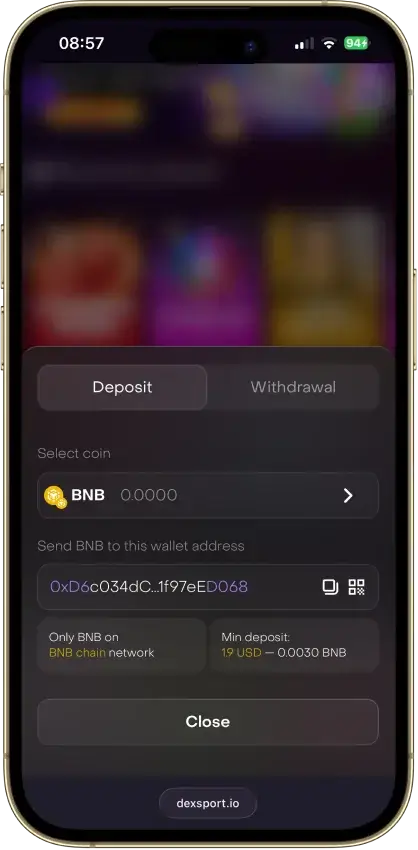
In most casino cashiers, an on-chain BNB deposit usually means BNB on BNB Chain (BEP-20) — but you should always follow the exact network label shown and never guess.
Also separate timing into two parts: casino approval time (the operator reviews and releases the payout) and network settlement time (the transaction confirms on-chain). Most “slow withdrawals” are approval delays, not the chain itself.
BNB On-Chain Deposits
Before you send BNB to a casino address, confirm:
- Coin Is Listed In The Cashier (BNB should appear in the deposit menu, not just marketing pages)
- The Network Is Clearly Shown (use the exact network the cashier specifies)
- Minimum Deposit (and any bonus qualification minimum)
- Memo/Tag Requirements (if the cashier shows one, it must be included)
- Address Format (copy/paste, do not type by hand)
- Confirmation Rules (how many confirmations until credit)
Best practice: when using a new casino or a new wallet, start with a small test deposit to confirm you selected the right network and the casino credits properly.
Binance Pay Deposits
Binance Pay is a Binance app payment rail that some casinos support as a deposit method. It can reduce “wrong network” mistakes because the transfer happens inside the Binance Pay flow.
What to verify first:
- The casino supports Binance Pay in your region
- The casino credits your selected asset as expected (and does not auto-convert without telling you)
- Whether withdrawals can also be made via Binance Pay (many casinos only offer it for deposits)
Typical Binance Pay deposit flow:
- Open the casino cashier and select Binance Pay
- Choose the asset you want to use (BNB or another supported coin)
- Follow the on-screen Binance Pay instructions (QR/UID or in-app confirmation)
- Confirm the amount and recipient details
- Approve the transfer inside Binance
- Wait for the casino balance to update and save the confirmation details
Fees, Approval Time, And Settlement Time
When you fund a casino with BNB, there are usually two places costs can show up: the network fee paid when you send crypto on-chain, and any casino-side rules like withdrawal fees or minimum payout thresholds. The network fee is controlled by the sending wallet or exchange and can vary, so it’s worth checking the final send screen before you confirm.
Speed works the same way. Even if the chain confirms quickly, the casino still needs to approve the withdrawal. This approval step is where delays are most likely, especially on first withdrawals, larger cashouts, bonus withdrawals, or when a manual review is triggered.
- On-Chain Fees: If you send BNB on-chain, you’ll usually pay a network fee from your sending wallet/exchange.
- Casino-Side Fees: Some casinos charge internal withdrawal fees or apply minimum withdrawal thresholds. If fees are not clearly disclosed, treat it as a scoring negative.
- Approval Time: Withdrawals can be delayed by manual review, bonus checks, AML triggers, or first-time cashout verification.
- Settlement Time: Once approved, on-chain payouts still need confirmations before they are fully settled.
If you’re testing a new casino, treat your first deposit and first withdrawal as a process check. Keep your withdrawal request ID and the TXID so support can trace both the approval stage and the on-chain transaction.
Common BNB Banking Mistakes
Most BNB “issues” come down to simple process errors. The good news is they’re easy to avoid if you treat your first deposit like a checklist and you never assume a casino supports withdrawals just because it accepts deposits.
If anything looks unclear in the cashier (network, memo/tag, minimums, or payout rules), pause and confirm it before you send. Crypto transfers are typically irreversible, so prevention matters more than troubleshooting.
- Wrong Network Selection (the #1 cause of missing deposits)
- Missing Memo/Tag when one is required
- Assuming BNB Withdrawals Exist because BNB deposits exist
- Depositing Below The Minimum then wondering why funds are not credited
- Trying To Withdraw With An Active Bonus without meeting wagering/turnover rules
How To Deposit With BNB
Depositing with BNB is straightforward once you align the coin + network exactly as the cashier shows it. If it’s your first time using a casino, start small, confirm the balance credits correctly, then scale your deposit.
- Pick a casino from the list and open the Cashier / Deposit page
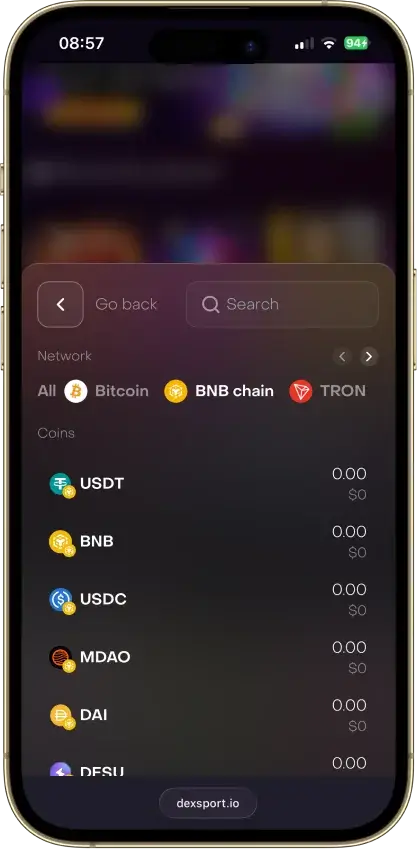
- Select BNB as the deposit currency
- Confirm the network the casino requires (match it exactly)
- Check the minimum deposit (and bonus minimums if claiming a promo)
- Copy the deposit address (and memo/tag if shown)
- Send a small test amount from your wallet or exchange
- Wait for the required confirmations and confirm the balance updates
- If you are depositing more, repeat with the same verified network and address rules
How To Withdraw With BNB
Withdrawals are where most casinos apply the strictest checks. Before you request a BNB payout, confirm you’ve met any bonus conditions, you understand the limits, and you’re ready for possible KYC on first cashout or higher amounts.
- Confirm the casino supports BNB withdrawals (not just deposits)
- If you claimed a bonus, confirm you met wagering/turnover and any max-bet rules
- Review the casino’s minimum/maximum withdrawal limits and any fees
- Complete KYC if required (first cashout and higher amounts commonly trigger checks)
- Enter your BNB address and select the correct network (match the casino instructions)
- Submit the withdrawal and note the withdrawal request ID
- Track the request during the approval stage (support can confirm status)
- Once processed, save the TXID and confirm settlement in your wallet/exchange