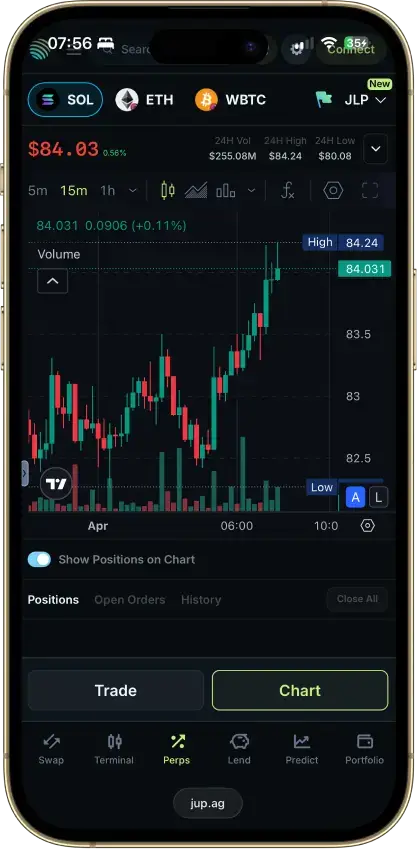
Jupiter suits experienced Solana users who want to keep assets in their own wallet, get deep routing, and do more than use a simple swap screen. Spot fees on Ultra can run from 0% to 0.5% and perps charge a 0.06% base fee, but Jupiter blocks U.S. users under its terms and the product expects you to manage your own wallet.
Wallet-first trading access with support for Jupiter Wallet, Phantom, Backpack, Ledger, and Trezor.
Ultra swap fees can be as low as 0% on some routes, with 0.02% on SOL to stable pairs and 0.1% on most other swaps.
Jupiter combines swaps, perps, lend, liquid staking, portfolio tracking, and developer APIs in one Solana stack.
Jupiter Quick Accounts support social or email login while still allowing private key export.
Mobile onboarding supports Apple Pay, Google Pay, and cards through MoonPay.
Cons
Jupiter is not available to U.S. residents under its published terms.
Users who want bank-style account protections or exchange-style reserve attestations will not get that structure here.
Asset coverage is route-based and Jupiter does not publish a simple exchange-style supported asset count.
The interface packs several modules into one workspace, so first-time users face a steeper learning curve than on a typical retail exchange app.
Is Jupiter Worth It?
Jupiter makes the most sense for people who already use Solana and want one place to swap, set recurring or trigger orders, trade perps, manage lending positions, and keep control of their own wallet. Jupiter stands out because deep routing, perp trading, lending, and liquid staking sit inside the same Solana stack. Pricing is also attractive on Manual mode and on lower-fee Ultra routes.
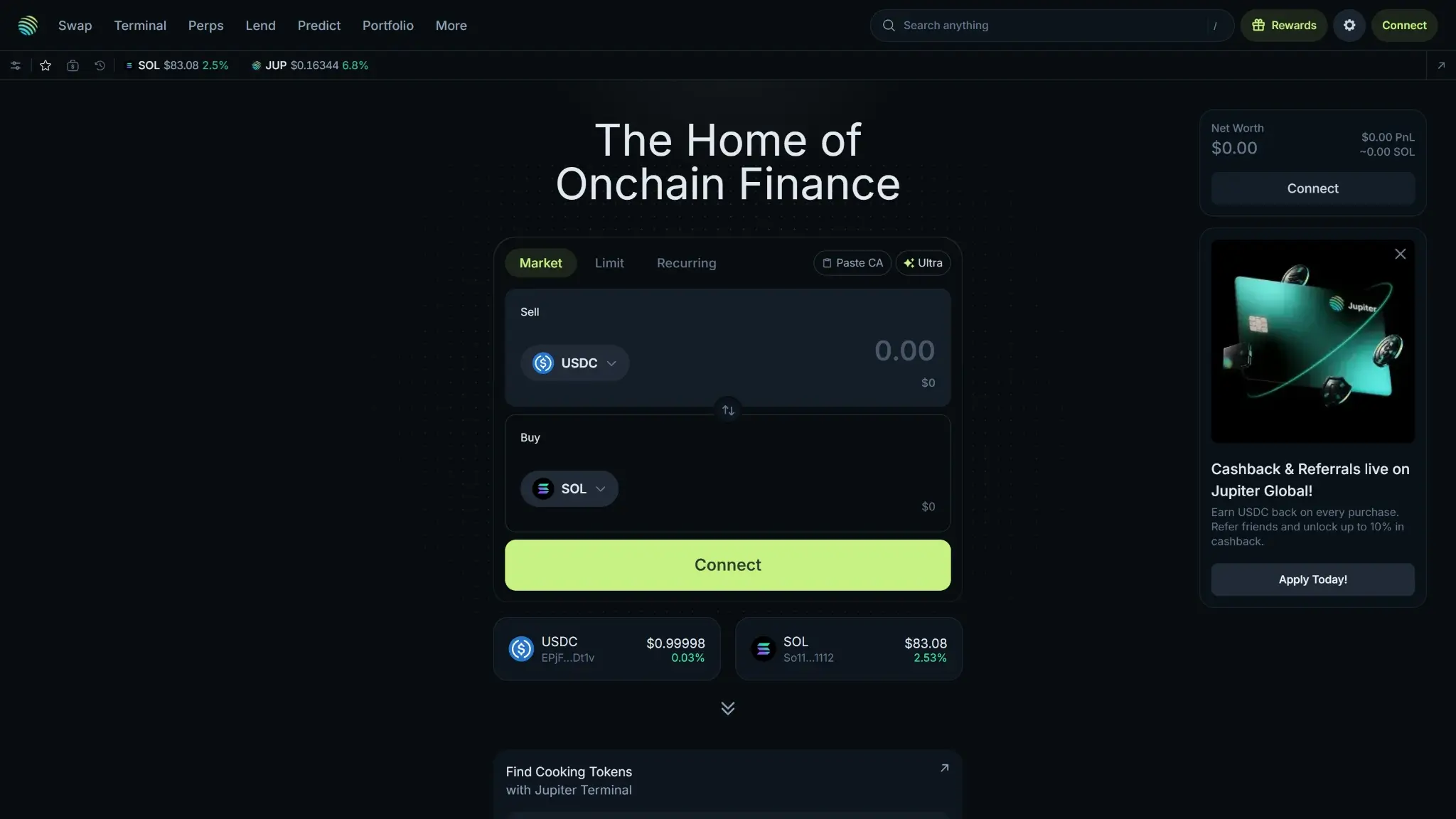
Jupiter desktop homepage showing The Home of Onchain Finance with a USDC to SOL market swap widget, connect panel, and cashback promo card.
It falls short for users who want a U.S.-available exchange, simple bank-linked onboarding, or the familiar structure of a custodial platform with account recovery and consumer-style guardrails. Most beginners and fiat-first users will find easier options elsewhere when they compare crypto exchanges or read a more traditional Kraken Exchange Review, because Jupiter assumes you are comfortable with wallets, on-chain execution, and DeFi risk.
Who Is Jupiter Best For
Jupiter is best for advanced traders and active Solana users outside the U.S. who care more about execution, routing, and product range than about a familiar brokerage-style experience. It fits traders who already manage their own wallets, are comfortable using different crypto wallet options, care about low swap costs, and want swaps, perps, lending, staking, and portfolio tools in one Solana-first interface.
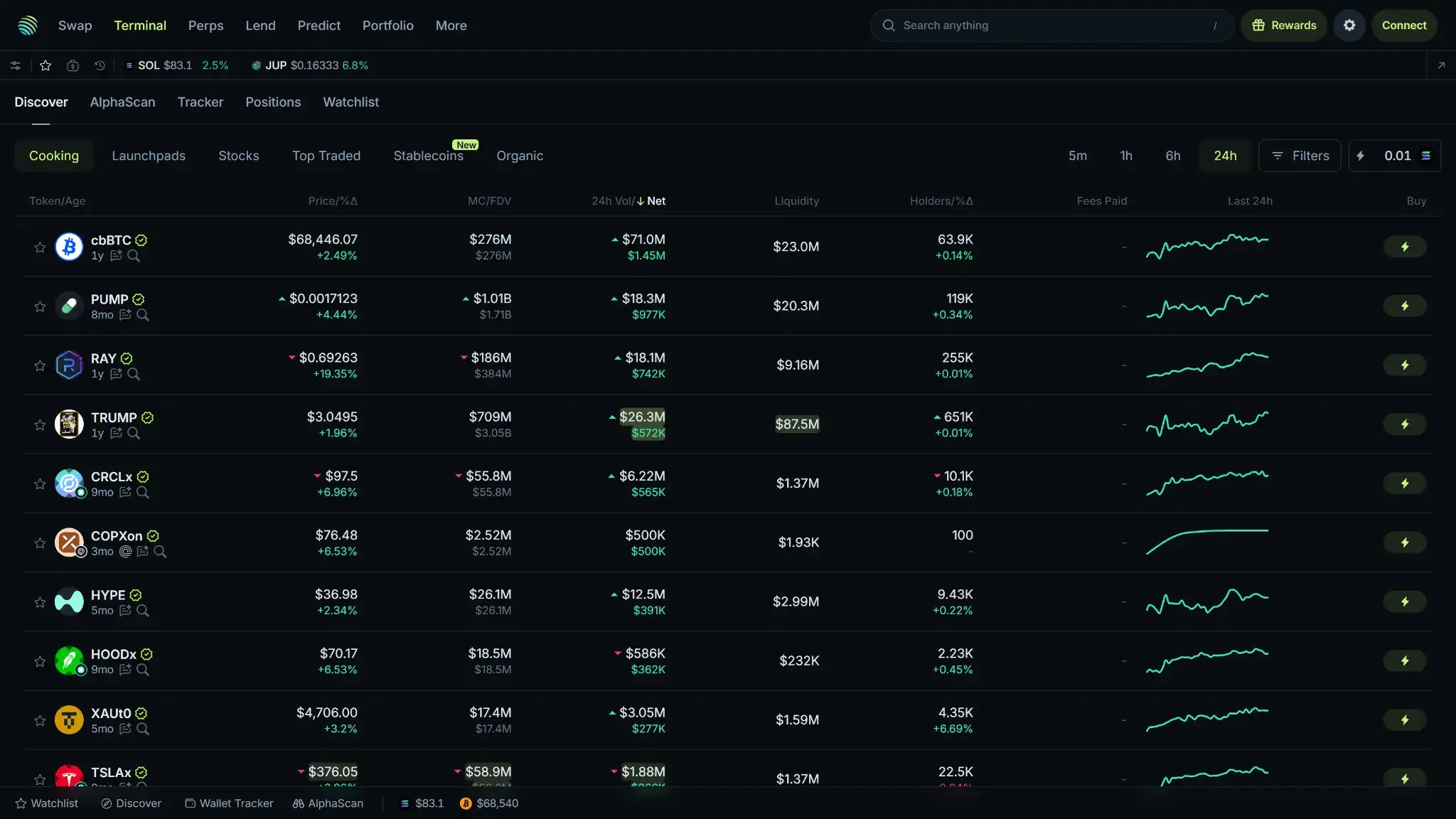
Jupiter desktop terminal page showing cooking token listings with prices, market caps, liquidity, holder counts, and 24-hour mini charts.
It also fits developers, on-chain power users, and fee-sensitive traders who want API access or flexible wallet-based onboarding without parking assets with a centralized operator. Jupiter for beginners is a weak fit. It is also a poor fit for low-risk users and anyone who needs U.S. access, simple fiat withdrawals, broad multi-chain coverage, or the recovery expectations that usually come with a traditional exchange.
Jupiter Fees and Pricing
Jupiter handles pricing differently from the fee ladders most retail users see on centralized exchanges. Jupiter also does not publish a flat retail spread schedule. Pricing splits between Manual swaps, Ultra routing fees, Perps, MoonPay on-ramping, and product-specific yield charges.
SwapsManual mode is free from Jupiter. Ultra usually runs 0%–0.5% depending on the route, token type, and token age.
Perps0.06% base fee, plus borrow costs, price impact, and Solana transaction fees.
Funding and cash-outMoonPay adds preview-based on-ramp fees. Jupiter Wallet sends are network-fee only. Jupiter Global remittance shows no transfer fee.
For spot-like trading, the main choice is Manual versus Ultra. Manual mode on jup.ag is free from Jupiter, but you still pay Solana network fees and any Jito tip if you choose MEV-protect or Jito-only routing. Ultra is the simpler retail flow. Jupiter’s published Ultra fee is 0% for stable-to-stable and some Jupiter-related routes, 0.02% for SOL to stable swaps, 0.05% for liquid-staked-token to stable routes, 0.1% for most other swaps, and 0.5% for newly launched tokens within their first 24 hours.
There is no standard public spot maker-taker table for Jupiter’s core swap interface. Jupiter also does not have a public volume-based rebate ladder for core swaps. Perps uses a different model. The base fee is 0.06% when opening or closing a position, and traders can also face price impact fees, borrow fees that compound hourly, and SOL transaction or priority fees.
Deposit and withdrawal costs depend on the route you use. On the mobile app, buying SOL through MoonPay with Apple Pay or a credit card adds a variable third-party fee that Jupiter does not publish as a fixed percentage. On the wallet side, Jupiter Wallet charges no fee for sending or receiving tokens, but normal network fees still apply. Jupiter Global does offer virtual accounts, SWIFT transfers, and local payouts with no listed transfer fee, but it sits behind Jupiter ID verification and should be treated as a separate product layer.
Staking and yield fees are better than average on the surface, but they still need to be read product by product. JupSOL lists a 0% management fee, 0% validator commission, and 0% withdrawal fee, with a 0.1% SOL deposit fee. Jupiter Lend applies a 10% reserve factor to borrow interest payments, which means borrowers pay the full rate, lenders receive 90%, and the protocol treasury keeps 10%.
There are a few practical ways to lower costs on Jupiter. Use Manual mode when you do not need Ultra’s simplified routing and are comfortable managing settings yourself. Stay in lower-fee Ultra categories where practical, especially stable and SOL-stable routes, and avoid very new token trades when fee sensitivity matters because those can reach 0.5%. If you are funding through mobile, compare the MoonPay preview against moving assets in from your own wallet first, because the on-ramp fee is separate from Jupiter’s trading cost.
VIP Tiers and Fee Discounts
Jupiter does not have a meaningful public VIP ladder for spot trading. There is no 30-day volume table, no spot maker or taker rebate program, and no subscription plan that lowers swap costs.
JUP also does not function as a classic fee token. Its utility is more tied to governance and product access, but Jupiter does not publish a native-token discount for retail buy and sell flows, spot swaps, or perps.
Deposits, Withdrawals, KYC and U.S. Availability
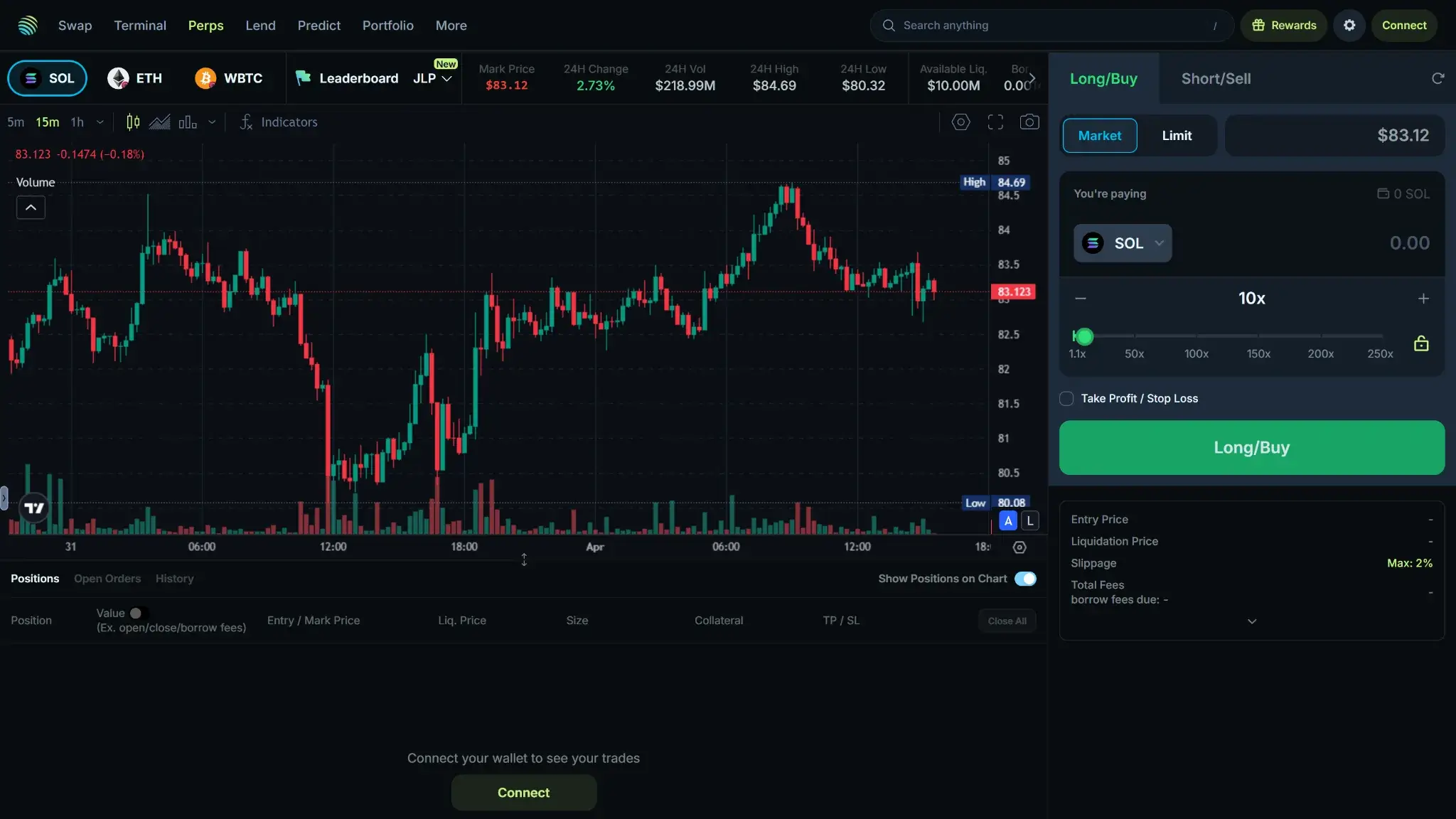
Jupiter desktop perpetuals trading terminal showing the SOL price chart, long and buy panel, leverage controls, and position details.
Funding and cash-out on Jupiter do not run through one unified cashier. The main trading app is wallet-first, Jupiter Mobile adds a MoonPay on-ramp, and Jupiter Global is a separate regulated layer for card, QR Pay, and remittance. Most users will fund with a Solana wallet or buy USDC through MoonPay. Cashing out usually means sending assets back to a wallet or, where available, using Global remittance rails.
Route
Funding In
Cashing Out
Key Note
Solana wallet
Send SOL or SPL tokens from an existing wallet
Send assets back to a wallet
No unified minimums, maximums, or settlement times are published
MoonPay in Jupiter Mobile
Buy with Apple Pay, Google Pay, or card
n/a
Preview-based pricing and availability
Jupiter Global
Fund through virtual accounts or supported USDC flows
Remittance or card spend in supported regions
Remittance cap of $10,000 per transfer
Jupiter does not have a single exchange-style funding table with fixed minimums and maximums across all products. The closest published hard cap is the Jupiter Global remittance limit of $10,000 per transfer. Everything else depends on wallets, previews, or individual product rules, which also means Jupiter withdrawal limits are not published in one unified schedule.
Geo Access and Entity Mapping
Jupiter’s geography depends on the product. The main DeFi app and mobile wallet are governed by Jupiter’s terms and prohibited-localities list, while Jupiter Global runs through regulated partners and has its own country-by-country rollout.
Region
Operating Entity
Access
Key Note
United States
None for the retail interface
Not available
Jupiter’s terms prohibit U.S. use
Non-restricted countries
Block Raccoon S.A.
Core Jupiter app, wallet, swaps, perps, and lend
Local legality still depends on jurisdiction
Selected countries
Regulated partners such as Rain and DCS
Jupiter Global card, remittance, and APAC QR Pay
Product rollout varies by country and partner
That separation matters because the main app and Jupiter Global follow different access and compliance rules. The main interface terms block U.S. users and other prohibited localities, while Jupiter Global products are rolled out only in selected countries and regions. Access to swaps or perps does not automatically mean access to card or remittance features, and vice versa.
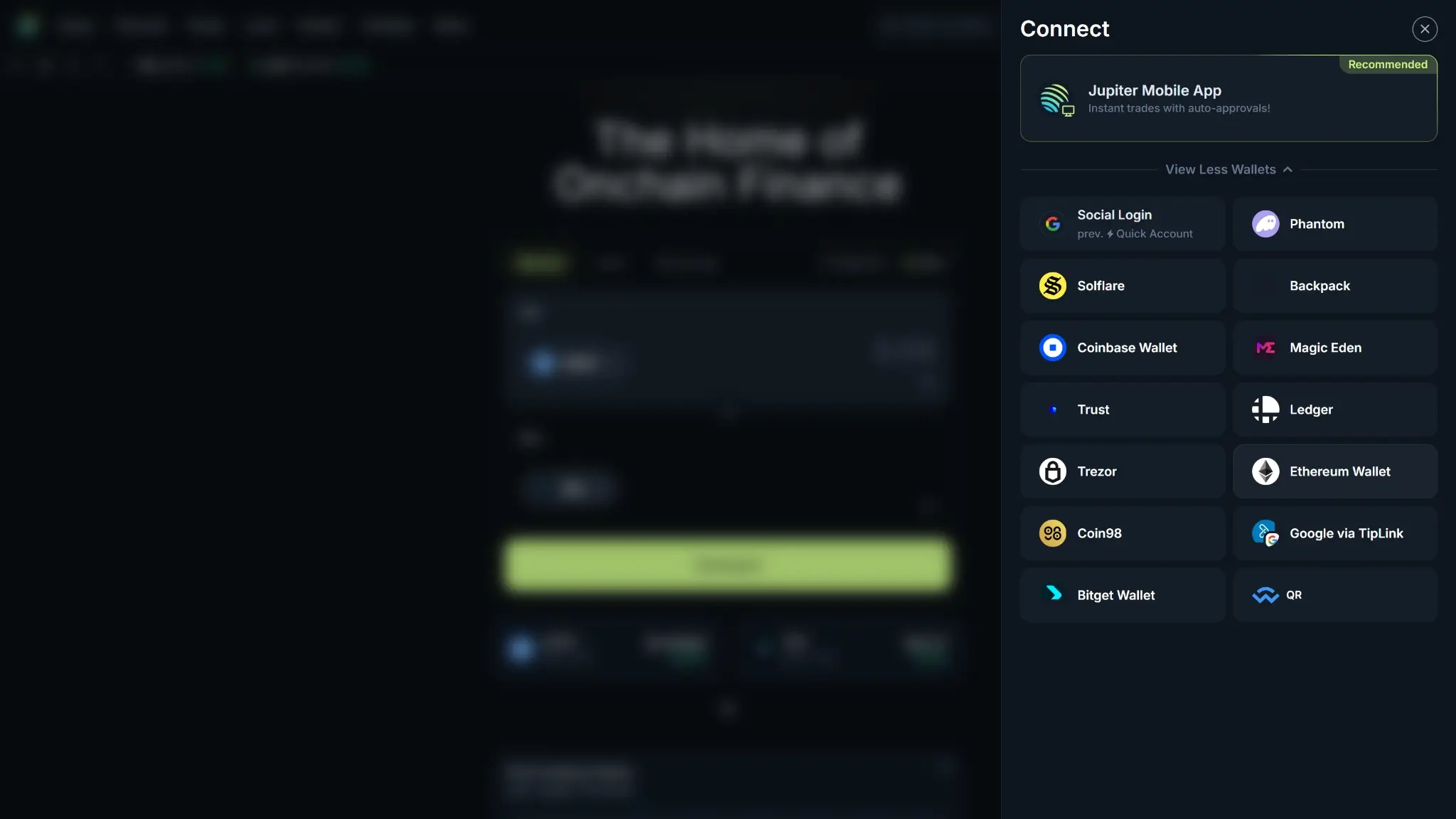
Jupiter desktop wallet connect modal showing Jupiter Mobile App as recommended, plus wallet options including Social Login, Phantom, Solflare, Backpack, Coinbase Wallet, Ledger, Trezor, and QR.
Registration and Onboarding
Jupiter does not start with a typical centralized exchange registration form. On web, you click Connect and either attach an existing Solana wallet or create a Jupiter Quick Account. Quick Accounts are powered by Privy and can be created instantly with Discord, Google, email, or a primary wallet.
If you use the Jupiter Wallet Extension or Jupiter Mobile, onboarding is still wallet-first. You can create a new wallet from a seed phrase, import an existing wallet, or use social login. In the extension, social login supports Google, Apple, X, and Discord. On mobile, Jupiter also supports Quick Accounts and lets you create or import a wallet during first-time setup.
Jupiter verification does not appear by default on the core DeFi interface, but there are two important exceptions. MoonPay on-ramping requires MoonPay KYC, and Jupiter Global requires Jupiter ID before you can use Card, QR Pay, or Remittance. Jupiter’s terms also reserve the right to restrict access or take compliance action if a user does not satisfy eligibility rules.
The default security setup also depends on how you onboard. Seed-phrase users are told to back up a 24-word recovery phrase offline, while Quick Account users can export their private key later. On Jupiter Mobile, biometric unlock can also be used for added device-level security.
Fiat Rails by Region
Product Layer
Main Fiat Rail
Availability
Notes
Core Jupiter app
None
U.S. unavailable. Non-U.S. users are still wallet-first
No standard ACH, SEPA, Faster Payments, or PayPal cashier
MoonPay in Jupiter Mobile
Apple Pay, Google Pay, and cards
Supported countries only
Main retail on-ramp. Fee is preview-based
Jupiter Global
Virtual accounts, remittance, and APAC QR Pay
Selected countries only
KYC required. Local access varies by partner and country
For Jupiter’s target user, the lowest-cost funding route is usually to move SOL or USDC in from an existing Solana wallet. MoonPay is the convenience option, not the cheapest one. Anyone looking for simpler fiat rails and a more conventional onboarding flow will usually get more from a platform like the Coinbase Exchange Review.
Withdrawal Networks and Fees
Route
Fee Model
Typical Timing
Notes
Solana wallet send
Network fee only
Not published
Native path for SOL and SPL tokens
Non-Solana chain withdrawal
Not a native Jupiter rail
n/a
Use a bridge or off-ramp elsewhere. Wrong-network sends may be unrecoverable
The cheapest way to move funds out of Jupiter is to stay native to Solana. If you need another chain, bridge or off-ramp elsewhere before you send. Jupiter also warns that assets sent from other blockchains to its Solana wallet flow cannot be recovered, so matching the network matters more here than on a multi-chain centralized exchange.
Verification Levels and Withdrawal Limits
Jupiter does not have named retail account tiers for the core interface. In practice, the product splits into core DeFi mode, MoonPay verification for mobile on-ramping, Jupiter Global verification, and some product-specific withdrawal constraints inside Lend.
Product Layer
Verification
Main Limit or Constraint
Typical Review Time
Core Jupiter app
None by default
No unified published deposit or withdrawal limits
None for normal wallet use
MoonPay
MoonPay KYC when required
Preview-based limits and possible bank or intermediary review
Can stretch to a few hours
Jupiter Global
Government ID and selfie. Proof of address in some regions
$10,000 remittance cap and $5,000 daily QR Pay limit
Usually 2–4 minutes, with manual review possible
There is no published address-whitelist or travel-rule workflow for normal wallet sends in the main app. The bigger operational risk is product-specific review or availability. MoonPay can pause or delay fiat on-ramping, and Jupiter Global stays behind Jupiter ID and partner-country rules. Jupiter Lend works differently again: withdrawals depend on protocol ceilings and available liquidity rather than named account tiers or standard instant-exchange processing.
Because supported regions, features, and limits can change, users should check the live help center and product pages before relying on any specific funding or withdrawal path.
Is Jupiter Safe? Security, Custody and Proof of Reserves
Jupiter is built around wallet control rather than exchange custody. On the main app, users connect a Solana wallet or create a Jupiter Quick Account, and assets stay tied to that wallet model instead of sitting in an exchange-held balance. That lowers counterparty custody risk, but it also means wallet security, key backup, and transaction-signing discipline matter more here than they do on a conventional exchange.
Jupiter publishes audits for core products such as Swap, Perps, Lend, Limit Order, and DAO tooling, and it runs a public status page that covers the website and major APIs. Those are useful trust signals for a DeFi trading stack. They do not replace the consumer protections, safeguarded fiat language, or account-recovery expectations that many users associate with a traditional custodial exchange.
Proof of reserves is not published for the core interface. That is less surprising here than on a centralized venue, because Jupiter does not position the main product as holding user balances in the same way an exchange does. Still, anyone who wants reserve attestations, clearer solvency-style disclosures, or bank-style account protections will usually feel more comfortable on a traditional exchange.
Supported Assets and Markets
Jupiter does not have a fixed list of supported assets in the way centralized exchanges usually do. Market coverage is decent inside the Solana ecosystem, but breadth depends on live liquidity rather than on a fixed listings page.
Listed assetsNot published as a fixed count. Jupiter says any Solana token with a valid liquidity pool on an integrated DEX can be traded.
Fiat currenciesNo classic fiat spot pairs on the core interface. Jupiter Global supports USD, GBP, and EUR virtual accounts, plus local payouts in 20 currencies.
StablecoinsUSDC and USDT are core assets across swap, perps, and lend. JupUSD is also supported in Jupiter’s ecosystem.
Major market typesSpot swaps, trigger and recurring orders, perps, lending and borrowing, staking, and tokenized stocks on Terminal
U.S. catalog parityNot available
Any Solana token with a valid liquidity pool on an integrated DEX is tradable, and Jupiter Mobile supports all Solana tokens. Users get wide market access, but Jupiter still does not publish a simple asset count. Users need to pay attention to liquidity, token verification, and warning labels rather than relying on a fixed catalog.
Stablecoin support is strong in the Solana context, but it is still chain-specific. USDC and USDT show up repeatedly across swaps, lend, and perps, while JupUSD is Jupiter’s reserve-backed stablecoin on Solana. For the main reference assets, see CryptoSlate’s Solana price and market data, USD Coin market data, and Tether market data. Jupiter also supports bridging through deBridge and Circle CCTP, including USDC transfers from eight chains. Even so, the main trading and wallet flow still revolves around assets issued and used on Solana rather than classic multi-chain spot books.
Fiat market access is much thinner than at a traditional centralized exchange. Jupiter does not run standard USD, EUR, or GBP spot order books on the core interface. In practice, quote currencies are mostly SOL and Solana stablecoins, while fiat enters through on-ramp partners or the separate Jupiter Global layer. That matters if you are comparing Jupiter with exchanges built around bank-linked fiat pairs, because Jupiter’s trading depth is strong inside Solana but weak as a general fiat-to-crypto venue.
Market depth also varies by product. Swaps are broad because they inherit liquidity from integrated Solana AMMs, but Perps is much narrower and should be treated separately from spot coverage. Perps is narrower and centers on a small set of major assets such as SOL, ETH, and wBTC, with USDC and USDT used across pricing and collateral flows. Lend is also selective rather than universal, with documented vault pairs like SOL or staked-SOL variants against USDC or USDT.
There are a few material absences to keep in mind. Jupiter is not a broad native multi-chain exchange, so native Bitcoin on-chain, ERC-20 token withdrawals, and classic order-book fiat pairs are not its strength. It also does not publish options markets, and recurring or trigger support is narrower than swaps because Token-2022 assets with transfer-tax features are excluded from those order types.
JUP matters to the ecosystem, but it does not reshape market structure in the same way a classic exchange token often does. Jupiter does not publish spot trading discounts tied to JUP holdings, and there is no public fee-tier ladder built around the token. The clearest direct utility in the docs is ecosystem-related rather than trader-discount related, including JUP-based express review for token verification requests.
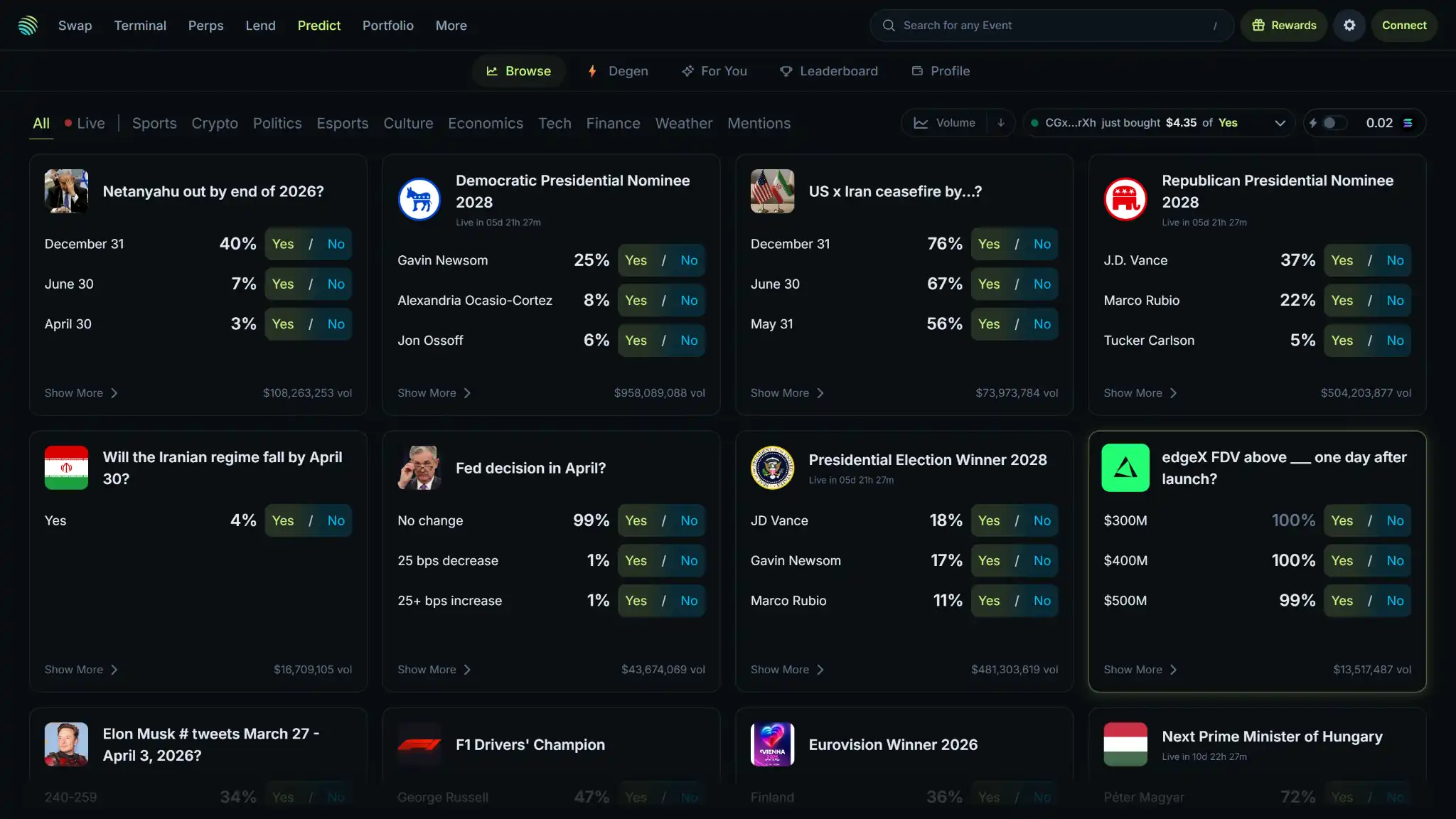
Jupiter desktop prediction markets page showing live event markets for politics, elections, Fed decisions, and crypto outcome bets.
Listings and Delistings Policy
Jupiter listings are more automated than a standard exchange listing desk. Jupiter does not require manual listing. Tokens become tradable when they launch on Solana and have a liquidity pool on a supported AMM.
Jupiter delisting is driven by liquidity checks rather than a scheduled review cycle. Markets are checked every 30 minutes, and low-liquidity markets can be removed when they fail Jupiter’s price-difference or price-impact thresholds. Ultra can revive previously delisted markets if demand returns.
A useful recent example is JupUSD, which Jupiter now lists as a Solana-native reserve-backed stablecoin that can be used across Jupiter and a growing set of Solana DeFi applications. That illustrates how new assets often appear through ecosystem rollout and liquidity support rather than through a classic centralized exchange announcement cycle.
App, UX and Customer Support
The interface is built around modules rather than beginner hand-holding. Navigation is wide, performance signals are strong, localization depth is not prominently documented, and support leans on self-serve resources plus tickets rather than a clearly documented retail live-chat model.
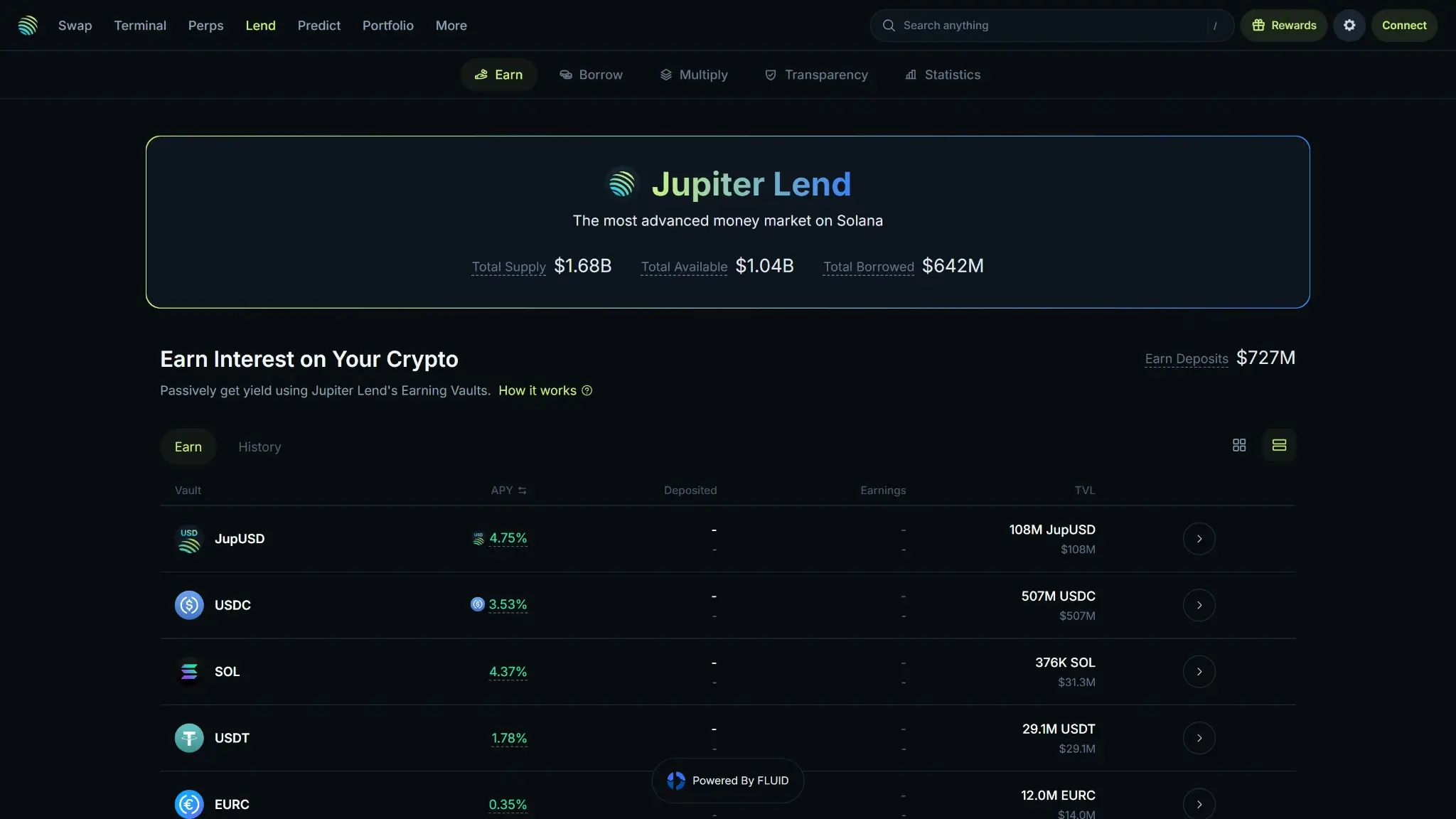
Jupiter desktop Jupiter Lend page showing total supply, available liquidity, borrowed value, earn deposits, APY rates, and vault rows.
UI and Navigation
Jupiter’s information architecture is wide rather than minimal. On desktop, the Jupiter UI splits the product across top-level destinations like Swap, Perps, Terminal, Lend, Predict, and Portfolio, so the interface feels more like a Solana control panel than a simple exchange homepage.
The Jupiter UX improves once you already know which module you need. Common actions like connecting a wallet, swapping tokens, checking balances, or opening a perp position are easy to reach. Discovery-heavy tools such as Terminal, token warnings, and newer ecosystem modules can still make the workspace feel busy for a first-time user. The result is a denser interface than a beginner exchange app.
A few interface details stand out in daily use. On mobile, Jupiter documents a universal search tool for tokens, dApps, and wallet addresses, token visibility controls, Magic Scan for QR or pasted token discovery, and Quick Buy flows from the Pro tab. On desktop, the wallet extension supports watch-only wallets and auto-approve for Jupiter and Meteora, which cuts repeated signing friction for regular users.
Localization and accessibility are harder to score strongly because Jupiter does not publish much dedicated documentation in those areas. The help center is English-first, and while the interface is generally clear, there is no prominent public accessibility statement or deep keyboard-navigation guide on Jupiter’s public pages.
Mobile App
The Jupiter app is listed as Jupiter Mobile – Solana Wallet on both the Apple App Store and Google Play. The App Store listing is iPhone-only, while the app supports iOS 17.0 or later and Android 9 or later. On Google Play, the app appears under Raccoon Labs with an update date of Jan. 6, 2026, which is a useful freshness signal for active maintenance.
Feature parity is good for the wallet and trading core, but not perfect. The app supports swaps, trigger and recurring orders, send and receive flows, universal search, Magic Links, Quick Buy, notifications through Radar, and wallet syncing between desktop and mobile. Desktop still feels stronger for multi-product navigation and deeper research workflows, while mobile is optimized for portfolio management, trading, and wallet tasks on the move.
Security controls on mobile are better than average for a self-custody trading wallet. Biometric authentication is available inside Settings → Security and Privacy, device biometrics can be used when creating a new wallet, and wallet sync works between desktop and mobile. Notifications are available through Radar, but delivery is best-effort and can be delayed or missed because of device settings, networks, or other external conditions.
The bigger Jupiter mobile app caveat is operational dependency. Jupiter Mobile relies on Jupiter’s APIs and infrastructure for core functionality, so major backend issues can affect the app even if your wallet remains self-custodial. That is normal for a trading wallet, but it matters more here because Jupiter Mobile does more than simple asset storage.
Reliability and Status Page
Jupiter runs a public status page at status.jup.ag, which is a good trust signal and more transparent than many DeFi interfaces. It covers the website, API Gateway Lite and Pro, Ultra API, Swap API, Trigger API, Recurring API, Tokens API, and Price API. The incident pages use GMT+8 timestamps, while the main dashboard shows rolling uptime windows such as the displayed 30-day window.
The public status dashboard listed 100% uptime for jup.ag over the displayed 30-day window, 99.987% uptime for Ultra API on Lite and Pro, and near-100% uptime across the main public APIs. The status archive also showed no incidents reported in December 2025, January 2026, or February 2026, and no scheduled maintenance for March through May 2026.
One recent example from the public log came in Sep. 2025, when a Swap Program Events Parsing issue caused some affected views and parsers to show incorrect token mints even though swaps still executed normally. Jupiter marked it fixed the same day in under one hour.
There have not been many recent status incidents, but it is still worth watching the distinction between execution issues and interface issues. Jupiter’s own status history shows that not every incident means failed trades. Some are data-display or parsing problems that matter more to developers and advanced users than to casual swappers.
Customer Support
Support starts with docs and tickets rather than live chat or phone support. The retail-facing path is the help center at support.jup.ag, which includes product-specific knowledge-base sections and a Submit a request flow for support tickets. For builders, Jupiter’s developer docs point users to the public Discord dev-support channel or Portal enquiry flow.
Jupiter does not prominently publish a retail phone number or a clearly documented 24/7 live-chat channel. Hours and language coverage for user support are not clearly published either, so expectations should be set around articles, tickets, community channels, and status-page checks rather than instant human chat.
For lockouts, restrictions, or product-specific verification issues, the practical recovery path is the request form plus the relevant product workflow. Jupiter documents a Submissions page for checking verification-request status, and the legal pages route formal questions, claims, complaints, or suggestions to legal [at] jup.ag. It works as a formal escalation route, but it is not the same as fast trading support.
Jupiter leans much more on self-serve support than on direct retail support. The help center is organized by major products, its status page is public, and the docs are detailed enough for most common wallet, swap, lend, and app tasks. For technical integrations, the developer docs are also better than average.
Anti-phishing note
Use only the official support routes: support.jup.ag for help articles and ticket submission, status.jup.ag for outages and degraded performance, dev.jup.ag/resources/support for developer support, and legal [at] jup.ag for formal legal or complaint-related contact. Jupiter also publishes guidance for verifying the official Chrome Web Store wallet link, which is worth checking before installing the extension.
Features That Matter on Jupiter
Jupiter is more than a basic exchange interface. It is a Solana trading stack built around routing, perps, liquid staking, lending, wallet-based access, and APIs for integrators. The core products shape how you trade, move assets, and manage positions. Side products like the card or tokenized stocks are still secondary.
Derivatives and Leverage Controls
Jupiter’s live derivatives product is Jupiter Perps, a perpetuals venue that uses the JLP liquidity pool instead of a traditional order book. The JLP pool holds SOL, ETH, wBTC, and USDC, and traders borrow from that pool to open leveraged positions.
Jupiter advertises leverage of up to 250x on SOL, ETH, and wBTC, while a separate auto-closing article says the maximum allowable leverage is 500x. Because Jupiter publishes inconsistent leverage headlines, the safer practical takeaway is that leverage is very high and clearly aimed at experienced traders rather than casual users. Positions use oracle-based pricing, collateral is recorded in USD terms, and liquidation kicks in when remaining collateral falls below 0.2% of position size.
Regional limits are blunt. There is no U.S. access under Jupiter’s main terms, and Jupiter does not frame Perps as a globally uniform, regulated retail derivatives venue. The interface does include real risk controls such as limit orders, take-profit and stop-loss functionality, liquidation price monitoring, and auto-closing logic, but those controls reduce risk rather than remove it.
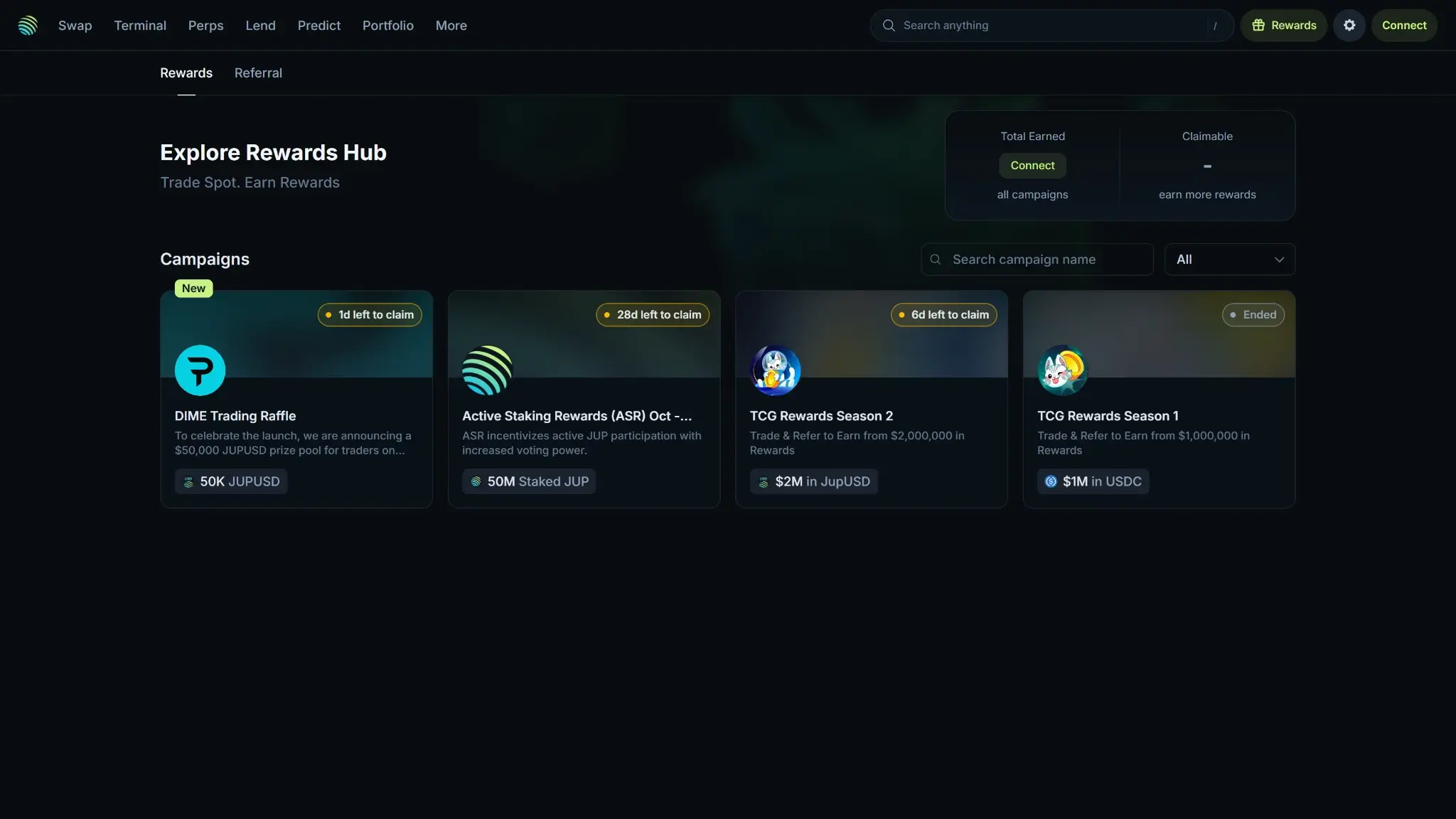
Jupiter desktop rewards hub showing active campaign cards, reward pool amounts, claim windows, and earned or claimable sections.
Staking and Rewards
Jupiter’s strongest rewards product is JupSOL, a liquid staking token that represents SOL staked with the Jupiter validator. Rewards accrue by increasing the value of JupSOL relative to SOL over time, so the yield is built into the token rather than paid as a separate cash balance.
The JupSOL pricing is easy to follow. JupSOL carries a 0% management fee, 0% validator commission, 0% stake deposit fee, 0.1% SOL deposit fee, and 0% withdrawal fee. It suits users who want Solana staking exposure without giving up the flexibility to trade or deploy the token elsewhere in DeFi.
Jupiter Lend is the second rewards layer, but it is best understood as an onchain money market rather than a simple exchange earn tab. Supported collateral examples in Jupiter’s docs include assets like SOL, mSOL, JitoSOL, stJUP, and JLP, with borrowing typically against USDC or USDT depending on the vault. There is no fixed lockup, but exits are not guaranteed to feel instant because withdrawals are governed by dynamic ceilings and available liquidity.
Card
Jupiter offers a card, but it lives inside Jupiter Global rather than the core trading interface. The Jupiter Card is a digital-only Visa product available only in selected countries after Jupiter ID verification. Anyone weighing it against other spending products can compare crypto cards or look at a more developed card ecosystem through our Crypto.com Exchange Review.
There is no cashback or spend-rewards system. Users deposit USDC, it is credited one-to-one in USD, and spending draws from that balance. The main cost caveat is FX. Rain-issued cards charge 1% on non-USD purchases, while DCS-issued cards charge 1.8%.
Wallet and Self-Custody Options
Wallet control is central to Jupiter. Users can connect existing wallets such as Phantom and Backpack, use hardware wallets like Ledger and Trezor, or create Jupiter Quick Accounts powered by Privy using Google, Apple, Discord, X, email, or another wallet. The closest internal comparisons here are our Phantom Wallet Review and Solflare Wallet Review.
The difference between the two onboarding models matters. Traditional wallet users control their seed phrase, while Quick Account users can sign in more like a consumer app and export their private key later. Jupiter Wallet exists on desktop and mobile, supports seed-phrase creation or import, watch-only wallets, and desktop-to-mobile sync.
This setup works best for people who already spend most of their time on Solana and are familiar with the best Solana wallets. The wallet experience is built around assets and dApps on Solana, with a mobile dApp Browser, Jupiter Sync, and lower signing friction through features like auto-approve on the extension for Jupiter and Meteora. Fees are also straightforward: Jupiter says there are no wallet fees for sending or receiving tokens, but swaps made inside the wallet use Jupiter Ultra, and standard Solana network fees still apply.
API and Programmatic Trading
Jupiter’s API layer is one of its clearest strengths. The platform publishes official APIs for Swap, Ultra Swap, Trigger, Recurring, Tokens, Price, Lend, Send, Studio, and Portfolio, with an API portal that shows plan pricing, rate limits, and setup details.
This is builder-grade rather than purely retail-grade infrastructure. Access requires an API key, Pro plans scale from 1 RPS to 500 RPS, and Ultra uses a dynamic rate-limit model that grows with executed swap volume. Jupiter’s docs also publish migration notes, deprecation warnings, and setup guidance, which is a good sign for active maintenance.
The API stack is still narrower than what institutions usually expect. Jupiter does not present a classic FIX gateway, a public institutional permission stack, or a true centralized-exchange style testnet. For Solana builders, the API set is broad enough to support wallets, routing, and trading products. It reads more like high-end DeFi routing and execution tooling than prime-broker infrastructure.
Other Notable Features
A few side products still matter because they show how Jupiter is expanding beyond swaps and perps. Jupiter Terminal is positioned as a pro-trader interface and includes tabs for Launchpad, AlphaScan, Stocks, Top Traded, and Organic market views. Jupiter also supports tokenized stocks through providers like xStocks and Remora Markets. That pushes the product beyond crypto, even though these markets come with their own legal and pricing caveats.
Jupiter also offers Prediction Markets, but they are region-restricted and explicitly unavailable to U.S. residents. The Terminal further includes wallet tracking and copy-trade style monitoring tools, which are useful for active onchain traders, but they are not the main reason most users choose Jupiter. For broader context around the chain and ecosystem, the latest Solana news page is the most relevant internal news feed.
Final Verdict
Jupiter is a strong choice for experienced Solana users who want low-fee routing, direct wallet control, and more than a simple swap screen. It suits traders, DeFi users, and developers who want swaps, perps, liquid staking, lending, wallet tools, and APIs without parking assets on a centralized exchange balance. Its weak spots are mostly structural. Jupiter is blocked in the U.S., it does not behave like a fiat-first retail exchange, and some operational details depend on separate product layers such as MoonPay or Jupiter Global. It is a much better fit for Solana power users than for beginners who want bank rails, account recovery, and a simpler trading model.
Disclaimer: CryptoSlate may receive a commission when you click links on our site and make a purchase or complete an action with a third party. This does not influence our editorial independence, reviews, or ratings, and we always aim to provide accurate, transparent information to our readers.
FAQ
Is Jupiter safe?
Jupiter looks safer than many smaller Solana front ends because it is non-custodial, publishes audits for major products, and runs a public status page. That said, it is still a DeFi interface, so users take on wallet risk, smart-contract risk, and market risk directly. It is safer for users who already understand self-custody than for complete beginners.
What are Jupiter trading fees?
Jupiter does not use one standard exchange fee ladder. Manual swaps are free from Jupiter, Ultra swaps usually range from 0% to 0.5% depending on the route, and Perps charges a 0.06% base fee before other position costs such as borrow charges, price impact, and Solana transaction fees are added.
Does Jupiter require KYC or verification?
Not by default on the core self-custody interface. Most normal wallet-based swapping, sending, and receiving does not start with KYC. The main exceptions are MoonPay on-ramping, which follows MoonPay verification rules, and Jupiter Global, which requires Jupiter ID and identity checks before users can access the card, QR Pay, or remittance features.
Which coins can you trade on Jupiter?
Jupiter does not publish a fixed coin list in the way a centralized exchange usually does. Instead, it says any Solana token with a valid liquidity pool on a supported DEX can be traded. In practice, that means very broad Solana market access, with strong support for assets like SOL, USDC, USDT, and other liquid Solana-native tokens.
How long does a Jupiter withdrawal take?
Jupiter does not publish one standard withdrawal time because the core product is self-custody rather than account-based custody. Normal wallet sends depend mostly on Solana network conditions. MoonPay and Jupiter Global can add their own review or banking time, and Jupiter Lend withdrawals may be limited by dynamic ceilings instead of processing queues.
Is Jupiter available in the U.S.?
No. Jupiter’s published terms prohibit U.S. users from accessing the core interface, and Jupiter does not publish a separate state-by-state access map that would override that restriction. For users in the United States, Jupiter is not a practical option for compliant retail use.
Does Jupiter offer staking or rewards?
Yes, but the rewards model is closer to DeFi than to a simple exchange earn tab. JupSOL gives users liquid staking exposure on Solana, while Jupiter Lend lets users earn lending yield or borrow against supported collateral. Rewards and yields depend on the specific product, and some exits are governed by liquidity conditions rather than guaranteed instant redemptions.
How can I lower fees on Jupiter?
A few simple choices reduce costs. Manual mode avoids Jupiter’s Ultra routing fee, lower-fee Ultra categories such as stable and SOL-stable routes are cheaper than many new-token trades, and moving assets in from your own wallet is usually cheaper than relying on the mobile MoonPay on-ramp for convenience.
Disclaimer: CryptoSlate may receive a commission when you click links on our site and make a purchase or complete an action with a third party. This does not influence our editorial independence, reviews, or ratings, and we always aim to provide accurate, transparent information to our readers.