
Trezor Safe 7 Wallet Review

Verified Review
Published Updated

Trezor Safe 7 is a premium cold hardware wallet with full phone support, a larger on-device review screen, and a written-backup recovery model. It suits buyers who want easier mobile use without moving away from standard self-custody basics. Bluetooth, battery power, and the larger touchscreen make day-to-day signing easier than it is on older Trezor devices. But at $249, it is expensive for a Trezor, and that premium does not solve key trade-offs like the lack of working Monero support or the fact that Safe 7 is still not an air-gapped wallet.

Yousra Anwar Ahmed
Reviewed by
George Ong
Fact-checked by
7.0
  • Full Trezor Suite mobile support on iPhone and Android
  • Large touchscreen with on-device transaction review and haptic feedback
  • Premium wireless design with Bluetooth, built-in battery, and Qi2-compatible wireless charging

Get Quantum-Ready Cold Storage for Long-Term Holdings

Trezor Safe 7 Overview

Product Name Trezor Safe 7
Wallet Type Hardware wallet
Custodial Status Non-custodial
Supported Blockchains Bitcoin, Ethereum, BNB Smart Chain, Avalanche, Arbitrum, Base, Optimism, Polygon, Solana
Token Standards ERC-20, BEP-20, SPL
Platforms iOS, Android, Desktop (macOS), Desktop (Windows), Desktop (Linux)
Hardware Wallet Support No
Built-in Swaps Yes
Staking Support Limited
Open-source Fully open-source
Fiat On-ramp Yes
Hardware Connection Methods USB, Bluetooth, WalletConnect

Trezor Safe 7 Screenshots

Trezor Safe 7 Pros and Cons

Pros

  • Full Trezor Suite mobile support gives Safe 7 a stronger iPhone and Android fit than the rest of the current Trezor line.
  • The 2.5-inch touchscreen makes address checks, PIN entry, and transaction review more comfortable than on smaller-screen hardware wallets.
  • Bluetooth, USB-C, and a built-in LiFePO4 battery make it easier to use as a real mobile wallet instead of a device that stays in a drawer.
  • The security model keeps approval on the device itself, with dual secure elements, on-device verification, and support for hidden wallets via passphrase.
  • Recovery stays within a standard written-backup model, with support for default SLIP39 setup as well as BIP39 restore paths.

Cons

  • The $249 price is high relative to the rest of the Trezor lineup, especially if you mostly sign from a desktop.
  • Monero is not currently usable on Safe 7 in practice, which rules it out for readers who need XMR now.
  • Safe 7 is not an air-gapped wallet, so it is a weak fit for buyers who specifically want QR-only isolation.
  • Trezor does not currently document a microSD card slot or MicroSD Card Encryption support for Safe 7.
  • Some assets, dApps, and niche workflows still depend on selected third-party wallets rather than a fully native path.

Who Trezor Safe 7 Is Best for — and Who Should Skip It

Trezor Safe 7 makes the most sense for mobile-first holders who want cold-storage key separation without going back to a cable every time they need to check balances, receive funds, or approve a send. It is also a strong fit for buyers who care about on-device clarity, because the larger touchscreen and haptic feedback make routine verification less cramped than on older compact hardware wallets.

It is a weaker fit for buyers whose top priority is price, QR-style air-gap isolation, or working Monero support. Safe 7 is also hard to justify if most of your wallet use happens on desktop, because much of the premium goes toward wireless convenience, battery power, and better phone use.

Best fitWhy it fitsWho should skip itWhy they should skip it
Phone-first self-custodySafe 7 is the strongest current Trezor option for users who want full mobile support, especially on iPhone.Passive holders on a tighter budgetSafe 5 covers the same broad custody model for much less money if Bluetooth and battery power are not important.
Long-term holding with better on-device reviewThe large touchscreen and on-device confirmation make routine address and transaction checks easier to do properly.Monero usersSafe 7 is not currently usable for Monero in practical wallet workflows.
Travel-friendly hardware walletThe built-in battery, wireless charging, durable build, and pocketable size make it practical away from a desk.Strict air-gap buyersSafe 7 is a connected hardware wallet over Bluetooth or USB-C, not a QR-only signer.
Users who want vendor-independent recovery optionsRecovery is broadly workable with standard backup formats, but compatibility still depends on the backup format and asset workflow.Buyers who want microSD-based extrasThere is no current documented microSD slot or MicroSD Card Encryption support on Safe 7.

What Trezor Safe 7 Is and How It Works

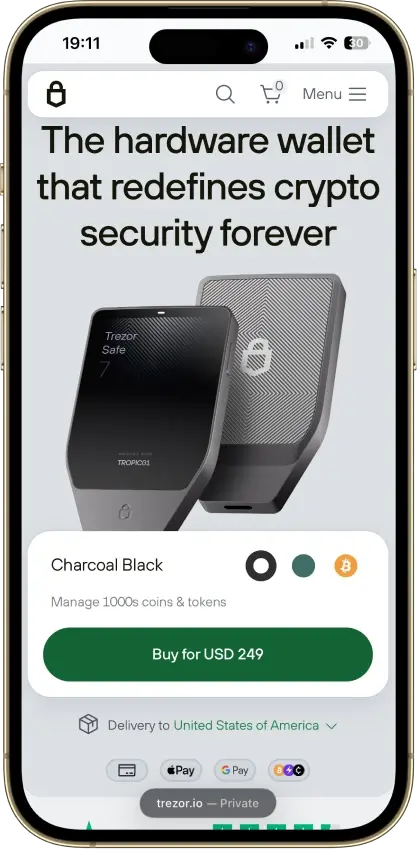
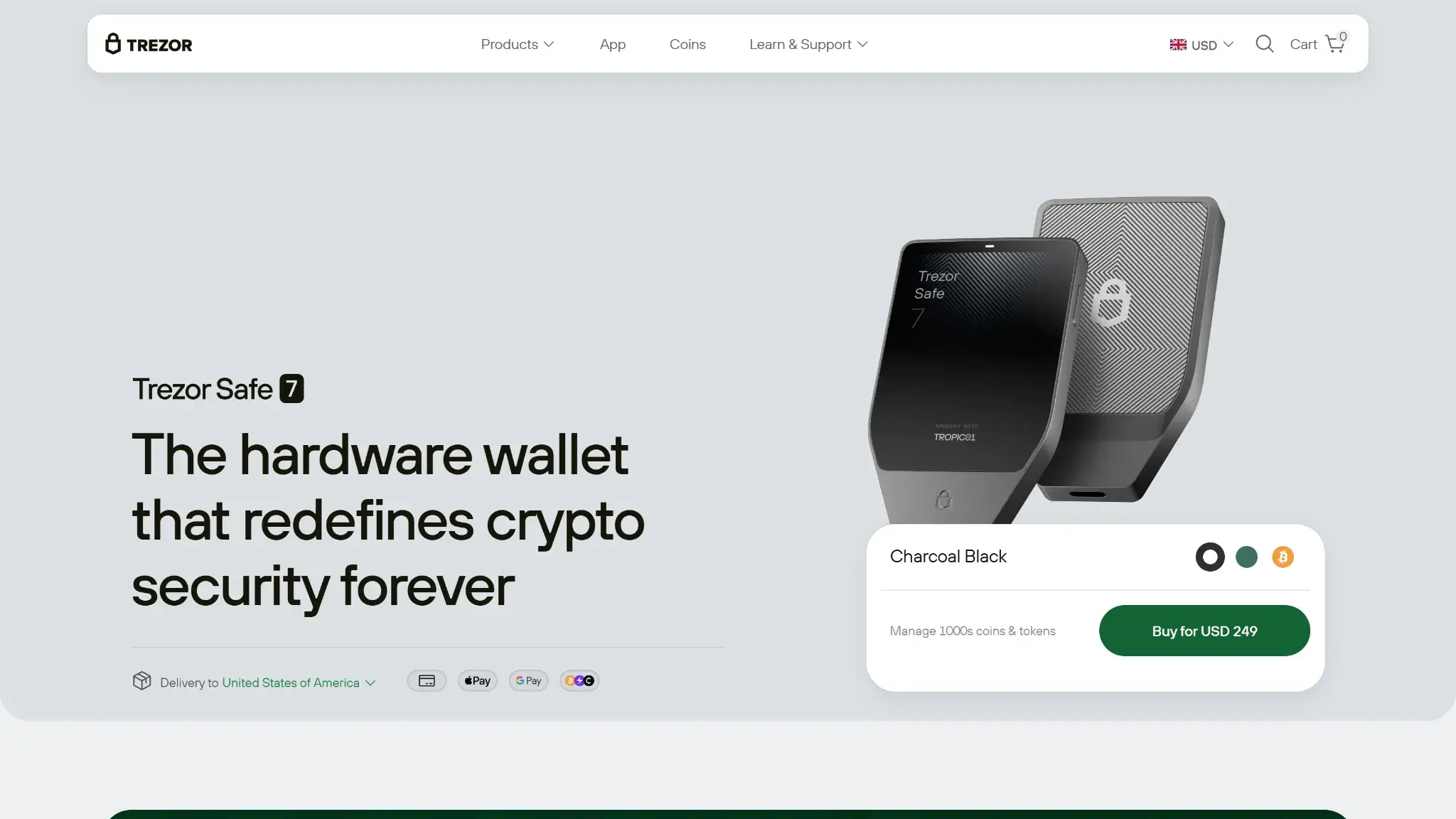
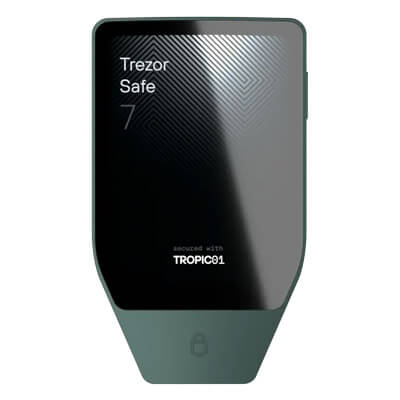
Trezor Safe 7 product hero section showing the wallet, Charcoal Black option, delivery to the United States of America, and Buy for USD 249 button.

Trezor Safe 7 is Trezor’s premium wireless hardware wallet. It sits above Safe 5 and Safe 3 in the current lineup and is the model aimed most clearly at users who want a phone-first self-custody routine instead of a desktop-first one.

The wallet works across Trezor Suite on mobile and desktop, with selected third-party wallet support for some assets, dApps, and ecosystem-specific use cases. There is also a Bitcoin-only Safe 7 edition with the same hardware body and a narrower asset setup, so buyers should separate the hardware from the firmware version they are choosing.

  • It is a cold hardware wallet, not an exchange account or software-only wallet.
  • You access it through Trezor Suite on iPhone, Android, or desktop, and through selected third-party wallets where supported.
  • On iPhone, wallet use is Bluetooth-based. On Android and desktop, Safe 7 can connect over Bluetooth or USB-C.
  • Private keys are created and stored on the device itself, not on the phone or computer.
  • Transactions are prepared on the host device, then reviewed and approved on the Safe 7 touchscreen before anything is signed.
  • The 2.5-inch display is the trusted screen for checking addresses, amounts, and fee details.

The connection method changes day-to-day use, but signing still happens on the device. The phone or computer builds the request, and Safe 7 makes the final signing decision.

For day-to-day use, Safe 7 covers the core actions most buyers expect. Mobile supports wallet creation or recovery, portfolio management, new account creation, and sending or receiving crypto, while desktop adds the broader Trezor Suite feature set including buying, selling, swapping, staking, history, and portfolio views.

There are limits to keep in mind. Certain assets and dApp workflows still depend on selected third-party wallets, and support is not the same across mobile and desktop. Safe 7 is broad enough for major-asset holders, but it is not a native all-in-one answer for every coin, network, or Web3 workflow.

Wallet Type, Custody, and Recovery Model

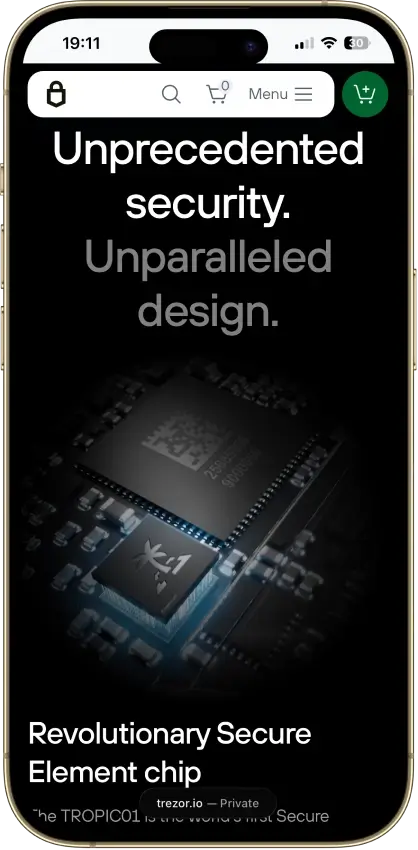
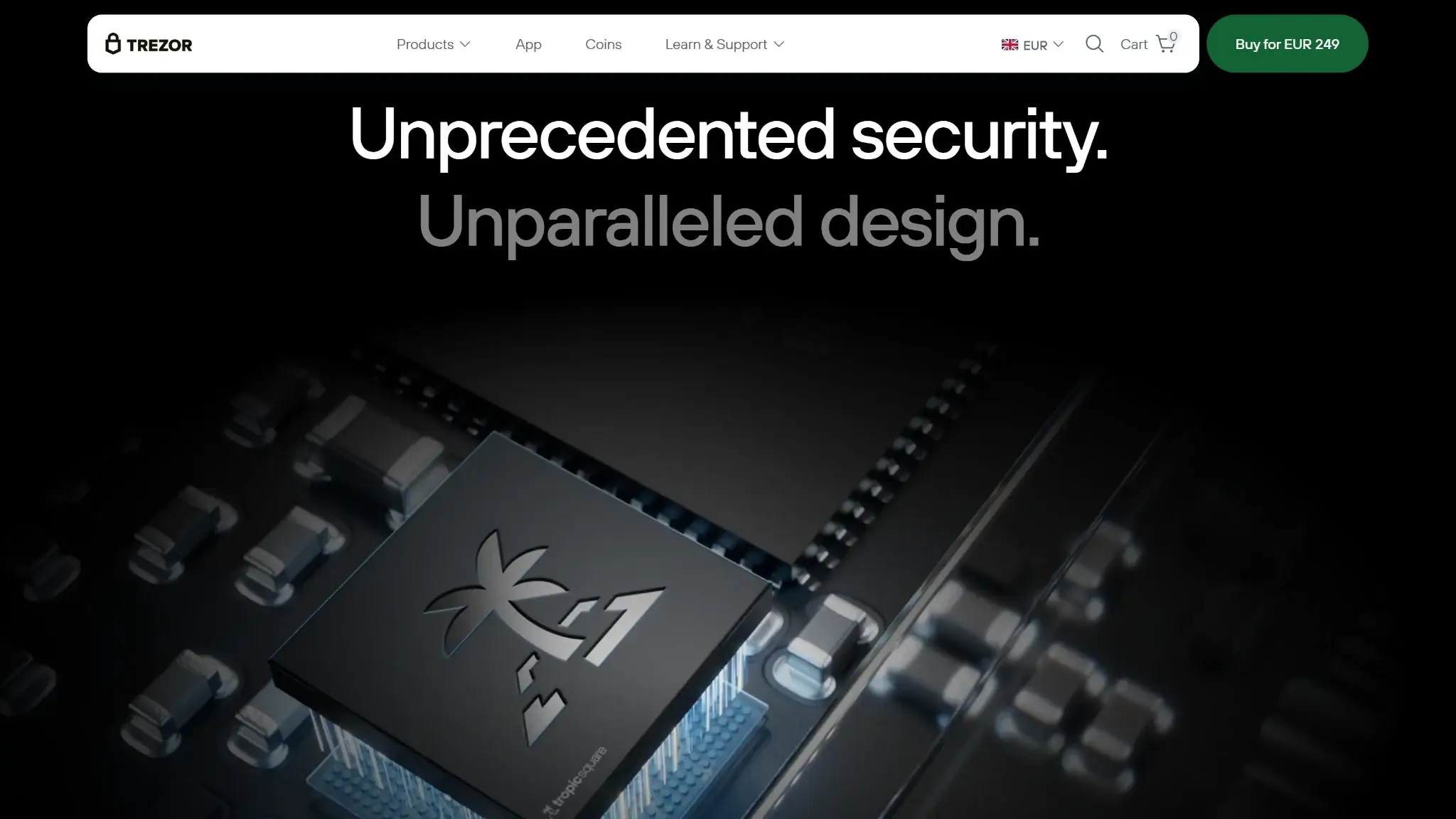
Trezor Safe 7 security design section featuring the TROPIC01 secure element chip with unprecedented security and unparalleled design messaging.

Safe 7 is clearly a non-custodial hardware wallet. The user controls the keys, the device handles signing, and recovery depends on the written backup created during setup rather than on an account-recovery system run by a provider.

Recovery is broadly workable for standard backup formats, but it is not equally simple across every asset. BIP39 is more broadly portable than SLIP39, and niche workflows can still carry compatibility caveats even when the core wallet backup is valid.

Wallet classCold hardware wallet
Who controls the keysUser
Recovery methodWritten backup with a default 20-word SLIP39 single-share setup; BIP39 12-word, BIP39 24-word, and SLIP39 multi-share are also supported; passphrase support is available for hidden wallets
Can you export keys or seed?Yes, in the practical sense that recovery depends on the backup you create and keep; portability depends on the backup format rather than on a provider-held recovery system
Portability to another walletPartial; standard backup paths are broadly portable, but BIP39 is easier to carry elsewhere than SLIP39, and some asset-specific workflows have extra caveats
What happens if you lose the deviceYou restore the wallet on a compatible device using the correct backup format and any relevant passphrase; if someone steals only the device, device protections still matter
What happens if you lose the recovery methodRecovery can become impossible; a missing backup, or a missing passphrase for a hidden wallet, can permanently block access
Who can help recover accessNobody can recreate a missing backup or passphrase; the recovery path depends on what the user preserved during setup
Best use caseLong-term storage with better mobile access, clearer on-device verification, and occasional active management

Safe 7 is a signing device with a standard written-backup model, not an account with fallback recovery through support. That gives users more control, but it also means backup handling and passphrase discipline matter more than the device body itself.

Supported Assets, Networks and Compatibility

Safe 7 is strong on major assets and major network families, but support is broad rather than uniform. Bitcoin, Ethereum, Solana, Cardano, XRP, and major EVM-network workflows are covered, while some dApps, NFTs, and niche assets still rely on selected third-party wallets instead of a fully native Trezor Suite path.

It covers the main chains most buyers care about, but support changes by asset, app, and device. Some workflows are native in Trezor Suite, while others depend on a selected third-party wallet.

Major chains supportedBitcoin, Ethereum, Solana, Cardano, XRP, and major EVM-network workflows
Token standardsERC-20 and major native-asset workflows across supported networks; exact coverage depends on the asset and wallet path
PlatformsiPhone, Android, and desktop through Trezor Suite, plus selected third-party wallet support on supported mobile and desktop flows
Hardware supportNot applicable; Safe 7 is the hardware wallet
Connection methodsBluetooth 5.0+ Low Energy and USB-C
Notable gapsMonero is not currently usable in practice; some assets and dApps still depend on selected third-party wallets; mobile support is selective across third-party apps; no documented microSD slot or MicroSD Card Encryption support

Support is most consistent in Trezor Suite, especially for major assets and straightforward self-custody tasks.

Third-party support helps, but it is selective. Rabby, Jupiter, Cake, Nightly, NuFi, Ronin, and Exodus support both desktop and mobile, while MetaMask, Backpack, Lace, Electrum, and many other integrations are desktop-only.

The biggest limitation right now is Monero. Safe 7 has the firmware groundwork in place, but neither Trezor Suite nor any compatible third-party wallet has added support yet.

Core Features and Real-World Use Cases

Compared with direct alternatives, Safe 7 offers more than a basic storage-only wallet but still feels less self-contained than hardware wallets built around QR isolation or deeper companion-wallet ecosystems. Inside the Trezor range, it stands out as the best fit for phone-led use, and it feels more comfortable for regular sends, account checks, and occasional active management than Safe 5. At the same time, it is not built as a native all-in-one Web3 wallet, and it is weaker for users who want uniform dApp coverage, full Monero usability, or a setup that avoids third-party dependencies.

Feature areaWhat users can doHow it works in practiceKey limitations, costs, or risks
Swaps and tradingSwap supported assets and access buy or sell flowsDesktop Trezor Suite includes buying, selling, and swapping, with costs tied to third-party services inside the software pathPricing can include spreads, partner fees, and network fees, and the exact cost depends on the service path used
Staking and earnStake selected assetsDesktop Trezor Suite supports staking for selected assets and workflowsAvailability is selective, and the exact staking path depends on the asset and workflow
dApp access and connectivityConnect Safe 7 to selected third-party wallets, WalletConnect-compatible apps, and supported dApp flowsTrezor Suite is the main wallet environment, while more than 40 third-party wallet apps extend support for some ecosystems on mobile and desktopSupport is uneven across apps and devices, older connection methods are not supported, and phishing or bad approval habits still matter
NFTsUse selected NFT and dApp workflows where supportedNFT handling depends on selected third-party wallet paths rather than a single native Safe 7 experienceSupport is not universal, and NFT or dApp use can push the user outside the main Trezor Suite path
Exchange and account featuresBuy, sell, send, and manage portfolio activityMobile covers setup, recovery, portfolio views, account creation, buying, selling, and sending or receiving, while desktop adds the broader feature set including swaps, staking, and fuller history toolsSome convenience features depend on third-party service paths, and availability is not equally broad across mobile and desktop

These features work best when Safe 7 is used as a premium signing device with a broader software layer around it. It works best for storage, receiving, sending, portfolio management, and selected desktop extras such as staking or swaps. More specialized activity still leans on third-party wallets or partner services. As a result, it fits users who want better mobile ergonomics without giving up Trezor’s standard backup model, but it is a weaker fit for readers who want every advanced workflow to feel equally smooth in one place.

Fees and Total Cost of Ownership

The cost of owning Safe 7 goes beyond the sticker price. The hardware itself costs $249, but long-term ownership can also include shipping, import costs, accessories, network fees, and extra pricing inside buying, selling, swapping, or staking flows.

Cost componentWhat users payWhen it appliesNotes
Device or wallet price$249One-timeStandard Safe 7 retail price; the Bitcoin-only edition has the same official device price
Shipping and import costsVariesHardware ordersRegion, carrier, and taxes can materially change the landed cost
Network feesVariableSend, swap, and other on-chain actionsChain dependent and separate from the wallet hardware price
Swap spread or routing feeVariesSwaps and trading flowsCosts can come from third-party services inside the software path, on top of network fees
On-ramp feeVariesBuying cryptoDepends on the service path used inside the software experience
Withdrawal feeNot applicable at the wallet levelNot applicableSafe 7 is a non-custodial hardware wallet, though outside exchange or service paths can still impose their own fees
Subscription or premium feeNot applicableNot applicableNo wallet subscription fee is noted for the wallet itself

Accessories can push the real ownership cost higher. The useful extras mentioned in the review include the Trezor Keep Metal 20-word backup, a magnetic wireless charger, a privacy screen protector, a Safe 7 case, and Trezor Expert onboarding.

Ownership terms matter too. Safe 7 carries a 2-year warranty for individual buyers and a 1-year warranty for business buyers. Unopened returns are accepted within 15 days of delivery, which matters at this price point if the device arrives but does not match the intended workflow.

For long-term holders, a durable backup upgrade can make more sense than convenience add-ons. Wireless charging accessories and paid onboarding matter more if the wallet will see regular use or if the buyer wants extra help during setup.

Security Architecture and Trust

Trezor Safe 7 security design section featuring the TROPIC01 secure element chip with unprecedented security and unparalleled design messaging.

Safe 7 has a solid hardware-wallet security model built around offline key storage, on-device signing, and strong authenticity checks. The biggest risk is not the hardware idea itself but user-side mistakes such as stolen backups, phishing, fake setup flows, and careless approvals.

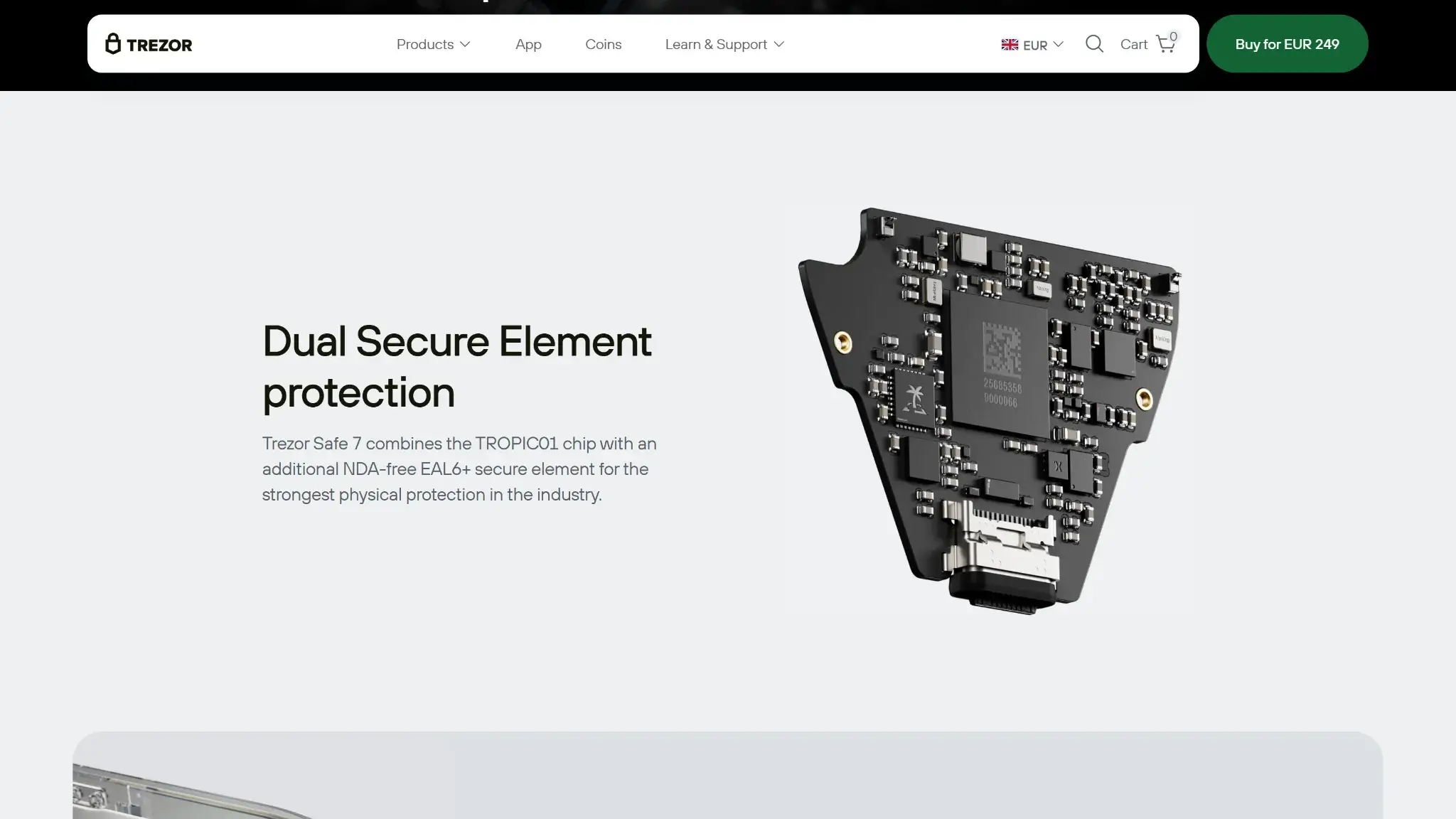
Keys are created, stored, and used on the device, while the phone or computer only prepares the transaction request. Safe 7 adds dual secure elements, signed-firmware checks, and device-authenticity verification in Trezor Suite, but safe use still depends on clean setup, backup discipline, and careful on-device review.

Key control modelNon-custodial; private keys are created, stored, and used on the hardware wallet
Recovery modelWritten backup, with 20-word SLIP39 single-share by default and support for BIP39 and SLIP39 alternatives; optional passphrase for hidden wallets
External validationA public bug bounty program covers hardware, software, and related infrastructure; Trezor has not published a Safe 7-specific public audit report
Open-source statusOpen-source firmware and protocol, with secure-element tradeoffs still present at the chip layer
Anti-scam protectionsOn-device transaction review, authenticity checks in Trezor Suite, signed firmware, official-source buying guidance, and backup verification help reduce common setup and phishing risk
Incident postureTrezor has not published a specific public incident timeline for Safe 7; the posture here centers on verification, authenticity, and recovery discipline rather than account-style guarantees

Safe 7 does not lean on biometrics or account-style recovery. Physical-access protection comes from the PIN, optional passphrase use, on-device confirmation, and the wipe behavior after 10 incorrect PIN attempts. The device supports PINs up to 50 digits, hidden wallets are available, and Universal firmware also allows Safe 7 to work as a FIDO2 security key, but those advanced options also make recovery more complex.

The phishing and scam picture is practical rather than exotic. Fake helpers, fake setup pages, and direct messages asking for seed phrases are more common problems for most buyers than advanced hardware attacks. That is why Safe 7’s large screen matters so much: it improves the odds that users will verify addresses and fees instead of blindly approving from the host device.

Trezor also runs a public bug bounty program covering hardware, software, and related infrastructure, which gives security researchers a formal reporting path. That adds outside scrutiny, but it does not change the most common failure points: lost backups, bad passphrase handling, and approvals made without checking the device.

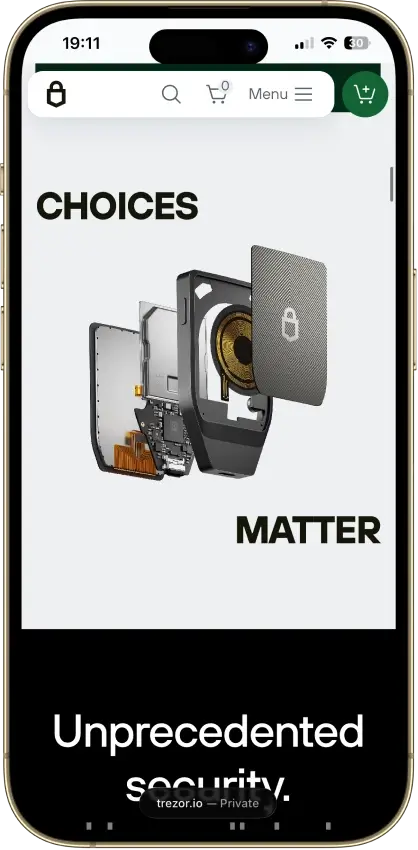
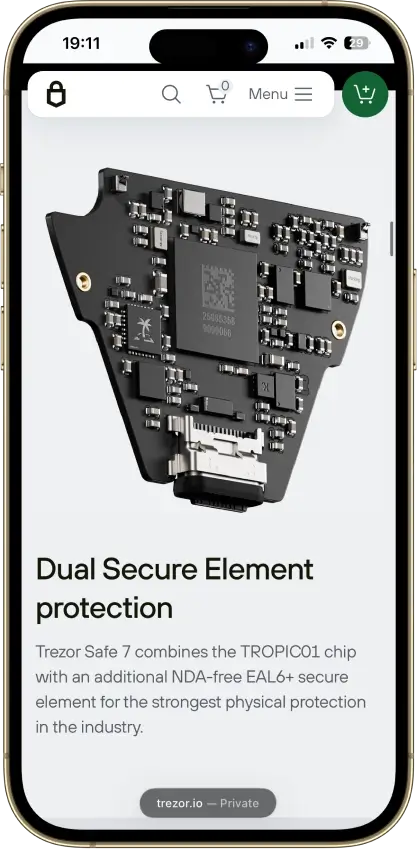
Trezor Safe 7 dual secure element protection section with the internal board and TROPIC01 security chip.

Backup, Recovery and Loss Scenarios

Recovery depends on the written backup, not the hardware itself. Safe 7 supports a default 20-word SLIP39 single-share backup, plus BIP39 12-word, BIP39 24-word, and SLIP39 multi-share options, and recovery starts from Trezor Suite rather than from a provider-controlled account system.

Losing the hardware is usually survivable if the backup and any relevant passphrase still exist, but losing the backup can be final. Support can explain the recovery process, but it cannot recreate a missing backup, recover a forgotten passphrase, or reverse the consequences of a wiped device when the recovery material is gone.

ScenarioWhat happensWhat support can help withWhen loss is permanent or high risk
Lost or stolen Safe 7The wallet can be restored on a compatible device using the correct backup format and any relevant passphraseSupport can guide the recovery process in general terms, but not recover funds directlyRisk becomes severe if the thief also gets the backup or passphrase
Broken deviceRecovery follows the same path as a lost device: restore on a compatible wallet using the backupSupport can help explain the restore steps, not replace the backup itselfLoss becomes permanent if the backup is also unavailable
Battery failureSafe 7 can still be powered and used through USB-C if the battery degrades or diesSupport can help with usage guidance, not bypass the wallet modelBattery failure alone is not a permanent-loss event
Forgotten PINToo many wrong attempts wipe the device, after which recovery requires the written backup and any passphraseSupport cannot bypass the PIN or undo the wipe thresholdLoss becomes permanent if the wallet wipes and the backup or passphrase is missing
Lost seed phrase or written backupNormal recovery can fail completely because the backup is the main recovery pathSupport cannot recreate a missing backupYes, this can be permanent if the device is later lost, wiped, or damaged
Lost passphrase for a hidden walletThe hidden wallet may become unreachable even if the written backup still existsSupport cannot recover or reconstruct the passphraseYes, a missing passphrase can permanently block that wallet
Cloud restore or synced recoveryNot supportedNot applicableNot applicable

Backup format choice matters too. BIP39 is more broadly portable across wallet ecosystems, while SLIP39 works best when the user understands the format and its restore path. Multi-share can reduce single-point risk, but it also creates more room for setup and inheritance mistakes if the shares are not stored and documented carefully.

Monero is the clearest example of why recovery is not equally simple across every asset. Safe 7’s Monero limitation is not just an app gap, and Monero portability carries extra derivation and compatibility caveats. Standard BTC and EVM-style recovery paths are easier to reason about than asset-specific edge cases like this.

For most buyers, the safest recovery setup is one they can preserve and explain later. A hidden-wallet or multi-share design can work well, but it also adds more room for mistakes. That matters even more if family recovery, inheritance, or long periods of wallet inactivity are part of the plan.

UX, Performance and Platform Support

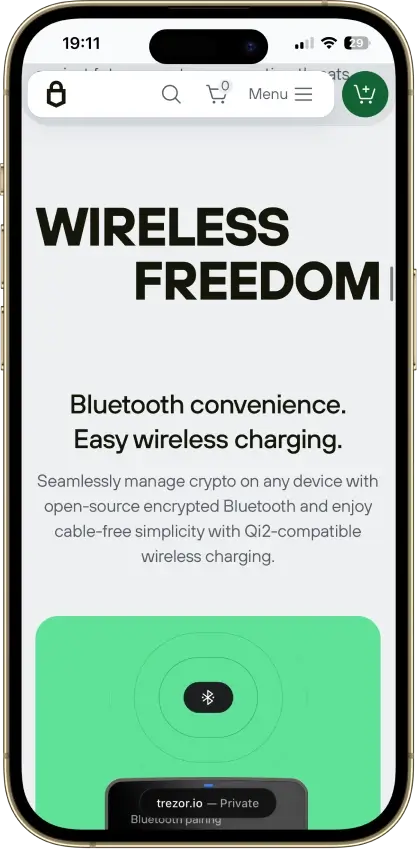
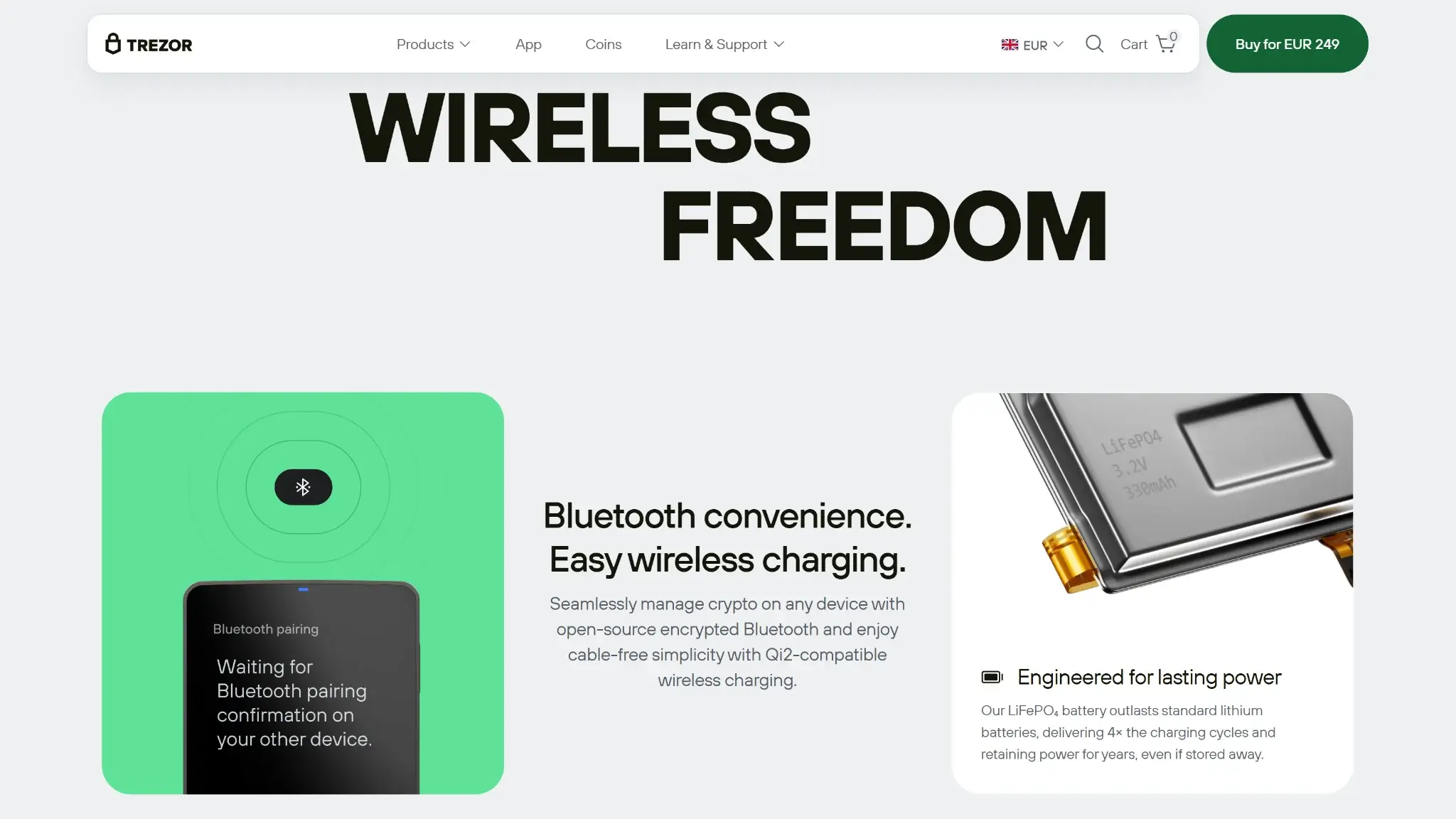
Trezor Safe 7 Wireless Freedom section highlighting Bluetooth convenience, Qi2 wireless charging, and LiFePO4 battery power.

Safe 7 is one of the easier hardware wallets to use from a phone, and that is its clearest usability edge over the rest of the current Trezor line. The large touchscreen, full mobile support, haptic feedback, and built-in battery make routine signing more comfortable, though desktop still has the broader feature set and third-party support is not fully consistent across platforms.

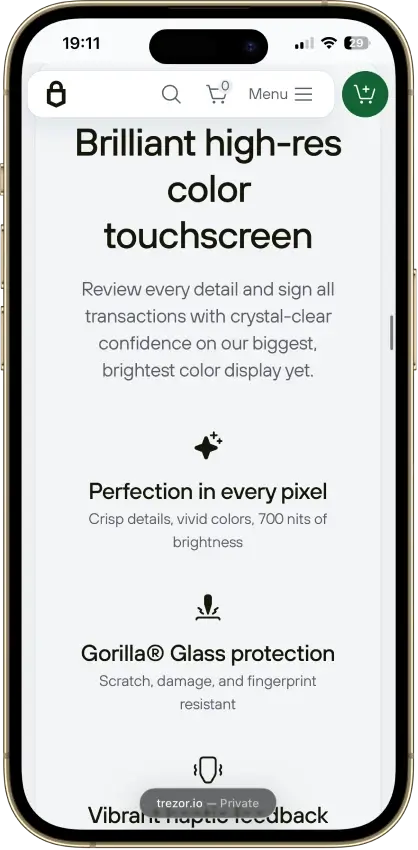
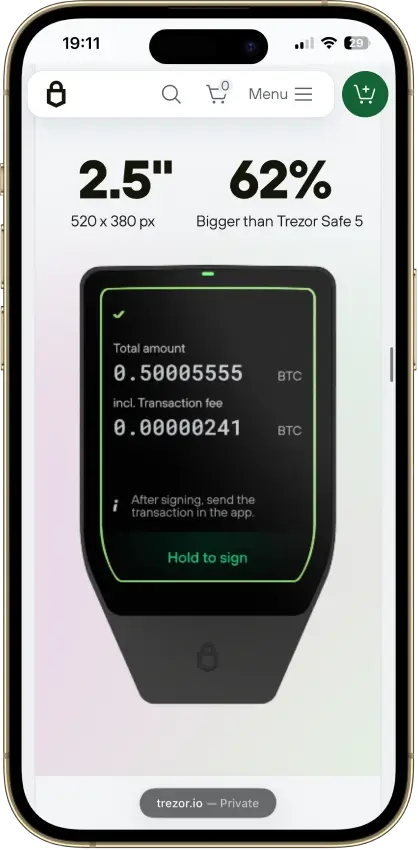
The hardware makes a real difference here. Safe 7 uses a 2.5-inch touchscreen with no physical buttons, which makes address and fee review clearer than on smaller-screen devices. Mobile covers core wallet tasks, desktop remains stronger for broader features, and some third-party integrations are still desktop-only.

PlatformAvailabilityNotes
iOSYesTrezor Suite mobile supports iOS 15+ on iPhone and iPad; Safe 7 connects by Bluetooth
AndroidYesTrezor Suite mobile supports Android 12+ on phones and tablets; Safe 7 connects by Bluetooth or USB-C
Browser extensionNoThere is no native Safe 7 extension; some third-party wallet integrations can extend desktop use, but the main path is Trezor Suite plus selected partner apps
DesktopYesLinux, macOS 12+, and Windows 10+; broadest feature set, with Bluetooth or USB-C connectivity and more complete Suite functionality
Web appYesTrezor Suite web works in Chromium-based browsers and is best in Google Chrome; Firefox and Safari are not supported for device connection

Portability and handling are part of the UX story too. At 75.4 x 44.5 x 8.3 mm and 45 g, Safe 7 is pocketable without feeling cramped, and the anodized aluminum unibody, Gorilla Glass 3 display, NCVM-coated glass backplate, and IP67-rated protection help it feel like a premium carry device rather than a fragile backup tool.

The battery adds convenience, but it also shapes expectations. Safe 7 uses a built-in 3.2V 330mAh LiFePO4 battery and supports USB-C and Qi2-compatible wireless charging. On a full charge, it lasts about a day of normal use. The screen sleeps after about 40 seconds, and the device powers off after about two hours of inactivity. The battery is not user-replaceable, but USB-C fallback keeps the device usable even if the battery degrades later.

For beginners, Safe 7 is easier to get right than many hardware wallets because the screen is large enough for meaningful review and the phone-first flow feels less awkward. For experienced users, the main compromise is not the hardware itself but the unevenness of advanced workflows across third-party apps, desktop-only integrations, and asset-specific limits such as Monero.

Customer Support, Documentation and Incident Handling

Trezor’s documentation for Safe 7 is stronger than its live support options. The written material is broad, structured, and specific enough to help with setup, authenticity checks, battery behavior, shipping questions, and general troubleshooting, while direct support is routed through the chatbot and the official community forum rather than an account-style recovery desk.

Because Safe 7 is non-custodial, support can help explain setup and recovery steps, but it cannot reverse an on-chain transfer, recreate a lost backup, recover a forgotten passphrase, or restore access after user-controlled recovery material is gone.

ChannelAvailabilityTypical useNotes
Help centerAvailable onlineDocs, setup, troubleshootingStrong coverage, with dedicated Safe 7 setup, authenticity, battery, FAQ, and shipping material
Live chatYes, through chatbot supportFirst-line help, setup, troubleshooting, phishing reportsChatbot Hal is the visible first support route
Email or ticketsYes, via Trezor Help Center/Chatbot HalTechnical, payment, logistics, order, and phishing issuesChatbot-first route; A member of the support team usually assists when the chatbot fails to help the user.
Status pageYesOutages and incidentsPublic status tracking is available for Suite services, Trade/Buy/Sell, backend systems, and the main site
Community channelsOfficial community forumPeer help, announcements, troubleshootingUseful for community guidance, but not a substitute for backup control or transaction reversal

Incident handling is easier to judge on the prevention side than on the post-loss side. The product flow emphasizes authenticity checks, signed firmware, trusted buying paths, phishing reporting through chatbot support, and avoiding fake helpers or fake setup flows, but there is still no account-style safety net once user-controlled recovery material is lost.

Final Verdict

Trezor Safe 7 is a premium hardware wallet with a clear use case. It is strongest for users who want a more comfortable mobile-first Trezor experience, a larger on-device review screen, and wireless convenience without leaving the standard written-backup model behind.

Overall Score

7.0

Best For

Mobile-first self-custody users who want a premium Trezor with Bluetooth and a large touchscreen.

PROS

  • Full Trezor Suite mobile support gives Safe 7 a stronger iPhone and Android fit than the rest of the current Trezor line.
  • The 2.5-inch touchscreen makes address checks, PIN entry, and transaction review more comfortable than on smaller-screen hardware wallets.
  • Bluetooth, USB-C, and a built-in LiFePO4 battery make it easier to use as a real mobile wallet instead of a device that stays in a drawer.
  • The security model keeps approval on the device itself, with dual secure elements, on-device verification, and support for hidden wallets via passphrase.
  • Recovery stays within a standard written-backup model, with support for default SLIP39 setup as well as BIP39 restore paths.

CONS

  • The $249 price is high relative to the rest of the Trezor lineup, especially if you mostly sign from a desktop.
  • Monero is not currently usable on Safe 7 in practice, which rules it out for readers who need XMR now.
  • Safe 7 is not an air-gapped wallet, so it is a weak fit for buyers who specifically want QR-only isolation.
  • Trezor does not currently document a microSD card slot or MicroSD Card Encryption support for Safe 7.
  • Some assets, dApps, and niche workflows still depend on selected third-party wallets rather than a fully native path.
Trezor Safe 7 product page showing the wallet, color options, and USD 249 buy button.
Affiliate Disclosure

Disclaimer: CryptoSlate may receive a commission when you click links on our site and make a purchase or complete an action with a third party. This does not influence our editorial independence, reviews, or ratings, and we always aim to provide accurate, transparent information to our readers.

FAQ

Is Trezor Safe 7 custodial or non-custodial?

Trezor Safe 7 is non-custodial, which means you control the keys and the wallet backup yourself instead of trusting an exchange or wallet company to hold them for you.

Is Trezor Safe 7 a hot wallet or a cold wallet?

Trezor Safe 7 is a cold hardware wallet, so the keys stay on the device instead of on an internet-connected phone, browser extension, or computer. Bluetooth changes how you connect to it, not who controls the keys.

Does Trezor Safe 7 give you a seed phrase?

Trezor Safe 7 gives you a wallet backup during setup, which is the recovery data you need if the device is lost, wiped, or broken. The default is a 20-word SLIP39 single-share written backup, and other supported backup formats are also available.

Is Trezor Safe 7 safe?

Trezor Safe 7 has a strong hardware-wallet security model with on-device signing, authenticity checks, and open-source firmware and protocol. The biggest remaining risks are still stolen wallet backups, phishing, and approving something without checking it carefully.

Which chains does Trezor Safe 7 support?

Trezor Safe 7 supports major chains such as Bitcoin, Ethereum, Solana, Cardano, and XRP, along with major EVM-network workflows. Some assets and dApps still depend on selected third-party wallets rather than a fully native flow.

What fees does Trezor Safe 7 charge?

Trezor Safe 7 has a device cost of $249, and users can also face shipping costs, network fees, and partner-service pricing inside buy, sell, swap, or staking flows.

Does Trezor Safe 7 require KYC?

Trezor Safe 7 does not require KYC to store, receive, or send crypto at the wallet level. KYC may still appear when you use buy, sell, or off-ramp providers connected through partner services.

What happens if you lose your device or recovery method?

If Trezor Safe 7 is lost but the correct wallet backup and any passphrase still exist, the funds are usually recoverable on another compatible device. If the wallet backup is gone, or a hidden-wallet passphrase is lost, recovery can become impossible.