One of the easiest ways to make a costly mistake on Avalanche is to assume every AVAX wallet address works the same way. It does not. Avalanche uses different chains for different jobs, and the address format changes with the task.
If you are using an Avalanche crypto wallet for DeFi, swaps, NFTs, or most app activity, you are usually working on the C-Chain. That chain uses a standard 0x-style address like Ethereum. If you are sending AVAX on the Primary Network itself or staking natively, you may be dealing with the X-Chain or P-Chain instead. Those use X-avax and P-avax address formats.
| Task | Network | Address type | Common mistake |
|---|
| Withdrawing AVAX from an exchange to a wallet for DeFi or dApps | C-Chain | 0x-style address | Selecting the wrong withdrawal network and sending funds somewhere your wallet does not monitor by default |
| Sending AVAX on the Primary Network | X-Chain | X-avax address | Trying to use a 0x C-Chain address in an X-Chain transfer flow |
| Delegating AVAX or managing validator-related actions | P-Chain | P-avax address | Assuming a normal C-Chain wallet can handle native staking actions on its own |
| Using AVAX in DeFi, NFT apps, or WalletConnect-based tools | C-Chain | 0x-style address | Sending AVAX to the X-Chain or P-Chain and expecting C-Chain apps to recognize the balance |
| Receiving ARC20 tokens or other C-Chain assets | C-Chain | 0x-style address | Assuming every Avalanche wallet automatically supports the same tokens, token lists, or asset views |
| Moving AVAX between Avalanche chains | X/P/C cross-chain flow | Multiple address types depending on direction | Thinking every wallet supports cross-chain transfers natively when many only cover the C-Chain |
The safest habit is to confirm three things before every transfer: which chain the wallet supports, which address format the transfer expects, and whether the asset is meant for C-Chain app use or broader Avalanche network activity. This matters even more if you are using an AVAX wallet address from an exchange withdrawal screen. Many problems start with choosing the wrong network, not typing the wrong address.
How To Add Avalanche To MetaMask
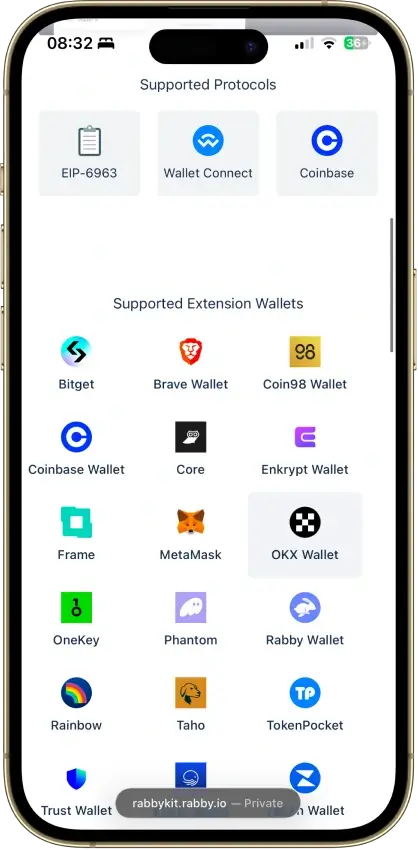
MetaMask works well as an Avalanche wallet for C-Chain activity, but it is not a full X-Chain or P-Chain wallet. If your goal is Avalanche DeFi, NFT use, or app connections on the C-Chain, setup is straightforward.
- Open MetaMask and click the network selector at the top of the wallet.
- Choose Add network.
- If Avalanche appears in the list of predefined networks, click Add and approve it.
- If you need to enter it manually, use these details:
- Confirm the network appears correctly in MetaMask before sending funds.
- Send a small test amount first before moving a larger AVAX balance.
If you want the smoothest Avalanche-native setup, Core is easier because Avalanche support is already built in. MetaMask is still one of the best options for users who mainly want an AVAX Chrome wallet for C-Chain swaps, dApps, and NFT activity.
ARC20, WAVAX, And Token Compatibility
AVAX is the native asset of the Avalanche network and is the token you use for gas and basic transfers. WAVAX is wrapped AVAX, which tracks AVAX at a 1:1 ratio and conforms to the ARC20 token standard so it can work more easily across DeFi applications that expect ERC20-like behavior.
In practice, a wallet for Avalanche may support AVAX on the C-Chain without automatically showing every ARC20 token you receive. Some wallets detect C-Chain tokens quickly. Others may require you to add a token manually or connect to a dApp before it becomes visible. That is why two AVAX wallets can both support Avalanche and still give you a different day-to-day token experience.
The simple rule is this: use AVAX for gas and basic network activity, expect WAVAX to appear inside DeFi flows, and do not assume every Avalanche wallet supports the same token list, asset display, or network functions out of the box.