Apple Pay and Google Pay support sounds simple until it breaks. You approve a card in the app, add it to your phone wallet, and expect it to work at checkout. Most of the time, it does. But region locks, provisioning failures, stale wallet tokens after a card replacement, and KYC checks that surface only after you fund the account can quietly kill that experience. This page compares the crypto cards that support both wallets in 2026, looking at where setup actually works, what the fees cost in practice, and which cards hold up past the first tap.
Top Crypto Cards With Apple Pay And Google Pay
- Rewards
- 2–4% XRP backTier, funding and caps apply
- Card fee
- $0 EssentialElite about $99.99/year
- Availability
- US + UKRegional exclusions apply
- Stablecoin funding avoids tax on each swipe
- Spend gold and silver balances at checkout
- Any of 200+ wallet assets can fund a purchase
- Rewards
- Up to 2% NEXOOr up to 0.5% BTC; loyalty and balance conditions
- Card fee
- $0 / yearFX and ATM fees may apply
- Availability
- Selected Europe + UKEligibility restrictions apply
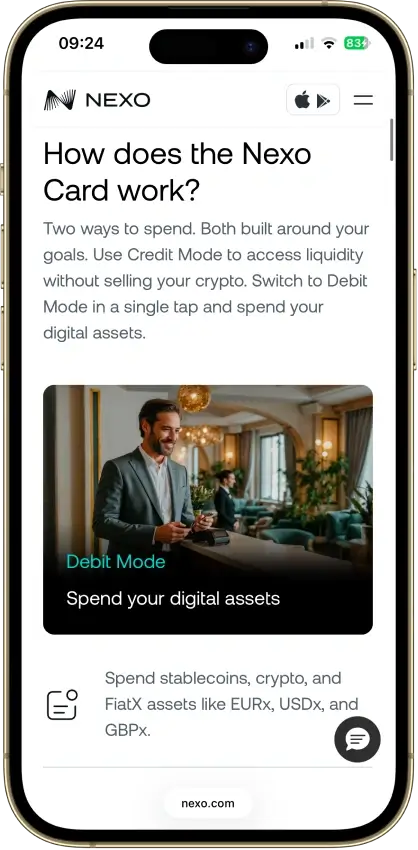
- Tap to switch Debit and Credit Mode
- Idle Debit Mode balance earns daily interest
- Free ATM allowance grows with loyalty tier
- Rewards
- No cashback; referral bonus only ($10 each to you and the friend)
- Card fee
- $10 per card, 5% to 3% per top-up, $0.25 per transaction, $0 monthly, no FX markup
- Availability
- Worldwide except 12 restricted countries and six Ukrainian regions; US supported
- No-KYC card that accepts US residents
- AI agents can manage cards through MCP
- Privacy coins like XMR can fund the card
- Rewards
- Variable crypto rewardsUS only; rotating options in-app
- Card fee
- $0 / yearCrypto conversion spread; ATM operator fees
- Availability
- United StatesExcludes Hawaii
- 24/7 phone support with a dedicated card line
- No card balance to top up or strand
- Built-in tax exports for card spending
- Rewards
- Tiered CRO rewardsPlan/stake, monthly caps and market exclusions
- Card fee
- Varies by tier / regionTop-up, ATM and FX charges may apply
- Availability
- Multiple regionsResidency and market restrictions apply
- Pay a monthly plan instead of staking CRO
- Visa Signature perks, Priority Pass tiers
- Rewards in BTC or CRO, your pick in the app
- Rewards
- 0.5–8% WXT rewardsPlan-dependent caps apply
- Card fee
- Varies by programDelivery, FX and top-up fees may apply
- Availability
- UK + selected marketsUS excluded; regional restrictions apply
- Principal member of both Visa and Mastercard
- Multi-currency wallets behind a single card
- Open banking top-ups for GBP and EUR
CryptoSlate may earn a commission when you visit partner sites through links on this page, at no extra cost to you. Our rankings and reviews remain editorially independent and based on our published methodology. Read disclosure
Disclaimer: CryptoSlate may receive a commission when you click links on our site and make a purchase or complete an action with a third party. This does not influence our editorial independence, reviews, or ratings, and we always aim to provide accurate, transparent information to our readers.Comparison Table
| Name | Network | Card Type | Digital Wallets | Availability |
|---|---|---|---|---|
 Uphold Card Uphold Card | Visa, Mastercard | Debit | Apple Pay, Google Pay | United States and the United Kingdom. In the U.S., the card is not available in New York, Louisiana, or U.S. territories. In the U.K., Crown Dependencies and British Overseas Territories are excluded. |
 Nexo Card Nexo Card | Mastercard | Dual-mode | Apple Pay, Google Pay | Citizens and residents of selected European countries, including the EEA and the United Kingdom. |
 WaldenPay Card WaldenPay Card | Visa, Mastercard | Prepaid | Apple Pay, Google Pay | Worldwide except 12 restricted countries and six Ukrainian regions; US supported |
 Coinbase Card Coinbase Card | Visa | Debit | Apple Pay, Google Pay, Samsung Pay | US only (all states except Hawaii) |
 Crypto.com Card Crypto.com Card | Visa, Mastercard | Prepaid | Apple Pay, Google Pay, Samsung Pay | Available in many regions (e.g., US, EEA/UK, SG, CA, AU, BR) with residency-based eligibility and restricted markets per Crypto.com lists. |
 Wirex Card Wirex Card | Visa, Mastercard | Debit | Apple Pay, Google Pay | Available in UK and many countries (incl. parts of EEA, AU, NZ, HK, TW), while not available in USA, Canada, China, Japan, South Korea, Philippines, Russia (among others); EEA Mastercard eligibility requires EEA residency excluding Cyprus & Liechtenstein. |
The most important factor depends on how you plan to pay. For tap to pay, wallet support comes first. For longer-term value, rewards carry more weight, but only after phone-wallet use works consistently. For travel or cross-border use, region limits can override everything else.
Crypto Cards With Apple Pay And Google Pay Reviews


Uphold Card
- Rewards
- 2–4% XRP backTier, funding and caps apply
- Card fee
- $0 EssentialElite about $99.99/year
- Availability
- US + UKRegional exclusions apply
Pros
- 4% XRP on crypto-funded spend with Elite
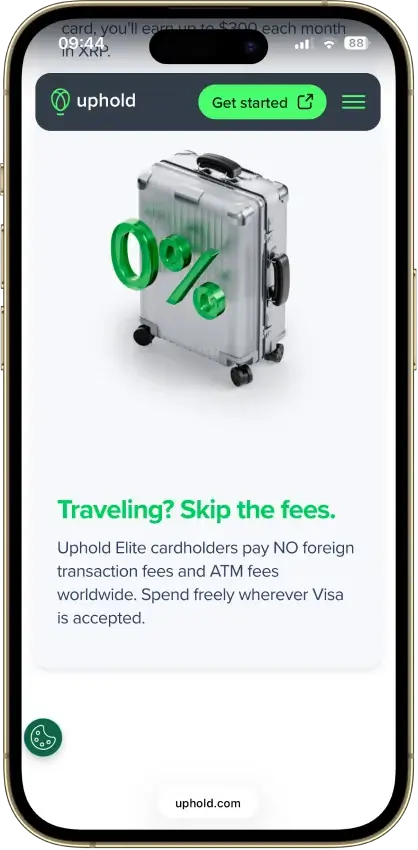
- 0% FX and $0 ATM withdrawals on Elite
- US issuer Cross River Bank is an FDIC member
- No frozen-funds pattern around the card
- Elite lifts daily spend to $25,000
Cons
- Top terms locked to the $99.99/yr Elite tier
- Essential adds 1.50% FX and $2.95 ATM fees
- Crypto-funded spend takes a spread, plus tax
- UK card pays 1% GBP, zero on crypto funding
Nexo Card
- Rewards
- Up to 2% NEXOOr up to 0.5% BTC; loyalty and balance conditions
- Card fee
- $0 / yearFX and ATM fees may apply
- Availability
- Selected Europe + UKEligibility restrictions apply
Pros
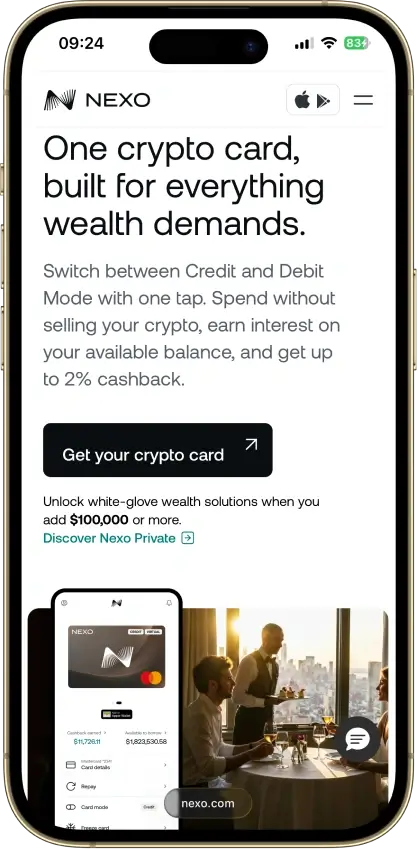
- Credit Mode sells no crypto at purchase
- No monthly, annual, or inactivity fees
- 0.2% weekday FX in the EEA, UK, and CH
- Issued by DiPocket UAB, a licensed EMI
- Fund from stablecoins, fiat or Savings crypto
Cons
- Physical ordering paused since Jan. 2025
- Cashback needs Credit Mode and a $5,000+ portfolio
- Base cashback is 0.5% NEXO or 0.1% BTC
- Credit Mode spending accrues interest
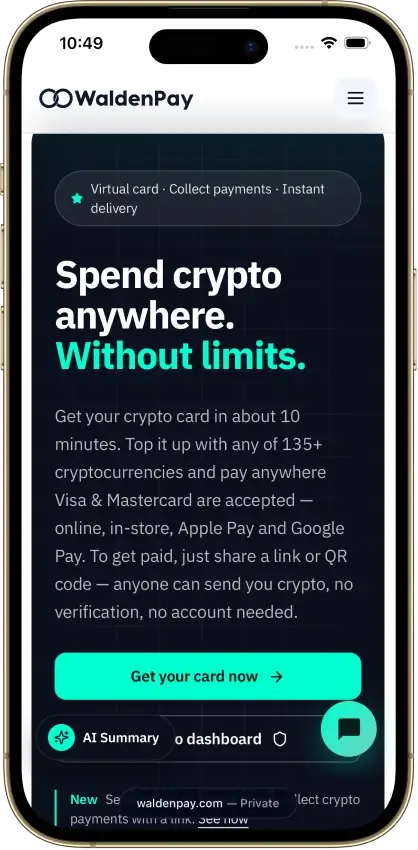
WaldenPay Card
- Rewards
- No cashback; referral bonus only ($10 each to you and the friend)
- Card fee
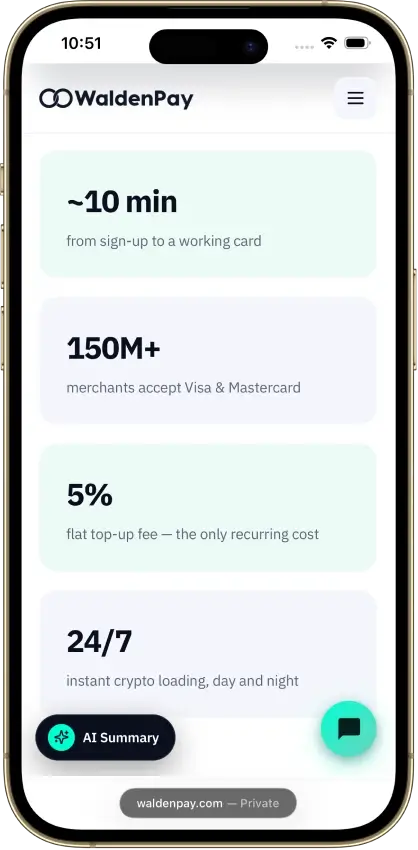
- $10 per card, 5% to 3% per top-up, $0.25 per transaction, $0 monthly, no FX markup
- Availability
- Worldwide except 12 restricted countries and six Ukrainian regions; US supported
Pros
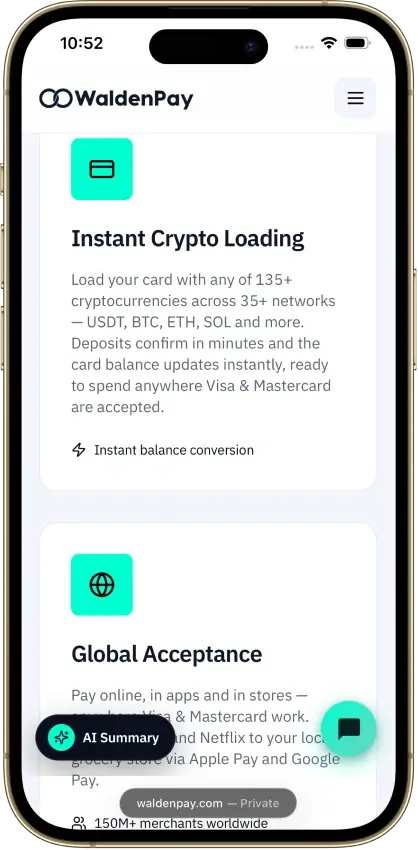
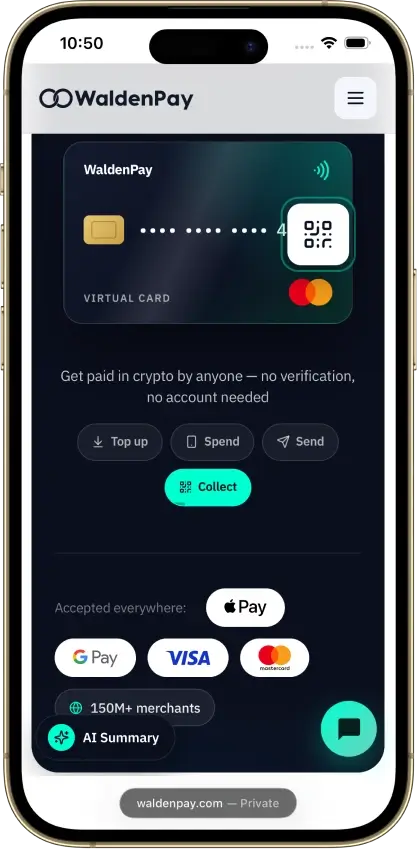
- Card ready within minutes of funding
- No frozen or withheld balances reported
- Instant freeze from the dashboard or Telegram bot
- Apple Pay and Google Pay work for most users
- Support replies within minutes
Cons
- Three fees sit outside the public price list
- 8% lost on merchant refunds
- Issuing bank is not named publicly
- Streaming and gaming subscriptions declined
- 5% top-up fee unless you load $2,000 a month
Coinbase Card
- Rewards
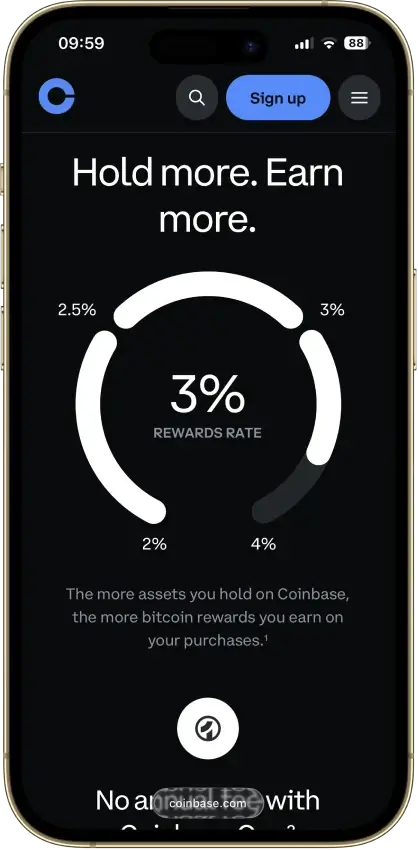
- Variable crypto rewardsUS only; rotating options in-app
- Card fee
- $0 / yearCrypto conversion spread; ATM operator fees
- Availability
- United StatesExcludes Hawaii
Pros
- $0 annual, monthly, and foreign transaction fees
- USD and USDC spend at par with no spread
- No credit check, staking, or lockup to earn
- Instant virtual card plus Apple Pay and Google Pay
- Reward coin can be switched at any time
Cons
- Crypto spend triggers spread plus taxable sale
- $2,500 daily spend limit binds on big purchases
- 2025 leak of KYC data via bribed contractors
Crypto.com Card
- Rewards
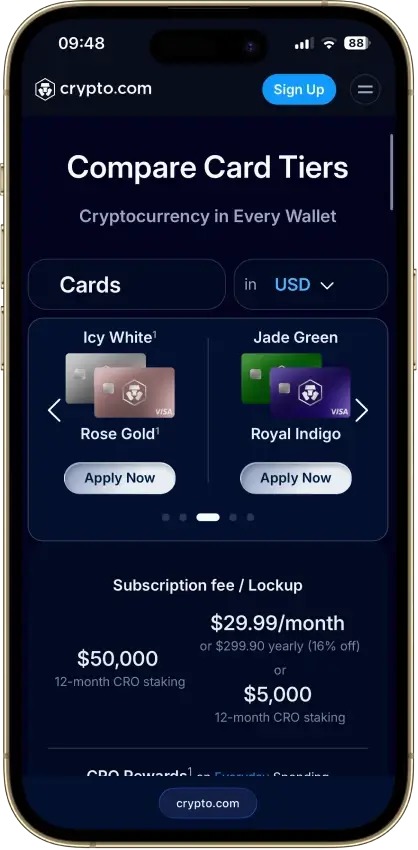
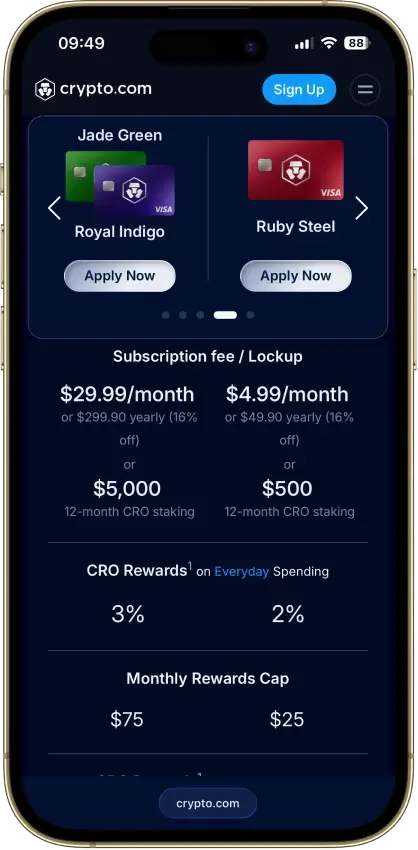
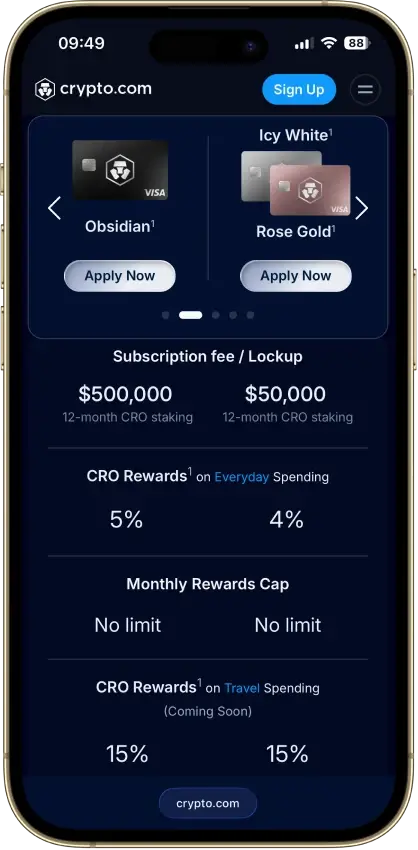
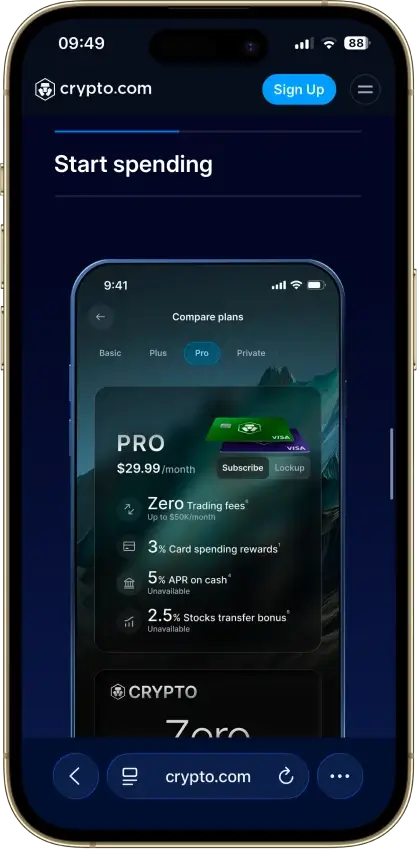
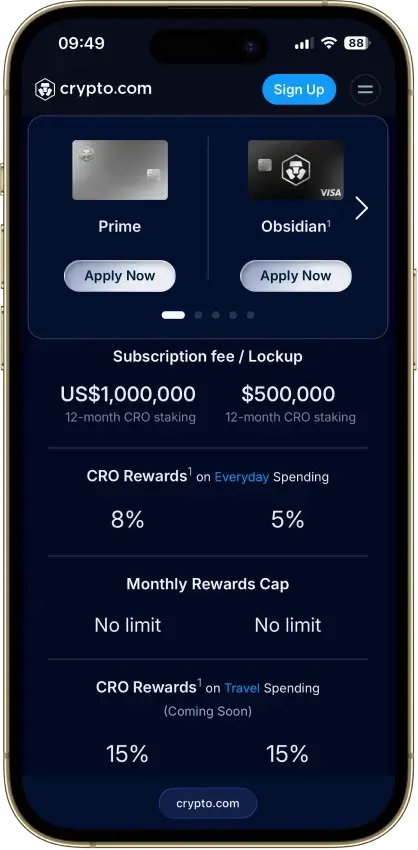
- Tiered CRO rewardsPlan/stake, monthly caps and market exclusions
- Card fee
- Varies by tier / regionTop-up, ATM and FX charges may apply
- Availability
- Multiple regionsResidency and market restrictions apply
Pros
- Free 1.5% base rate, no stake, no subscription
- $0 annual fee on both cards
- Instant virtual card with one-tap freeze
- Regulated US banks issue both cards
- Credit card purchases sell no crypto
Cons
- Prepaid free tier earns 0% cashback
- 3% FX fee on every accessible prepaid tier
- Top rates need $50k–$500k CRO stakes
- Prepaid rewards pay only in volatile CRO
- Repeated benefit cuts, latest in Nov. 2025
Wirex Card
- Rewards
- 0.5–8% WXT rewardsPlan-dependent caps apply
- Card fee
- Varies by programDelivery, FX and top-up fees may apply
- Availability
- UK + selected marketsUS excluded; regional restrictions apply
Pros
- 0% foreign-transaction fee on 30+ currencies
- Free issuance, PIN changes, and an ATM allowance
- Regulated, disclosed issuers in every region
- Free bank-transfer top-ups in most regions
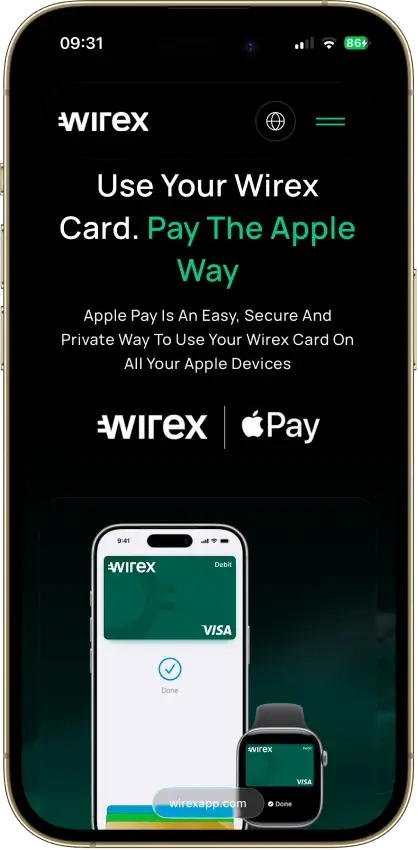
- Virtual cards with Apple Pay and Google Pay
Cons
- Free tier pays 0.5%, in volatile WXT
- 8% needs Elite at €29.99/mo plus a WXT lockup
- 0% FX still carries a conversion spread
- Wirex One reward rates are undisclosed
How We Ranked The Best Crypto Cards With Apple Pay and Google Pay
We ranked crypto cards by mobile-wallet usefulness first. A card does not rank well just because it has strong rewards, broad exchange features, or a polished app. It needs to add cleanly to Apple Pay or Google Pay, work in the right region, and stay usable for normal tap-to-pay or online checkout.
Final score = each criterion score × criterion weight. Each criterion is scored as:
- 1.0 = strong, clearly verified, and practical for eligible users
- 0.5 = usable, but limited by region, setup friction, issuer rules, unclear terms, or real-world caveats
- 0.0 = unsupported, unclear, paused, or not reliable enough to credit
| Criterion | Weight | What We Measured |
|---|---|---|
| Wallet Availability And Region Clarity | 1.75 | Whether Apple Pay or Google Pay support is clearly available for the exact card program and region. |
| Apple Pay And Google Pay Coverage Balance | 1.00 | Whether both wallets are supported, or whether one is missing, narrower, or region-specific. |
| Provisioning Setup Friction | 1.25 | In-app add-to-wallet flow, manual entry, OTP, identity checks, card activation, approval delays, and issuer rejection risk. |
| Virtual And Physical Wallet Path | 1.00 | Whether wallet support applies to virtual cards, physical cards, or both. |
| Real-World Wallet Spend Reliability | 1.25 | In-store tap-to-pay, online checkout, prepaid quirks, merchant restrictions, temporary holds, international settings, and card reissue behavior. |
| Funding Rails And Conversion Clarity | 0.90 | How money reaches the spendable card balance, what assets can fund spending, and whether conversion happens cleanly before checkout. |
| App Controls And Wallet Tooling | 0.80 | Freeze/unfreeze, card controls, transaction alerts, virtual card controls, add-to-wallet buttons, PIN tools, and decline visibility. |
| Fees And Hidden Wallet-Use Cost Drag | 0.75 | Issuance, subscription, top-up, conversion spread, FX, ATM, card replacement, and tier fees where they affect mobile-wallet use. |
| Security, Custody, And Freeze Risk | 0.80 | Issuer model, account custody, account review risk, card freeze controls, unauthorized-use controls, and how much control the provider keeps. |
| Support, Refunds, Chargebacks, And Reporting Basics | 0.50 | Dispute path, refund handling, support access, statements, and export basics. |
Rewards are not a standalone ranking factor on this page. They can break ties only after wallet support, provisioning, and spend reliability are verified. A higher reward rate does not offset weak Apple Pay or Google Pay support.
Crypto Card Integration With Apple Pay and Google Pay
A crypto card with Apple Pay or Google Pay support lets you fund spending through a crypto-linked account while paying through the phone wallet you already use. Inside either wallet, it works like any other card. The wallet stores a tokenized version, the phone handles tap-to-pay or online checkout, and the card program handles conversion and settlement in the background.
That is different from using Apple Pay or Google Pay to buy crypto. In that flow, the mobile wallet is only a funding rail. Here, it is the spending layer. Card provisioning, issuer approval, and wallet reliability become the deciding factors.
Phone-wallet support removes friction between having value in the app and spending it at checkout. It helps if you want to start spending before a physical card arrives, prefer tap to pay, or want crypto-linked spending on your phone without carrying extra plastic.
How To Add A Crypto Card To Apple Pay And Google Pay
Adding a crypto card to Apple Pay or Google Pay usually starts in the issuer app or the wallet app. The best setup flow is an in-app add-to-wallet option. It cuts out manual entry and reduces verification errors compared to typing card details by hand.
Virtual cards can usually be added as soon as the details appear in the app. Physical card setup may still depend on activation requirements, plastic-first issuer rules, or whether the wallet accepts scanning or manual entry for that card program.
The usual flow breaks down like this:
- Virtual-card setup often starts inside the issuer app
- Physical-card setup may require card activation first
- In-app add-to-wallet flow usually works better than manual entry
- Manual entry often needs card number, expiry date, and security code
- The wallet or issuer may also ask for billing address, phone verification, or app login confirmation
- Some issuers trigger an extra identity or fraud check before wallet activation completes
If the card is reissued or replaced, the wallet setup may need to be repeated. Sometimes the wallet updates automatically, but that depends on the issuer and network token flow. A new card number, a fraud replacement, or a product-tier change can break the old wallet token and force you to add the card again from scratch.
What Usually Breaks Apple Pay or Google Pay Provisioning
Most wallet problems start before the first payment. The card may be approved in the app, but the wallet still needs the issuer and network tokenization flow to approve it separately. Approval at signup and approval for wallet provisioning are not the same step.
These are the most common blockers:
- The card program does not support that wallet in your country
- The virtual card supports the wallet, but the physical card does not, or the reverse
- The registered billing address, phone number, or identity details do not match what the issuer holds
- Physical-card activation is required before wallet setup can proceed
- SMS OTP or app-based verification fails during the provisioning step
- The issuer rejects provisioning for fraud, risk, or compliance reasons
- The card is frozen, blocked, replaced, upgraded, or reissued
For this page, the strongest card is not just the one with the most wallet logos listed. It is the one where an eligible user can see the wallet option, pass verification, add the card, and understand what to do if provisioning fails.
Why Virtual Card Support Matters for Wallet Payments
Virtual cards often work better for Apple Pay and Google Pay setup because they shorten the gap between approval and first use. You can move from account creation to phone-wallet spending without waiting for shipping, physical activation, or mail delivery.
Some crypto cards also depend on a virtual card first. The virtual card is the first live card credential the issuer exposes. That makes it the first real test of whether Apple Pay or Google Pay support is real, rather than only listed in the app or marketing copy.
Physical-card activation can change the wallet flow in two ways. Some issuers hold back wallet tokenization until the physical card is activated. Others switch the wallet credentials from the virtual card to the permanent physical card after activation. That can improve the experience, but it can also interrupt it.
Replacement cards are another weak point. A card replaced for fraud, expiry, or reissue can break the existing wallet token, remove the card from the phone wallet, or require a full setup repeat even when you stay on the same product tier.
That makes virtual-card quality one of the first things to check. A better virtual-card flow usually means faster first use, smoother travel setup, and fewer support issues after the card is live.
USDC and USDT Funding
Apple Pay and Google Pay do not fix a slow top-up flow, an unsupported network, or a balance that takes too long to become spendable. The wallet is the checkout layer. The funding rails underneath it still determine whether the card is actually useful.
The key question is where conversion happens. Some cards convert USDT or USDC balance as soon as funds reach the card balance. Others convert later, at authorization or settlement. Earlier conversion usually feels cleaner. Later conversion can feel less predictable.
Stablecoin support still gets clumsy when the usable route is narrow. These are the most common problems:
- Limited chain support means only certain networks are accepted
- Manual top-ups add steps between sending funds and spending them
- Delayed balance refresh leaves you unsure whether funds are spendable
- Funds passing through an internal fiat balance can introduce an extra conversion step before the wallet payment clears
Spending flow tells you more than token count. A card with fewer supported assets but a clean spend path is usually more useful than a card with a long token list and extra steps in between. A cleaner funding flow looks like this: send USDC or USDT on a supported network, see the spendable balance update quickly, add the card to Apple Pay or Google Pay, and pay without a surprise conversion step.
Card Decline Issue On Apple Pay or Google Pay
Wallet-linked declines usually come from multiple sources at once. The wallet may show the card as active, but the issuer, merchant, region setting, or token state can still block the payment when the phone hits the terminal.
These are the most common failure points:
- Wallet setup fails even though the card exists in the app
- The card adds successfully but the merchant still declines it
- International usage settings stay off for wallet payments
- Temporary authorizations lock more balance than expected
- Physical-card activation is still required behind the scenes
- Replacement cards may need a full wallet re-add before payments work
- A card can pass online checks but still fail at the terminal
Wallet setup can fail when tokenization is not approved, registered details do not match, or wallet use is limited by market. Even after setup works, merchant declines can still happen because of prepaid acceptance rules, MCC blocks, issuer fraud checks, or disabled international settings. That is why a card can look live in the wallet app but still fail abroad or at a foreign-processed merchant.
Physical-card activation, temporary authorizations, and replacement-card changes add another layer of friction. Hotels, fuel stations, transport, and some food delivery flows can reserve more than the final charge. Reissued cards can leave an old wallet token active or force a full re-add. Reliable wallet-linked payments need working tokenization, correct issuer settings, active spend permissions, and a card program that behaves consistently at the terminal.
KYC and Wallet Verification
Wallet setup can trigger extra checks after the card is already approved. Some issuers allow signup and card access first, then ask for another identity or fraud check when the card is added to Apple Pay or Google Pay. Low-friction signup does not always mean low-friction wallet use.
A card can appear in the app, show virtual-card details, and still stay blocked from wallet activation until more checks clear. Source-of-funds checks usually appear when top-ups get larger, funding patterns change, or stablecoins arrive from unfamiliar wallets. That can catch users off guard because the account can feel fully live right up until the moment the provider asks for more proof.
If access is restricted after the card is already in the wallet, the card may still appear there while payments fail, top-ups stop, or spending is paused during review. KYC shapes the wallet experience because wallet use sits on top of the same compliance checks as the card itself. The real risk is not constant disruption. It is assuming setup is finished when bigger top-ups, cross-border use, or unusual activity can still trigger another round of checks.
Online Shopping and Tap-to-Pay Use
In-store tap to pay is usually the first thing people test, but it is not the only thing that decides whether a crypto card works well in daily use. Stronger cards keep working across terminals, browser checkouts, recurring charges, and refund flows.
Apple Pay is often stronger for online checkout because many merchants already support it. Google Pay can feel just as smooth when a merchant supports it well, but support is still less consistent across sites, apps, and regions. Subscriptions are another weak point — some recurring merchants keep billing the underlying card token without trouble, while others break after a reissue, a wallet token refresh, or a billing verification step.
These are the most common friction points for day-to-day use:
- In-store tap to pay can fail on older or offline terminals
- Apple Pay online checkout is usually smoother than manual card entry for most merchants
- Google Pay online support still depends more on individual merchant setup
- Subscriptions can break after card replacement or token refresh, even when the card itself is still active
- Merchant verification can trigger extra billing or 3DS checks at unexpected moments
- Refunds and reversals can take longer than the original charge to clear
- A wallet payment can refund correctly but still look confusing inside the app
Refunds and reversals also behave differently with wallet-linked payments. The refund usually goes back to the underlying card, not to the phone wallet itself. Timing can vary by merchant, issuer, and whether the original payment was still only a temporary authorization. Daily usability goes beyond getting the card into a wallet. Stronger cards keep working in shops, online checkouts, subscriptions, and refund-heavy situations without turning every edge case into a support ticket.
Fees for Crypto Cards With Apple Pay and Google Pay
Phone-wallet support can make a card feel modern, but the real cost still shows up in issuance, monthly pricing, conversion drag, FX charges, and the way top-ups are handled. This section uses published exact fees where providers disclose them and marks gaps as “Not disclosed” rather than filling them in.
Wirex Card
- Card / Issuance: Virtual EUR 0; physical issuance EUR 0; EEA delivery EUR 5 standard or EUR 15 DHL Express
- Monthly / Annual: Standard EUR 0; Premium EUR 9.99/mo or EUR 102/yr; Elite EUR 29.99/mo or EUR 306/yr
- Crypto Spend / Conversion: Not disclosed publicly; quoted in app
- FX Fee: 0% disclosed on purchases
- Funding / Top-Up: SEPA EUR 0; Faster Payments GBP 0; ACH USD 0; PIX BRL 0; local-card funding not disclosed publicly
Nexo Card
- Card / Issuance: Virtual EUR 0; physical card orders paused
- Monthly / Annual: EUR 0 monthly; EUR 0 annual
- Crypto Spend / Conversion: Not disclosed publicly
- FX Fee: 0.2% for EEA/UK/CH currencies; 2.0% for other currencies; plus 0.5% on weekends
- Funding / Top-Up: Not applicable as a separate card top-up fee
Coinbase Card
- Card / Issuance: Application EUR 0 / USD 0; physical issuance not disclosed
- Monthly / Annual: Not disclosed publicly
- Crypto Spend / Conversion: EUR 0 / USD 0 Coinbase transaction fee for spending local currency, USD, crypto, or USDC; crypto spread applies
- FX Fee: Not disclosed publicly
- Funding / Top-Up: Not disclosed at card level
Uphold Card
- Card / Issuance: UK virtual free, physical GBP 9.95; US Essential virtual USD 0 and plastic USD 4.99; US Elite virtual + metal card USD 0
- Monthly / Annual: UK GBP 0; US Essential USD 0; US Elite USD 99.99
- Crypto Spend / Conversion: Stablecoins under 0.25%; major FX 0.3%; BTC/ETH 1.80-1.95%; altcoins 2.85-3.80%
- FX Fee: UK 0%; US Essential 1.50%; US Elite 0%
- Funding / Top-Up: US debit/credit card or Apple/Google Pay 3.99%; UK debit/credit card or Apple/Google Pay not applicable; EEA debit/credit card or Apple/Google Pay not applicable; non-US/UK/EEA debit/credit card or Apple/Google Pay 3.99%
Crypto.com Card
- Card / Issuance: Virtual EUR 0 / GBP 0 / USD 0; physical Midnight EUR 4.99 / GBP 4.99 / USD 4.99; Ruby EUR 24.99 / GBP 24.99 / USD 29.99 on monthly Plus under 6 months, otherwise free
- Monthly / Annual: EUR 0 / GBP 0 / USD 0 for the card itself; Level Up subscription extra if chosen
- Crypto Spend / Conversion: Not disclosed publicly
- FX Fee: US only: Midnight/Ruby/Jade/Indigo 3% on non-USD purchases and ATM withdrawals; Rose/Icy/Obsidian 0%
- Funding / Top-Up: EU/UK debit or credit top-up 1%; US debit 1%, US credit 2.99%, US PayPal 2.1%
Worked Examples
These examples use published fee values where available and mark gaps where figures are not disclosed. All figures are estimates.
Wirex — EUR 500 spend abroad, no FX fee tier
You spend EUR 500 at a merchant outside your home currency. Wirex discloses 0% FX on purchases, so no FX charge applies to that amount. The conversion spread from crypto to spendable balance is not publicly disclosed, so the full cost is not calculable from published data alone. Physical card delivery adds EUR 5 via standard shipping if you opt for plastic.
Nexo — USD 1,000 spend in a non-EEA currency on a weekend
You spend USD 1,000 in a currency outside EEA/UK/CH. The published FX fee is 2.0%, which adds USD 20. The weekend surcharge is an additional 0.5%, adding another USD 5. Total FX drag on that transaction: USD 25 before any conversion spread, which is also not publicly disclosed.
Coinbase — USD 500 spend using USDC balance
You spend USD 500 funded by USDC. Coinbase discloses a USD 0 transaction fee for USDC spending. A crypto spread applies to any non-USDC asset you convert first. FX fee is not publicly disclosed, so cross-currency cost cannot be confirmed from published data.
Uphold — USD 300 top-up via US debit card, then spend abroad (US Essential tier)
You add USD 300 using a US debit card. The top-up fee is 3.99%, which costs USD 11.97, leaving USD 288.03 spendable. You then spend EUR 200 equivalent abroad. The US Essential FX fee is 1.50%, adding roughly USD 3 on that transaction. Total drag on this flow: approximately USD 15 across top-up and FX combined.
Crypto.com — USD 500 non-USD spend on a Midnight card (US)
You spend USD 500 equivalent in a non-USD currency on the entry-level Midnight card in the US. The FX fee is 3%, adding USD 15. If you topped up by US credit card first, that top-up cost 2.99%, adding another USD 14.95. Total drag before any conversion spread: approximately USD 30.
Phone-wallet support does not make a weak fee stack disappear. A card can still feel expensive once spread, FX, or funding charges start stacking up behind the wallet flow.