



 Released in 2022
- Multi-network deposits and withdrawals across major blockchains
- Built-in exchange, credit, and card tools inside one account
- Strong account-level security controls, including whitelisting and anti-scam checks
Earn Up To 15% APY On Crypto
Nexo Overview
Key facts
Additional details
Nexo Screenshots
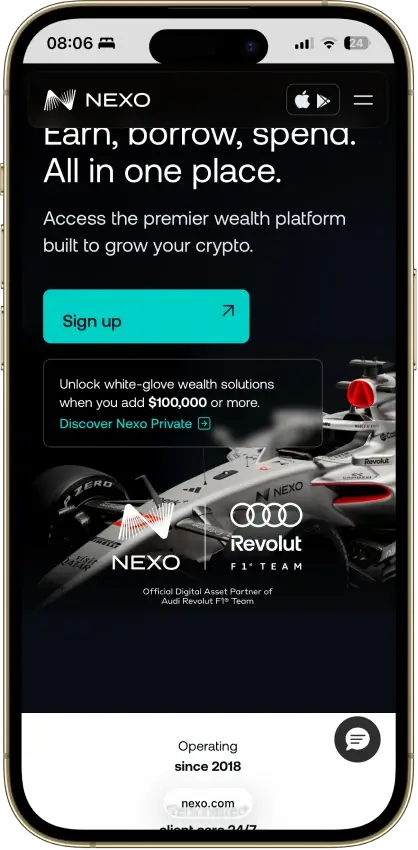
Nexo Pros and Cons
Pros
- Supports multi-network deposits and withdrawals across major chains, which makes it easier to move assets over the route Nexo actually supports for each coin.
- Combines custody, swaps, Nexo Pro trading, credit lines, and card spending in one account instead of forcing users to split those jobs across multiple apps.
- Uses account-level protections such as authenticator support, biometrics, anti-phishing code, address whitelisting, and anti-scam withdrawal monitoring.
- Available on web, iOS, and Android, so users can manage balances and transfers without being locked to a single device type.
Cons
- Custodial by design, so you do not get a seed phrase or direct control of the private keys for platform balances.
- Not a strong choice for wallet-native Web3 use, because the older Nexo Web3 wallet was sunset and the current product is built around managed account custody.
- Requires full identity verification as part of the account model, which makes it a poor fit for privacy-first users.
- Feature availability varies by jurisdiction and product line, so not every user gets the same mix of card, yield, credit, or transfer features.
Who Nexo Is Best for — and Who Should Skip It
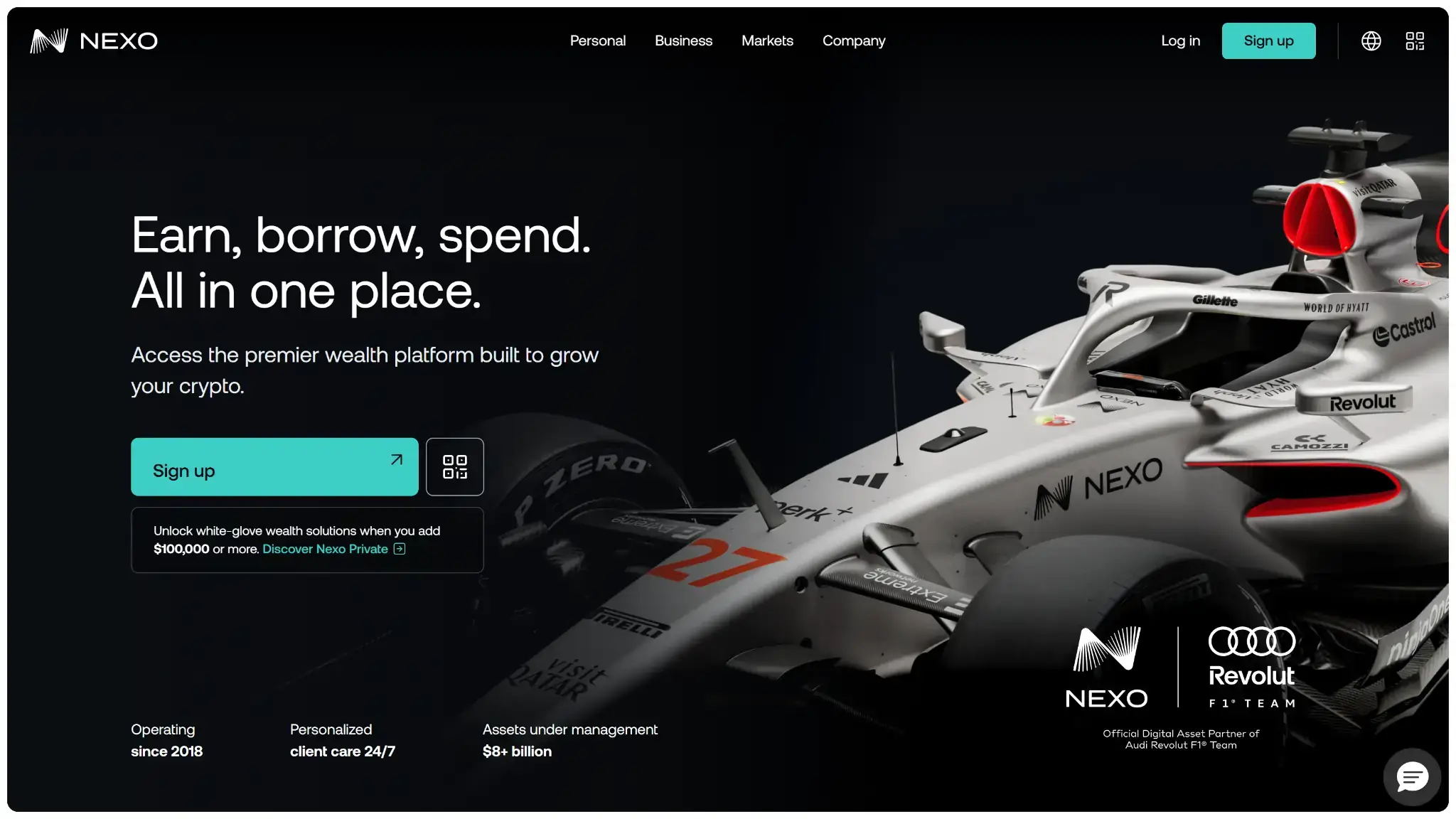
Nexo is best for people who want a managed crypto account rather than a self-custody wallet. It suits passive holders and people who want to buy, top up, swap, borrow, and spend from one login. It also fits users who would rather rely on account recovery than manage a seed phrase. It makes more sense for day-to-day portfolio management than for long-term cold storage. If your main goal is offline protection for long-term holdings, a cold hardware wallet is usually the better fit.
You should look elsewhere if your priority is direct key ownership, hardware-wallet pairing, or daily Web3 use. Advanced users who want direct DeFi access from the wallet, manual transaction signing, NFT tools, or maximum privacy will likely find Nexo too centralized and too dependent on full identity verification. In that case, a hot wallet built for daily Web3 use or a decentralized self-custodial wallet is usually the better fit.
What Is Nexo and How Does It Work?
Nexo is less like a classic crypto wallet and more like a centralized crypto account with some wallet functions built in. You sign in through the web or mobile app, complete identity checks, and then use the account to buy, receive, swap, withdraw, borrow, and spend supported assets. The experience is closer to using a crypto-finance platform than restoring or managing a self-custody wallet.
For balances held on Nexo, Nexo and its custody stack hold the keys. There is no seed phrase for the main account. Sensitive actions are approved through account-security checks such as email or SMS verification, authenticator codes, biometrics, and withdrawal controls. You are approving actions inside Nexo’s system, not signing raw on-chain transactions from your own wallet.
The branding can still be confusing because Nexo also used to offer a separate Nexo Web3 Wallet. That product was non-custodial, so older blog posts and support pages can still make Nexo sound more Web3-native than the current product really is. This review is about the live Nexo account at nexo.com: a centralized account built for custody, transfers, exchange activity, and related platform features.
Wallet Type, Custody, and Recovery Model
This is a custodial account wallet. Nexo controls the custody stack for assets held on the platform. You access the account with login and verification steps rather than with a seed phrase. That makes recovery easier for some users, but it sharply limits wallet portability.
Nexo is not portable in the way a self-custody wallet is portable. You can withdraw supported assets to another wallet or exchange, but you cannot export a seed phrase or private keys from the main Nexo account and restore that account inside another wallet app. You get easier recovery, but less independence and less control.
Supported Assets, Networks and Compatibility
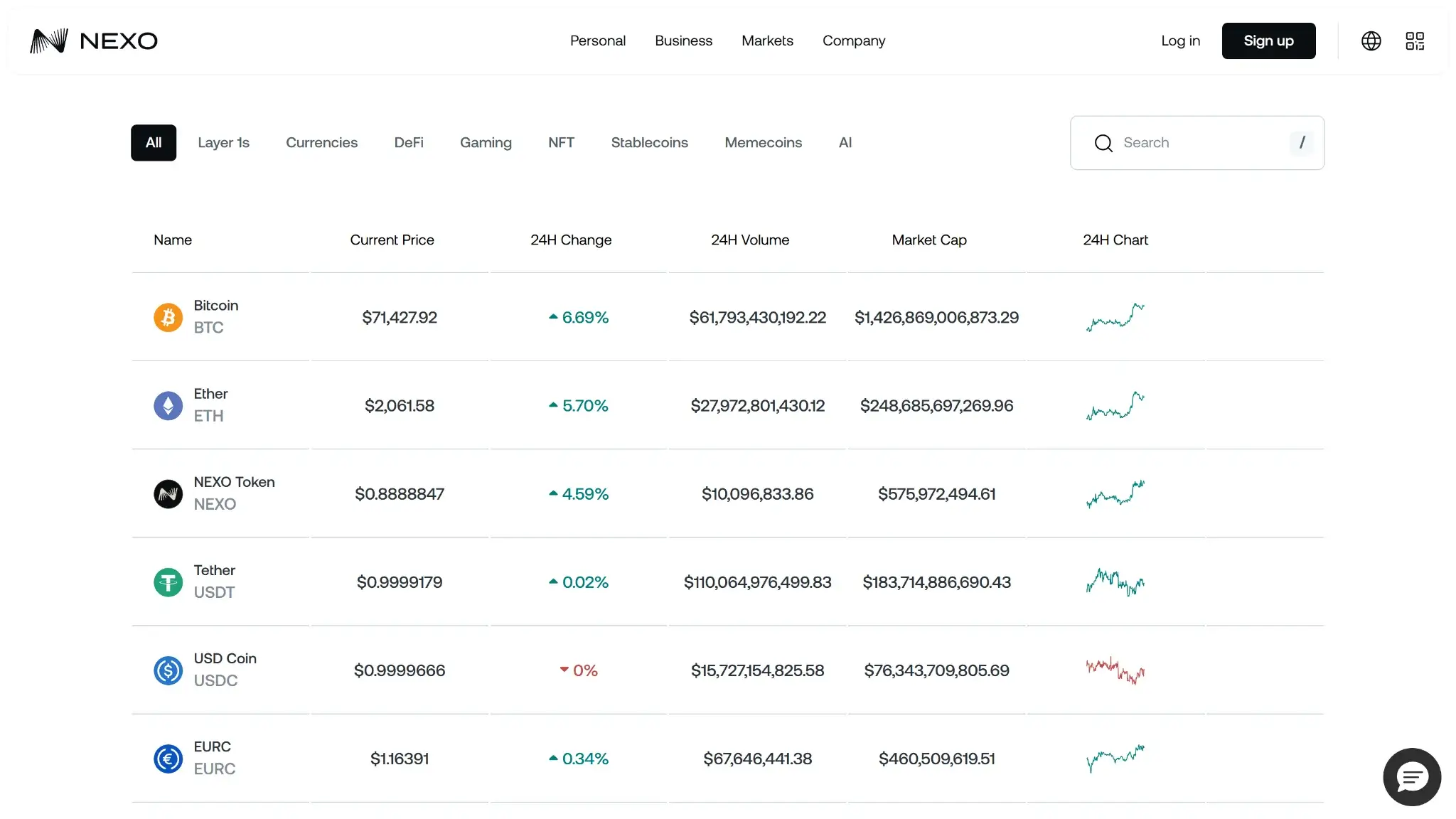
Nexo covers the major assets and networks most centralized-account users actually care about, but it is not the kind of wallet that tries to support everything. The useful question is not how many coins appear on a marketing page. It is whether the exact token and transfer network you need are enabled for deposits, withdrawals, and swaps.
Nexo supports major chains such as Bitcoin, Ethereum, BNB Smart Chain, Polygon, Arbitrum, Optimism, Base, Avalanche, Solana, and Tron, along with common token formats and selected native assets. That is broad enough for mainstream portfolio management, but it is still selective. A coin may be listed on the platform while only a narrower set of transfer routes is actually supported. Before sending funds, users should check the asset and the network together.
Compatibility is also narrow by design. Nexo is built for web and mobile access to a centralized account, not for browser-extension workflows, hardware-wallet pairing, or frequent dApp sessions. There is no seed import or export path for the main account, so the convenience comes with clear limits.
If you mainly want to move into and out of major assets from one managed account, Nexo covers the basics well. If you expect custom token support, wallet portability, or direct Web3 connectivity, it will feel closed off quickly.
Core Features and Real-World Use Cases
Nexo makes the most sense when you treat it as an all-in-one crypto account, not as an on-chain wallet. Compared with simpler custodial apps, it stands out by combining exchange tools, earn products, crypto-backed borrowing, and card-linked spending in one place. That gives active account users more to work with than a basic hold-and-swap app. It also means the product is much less compelling for people who want DeFi access, NFT tools, extension-based use, or direct wallet control.
| Feature area | What users can do | How it works in practice | Key limitations, costs, or risks |
|---|---|---|---|
| Swaps and trading | Swap assets, make instant conversions, and use advanced trading tools | Nexo Exchange offers instant orders, limit and trigger orders, smart routing, and futures in supported regions | Spreads, trading fees, futures risk, and regional limits |
| Bridging | No native bridging | Users must use Nexo’s supported deposit and withdrawal networks or bridge elsewhere first | Extra steps, fees, delays, unsupported-network risk |
| Staking and earn | Earn yield on supported assets | Yield is custodial and account-based through Savings and products like Dual Investment | Counterparty risk, changing rates, lockups, and regional limits |
| dApp access and connectivity | Limited dApp use | Built for web and mobile account access, not extensions or WalletConnect | Weak for DeFi; a separate wallet is usually needed |
| Exchange and account features | Buy, sell, top up, withdraw, and manage balances | Exchange, ramps, and account tools sit under one login | Full KYC, regional limits, partner-dependent rails |
| Card, borrowing, and spending | Borrow against crypto and use the Nexo Card | The credit line uses crypto collateral, and card spending runs through the same account | Interest, liquidation risk, card limits, regional availability |
Seen as a bundled account product, Nexo’s feature set is coherent. The exchange, savings products, credit line, and card reinforce each other and feel more integrated than they do in many simpler custody apps. The trade-off is that nearly all of the value sits inside Nexo’s own system. For users who want an all-in-one account, that is the appeal. For users who want portability and direct on-chain control, it is the reason to look elsewhere.
Fees and Total Cost of Ownership
Nexo does not have a hardware purchase price or a required subscription fee, but that does not make it a low-cost wallet in every scenario. The real cost depends on how you fund the account, whether you use the standard exchange or Nexo Pro, which network you withdraw on, and whether you rely on card-based rails. The cheapest routes are usually the ones that avoid unnecessary conversion and partner processing fees.
| Cost component | What users pay | When it applies | Notes |
|---|---|---|---|
| Device or wallet price | Free to open | One-time or recurring | No device purchase, account opening fee, or required subscription for the main custodial wallet account |
| Shipping and import costs | N/A | Hardware orders | Not relevant here because Nexo is not a hardware wallet |
| Network fees | Variable | On-chain withdrawals and any off-platform blockchain movement | Chain dependent. Nexo advertises free withdrawals on selected routes, but exact cost still depends on the asset, network, and available fee allowance |
| Swap spread or routing fee | Variable; embedded in quote on the standard Exchange, with separate volume-tiered maker-taker fees on Nexo Pro | Swaps and trades | The standard in-app conversion flow does not present a simple flat public fee on the main product pages. Nexo Pro uses a separate trading-fee schedule tied to 30-day volume |
| On-ramp fee | Variable | Buying crypto by card, Apple Pay, Google Pay, or local payment methods | Payment-method and region dependent. Nexo says the exact processing fee is shown before you confirm the purchase |
| Withdrawal fee | Variable | Crypto withdrawals, bank withdrawals, and some card-linked cash access | Some routes are free or partly covered through Nexo’s network and loyalty structure. Once free allowances are exhausted, users may need to cover the network fee or other partner costs |
| Subscription or premium fee | None for the standard account | Monthly or yearly | Nexo does not market the core wallet account as a paid subscription product. The Nexo Card also has no monthly, annual, or inactivity fee |
Nexo’s total cost is easiest to underestimate because much of it is embedded in the route rather than shown as one fixed wallet charge. The standard exchange experience is convenient, but quote-based pricing, payment-method fees, and withdrawal routing can make it more expensive than it first looks. Users who care most about cost control should compare standard exchange quotes with Nexo Pro and double-check the exact withdrawal network before sending funds. They should also treat card-based buys and card-linked cash access as separate cost layers rather than as part of the core wallet itself.
Security Architecture and Trust
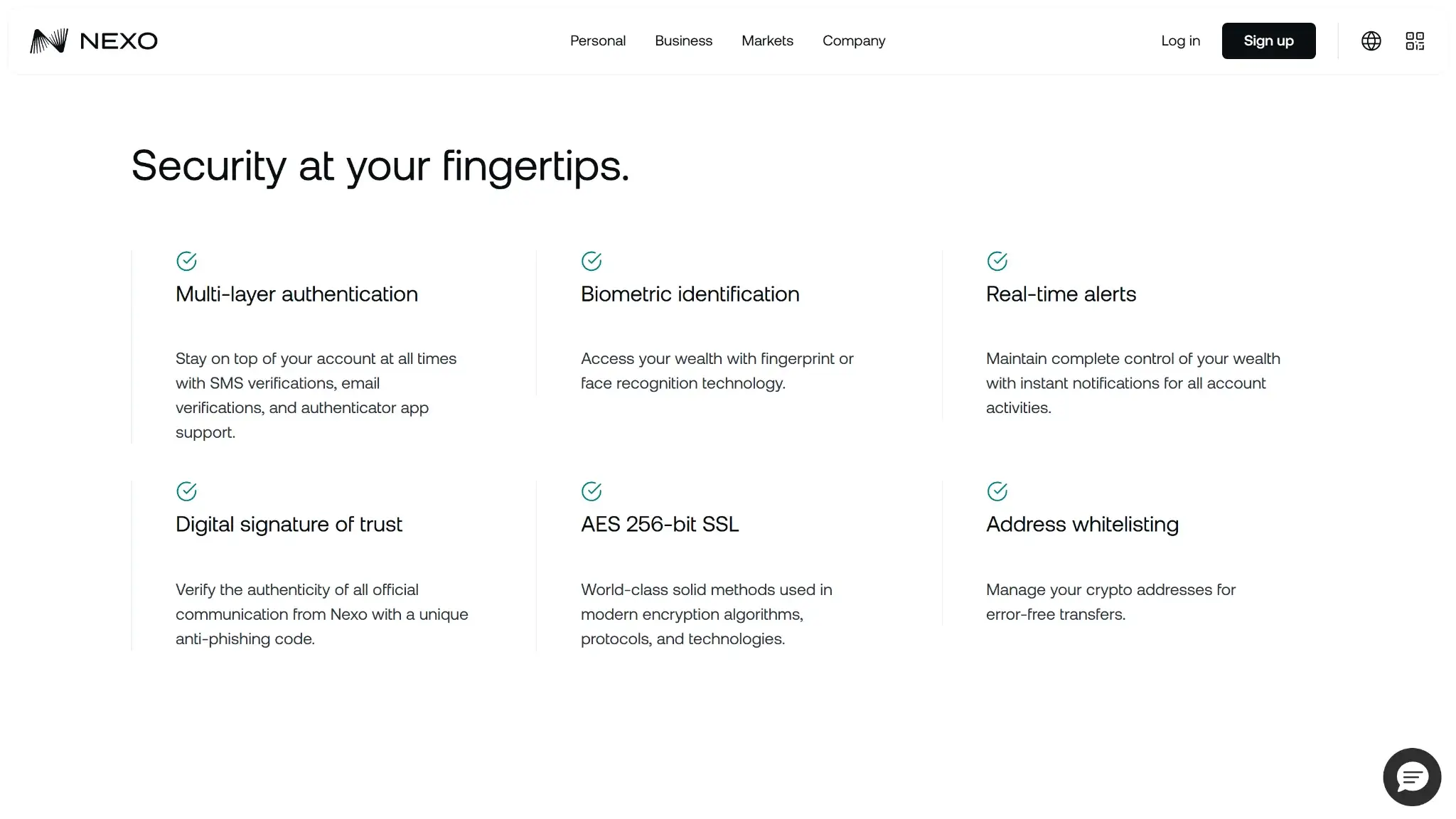
Nexo’s security story is solid for a custodial platform, but it only works if you are comfortable trusting the provider. The platform combines partner-based custody, account-security layers, and a meaningful certifications stack. The central fact never changes: Nexo and its partners, not the user, control the keys.
Nexo does not give users a seed phrase, private-key export, or on-device signing model for the main account wallet. Instead, it says it relies on partners such as Ledger Vault and Fireblocks, plus custody and insurance providers. Any secure-element, secure-enclave, or MPC design sits inside the provider stack rather than in a wallet the user directly controls. Approvals are account based, using email, SMS, authenticator support, biometrics, and withdrawal controls. They are not handled through the kind of transaction signing you get in a self-custody wallet.
Nexo backs that setup with a stronger certification stack than many consumer crypto apps. Nexo says it has completed SOC 2 Type 2 audits for three straight years and also lists SOC 3 Type 2, multiple ISO standards, CSA STAR Level 1, and CCSS Level 3. It also publishes scam-prevention tools such as address whitelisting, anti-phishing code, and a default-on Anti-Scam Engine that can flag or pause risky withdrawals. Public bug bounty details were not prominent on the pages I checked. The product is also not open-source, so users are still relying more on institutional controls and audits than on public code review.
I did not find a recent officially disclosed wallet-security breach in Nexo’s public materials. Nexo does maintain a public status page and post maintenance notices, which helps on the transparency side. Still, this is a custodial trust model. You are relying on Nexo’s controls, disclosures, and partners rather than on your own keys.
Backup, Recovery and Loss Scenarios
Recovery is one of the clearest reasons someone might choose Nexo over a self-custody wallet. If you lose a phone or forget a password, support may be able to help after verification. The flip side is that recovery depends on Nexo’s processes, not on a seed phrase you control yourself.
| Scenario | What usually happens | Can support help? | Where loss becomes serious |
|---|---|---|---|
| Lost phone | The phone itself is not the recovery anchor. You can usually log in on another device and go through normal security checks. | Yes, if extra verification is needed. | It becomes harder if the lost phone was tied to your only 2FA method and you no longer control your email or other login path. |
| Broken or replaced device | Reinstalling the app or switching to web access is usually enough once your account credentials still work. | Yes, if the device change triggers extra checks. | The issue is less about the hardware and more about whether you still control the account credentials and verification methods. |
| Forgotten password | Password reset is part of the normal account-recovery path. | Yes. | Recovery can stall if you also lose access to the registered email or fail additional security checks. |
| Lost 2FA method | Nexo may be able to help disable or reset 2FA after manual review. | Yes, but expect identity checks and some friction. | This becomes a serious lockout if you also cannot access your email or other verification channels. |
| Lost seed phrase | Not applicable for the main Nexo account wallet because there is no user seed phrase. | Not applicable. | The trade-off is that recovery depends on the provider, not on a backup phrase you control. |
| Lost access to email or core recovery route | You may need manual recovery through Nexo support rather than a simple self-service reset. | Sometimes, subject to verification. | If you cannot prove account ownership to Nexo, access can be delayed or, in the worst case, remain unavailable. |
| Cloud restore or synced recovery | There is no wallet-native cloud restore model like a synced self-custody backup. The account is restored by signing back in. | Yes, for account-access issues. | Convenience is higher than with seed storage, but independence is lower because recovery stays tied to Nexo’s systems. |
The practical takeaway is simple. Losing a device is usually manageable. Losing access to the email, 2FA tools, or identity checks tied to the account is where things get more serious. With Nexo, recovery depends on proving account ownership, not on restoring a wallet from your own backup.
UX, Performance and Platform Support
Nexo is easier to use correctly than most self-custody wallets because it removes seed management, chain-by-chain signing, and most Web3 connection complexity. The interface is built around common account actions such as adding funds, swapping, borrowing, earning, and spending through linked services. Most beginners will find it easier to navigate than a DeFi-first wallet. The downside is limited flexibility for advanced users. There is no browser extension for direct dApp workflows, no hardware-wallet pairing, and no user-controlled signing flow that shows the same level of on-chain detail a self-custody wallet would.
| Platform | Availability | Notes |
|---|---|---|
| iOS | Yes | Native app access is available, though Nexo also documents a TestFlight route if the local App Store version is not available. |
| Android | Yes | Native app access is available, and Nexo also offers a direct APK route if Google Play access is limited in a user’s region. |
| Browser extension | No | No extension-based wallet flow for the main custodial account. |
| Desktop | No | No dedicated desktop wallet app for the main account. |
| Web app | Yes | Full account access through the browser is central to the product experience. |
Nexo works well for account-based tasks and less well as a true wallet. Grouping trading, funding, borrowing, and spending under one account makes the interface easier to follow. Signing clarity is inherently limited because users are approving account actions rather than reviewing raw on-chain transaction details. Updates and distribution look active, though store limitations in some regions add friction when users need TestFlight or a direct Android download. Overall, Nexo is better for beginners than for power users.
Customer Support, Documentation and Incident Handling
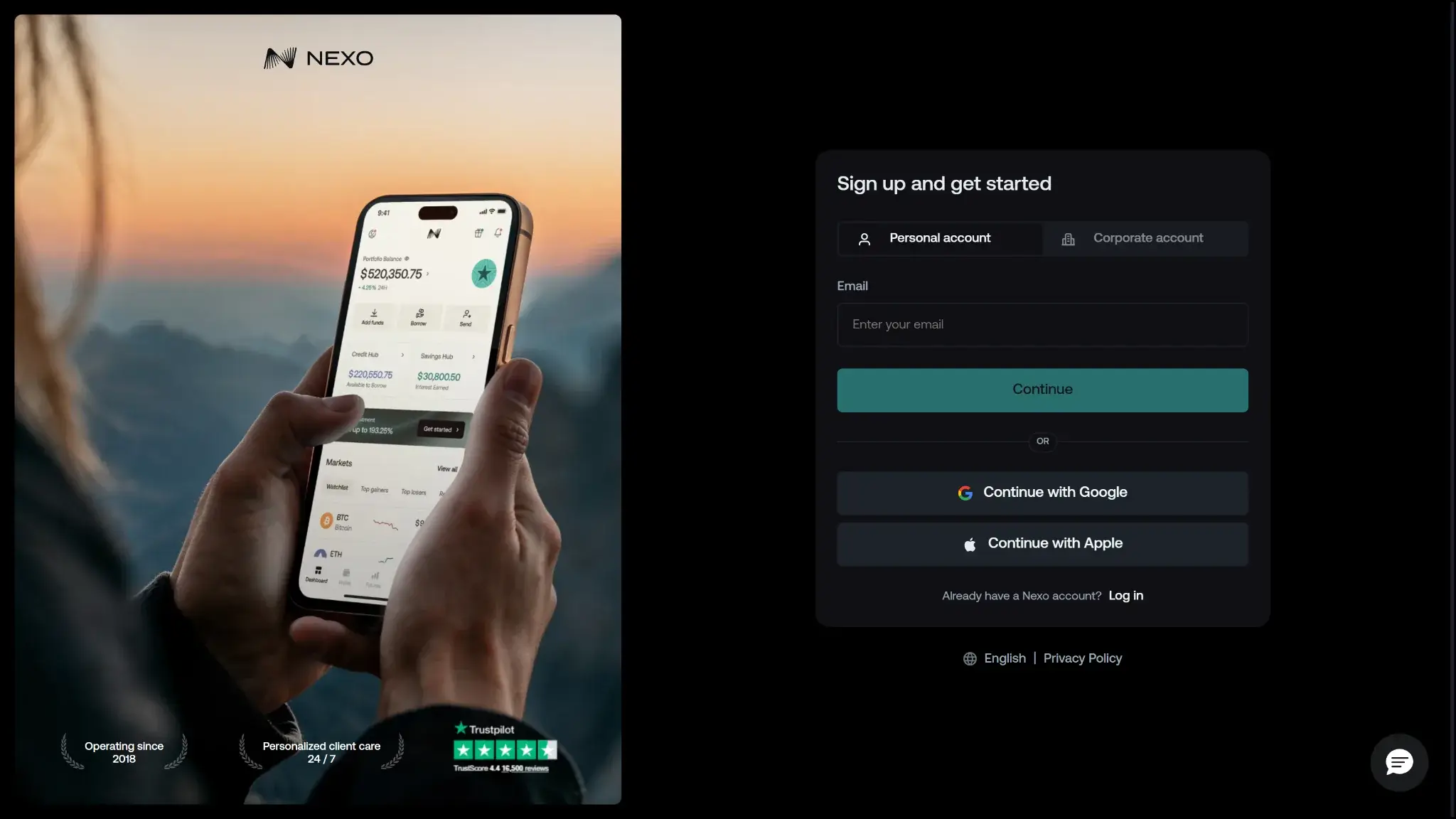
Nexo publishes enough support material to answer many routine questions before you contact anyone. The Help Center and Status Center are both useful, especially when you want to check product rules or confirm that a service issue is already known. Human support is harder to judge from the public site, because response times and channel coverage are not spelled out very clearly.
| Channel | Availability | Typical use | Notes |
|---|---|---|---|
| Help center | Always available | Docs, setup, troubleshooting | Help Center is linked from Nexo’s public site and is positioned as the main documentation hub. Coverage appears broad. |
| Live chat | Not clearly disclosed on public pages | Urgent support | Nexo advertises 24/7 client care, but its public pages do not clearly confirm a public live-chat flow or response SLA. |
| Email or tickets | Yes | Account or technical issues | Nexo links to a Contacts page through the support center. Public response windows were not disclosed on the site pages checked. |
| Status page | Yes | Outages and incidents | The Status Center publishes maintenance notices and service updates, which is useful before opening a ticket. |
| Community channels | X, YouTube, Instagram | Announcements or broad updates | Official social channels are linked from Nexo’s site, but they are not a substitute for account-specific support. |
For most users, support matters when something goes wrong with access, verification, deposits, withdrawals, or card features. It can help inside the account model. It cannot give you private keys, bypass the platform’s compliance checks, or make the product behave like a self-custody wallet.
Nexo also handles operational visibility better than many consumer crypto apps. The public status page and vulnerability disclosure process are both useful trust signals, even if they do not replace a clearly advertised public bug bounty.
Final Verdict
Nexo is best for users who want a centralized crypto account that combines custody, trading, yield, borrowing, and card-linked spending in one place. The main reason to choose it is convenience. You can manage several everyday crypto tasks from a single login without handling seed phrases or separate wallet tools. The main reason to avoid it is loss of control. Nexo manages the custody stack, so you do not get direct key ownership or easy wallet portability. Before using it, verify that your exact asset, network, and region are supported for the deposits, withdrawals, and account features you plan to use.
Best For
Users who want a centralized wallet dashboard with exchange and credit features in one account
Multi-network deposits and withdrawals across major blockchains, Built-in exchange, credit, and card tools inside one account, Strong account-level security controls, including whitelisting and anti-scam checks
Why it stands out
- Supports multi-network deposits and withdrawals across major chains, which makes it easier to move assets over the route Nexo actually supports for each coin.
- Combines custody, swaps, Nexo Pro trading, credit lines, and card spending in one account instead of forcing users to split those jobs across multiple apps.
- Uses account-level protections such as authenticator support, biometrics, anti-phishing code, address whitelisting, and anti-scam withdrawal monitoring.
- Available on web, iOS, and Android, so users can manage balances and transfers without being locked to a single device type.
What to consider
- Custodial by design, so you do not get a seed phrase or direct control of the private keys for platform balances.
- Not a strong choice for wallet-native Web3 use, because the older Nexo Web3 wallet was sunset and the current product is built around managed account custody.
- Requires full identity verification as part of the account model, which makes it a poor fit for privacy-first users.
- Feature availability varies by jurisdiction and product line, so not every user gets the same mix of card, yield, credit, or transfer features.
Disclaimer: CryptoSlate may receive a commission when you click links on our site and make a purchase or complete an action with a third party. This does not influence our editorial independence, reviews, or ratings, and we always aim to provide accurate, transparent information to our readers.