Part 1 Advanced The Market Maker’s Exchange Checklist (Liquidity, Latency, and Risk Controls) Market makers and HFT desks: evaluate exchanges on execution quality, liquidity, latency, fees, margin, and security — with a WhiteBIT walkthrough. Open guide Ledger Nano S Plus Review: Security Model, Recovery, Fees and Supported Assets
For buyers who want a simple, low-cost hardware wallet, Ledger Nano S Plus still covers the basics well in 2026. The tradeoff is clear: you save money, but give up iPhone support, wireless convenience, and an easier signing experience.
Not available in your region
Ledger Nano S Plus is unavailable in your region.
Ledger Nano S Plus Overview
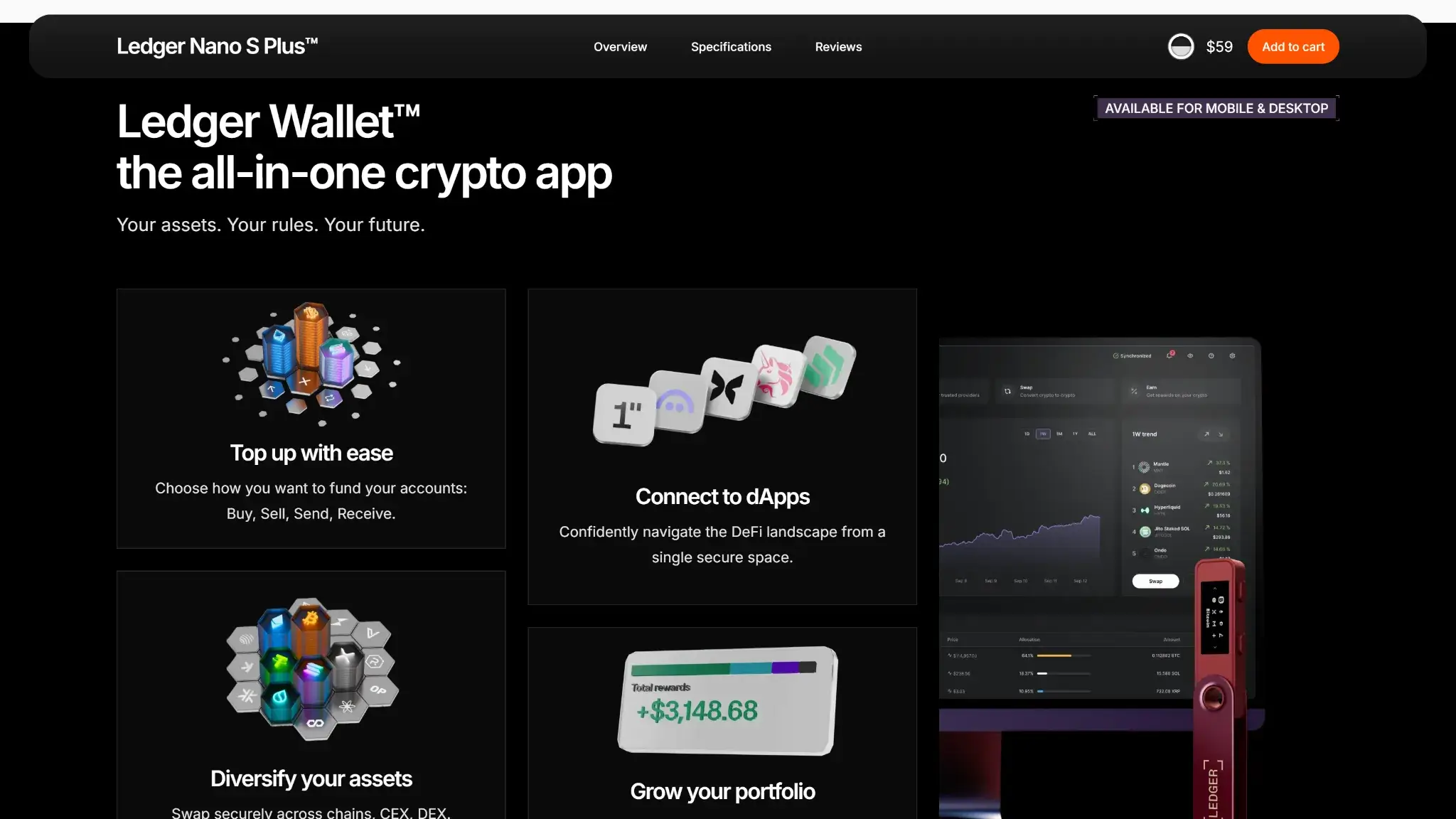
Ledger Nano S Plus Screenshots

Ledger Nano S Plus Pros and Cons
Pros
- Low current official pricing.
- Broad asset coverage, with much more app capacity than the original Nano S.
- No battery and no Bluetooth, just a simple cable-only signer.
Cons
- No Nano S Plus hardware support on iOS.
- Small screen and two-button navigation slow down frequent transaction review.
- Some assets and advanced workflows still depend on third-party wallets.
Ledger Nano S Plus remains one of Ledger’s clearest low-cost options in 2026. It fixes the old Nano S app-storage problem, stays actively supported, and keeps the device simple by skipping Bluetooth, batteries, and touch controls.
Ledger now treats Nano S Plus as a classic backup signer for simple, stay-at-home use rather than as a newer daily-use, screen-first device. That positioning matches the real experience: it works best when your routine is desktop-led and uncomplicated.

Should You Buy Ledger Nano S Plus?
| If you care most about | Check first |
|---|---|
| Easiest setup | USB desktop setup, Ledger Wallet onboarding, 24-word recovery phrase flow, and no Bluetooth pairing |
| Lowest recovery stress | Recovery phrase storage, Recovery Check, passphrase use, and whether you want a second device or metal backup |
| Best for travel | No battery to maintain, but cable dependence, no iOS hardware support, and whether Android-only use is enough |
| Best for long-term holding | Current support status, on-device verification, no battery aging, and recovery without depending on Ledger alone |
| Best for separating funds | Standard account structure, optional passphrase accounts, separate receive addresses, and whether your chains stay native in Ledger Wallet |
| Best for mobile use | Android cable fit, no iOS path, and whether Nano X, Nano Gen5, or Flex is the better mobile choice |
| Best for broad asset coverage | Native Ledger Wallet support versus third-party wallet dependence for the specific coins you use |
| Best retailer purchase flow | Authorized seller status, no prewritten recovery phrase, and Genuine Check after setup |
With Nano S Plus, the real choice usually comes down to three things: whether you are desktop-first, whether a wired workflow is fine, and whether the small screen is acceptable for how often you sign. If those conditions already fit, Nano S Plus still makes sense. If they do not, the device will feel limiting almost immediately.
What Is Ledger Nano S Plus?

Ledger Nano S Plus is Ledger’s cable-only classic Nano signer. It launched in 2022 as the practical upgrade path from the original Nano S and remains a current supported device rather than a phased-out legacy model.
It counts as a cold wallet because the private keys stay on the device and approvals happen on the device itself. A hot wallet signs from a phone, browser, or computer that stays online. Nano S Plus uses the companion app to prepare transactions, but the approval step stays on dedicated hardware.
Who Is Ledger Nano S Plus Best For — and Who Should Skip It?
Nano S Plus works best for people who mostly manage crypto from a desktop or laptop and want Ledger’s ecosystem at the lowest current price in the lineup. It also suits buyers who deliberately prefer a simple device with no battery and no Bluetooth.
It is a weaker fit for iPhone-first users, frequent dApp signers, and people who want a bigger or easier screen for reviewing addresses and approvals. It is also less appealing to buyers who strongly prefer fully open firmware, because Ledger’s security model still includes closed Secure Element components.
For beginners, Nano S Plus is manageable if they are comfortable with a recovery phrase and a careful setup flow. For advanced users, it works well as a low-cost long-term storage device or backup signer, especially now that Ledger treats the classic Nano range as backup-first rather than screen-first daily-use hardware.
Security Model and Core Design

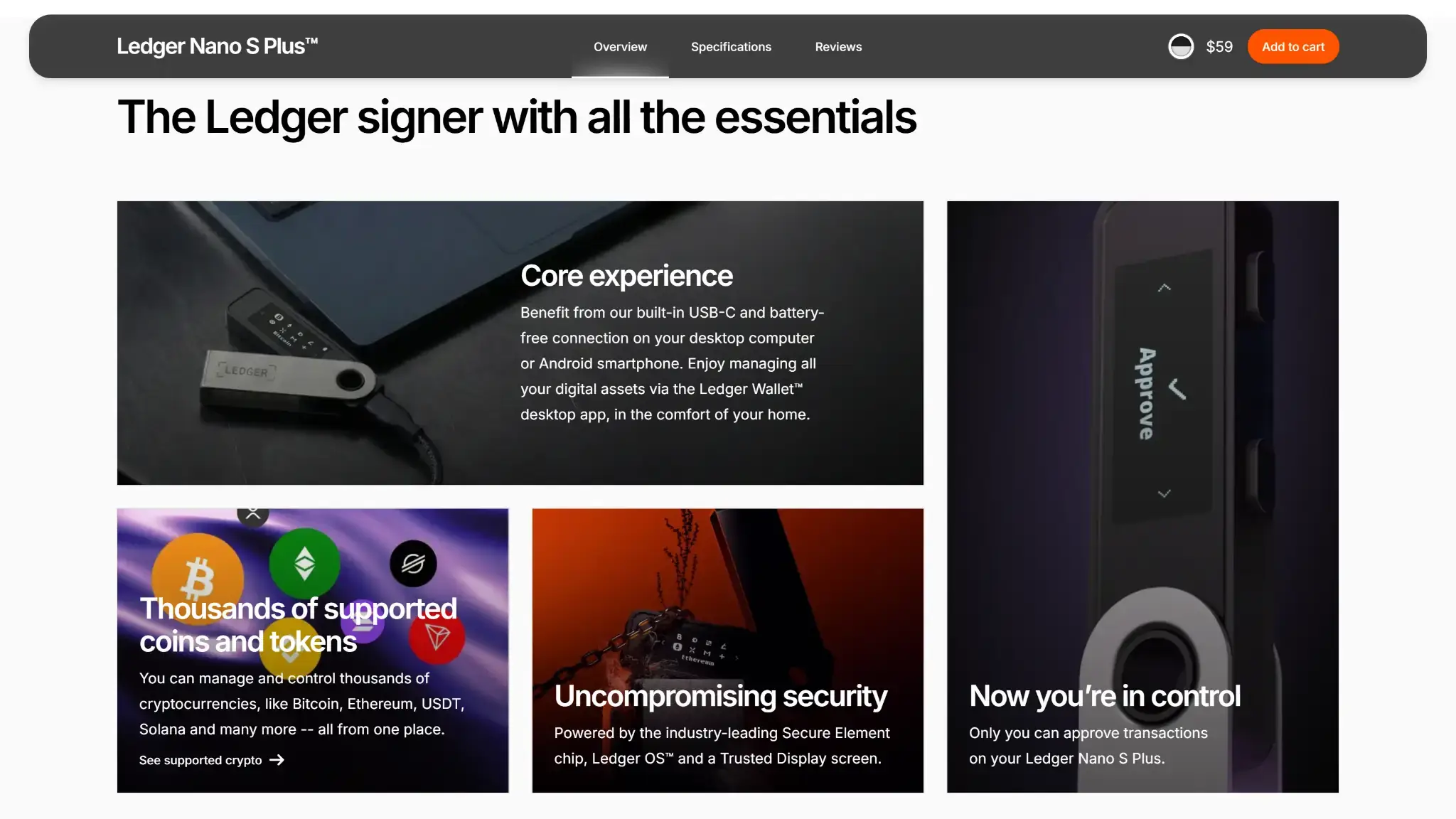
Nano S Plus follows Ledger’s standard model: keys stay on the device, Ledger Wallet prepares actions, and final approval happens on the wallet itself. That works well for simple storage and occasional transfers, but the experience becomes less clean once third-party wallets or smart-contract flows enter the picture.
Key Generation and Storage
Setup happens on the device, not in the app. Nano S Plus creates the 24-word recovery phrase on its own screen, and the private keys stay inside the device’s secure environment.
In practice, that means:
- Ledger Wallet can install apps, add accounts, and prepare transactions.
- The device still holds the signing authority.
- If the device is lost or damaged, the recovery phrase is the real fallback.
Signing Flow and On-device Verification
Ledger Wallet prepares the transaction, but Nano S Plus still requires you to review and approve it on the device. That reduces the risk of approving something different from what your phone or computer shows.
The signing experience depends on the workflow:
- Native Ledger Wallet flows are usually clearer.
- Some third-party dApp and smart-contract flows still rely on blind signing or chain-specific integrations.
- The 128 x 64 screen is usable, but long addresses and repeated confirmations take more time than they do on a larger touchscreen.
Secure Element, Open-source Tradeoffs and Passphrase Use
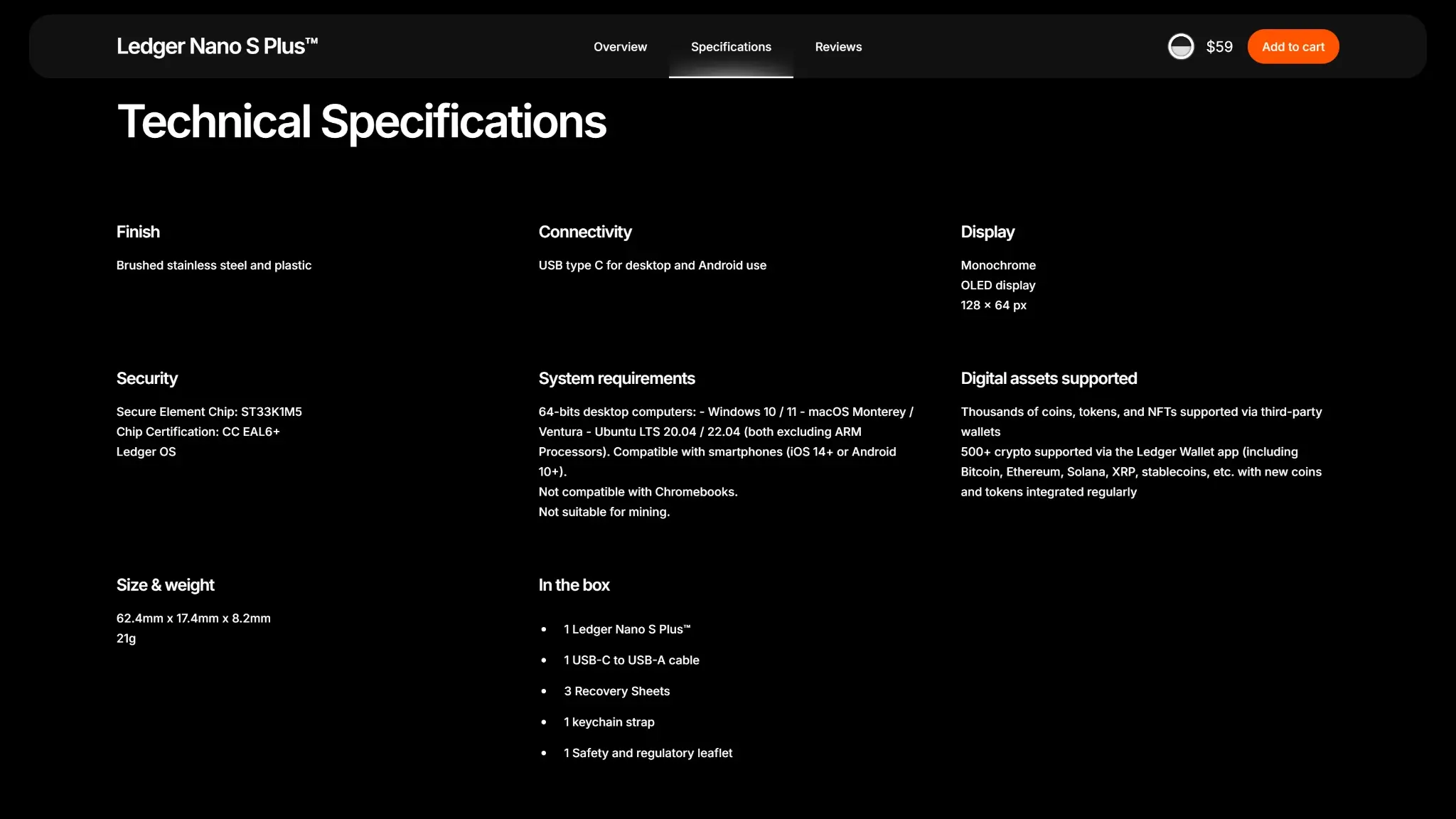
Nano S Plus uses Ledger’s ST33K1M5 Secure Element with CC EAL6+ certification. That remains one of the main reasons buyers consider it at this price point.
The tradeoffs are straightforward:
- Ledger Wallet is open source.
- Parts of Ledger OS are open.
- The Secure Element firmware remains closed-source and NDA-bound.
- Optional passphrase support adds separation, but it also adds another recovery risk if forgotten.
Physical Design Tradeoffs and App Dependence
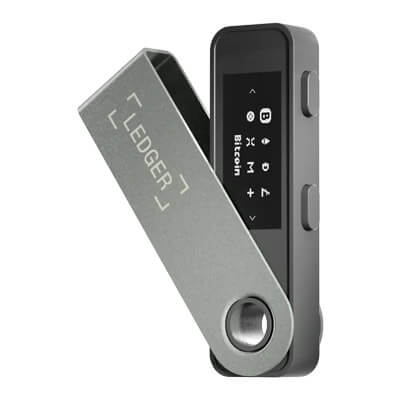
The hardware is simple: two buttons, a small screen, no battery, and no Bluetooth. That keeps the price down and removes battery upkeep, but it also makes navigation slower than on newer Ledger touch devices.
In daily use, the limits show up quickly:
- Better suited to simple storage than frequent signing.
- Cleaner when your assets work natively in Ledger Wallet.
- Less convenient when your routine depends on several third-party wallets or dApps.
Device Authenticity, Supply-Chain Checks and Firmware
Where To Buy It Safely
The safest purchase route is still direct from Ledger or an authorized reseller. Most real supply-chain risk does not come from the device design itself. It comes from fake devices, tampered packaging, phishing, or devices that arrive already set up.
If you buy from a retailer, the key question is not whether the box looks perfect. It is whether the seller is authorized and whether the device passes Ledger’s official authenticity checks after setup.
Unboxing, Red Flags and Genuine Check
A legitimate Nano S Plus should never arrive with a recovery phrase already printed for you. Any device that comes with a prewritten 24-word phrase should be treated as compromised immediately.
Set the device up yourself, generate the phrase on the device screen, and run Genuine Check in Ledger Wallet. Cosmetic packaging flaws are not the decisive factor. A preconfigured recovery phrase is.
Best Buy, Amazon and Reseller Purchases
One of the most common buyer concerns is whether Nano S Plus is safe to buy from Best Buy, Amazon, or another large retailer. The store name alone is not enough. What matters is whether the seller is authorized, whether the device arrives clean, whether the recovery phrase is generated on the device itself, and whether Genuine Check succeeds after connection.
For most, the rule is simple. Buying direct from Ledger is the cleanest route. Retail purchase can still be fine, but only when the seller is part of the authorized network and setup is treated as a verification process instead of a formality.
Firmware Model and Current Support Status
Nano S Plus ships with Ledger OS and updates through Ledger Wallet. It remains a fully supported device, which matters because many search results still blur the line between the original Nano S and the Nano S Plus.
That distinction is important. The original Nano S is the model being phased out. Nano S Plus is the current classic Nano that still receives support, setup docs, and OS updates.
Current Software and Firmware Status
| Component | Current status |
|---|---|
| Ledger Nano S Plus OS | 1.5.1, released Jan. 21, 2026 |
| Ledger Wallet | 2.143.0, released Mar. 4, 2026 |
This matters more than it looks. It confirms that Nano S Plus is not a dead-end purchase, but it also shows Ledger’s current product split: the classic Nano line stays supported, while the touchscreen signers get the newer recovery and review features.

Build Quality, Portability and Everyday Handling

Nano S Plus keeps Ledger’s familiar swivel-cover format. The body uses brushed stainless steel and plastic, weighs 21 grams, and is small enough to keep in a drawer, pouch, or travel bag without taking much space.
The device feels fine in normal handling, but it should not be treated like rugged equipment. There is no official waterproof rating in the current Nano S Plus materials, so waterproof data is not available. It is best understood as a compact electronics device rather than a hardened travel tool.
In everyday use, the main tradeoff is the screen, not the size. The device is portable, but the small monochrome display and two-button navigation make repeated approvals slower than on newer touch devices. For occasional transfers, that is manageable. For daily signing, it becomes the main friction point.
Supported Assets, Networks and Important Limitations
Nano S Plus supports a wide range of assets, but support quality is not identical across all chains. The useful distinction is whether a coin works natively in Ledger Wallet, works through a third-party wallet, or works with extra steps that many buyers only notice after setup.
| Asset / Network | Support Type | Important limitation |
|---|---|---|
| Bitcoin (BTC) | Native in Ledger Wallet | UTXO-heavy workflows are still button-heavy on a small screen |
| Ethereum (ETH) / ERC-20 | Native in Ledger Wallet | Some dApp and token workflows still use external wallet connections |
| Solana (SOL) | Native in Ledger Wallet | Some ecosystem tools still rely on Phantom, Solflare, or blind-signing flows |
| XRP | Native in Ledger Wallet | Account reserve, memo handling, and trustline reserves still matter |
| Cardano (ADA) | Native in Ledger Wallet | Some ecosystem-specific workflows still use external wallet interfaces |
| Hedera (HBAR) | Native in Ledger Wallet | Ledger still lists a current mobile add-account issue |
| XDC | Third-party wallet flow | Official setup still uses MyEtherWallet, and xdc/0x address formatting can matter |
| Monero (XMR) | Third-party wallet flow | No native Ledger Wallet account creation; use Monero GUI or Feather |
That is the real asset story on Nano S Plus. It is easy to recommend when your core holdings stay inside native Ledger Wallet flows. It becomes more cumbersome when your routine depends on several third-party wallet bridges, chain-specific settings, or assets that are technically supported but not handled natively.
Asset-specific Gotchas
| Network | Current note |
|---|---|
| Solana | Native support is solid, but some flows still rely on Phantom, Solflare, and blind signing |
| XRP | Account reserve and trustline reserves still matter |
| HBAR | Native support exists, but Ledger still lists a current mobile add-account issue |
| XDC | Third-party flow only; MEW remains the official setup, and xdc/0x address formatting can still matter |
| Monero | There is still no native Ledger Wallet account creation; use Monero GUI or Feather |
How Nano S Plus Connects and Which Devices It Works With
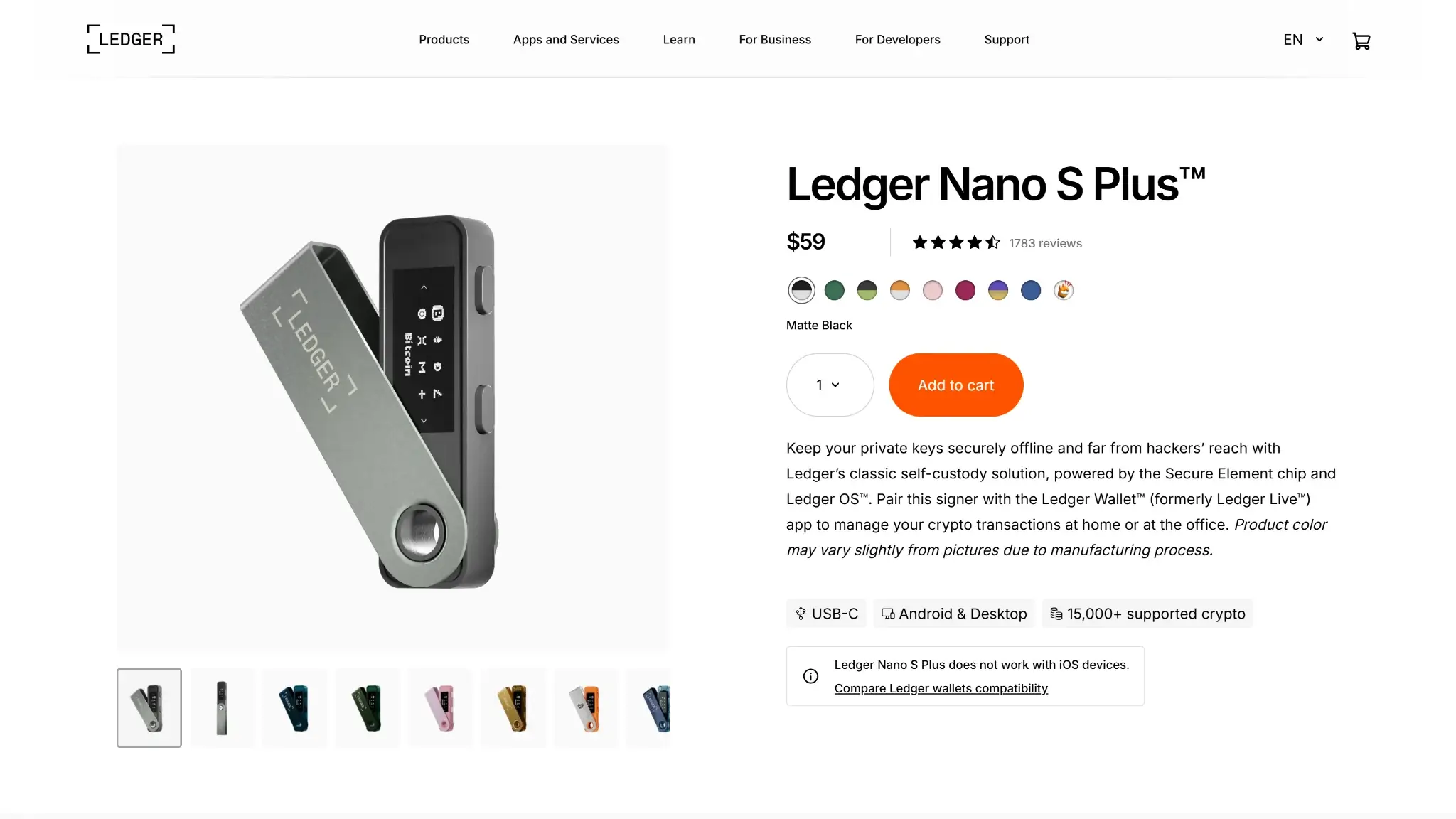
Ledger now calls its companion app Ledger Wallet, formerly Ledger Live. Nano S Plus works with desktop and Android, but it remains a cable-only device with no Bluetooth and no battery.
Windows, macOS, Linux, and Android are the relevant supported environments for real use. Nano S Plus is not compatible with Chromebooks / ChromeOS, and it has no Nano S Plus hardware support on iOS. If your routine already depends on an iPhone or iPad, Nano S Plus is the wrong Ledger to start with.
Nano S Plus is a wired hardware wallet, not an air-gapped QR signer. That does not make it unsafe. It simply means the workflow depends on USB connection rather than offline QR transfer and scanning.
Cables and Adapter Reality
The box includes a USB-C to USB-A cable. If your laptop only has USB-C ports, you may need a different cable or an adapter. Android phone use can also require OTG, depending on the phone’s port and settings.
This sounds minor, but it affects day-to-day convenience. A wallet can be technically compatible and still feel annoying if your actual devices do not match the cable in the box.
Pricing, Packages, Add-Ons and Total Cost of Ownership
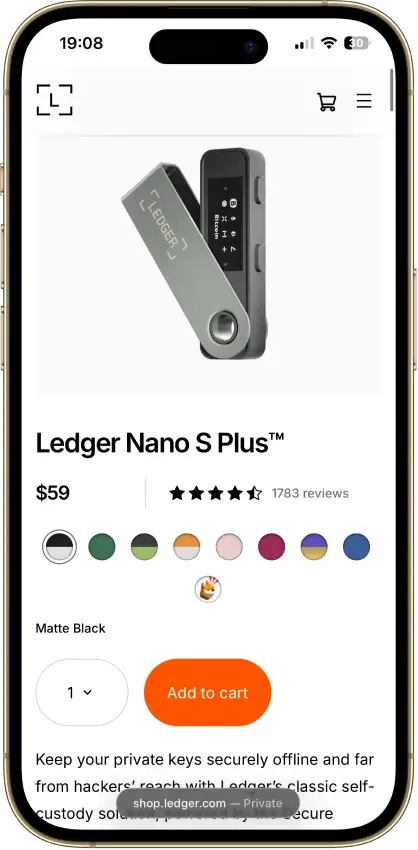
Nano S Plus is easy to understand at the sticker-price level and easy to underestimate at the total-cost level. Ledger’s current official reference price lists Nano S Plus at $59 excluding VAT and 49€ including VAT.
That figure is best treated as a reference rather than a universal checkout guarantee. Final cost can still change with region, tax, shipping, customs, bundles, or temporary promotions. That matters because many buyers compare hardware wallets only by device price, even though the real cost of ownership often comes from recovery planning, accessories, and how often you use paid in-app services.
| Cost Type | Who sets it | Official price / typical cost | Notes |
|---|---|---|---|
| Device price | Ledger | $59 excl. VAT / 49€ incl. VAT | Current official reference price |
| Shipping | Ledger / carrier | Varies by location | Final cost appears at checkout |
| Import VAT / customs | Tax authorities / carrier | Varies | Country dependent |
| Network fees | Blockchain network | Variable | Not set by Ledger |
| Buy / sell / swap / staking service fees | Third-party providers inside Ledger Wallet | Variable | Depends on provider, region, asset, and route |
| Backup materials | Ledger or third parties | Optional | Paper is included; metal backup costs extra |
| Accessories | Ledger or third parties | Optional | OTG kit, case, or pod can improve handling |
For most buyers, the device price is only part of the total cost. Shipping, taxes, and a better backup setup usually matter more than network or service fees unless you plan to buy, swap, or stake inside Ledger Wallet often.
What Comes In The Box and What May Be Worth Adding
| Item | Included? | Extra cost? | Worth buying? |
|---|---|---|---|
| Nano S Plus device | Yes | No | Required |
| USB-C to USB-A cable | Yes | No | Yes, already included |
| 3 Recovery Sheets | Yes | No | Yes, at minimum |
| Keychain strap | Yes | No | Optional |
| Ledger OTG Kit | No | Yes | Useful for Android-only users |
| Ledger Nano Case | No | Yes | Useful for travel or storage |
| Ledger Nano Pod | No | Yes | Useful if you want more physical protection |
| Metal backup | No | Yes | Worth considering for long-term holders |
| Backup Pack / Family Pack S Plus | No | Yes | Useful when redundancy matters more than portability |
A simple buy-and-hold desktop setup stays inexpensive. The included box contents are enough to start safely. Costs rise when you add metal backups, second devices, travel accessories, or buy, swap, and staking services inside Ledger Wallet.
That is why the smarter comparison is not just Nano S Plus versus another device price. It is device price plus backup plan plus the workflow you expect to use. For occasional long-term storage, Nano S Plus still looks efficient. For frequent mobile use, the cheaper hardware can become the less convenient choice.
How to Set Up Ledger Nano S Plus and Make Your First Transfer
This part is where Nano S Plus becomes either simple or frustrating. The device itself is not hard to use, but the setup is manual, and most avoidable mistakes happen in the first few steps.
A. Unbox the Device and Install Ledger Wallet
- Check that the box does not include a prewritten recovery phrase.
- Download Ledger Wallet from Ledger’s official setup path.
- Connect Nano S Plus with the included cable.
- Choose whether you are setting up a new device or restoring an existing one.
- Create the PIN on the device itself.
The setup happens on the wallet, not in the app. The buttons and screen are part of the security model, not just a confirmation step.
B. Write Down Your Recovery Phrase and Verify It
- Let the device generate the 24-word recovery phrase on its own screen.
- Write the words down offline in the exact order shown.
- Do not photograph the phrase or store it in notes, email, or cloud storage.
- Run Recovery Check after setup if you want to confirm that you copied it correctly.
- Only add a passphrase if you are confident you can preserve it accurately.
This is the part that protects you if the device is lost, broken, or reset. Most cold-wallet failures show up during recovery, not during the first week of use.
C. Receive Crypto To the Wallet
- Install the app for the asset you want to receive.
- Add the matching account inside Ledger Wallet.
- Open the Receive flow and generate a wallet address.
- Compare that address with the one shown on the Nano S Plus screen.
- Only use the address after both match.
For a first BTC transfer, that usually means creating the receive address in Ledger Wallet, confirming it on the device, and then pasting that verified address into the exchange withdrawal form. You do not sign anything when receiving, but address verification still matters because this is where copy-and-paste mistakes and address-poisoning attacks show up.
D. Send Crypto From the Wallet
- Open the account you want to send from.
- Enter the destination address and amount.
- Choose the network fee.
- Review the details on the Nano S Plus screen.
- Approve the transaction with the device buttons.
This is where the wallet’s biggest tradeoff becomes obvious. The device remains usable, but the small screen and repeated button presses make frequent signing slower than it feels on newer touchscreen devices.
Common early problems are usually practical rather than technical. The most common ones are bad cables, missing OTG support, wrong USB permissions, outdated Ledger Wallet versions, or confusion over whether a chain works natively in Ledger Wallet or needs a third-party wallet.
Backup, Recovery, and Loss Scenarios
If you lose the device, your crypto is not lost with it. The recovery phrase is what restores access, either on another Ledger device or in another compatible wallet environment. The device is the signer. The backup is what preserves access.
If you lose the recovery phrase but still have the working device and PIN, the problem changes. You still have access for now, but your fallback is gone. That means the right response is to secure the situation while the device still works and rebuild your recovery plan, not assume the problem can wait.
Three wrong PIN attempts reset the device. That is useful as a physical-protection measure, but it also means careless PIN handling becomes an availability risk. The same is true for passphrase users. A forgotten passphrase is not a support issue. It is an access issue.
Recovery Options on Nano S Plus
Nano S Plus ships with Recovery Sheets in the box. Ledger Recover is optional on Nano S Plus through Ledger Wallet desktop only.
That distinction matters because Ledger now uses several backup terms across its product line. Nano S Plus still centers on the standard 24-word recovery model. Ledger Recovery Key is for Ledger’s compatible NFC touchscreen devices, not for the classic Nano line.
The lowest-stress setup is still the least exciting one: a correct recovery phrase written offline, checked once, stored safely, and kept out of digital storage. A second device, metal backup, or inheritance plan can reduce failure risk, but none of those fixes sloppy recovery handling.
Support, Documentation and Community Reputation
Ledger’s help center remains one of Nano S Plus’ strongest practical advantages. The company has current setup guides, firmware notes, asset-specific articles, scam warnings, recovery docs, and troubleshooting pages that cover the problems new users actually run into.
That documentation matters because the most common Nano S Plus issues are repetitive and predictable. Buyers run into USB problems, add-account confusion, missing balances after restore, third-party wallet questions, or uncertainty over whether a coin is supported natively or through a separate wallet. Ledger’s docs are usually stronger on those routine problems than on vague marketing reassurance.
Ledger also publishes useful scam guidance. Pre-seeded device warnings, phishing alerts, fake-app warnings, and address-poisoning explanations all matter more in real life than abstract security claims, because most actual losses come from user-side mistakes and social engineering rather than remote extraction of private keys.
The reputation drawback sits at the company level rather than in the Nano S Plus hardware alone. Ledger still carries trust baggage from earlier customer-data exposure and from the January 2026 Global-e order-data incident, so Ledger owners remain a natural target for phishing campaigns that use the Ledger name. Buyers should assume those scams will remain part of the ownership environment.
Comparison With Other Cold Wallets
Ledger Nano S Plus vs Ledger Nano Gen5
Nano Gen5 is Ledger’s current mid-tier screen upgrade. It adds Bluetooth, NFC, iPhone and Android support, an E Ink touchscreen, Ledger Recovery Key in the box, and a much more modern signing experience.
Nano S Plus remains the cheaper USB-only option. The gap is easy to understand: Nano S Plus is the classic low-cost Ledger at $59 / €49, while Nano Gen5 is the newer screen-based step-up at $179 / €179.
| Device | What changes most | Current fit |
|---|---|---|
| Ledger Nano S Plus | Lower price, USB-only use, classic Nano screen and button flow | Best when you mainly use a computer and want the lowest-cost current Ledger |
| Ledger Nano Gen5 | E Ink touchscreen, Bluetooth + NFC, iPhone/Android support, Ledger Recovery Key included | Best when you want a better daily-use device without paying Flex pricing |
Classic Nano Limitations vs Newer Ledger Screens
Ledger separates its classic Nano devices from its touchscreen signers for a reason. Classic Nano devices remain secure and reliable, but they do not support Ledger Recovery Key or Transaction Check, and review still happens on a small monochrome screen.
That matters less for long-term holders who move assets rarely. It matters much more for anyone who signs often, reviews long addresses regularly, or wants the device itself to do more of the clarity work.
| Wallet | Backup Style | Connection | Verify on Device? | Phone/Desktop Dependence | Key Strength | Main Drawback | Best For |
|---|---|---|---|---|---|---|---|
| Ledger Nano S Plus | 24-word phrase, optional passphrase | USB-C | Yes | Desktop-first; Android by cable; no iOS hardware support | Low-cost current Ledger with broad support | No iPhone, no Bluetooth, small screen | Buyers who mostly use a computer |
| Ledger Nano X | 24-word phrase, optional passphrase | USB-C + Bluetooth | Yes | Phone and desktop friendly; iPhone compatible | Lowest-cost current iPhone-compatible Ledger | Small screen and older classic Nano flow | Buyers who want iPhone support at the lowest current Ledger price |
| Ledger Nano Gen5 | Ledger Recovery Key included + Recovery Sheets included; Ledger Recover optional | USB-C + Bluetooth + NFC | Yes | Strong phone and desktop fit | E Ink touchscreen and better review flow | Much higher price than Nano S Plus | Buyers who want iPhone support plus a better screen without paying Flex pricing |
| Ledger Flex | Ledger Recovery Key included + Recovery Sheets included; Ledger Recover optional | USB-C + Bluetooth + NFC | Yes | Strong phone and desktop fit | Easier transaction review on a larger screen | Higher price | Buyers who want a clearer daily-use Ledger |
| Trezor Safe 5 | 20-word backup by default | USB-C | Yes, touchscreen | Desktop-first with full Android support; limited iOS compatibility for portfolio tracking, buying, and receiving | Touchscreen review and more open design stance | Desktop is still required for broader signing and firmware workflows | Users who care more about touchscreen review and openness |
| Tangem Wallet | Two-card or three-card backup, with optional seed phrase depending on version | NFC to phone | No dedicated screen | Phone-first | Very fast setup and portability | Strong phone dependence and no separate signing screen | Buyers who prioritize mobile convenience |
The practical reading of this comparison is simple. Choose Nano X if you want the lowest-cost current iPhone-compatible Ledger. Choose Nano Gen5 or Flex if you want iPhone support plus a much better screen.
Decision Shortcut: When to Buy Nano S Plus and When to Pay More
| If this is your situation | Better choice | Why |
|---|---|---|
| I mostly store and occasionally send from a laptop | Nano S Plus | Lowest-cost current Ledger fit for desktop-first cold storage |
| I want the cheapest current Ledger that works with iPhone | Nano X | It is the lowest-cost current iPhone-compatible Ledger |
| I want iPhone support plus a much better screen | Nano Gen5 or Flex | These are the screen upgrades in the current Ledger lineup |
| I sign often from my phone | Nano X, Nano Gen5, or Flex | Nano X is the cheapest iPhone-compatible Ledger; Nano Gen5 and Flex are the screen upgrades |
| I want no battery and no Bluetooth | Nano S Plus | Simpler hardware and fewer parts to manage |
| I only use Android and do not mind cables | Nano S Plus | Android support is workable if you accept a wired setup |
| I mainly hold BTC, ETH, SOL, XRP, or ADA | Nano S Plus | Stronger fit when the main assets stay inside native Ledger Wallet flows |
| I depend on niche chains or many third-party wallet flows | It depends | Support quality matters more than headline coin count |
This is the point where price stops being the whole story. Paying less up front is sensible when your routine is simple and computer-led. Paying more makes sense when the friction is obvious before purchase: iPhone dependence, repeated approvals, or a strong preference for a bigger screen.
Regulatory and Tax Considerations
A cold wallet does not automatically solve tax reporting. Ledger Wallet can export transaction history, but users still need to track transfers, cost basis, swaps, staking events, and local reporting rules themselves.
There is also a separate cost layer around the device itself. Crypto activity has one tax and recordkeeping path, while the hardware purchase can involve shipping charges, import VAT, or customs depending on where you live and how the order is fulfilled.
Final Verdict
Ledger Nano S Plus remains a reliable low-cost hardware wallet for simple, desktop-led self-custody. It gets the fundamentals right: keys stay in a certified Secure Element, recovery uses the standard 24-word seed that works outside Ledger, and approvals always happen on the device. The tradeoff is usability and modern Web3 capability. The small screen and two-button interface make dense contract signing slow and harder to verify, and the device lacks newer wallet protections and smart-account features found in more modern hardware wallets. It works best as a straightforward storage signer rather than a daily DeFi wallet.
Overall Score
7.0PROS
- Low current official pricing.
- Broad asset coverage, with much more app capacity than the original Nano S.
- No battery and no Bluetooth, just a simple cable-only signer.
CONS
- No Nano S Plus hardware support on iOS.
- Small screen and two-button navigation slow down frequent transaction review.
- Some assets and advanced workflows still depend on third-party wallets.

Disclaimer: CryptoSlate may receive a commission when you click links on our site and make a purchase or complete an action with a third party. This does not influence our editorial independence, reviews, or ratings, and we always aim to provide accurate, transparent information to our readers.
FAQ
Is Ledger Nano S Plus worth it?
It is worth considering when your use case is simple: desktop-first storage, occasional transfers, and no need for iPhone support or Bluetooth. In that setup, Nano S Plus gives you Ledger’s core signing model and broad asset support without pushing you into the higher pricing of the newer screen devices.
It becomes less compelling when you already know your routine is mobile-heavy, travel-heavy, or approval-heavy. In those cases, paying more for Nano X, Nano Gen5, or Flex usually buys less friction rather than just extra features.
Is Ledger Nano S Plus discontinued?
No. The confusion comes from the original Ledger Nano S, which is the model being phased out. Nano S Plus is the newer classic Nano and remains supported.
That distinction matters because many older reviews and search snippets still use “Nano S” loosely. In practice, the original Nano S and the Nano S Plus now occupy very different support positions.
Is Ledger Nano S Plus safe?
Its core hardware model remains sound. Keys stay on the device, approvals happen on the device, and the Secure Element remains one of the reasons Nano S Plus is still relevant in 2026.
The larger real-world risks are practical. Fake apps, phishing, pre-seeded devices, address-poisoning attempts, and stolen recovery phrases are all more realistic for most buyers than dramatic hardware-compromise scenarios.
Can Ledger Nano S Plus connect to an iPhone or iPad?
No. Nano S Plus has no hardware support on iOS, so it is not the right Ledger for iPhone- or iPad-first use.
This continues to confuse buyers because recent iPhones now use USB-C. Even with that port change, Nano S Plus is still not supported as a hardware device on iOS.
Can I use Ledger Nano S Plus with Android only?
Yes, for many users, but it is still a wired setup. Android use can work if you have the right cable or OTG setup and are comfortable treating the device as a cable-connected signer rather than as a wireless mobile wallet.
That distinction matters because some buyers compare Nano S Plus to Nano X as if both deliver the same mobile experience. They do not. Nano S Plus can work with Android, but it still behaves like a cable-first wallet.
Is Ledger Nano S Plus air-gapped?
No. Nano S Plus is a wired hardware wallet, not an air-gapped QR signer.
That does not make it unsafe. It simply means the workflow depends on USB connection rather than offline QR transfer and scanning.
What is the difference between Ledger Nano S and Nano S Plus?
Nano S Plus is the newer and more practical device to buy in 2026. It offers much more app capacity, slightly more screen room, and active support status.
The original Nano S can still work in limited use cases, but its storage limits and phased-out status make it a much harder fresh purchase to justify.
How many apps can Ledger Nano S Plus hold?
Nano S Plus supports up to 100 apps, which is one of the clearest improvements over the original Nano S. That matters because many buyers still remember the old Nano S as the Ledger that quickly ran out of app space.
In practice, app count only becomes a major issue if you manage a wide spread of chains from one device. For most buyers, the more important question is still whether those chains work natively in Ledger Wallet or rely on third-party wallets.
Can I buy Ledger Nano S Plus from Best Buy or Amazon?
You can, but only if the seller is authorized and you still perform the same checks you would with any other purchase. Inspect the package, make sure there is no prewritten recovery phrase, generate the phrase yourself on the device, and run Genuine Check in Ledger Wallet.
Many buyers assume marketplace risk is solved by brand familiarity alone. It is not. The real safety test is seller authorization plus clean setup and verification.
What is the difference between Ledger Nano S Plus, Nano X, Nano Gen5 and Flex?
Nano S Plus is the low-cost desktop-first classic. Nano X is the lowest-cost current Ledger that supports iPhone. Nano Gen5 and Flex are the screen upgrades, with Bluetooth, NFC, iPhone and Android support, and a much easier review experience.
The useful way to compare them is not by asking which one is best in the abstract. It is by asking which one matches your routine. If you store mostly from a computer, Nano S Plus still fits. If you want mobile comfort or better review clarity, the newer screen devices make the stronger case.
Does Ledger Nano S Plus support XRP, HBAR, XDC and Monero?
Yes, but not all in the same way. XRP is easy to recommend, HBAR has native support but still has a current mobile add-account issue, XDC uses a third-party MEW path, and Monero still requires Monero GUI or Feather instead of native Ledger Wallet account creation.
That is why asset-support claims need context. A chain can be supported and still involve extra steps, extra wallet tools, or more fragile setup than buyers expect.
How do you restore a Ledger Nano S Plus after loss or reset?
Start a new or reset Ledger device, choose the recovery option, and enter the 24-word recovery phrase in the correct order. If you used passphrase-protected accounts, you also need the exact same passphrase setup.
Most restore failures are simple. Either the recovery phrase was copied incorrectly, or the user forgets that the passphrase is a separate secret rather than part of the 24 words.