



Stack Wallet Overview
Key facts
Additional details
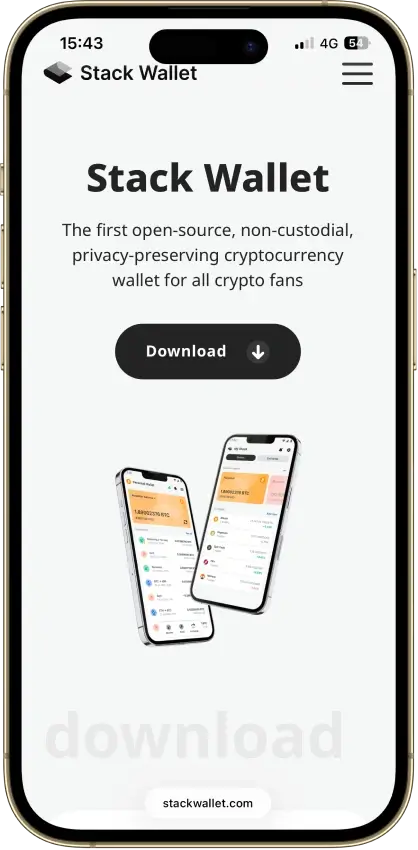
Stack Wallet Screenshots
Stack Wallet Pros and Cons
Pros
- Fully open-source across the product, which lowers black-box trust compared with wallets that open only parts of the stack.
- Supports a wider mix of privacy coins and smaller networks than most mainstream hot wallets, including Monero, Firo, Epic Cash, Wownero, Namecoin, and Xelis.
- Available on iPhone, iPad, Android, Windows, macOS, and Linux, with Android downloads through Google Play, direct APK, and F-Droid, so users can stay with one wallet family across devices.
- Lets users connect to Stack Wallet nodes, approved third-party nodes, or their own nodes, which gives more control over privacy and sync behavior.
- Built-in swaps reduce the need to move funds into a separate exchange app for simple asset conversions.
Cons
- No dApp browser, WalletConnect flow, or extension support, so it is a weak fit for DeFi, NFT activity, and web3 usage.
- No hardware wallet integration, which limits cold-storage workflows for users who want offline signing.
- Stack Wallet Backup is useful for restoring a full Stack setup, but it does not work as a standard backup format in other wallets.
- Built-in swaps rely on third-party providers, so execution, pricing, availability, and any KYC checks sit outside the wallet itself.
- Some supported assets and privacy features are niche enough that beginners may still need to understand nodes, sync modes, or chain-specific behavior.
What sets it apart is the mix of fully open-source code, custom node support, and stronger privacy-coin coverage than most wallets in this category. The trade-offs are straightforward: no dApp browser, no built-in hardware wallet support, and Stack Wallet Backup is a custom Stack-only backup format that other wallets cannot read.
Who Stack Wallet Is Best For — And Who Should Skip It
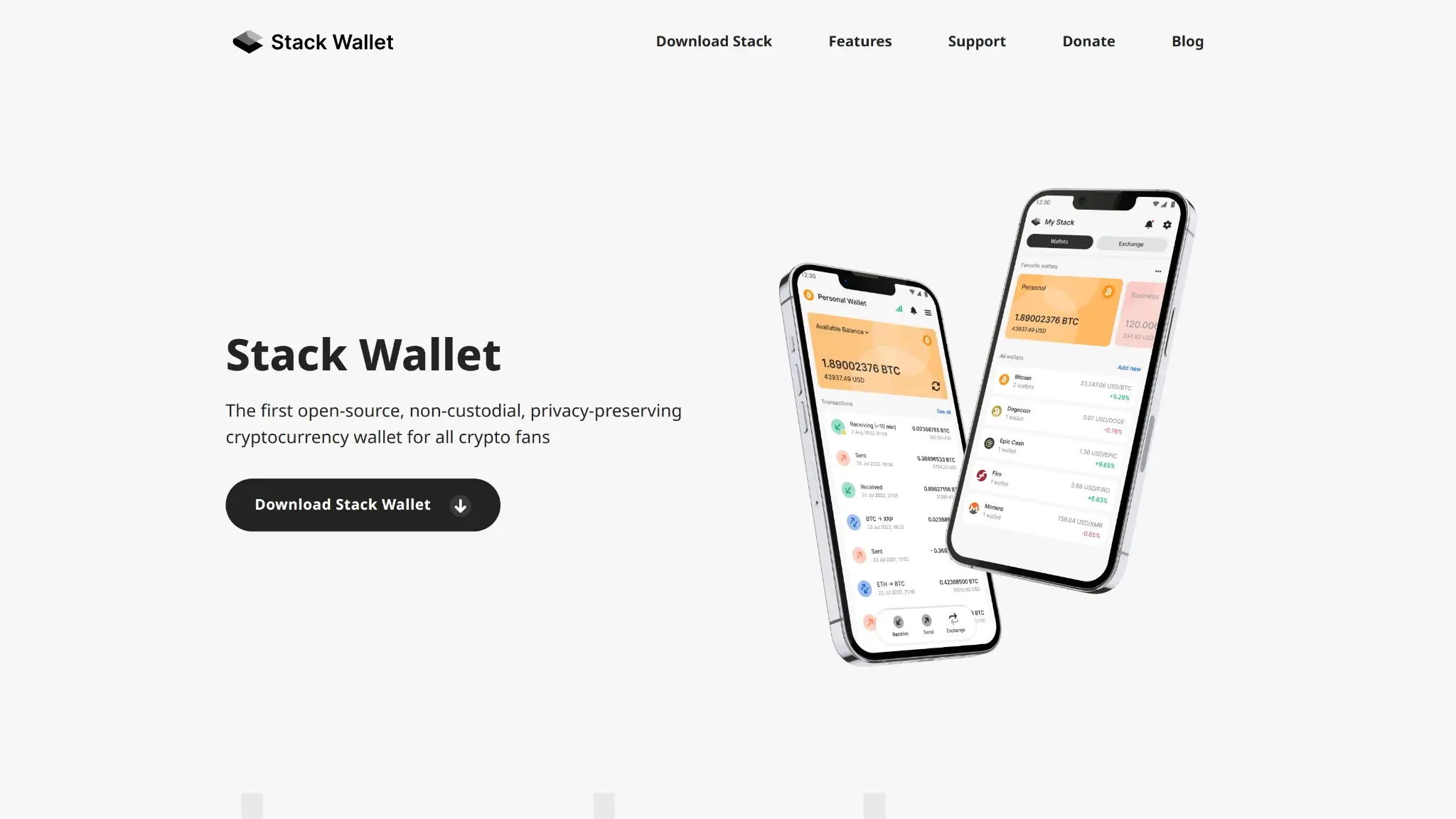
Stack Wallet fits people who want one app for several separate wallets rather than one web3 hub. It works best for holders who split funds across Bitcoin, Monero, Litecoin, and other supported coins, move money only when needed, and want the option to use their own node instead of relying on the default network path.
It is a poor fit for users who expect one backup format that moves cleanly across multicoin wallets or want their wallet to double as a DeFi tool. Buyers who want Ledger or Trezor pairing, browser-based dApp sessions, or account-style recovery will run into those limits early.
| Best Fit | Why It Fits | Who Should Skip It | Why They Should Skip It |
|---|---|---|---|
| Privacy-focused holders | Custom node support and strong coverage for Monero and other privacy-oriented coins align with privacy-first use | Active DeFi users | There is no WalletConnect, browser extension, or dApp workflow |
| Users who hold niche assets | Asset support goes beyond the usual Bitcoin, Ethereum, and Solana mix | Hardware-wallet buyers | There is no built-in pairing with Ledger, Trezor, or similar devices |
| People who want one wallet family across phone and desktop | Native apps span mobile and desktop operating systems | Users who want portable multicoin backups | Stack Wallet Backup is not interoperable with other wallet apps |
| Users who want full key control without account signup | Keys stay on the device and wallet-level KYC is not required | Users who want app-based recovery help | Recovery still depends on seeds and backups the user manages |
| Users who want occasional in-app swaps | Built-in exchange access is convenient for basic conversions | Fee-sensitive traders | Swap pricing and extra wallet-side fees can make repeated conversions less attractive |
What Is Stack Wallet And How Does It Work?
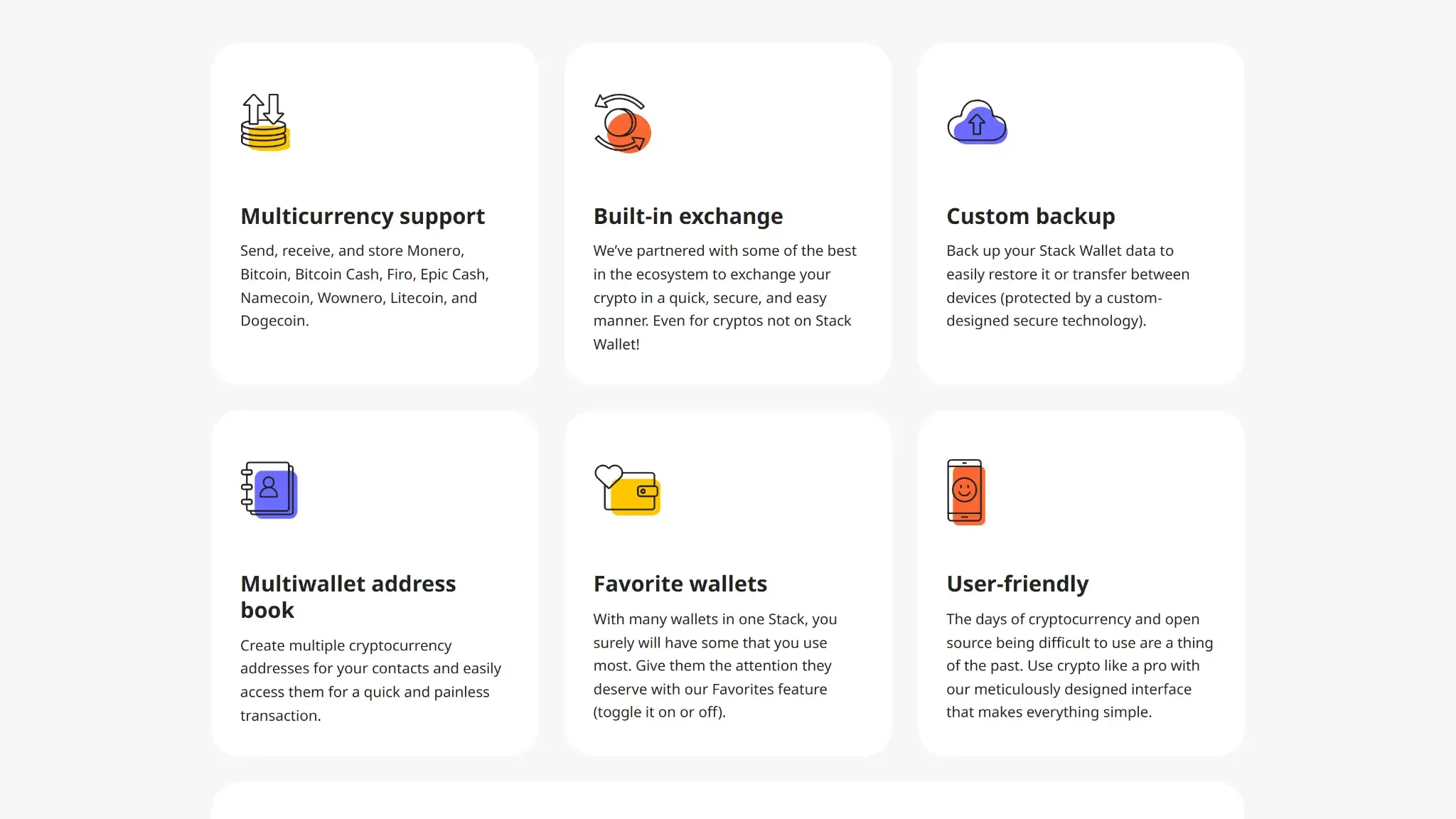
Stack Wallet is a hot software wallet for mobile and desktop. It runs on iPhone, iPad, Android, Windows, macOS, and Linux. On Android, the app is available through Google Play, direct APK, and F-Droid.
At a practical level, here is how it works:
- Users create or restore separate wallets for each supported coin.
- It is a self-custody product, so private keys stay on the user’s device rather than with a company account.
- Each wallet has its own recovery phrase.
- Stack Wallet Backup is an extra convenience tool for restoring a broader in-app setup.
- That backup system is not a standard format that other wallets can read.
- Users still need to keep each seed phrase safe.
- Transaction approval happens inside the app on the device the user controls.
- For network access, the wallet can auto-connect to Stack Wallet’s nodes, use listed third-party nodes, or connect to user-run infrastructure where supported.
Stack Wallet works best as a multi-asset wallet for people who manage several separate balances rather than one master account. The address book and favorites tools reduce friction once you are sending to the same people or returning to the same wallets often.
Some features are more useful for testing and edge cases than for casual use. Testnet mode can help users verify flows before moving real funds, while automatic SegWit handling on Bitcoin keeps the default experience cleaner without asking users to choose technical address formats.
The swap tool is best treated as a convenience feature, not the main reason to pick the wallet. For occasional conversions, it saves time, but for larger or repeated swaps, users should treat it as a third-party service with its own pricing, region limits, and possible identity checks rather than as a core wallet function.
Wallet Type, Custody and Recovery Model
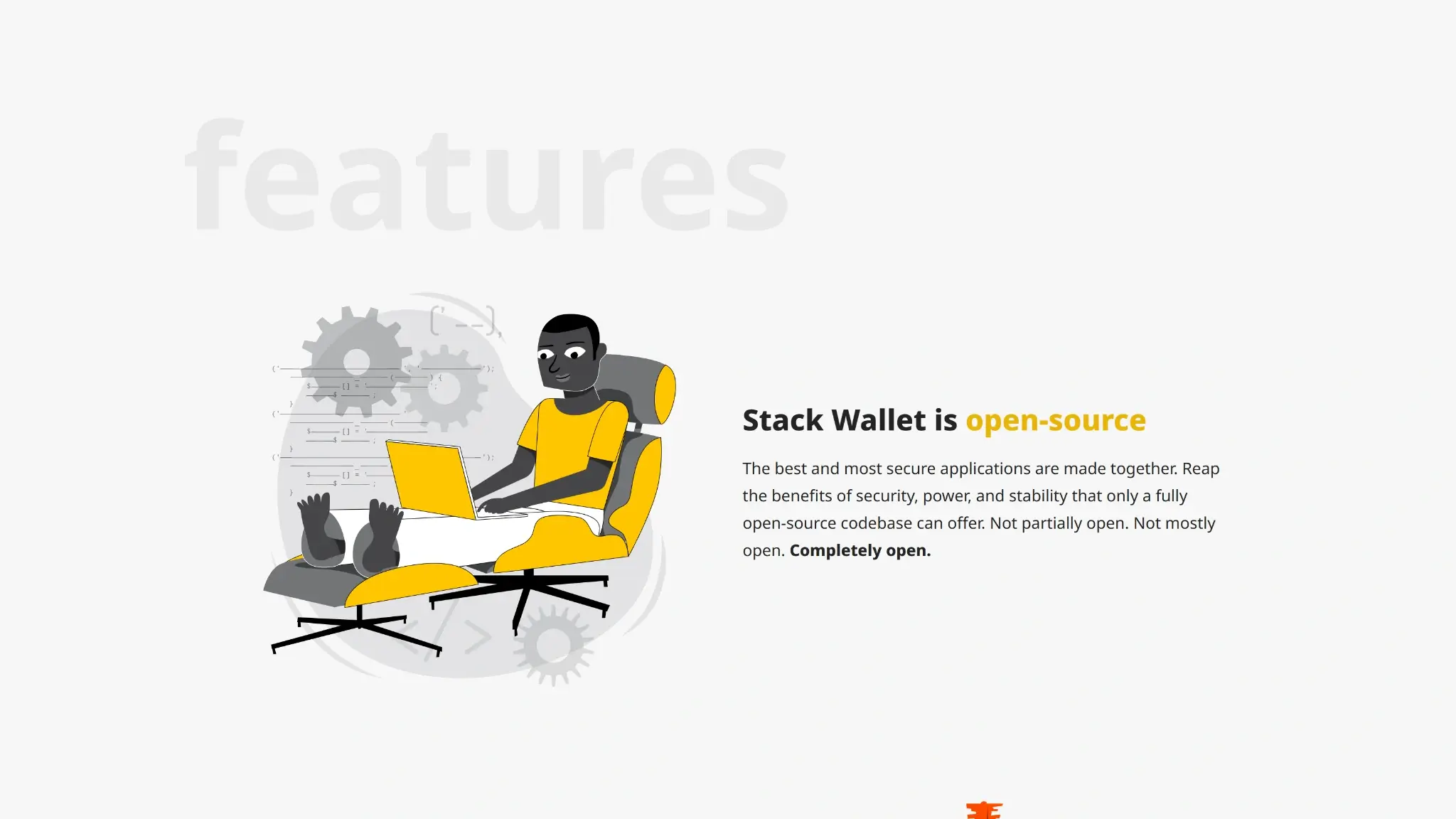
Stack Wallet is a non-custodial software wallet, so the user controls the keys and the app does not hold funds on the user’s behalf. An important detail to remember is that recovery works wallet by wallet, not through one universal account layer, which makes control stronger but also makes backup discipline more important.
That structure gives users real portability at the coin level, but not perfect portability at the app level. Individual wallets can be restored from their own recovery phrases, while Stack Wallet Backup is mainly a convenience tool for restoring a Stack setup faster and cannot be treated as a standard backup that other wallets will understand.
The key point is simple: Stack Wallet follows the usual self-custody rule, so control and responsibility stay together. That is good for users who want clear ownership and do not want a provider in the middle, but it is unforgiving if backups are weak. Anyone choosing it should treat Stack Wallet Backup as an extra restore shortcut, not as a replacement for properly stored seed phrases.
Supported Assets, Networks and Compatibility
Stack Wallet supports a broader mix of assets than many hot wallets that focus only on major ecosystems. Its coverage is strongest for users who want Bitcoin plus privacy-oriented and smaller-cap networks in one place, not for users who want the broadest token universe, deep Ethereum ecosystem tooling, or constant web3 connectivity.
This is a coin-first wallet, not an ecosystem-first one. That is useful for holders who want several distinct chains inside one self-custody app, especially when those chains are often ignored by mainstream wallets. Users who need deep token support, web3 sessions, NFT handling, or hardware-wallet compatibility will hit the limits quickly.
Core Features and Real-world Use Cases
Compared with other privacy-focused self-custody wallets, Stack Wallet covers a wide range of assets, supports custom nodes, and includes built-in partner swaps. But it still is not an active on-chain hub. There is no dApp connectivity, no staking suite, no NFT tooling, and no smart-account layer.
| Feature Area | What Users Can Do | How It Works In Practice | Key Limitations, Costs, Or Risks |
|---|---|---|---|
| Swaps And Trading | Swap supported assets and convert into other coins through in-app partners | Users go through a basic conversion flow inside the wallet, send funds to a third-party swap provider, and receive the destination asset back into a wallet they control | Pricing visibility is limited compared with dedicated swap tools, extra provider fees apply, settlement times depend on the partner, and some regions may face availability or identity-check limits |
| Staking And Earn | No generic staking suite; Firo masternodes are supported as a chain-specific advanced feature. | There is no native staking, delegated staking, or wallet-level yield feature | Users who want staking rewards need a different wallet or an external platform, which adds transfer steps and extra operational risk |
| DApp Access And Connectivity | Not Available | There is no WalletConnect flow, browser extension, or in-app web3 browser for connecting to decentralized apps | This sharply limits use for DeFi, NFT markets, on-chain gaming, and ecosystem apps that depend on wallet sessions |
For day-to-day self-custody, the wallet handles the basics well. Users can hold several coins, move funds, manage contacts, and stay in control of node choice, while the swap feature offers a convenient way to make occasional conversions. Once users want yield, cross-chain workflows, token-heavy ecosystem activity, or constant dApp use, Stack Wallet starts to feel more like a storage and transfer tool than a main workspace.
Holding keys on-device, creating wallets, restoring from seed, and broadcasting transactions are all native wallet functions. Swaps are different because they depend on outside providers with their own pricing, rules, and service quality. The result is a wallet that feels clean and focused for self-custody and routine sends, but limited once users want broader on-chain activity.
Fees and Total Cost of Ownership
Stack Wallet is cheap to start using because the wallet itself is free and there is no subscription tier. The main costs appear only when users move funds on-chain or use partner services inside the app, which means the real cost profile depends more on user behavior than on the wallet download itself.
| Cost Component | What Users Pay | When It Applies | Notes |
|---|---|---|---|
| Device Or Wallet Price | Free | One-Time Download | No account fee or paid tier |
| Shipping And Import Costs | Not Applicable | Not Applicable | Software wallet, so there is no hardware order cost |
| Network Fees | Variable | Sends And Swap Funding | Chain dependent and paid to miners or validators, not to the wallet |
| Swap Spread Or Routing Fee | Swaps can include third-party provider fees plus a small Stack Wallet fee | Swaps | Final swap cost can vary by provider, asset pair, quoted rate, and market conditions |
| On-Ramp Fee | N/A | Not Applicable | No wallet-native fiat buy flow is disclosed |
| Withdrawal Fee | Not Applicable At Wallet Level | Not Applicable | Non-custodial wallet; outbound sends still require network fees |
| Subscription Or Premium Fee | None | Not Applicable | No premium feature tier |
For most users, that makes Stack Wallet cheap to hold and use for standard sends, but less predictable for swaps. The main friction is not a monthly fee or device cost. It is that partner swaps bundle provider pricing, provider rules, and an extra wallet fee into one flow, so repeated conversions can cost more than they first appear.
Security Architecture and Trust
Stack Wallet keeps keys on the user’s device and leaves custody with the user, which is the right starting point for a software wallet. The limits are clear too: there is no hardware isolation, no company that can step in to recover access, and no publicly disclosed formal audit or bug bounty program.
Private keys, seeds, backup files, and wallet passcodes stay on the user’s device, while transaction signing happens inside the app on that local device. In practice, users review and approve sends in software on the same phone or computer they use to operate the wallet, not on a separate trusted screen. A local wallet passcode is part of the model. That gives users direct control, but it also means the security boundary is the phone or computer itself. If the device is compromised, poorly backed up, or handled carelessly, there is no outside custodian to reverse the damage.
Open-source code helps, but it is not the same as outside security validation. There are also acknowledge software risk, server outages, and inaccurate displays during failures. That is useful because it spells out where things can break instead of suggesting hot-wallet risk can be designed away.
Stack Wallet works best as a transparent self-custody tool with good backup discipline and careful node selection, not as a hardened vault for users who want formal certification, hardware-backed signing, or recovery help from a provider.
Backup, Recovery and Loss Scenarios
Recovery is where Stack Wallet becomes less forgiving than account-based wallets. The app gives users direct control, but support cannot step in with reset links, identity checks, or cloud-managed recovery. If the backup plan is weak, the rest of the wallet’s features matter a lot less.
The important distinction is between seed-based recovery and Stack Wallet backup. Seed phrases are the real recovery anchor for each wallet and are the most portable option. Stack Wallet backup can make a Stack-to-Stack restore faster, but it is a convenience layer inside the product, not a substitute for properly stored seeds.
| Loss Scenario | What The User Can Do | What Support Can Help With | When Loss Is Permanent |
|---|---|---|---|
| Lost Phone Or Tablet | Restore each wallet on a new device with its recovery phrase, or use Stack Wallet Backup if that file is available and intact | Support can explain the restore steps and basic troubleshooting | Loss becomes permanent if neither the seed phrase nor a usable backup survives |
| Broken Device | Install the app on another supported device and restore from seed or Stack Wallet Backup | Support can help with process guidance, not with recovering keys from the broken device | Funds are permanently inaccessible if the device fails and no recovery data exists |
| Forgotten PIN Or Local App Password | Reinstall or reset the app and restore the wallet from seed if local access cannot be recovered | Support can clarify the recovery path but cannot bypass device-level or app-level protection | Loss becomes permanent if the only copy of the wallet was on the locked device and the seed is gone |
| Lost Seed Phrase But Device Still Works | Move funds to a new wallet and create a new backup set before anything happens to the current device | Support can explain wallet migration, but cannot recover or recreate the missing seed | Loss becomes permanent once the device is lost, reset, corrupted, or no longer accessible |
| Lost Stack Wallet Backup File | Use the individual seed phrases for each wallet instead | Support can explain the difference between backup methods | Loss is not permanent if the seed phrases still exist; the backup file is only a convenience layer |
| Lost Seed Phrase And Lost Backup File | None beyond keeping the current device secure and moving funds immediately if access still exists | Support cannot recover keys, seeds, or account access because the wallet is non-custodial | Permanent loss begins the moment the live device becomes unusable |
| Cloud Restore Or Synced Recovery | Not Supported | Support cannot provide account-style restore because there is no synced provider account | Users should not expect automatic recovery from email, cloud login, or a provider dashboard |
TL;DR: Stack Wallet support can explain the steps, but it cannot recover access. The wallet is recoverable only if the user kept the seed phrases or a working Stack Wallet Backup file. Readers who want provider-led recovery will not get it here.
UX, Performance and Platform Support
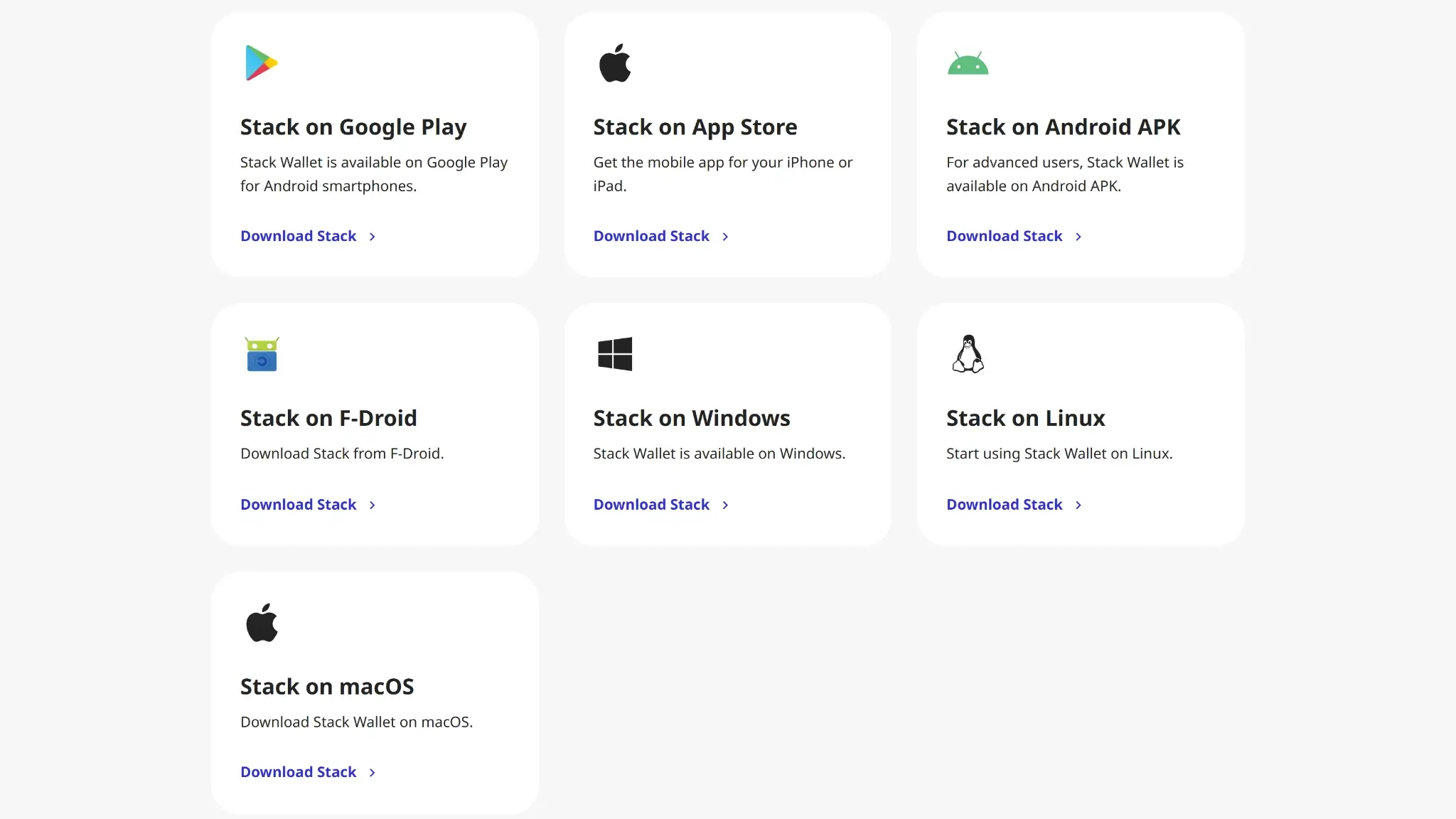
Stack Wallet is easier to use than many privacy-focused self-custody wallets, but it still expects users to understand what they are doing. The interface is cleaner than many open-source wallets with similar asset coverage, and the mobile-plus-desktop availability helps, but the experience is still built around coin management rather than around a universal account, guided web3 flows, or simplified recovery.
Beginners get useful shortcuts like auto-connect nodes, favorites, address book support, and simple swap flows. More advanced users still get custom node selection and testnet access. Signing is straightforward for normal sends because approval happens inside the app and stays close to the send flow, but there is no separate hardware screen or extra confirmation layer to catch mistakes. What is missing are the extra guardrails found in hardware-backed or more heavily guided products.
| Platform | Availability | Notes |
|---|---|---|
| iOS | Yes | Native app on iPhone and iPad with the same self-custody model as other platforms |
| Android | Yes | Available through Google Play, direct APK, and Stack Wallet’s own F-Droid repository, which gives Android users more install options than many rivals. |
| Browser Extension | No | No extension-based wallet flow for desktop dApps or browser-native web3 use |
| Desktop | Yes | Native apps for Windows, macOS, and Linux support the same core wallet functions as mobile |
| Web App | No | No browser-based account portal or web wallet |
Across platforms, the wallet’s parity is solid for core self-custody actions. Users can create wallets, restore them, send and receive coins, manage contacts, and use swaps without being pushed into a different product family for desktop. That matters most for people who actually move between phone and computer, because they are not forced into a separate wallet just to use desktop.
Performance depends partly on the asset and node setup, so speed is not always fully under the wallet’s control. Auto-connect can make first use easier, but users who care about privacy or sync reliability may still end up tuning node settings themselves. The wallet has continued to add supported assets and platform builds, which points to ongoing maintenance. Even so, the overall UX still favors users who are comfortable reading prompts carefully and managing their own backups instead of relying on guided recovery.
Customer Support, Documentation and Incident Handling
Stack Wallet is stronger on documentation and community channels than on high-touch support. Users can usually get setup help, restore guidance, and product explanations, but they should not expect account-style intervention, fund recovery, or transaction reversal.
Docs help users avoid mistakes before they happen. Human support mostly explains setup, restore, and troubleshooting steps after a problem appears. Once a transfer is signed and sent, or once a seed phrase is lost, support cannot undo the outcome.
| Channel | Availability | Typical Use | Notes |
|---|---|---|---|
| Help Center | Limited | Docs, setup, troubleshooting | FAQ-style guidance exists, but documentation depth is lighter than a large exchange or hardware-wallet support center |
| Live Chat | No | Urgent support | No live chat channel |
| Email Or Tickets | Yes | Technical issues, recovery guidance, general support | Support email is available, but no response window |
| Status Page | No | Outages and incidents | No dedicated public status page |
| Community Channels | X, Reddit, Telegram, and other social channels | Announcements, peer help, product discussion | Community channels are useful for updates and informal help, but they are not a substitute for recovery authority |
This support setup works only if users understand its limits. Stack Wallet can explain how to restore a wallet, switch nodes, or troubleshoot sync issues. It cannot recover a lost seed phrase, reverse an on-chain transfer, or restore access through identity checks. That puts more weight on clear docs than on human support.
Final Verdict
Stack Wallet is for people who want one open-source, non-custodial app across phone and desktop, particularly if they hold Monero, Firo, Epic Cash, or other privacy-oriented coins alongside Bitcoin. Full open-source code, local key storage, custom node support, and no wallet-level KYC are the main draws. The gaps are just as clear: no hardware wallet support, no dApp connectivity, and Stack Wallet Backup only works inside the Stack ecosystem, so seed phrases are still the real recovery anchor. There is no publicly disclosed audit or bug bounty program either. If you want a transparent self-custody wallet with broader niche-asset coverage than most mainstream hot wallets, it earns its place. If you need DeFi access, hardware-backed signing, or portable multicoin backups, it will frustrate you quickly.
Fully open-source, non-custodial wallet with local key storage, Broad support for privacy-focused and niche assets across mobile and desktop, Built-in swaps and custom node support without wallet-level KYC
Why it stands out
- Fully open-source across the product, which lowers black-box trust compared with wallets that open only parts of the stack.
- Supports a wider mix of privacy coins and smaller networks than most mainstream hot wallets, including Monero, Firo, Epic Cash, Wownero, Namecoin, and Xelis.
- Available on iPhone, iPad, Android, Windows, macOS, and Linux, with Android downloads through Google Play, direct APK, and F-Droid, so users can stay with one wallet family across devices.
- Lets users connect to Stack Wallet nodes, approved third-party nodes, or their own nodes, which gives more control over privacy and sync behavior.
- Built-in swaps reduce the need to move funds into a separate exchange app for simple asset conversions.
What to consider
- No dApp browser, WalletConnect flow, or extension support, so it is a weak fit for DeFi, NFT activity, and web3 usage.
- No hardware wallet integration, which limits cold-storage workflows for users who want offline signing.
- Stack Wallet Backup is useful for restoring a full Stack setup, but it does not work as a standard backup format in other wallets.
- Built-in swaps rely on third-party providers, so execution, pricing, availability, and any KYC checks sit outside the wallet itself.
- Some supported assets and privacy features are niche enough that beginners may still need to understand nodes, sync modes, or chain-specific behavior.
Disclaimer: CryptoSlate may receive a commission when you click links on our site and make a purchase or complete an action with a third party. This does not influence our editorial independence, reviews, or ratings, and we always aim to provide accurate, transparent information to our readers.