
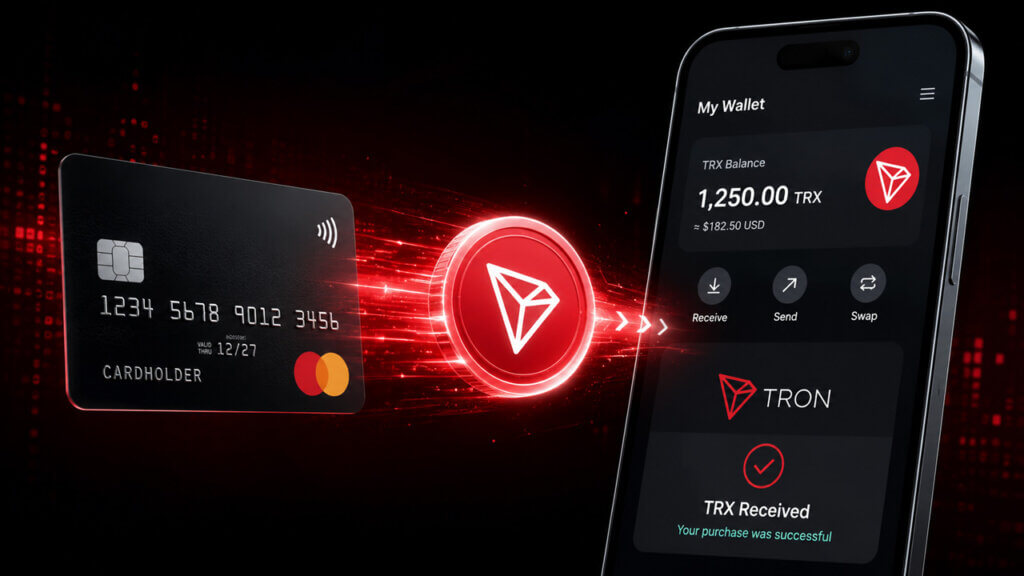
Overview
Introduction
TRX is the native coin of the TRON network, and every fee on TRON is paid in TRX, either burned at the time or staked in advance for network resources. That includes the cost of sending USDT, Tether's dollar stablecoin, which circulates on TRON under the TRC-20 token standard.
A new wallet address doesn't exist on-chain until an existing account activates it by sending TRX. A USDT transfer also needs Energy, which a wallet with no TRX and no Energy can't pay for. Miss either rule, and a transfer can fail or leave tokens stuck until you top up with native TRX.

How to Buy TRON (TRX)
Which buying route suits you depends on your country, how you plan to pay, the fees you'll accept, and whether the TRX will stay on a platform or move to a wallet you control.
Beginner-friendly crypto exchanges keep the steps short for a first purchase. A swap saves adding a new payment method if you already hold crypto, and a wallet-app purchase puts TRX straight into self-custody.
The table sums up the coin, with each attribute beside its value.
- Asset
TRON
- Ticker
TRX
- Asset type
Native Layer 1 coin
- Network
TRON
- Address format
Base58Check, starting with T
- Main transfer risk
The wrong network version of TRX
- Wallet setup
Activation before first use
TRON uses an account model, so a single T-address can receive, hold, and send TRX alongside USDT and other TRON tokens.
Where to Buy TRON (TRX)
Platforms to compare include Kraken, OKX, Crypto.com, Bitpanda, Gemini, Bitstamp, MetaMask, Trust Wallet, TronLink, and Ramp Network. Each one sets its own rules for who can buy, which payment methods work, and which withdrawal routes are open.
The table sets each type of route beside who it suits and what to watch.
| Route | Suits | Watch for |
|---|---|---|
| Centralized exchange | Beginners, bank transfers, larger buys | Verification, and custody until you withdraw |
| Instant buy | Fast card purchases | Wider spreads and payment fees |
| Wallet app | Buying into self-custody | Providers, fees, and networks that vary |
| Crypto swap | Users who already hold crypto | Network and wallet setup |
| Decentralized exchange | Self-custody users on TRON | Energy, Bandwidth, and slippage |
The Easiest Way to Buy TRON (TRX)
The purchase flow looks much the same from one platform to the next.
- Choose a platform that supports TRON in your country.
- Create an account, or open your wallet app.
- Add a payment method or deposit crypto.
- Search for TRON or TRX.
- Review the final quote.
- Confirm the purchase.
- Keep the TRX on the platform or withdraw it to a wallet.
Step five is the last point where you can still compare prices. Look at the final TRX amount, the platform fee, the spread, any payment fee, the withdrawal fee, the network fee, and any withdrawal hold. As of Nov. 19, 2026, Kraken charges a 1% trading fee on instant and recurring trades, and its instant-buy price includes a spread, the gap between the market rate and the rate you receive.
The Cheapest Way to Buy TRON (TRX)
A card purchase can add a payment fee on top of the trading fee and the spread. A bank transfer to an exchange followed by a spot order leaves the card charge out, though the transfer takes longer to settle. Wallet on-ramps add a third quote to compare.
MetaMask's buy quote includes the provider's processing fee, the network fee, and, as of Nov. 19, 2026, MetaMask's own 1% fee. MetaMask gathers the quotes, and the provider completes the purchase. Trust Wallet's TRX fees come from on-ramp partners such as MoonPay and Ramp Network, and they change with the payment method and your region.
TRON Markets
| Pair | Market details | ||||
|---|---|---|---|---|---|
| 1 | TRX/USDT | $0.30438 | Vol (24h) $17.89M | ||
| 2 | TRX/USDC | $0.30435 | Vol (24h) $1.4M | ||
| 3 | TRX/KRW | $0.30847 | Vol (24h) $1.58M | ||
| 4 | TRX/USDT | $0.30366 | Vol (24h) $6.09M | ||
| 5 | TRX/USDT | $0.30359 | Vol (24h) $2.05M | ||
| 6 | TRX/USDT | $0.30358 Best price | Vol (24h) $3.15M | ||
| 7 | TRX/USDT | $0.30369 | Vol (24h) $2.95M | ||
| 8 | TRX/USDT | $0.30359 | Vol (24h) $4.3M | ||
| 9 | TRX/USDT | $0.30369 | Vol (24h) $7.42M | ||
| 10 | TRX/USDT | $0.30429 | Vol (24h) $8.35M |







CryptoSlate may receive a commission when you click trading links on this page and complete an action with a third party. This does not influence our editorial independence or coverage. Read disclosure
The table lists each cost to compare, with what sets it.
- Deposit fee
The funding method, with bank transfers slower to settle
- Trading fee or spread
The order type, with spot orders easier to compare
- Withdrawal fee
The platform, when TRX leaves it
- Network resources
Bandwidth on every TRON transaction, Energy on contract calls
- Currency conversion
Paying in a currency the pair isn’t quoted in
Paying a little extra for speed may be fine on a small first buy. On a larger one, get a bank-funded exchange quote, a card quote, and a wallet-provider quote, then compare the TRX each one delivers.
How to Buy TRON (TRX) with a Debit Card or Credit Card
Card checkouts are the quickest route to TRX, and their quotes can fold a payment fee, a platform fee, a spread, or a third-party provider charge into one price.
A platform may accept debit cards and turn away credit cards. Some card issuers also decline crypto purchases, code them as a cash advance, or add their own charge. Kraken opens card purchases to accounts with Intermediate or Pro verification in a supported country, using a Visa or Mastercard with 3D Secure in the account holder's name.
The table lists what to confirm before paying by card, with the detail to look for.
- Card type
Debit, credit, Apple Pay, Google Pay, or third-party checkout
- Final TRX amount
What lands after fees and spread
- Issuer treatment
Possible cash-advance coding
- Withdrawal hold
A delay before card-funded TRX can leave
- Provider
The company behind a wallet’s checkout
OKX lists cards, bank transfers, PayPal, and Apple Pay on its European site, subject to regional availability. Ramp Network sells TRX for cards, Apple Pay, Google Pay, bank transfers, and local payment methods that change by country.
How to Buy TRON (TRX) with a Bank Transfer
Bank transfers make sense if you don't need TRX right away. Settlement can take a while, and some platforms hold withdrawals for a period after a fiat deposit, so check both the funding method and TRX trading support before sending money.
U.S. platforms may offer Automated Clearing House (ACH) transfers or wires, European platforms offer Single Euro Payments Area (SEPA) transfers, and other regions use local bank rails.
- Kraken takes bank wire, ACH, and credit or debit card funding for TRX purchases, with geographic restrictions.
- Gemini lists wires, bank transfers, ACH, Apple Pay, Google Pay, debit cards, and crypto transfers.
- Bitpanda, a broker regulated in Europe, lists TRX, and its funding options vary by country.
How to Buy TRON (TRX) with Crypto
If you already hold crypto, you can trade or swap it into TRX. Common starting points are USDT, Bitcoin (BTC), and Ether (ETH), or a route from fiat to a stablecoin and then to TRX, depending on the pairs a platform lists.
- Deposit or hold a supported crypto asset.
- Select a TRX trading pair or swap route.
- Review the rate, the fee, and the slippage.
- Confirm the trade.
- Keep enough TRX for future TRON network activity.
A swap touches two networks, the one your deposit travels on and the one where the TRX lands. A platform can trade TRX and still leave out some deposit or withdrawal routes for it, so check the deposit network, the pair, and the withdrawal network before you send anything.
MetaMask users can move funds to TRON through the built-in swap, a transfer from a centralized exchange, or an in-wallet purchase. A swap within TRON, such as TRX to USDT, needs Energy, and an account with neither Energy nor enough TRX can't complete it.
How to Check If You Can Buy TRON (TRX) in Your Country
Assets, payment methods, and withdrawals each have their own regional rules, and a platform's global page may not reflect what applies in your country, state, or region. Each check in the table is listed with what it covers.
- Regional support
Limits by country, state, or legal entity
- Local currency funding
Which of card, bank, and crypto deposits work
- TRX trading
Whether TRX is listed for your account
- Withdrawal support
A separate check from buying
- Network support
A withdrawal network that matches the wallet’s
- Verification level
Higher know-your-customer (KYC) tiers for some methods or limits
Kraken, Gemini, and Crypto.com all have TRX buying pages for U.S. customers, and Crypto.com says the products and services in its app are subject to jurisdictional limits. MetaMask's buy feature isn't available in every country or region either, so confirm availability inside the app before funding an account.
How to Buy TRON (TRX) Without Coinbase
Coinbase's TRON page states that TRON isn't tradable on Coinbase, so anyone looking for TRX there needs another platform. The table pairs each goal with the route to compare.
- Cost control
Bank-funded exchange trade
- Fastest buy
Card purchase or wallet on-ramp
- Self-custody
Wallet app, or an exchange withdrawal
- Already holding crypto
A swap into TRX
- Using the TRON network
TRX bought or withdrawn on TRON
Exchange alternatives include Kraken, OKX, Crypto.com, Bitpanda, Gemini, and Bitstamp, and Gemini also issues the Gemini Credit Card. Among wallets, Trust Wallet, MetaMask, and TronLink all hold TRX.
How to Buy TRON (TRX) on Kraken, MetaMask, Trust Wallet, and Other Platforms
Kraken
Kraken sells TRX with geographic restrictions, so check inside the account that TRX deposits and withdrawals on TRON are open to you before placing an order.
MetaMask
MetaMask supports TRON by default, so you can hold TRX, USDT, and other TRON assets in the same wallet. To buy, select Buy, choose the token and the TRON network, pick a payment method, and compare the provider quotes.
Trust Wallet
Select Buy, choose TRX, and enter the amount you want. After that, pick a third-party provider and a payment method, and finish the purchase in the provider's flow.
TronLink
TronLink is a self-custody wallet built for TRON. It supports TRX and TRC-10, TRC-20, and TRC-721 tokens, along with staking to obtain or delegate resources, so it fits users who stake, manage Energy and Bandwidth, or use TRON apps.
Other Exchange Routes
OKX, Crypto.com, Bitpanda, Gemini, and Bitstamp all sell TRX, each under its own regional rules.
Which Network Should You Choose for TRON?
For most buyers, TRX means native TRX on the TRON network, which TRON wallets, transfers, apps, and TRC-20 token activity all use. Some platforms also list network-specific or wrapped versions, so check which one you're withdrawing before you pick a network.
- Match the exchange's withdrawal network to the wallet's network.
- Confirm the wallet supports native TRX on TRON.
- Skip legacy or wrapped-network instructions unless the platform supports them.
- Send a small test transaction before a large transfer.
- Leave enough TRX for future transactions and resource costs.
- Save the transaction ID.
A new TRON address exists only on your device until it's activated, and until then, block explorers and APIs can't find it. Activation happens when an existing account sends the address TRX or a TRC-10 token. As of Nov. 19, 2026, the sender pays a 1 TRX account creation fee, plus 0.1 TRX if its staked or delegated Bandwidth can't cover the transaction.
A USDT transfer doesn't activate an address, so send TRX to a new wallet first.
Native TRX, Wrapped TRX, and TRC-20 Tokens
Native TRX on TRON pays transaction costs, can be staked, activates new accounts, and votes for Super Representatives (SRs), the elected accounts that produce TRON's blocks. A TRX-like token on another network may follow TRX's price, but it can do none of those things until it's bridged or swapped into native TRX.
The table sets each version beside what it is and where it's used.
| Version | What it is | Used for |
|---|---|---|
| Native TRX on TRON | TRON's own coin | Fees, staking, voting, TRON apps |
| TRC-20 USDT and other tokens | Tokens issued on TRON | Stablecoin transfers and TRON apps |
| Wrapped TRX | TRX represented on another network | Trading or decentralized finance on that network |
| Exchange TRX balance | TRX held in a platform account | Trading, selling, or a later withdrawal |
| Wallet-app quote | A provider's route into a wallet | Convenience and self-custody |
The receiving wallet, the withdrawal network, and the asset version are three separate checks. If any of them is wrong, the coins can land on the wrong network, sit in a balance that can't pay TRON costs, or stay stuck until you bridge them.
Where to Store TRON (TRX) After Buying
Exchange Custody
An exchange account is the simpler place to keep TRX if you trade often or prefer not to look after a recovery phrase. The platform holds the keys until you withdraw.
Self-Custody Wallet
A self-custody wallet puts the keys in your hands, along with the recovery phrase, the network choice, and every transaction approval. In return, you can stake, manage resources, and use TRON apps directly.
TronLink and MetaMask both hold TRX, and so do Trust Wallet, Atomic Wallet, and Exodus. CryptoSlate's list of TRON wallets compares them on TRC-20 support, staking, and custody.
Hardware Wallet
A hardware wallet keeps the private key on a separate device, which suits long-term storage, though you still pick the network on every transfer.
Ledger and Trezor both support TRX, and a Ledger device such as the Ledger Flex can also stake it and vote for SRs. Check the device maker's supported-asset page before withdrawing TRX to any hardware wallet.
How to Stake TRON (TRX) for Rewards and Resources
Staking TRX on TRON itself gives you voting rights and network resources. Exchange staking takes less effort, though the exchange holds the TRX, and a stake placed there creates no Energy or Bandwidth for your own wallet.
You choose whether each TRON stake produces Energy or Bandwidth, and you also receive TRON Power (TP), at 1 TP per staked TRX. TP is what you vote for SRs with, and those votes earn rewards.
The table compares four staking routes by who each suits and how rewards arrive.
| Route | Suits | Rewards |
|---|---|---|
| TronLink or TronScan | Native control, resources, and voting | Set by the SR, claimed by you |
| MetaMask Mobile | A simpler mobile flow | A rate shown in the app |
| Ledger | Hardware wallet holders | Set by the SR's policy |
| Kraken or another exchange | Convenience over wallet control | Weekly at Kraken |
Staking for Energy or Bandwidth
Stake for Energy if you'll send USDT or other TRC-20 tokens, swap on TRON, or use other smart contracts, because each of those calls a contract. Bandwidth fits wallets that mostly send plain TRX, and since every activated account gets a free daily allowance, an occasional sender may need little or no staked Bandwidth.
How to Stake TRX in a Wallet
- Buy native TRX on the TRON network.
- Move it to a wallet that supports TRON staking, such as TronLink, MetaMask Mobile, or a Ledger-backed TRON setup.
- Make sure the wallet is activated with native TRX.
- Open the wallet's staking, resources, or voting section.
- Choose whether to stake for Energy or Bandwidth.
- Confirm the amount of TRX to stake.
- Vote for an SR if the wallet asks you to vote manually.
- Check how rewards are claimed, paid, or compounded.
- Keep some TRX unstaked for fees, activation, or mistakes.
- Review the unstaking delay before locking a large amount.
As of Nov. 19, 2026, unstaked TRX waits 14 days before you can withdraw it, though you can start unstaking at any time. Unstaking also takes back the same amount of TP, from unused TP first and then from your votes in proportion.
How to Stake TRX on MetaMask
Staking works in MetaMask Mobile only, and the browser extension doesn't support it. Open the app, tap TRX, scroll to Stake or Stake More, choose the amount and a resource such as Energy, review the details, and confirm.
MetaMask shows staked TRX as sTRX, a balance you can view but can't send. After you unstake, the TRX stays locked for the same 14-day wait, and during it, the stake produces no Energy or Bandwidth.
How to Stake TRX with Ledger
The Ledger Wallet app lets you stake TRX and vote for an SR while the keys stay on the hardware device. Rewards depend on the SR you pick, so check its reward rate and commission, how rewards are claimed, and the unstaking rules in Ledger's current flow before you stake.
How to Stake TRX on an Exchange
An exchange stake involves no SR to pick, no resource to manage, and no transaction to sign. The exchange sets the terms and controls the payout schedule.
As of Nov. 19, 2026, Kraken's staking page lists TRX at a 1.79% annual percentage yield (APY) and 3.61% on bonded terms, with weekly payouts. Kraken calls these projected rates, estimated before commission and subject to change, and on flexible staking, it pays rewards on up to 50% of the TRX you choose to stake.
Common Mistakes When Buying TRON (TRX)
The table pairs each mistake with the habit that prevents it.
- Buying at the first quote shown
Compare card, bank, exchange, and wallet-provider costs
- Ignoring the withdrawal network
Match the exchange network to the wallet’s
- Sending wrapped TRX to a native TRX address
Confirm the asset and network first
- Using a new wallet before activation
Send a small amount of TRX first
- Forgetting resource costs
Keep a TRX buffer for Bandwidth and Energy
- Treating instant buy as cheapest
Check the spread as well as the fee
- Following old instructions
Use current official docs and platform steps
- Skipping a test transfer
Send a small amount first on large moves
The activation and resource rows are specific to TRON, and the rest apply to most crypto purchases.
TRON Fees, Energy, Bandwidth, and Why USDT on TRC-20 Can Get Stuck
TRON has no single gas fee. Every transaction uses Bandwidth, which pays for its size in bytes, and smart contract calls, including USDT and other TRC-20 transfers, use Energy as well, which pays for computation.
As of Nov. 19, 2026, each activated account gets 600 free Bandwidth that refills over 24 hours. Energy has no free allowance. It comes from staking TRX or from another account delegating it to you. When an account lacks enough of either resource, the network burns its TRX at 100 sun per unit of Energy and 1,000 sun per unit of Bandwidth, with 1 million sun to the TRX.
TRON's developer documentation puts a USDT transfer at about 64,000 Energy to an address that already holds USDT and about 130,000 Energy to one with a zero balance. The gap comes from storage, since writing a new balance costs more than updating one. USDT is also one of the heavily used contracts that TRON's dynamic Energy model charges more, and as of Nov. 19, 2026, it sat at the model's ceiling of 4.4 times the base cost.
On Nov. 19, 2026, a USDT transfer from a wallet with no staked Energy used 64,285 Energy and burned 6.43 TRX for it, plus 0.34 TRX for 342 Bandwidth. Staking for Energy removes the Energy burn. Stakers share a network-wide pool of 180 billion Energy in proportion to their stake, which came to about 9.65 Energy per staked TRX on the same date. So roughly 6,660 TRX staked for Energy covers one such transfer a day, as the Energy refills over 24 hours.
The sender pays for a transfer, so a wallet can receive USDT on TRON at no cost and still fail to send it. Sending from a wallet with no TRX, no Energy, and too little Bandwidth can fail or prompt for more TRX.
The table sets each action beside what pays for it and what to check first.
| Action | Paid with | Check first |
|---|---|---|
| Receive TRX | The sender's resources | An address starting with T |
| Receive USDT | The sender's resources | Activation before normal use |
| Send TRX | Bandwidth, or burned TRX | A small TRX balance |
| Send USDT or TRC-20 tokens | Energy and Bandwidth, or burned TRX | The wallet's fee preview |
| Swap on TRON | Energy and Bandwidth, or burned TRX | Enough TRX or resources |
| Stake TRX | Locked TRX that produces resources and TP | Energy or Bandwidth, by use |
Keep a small native TRX balance in any wallet you send TRC-20 tokens from, and check the wallet's fee preview, which shows the cost before you sign.
What one USDT transfer on TRON uses, and the TRX it burns without staked Energy
A USDT transfer on TRON uses about 64,000 Energy, or about 130,000 to a zero-balance address, plus about 342 Bandwidth, and without staked Energy the network burns TRX to pay.
Keep TRX in any wallet that sends USDT on TRON, or stake TRX for Energy if you send often, since the burn otherwise comes out of your TRX.
Energy per USDT transfer changes with the dynamic Energy model each maintenance period, and the docs give rounded figures. The zero-balance row assumes the same 342 Bandwidth. Burn rates are chain parameters that votes can change. Free Bandwidth also needs room in the network-wide free pool.
Sources and evidence
Sources
Supporting facts
- TRON developer documentation says a USDT transfer to an address with a USDT balance above zero uses about 64,000 Energy, and a transfer to an address with a zero USDT balance uses about 130,000 Energy, with the exact numbers moving with USDT's energy factor. [1]
- TRON developer documentation says writing a balance slot from zero to nonzero costs 20,000 Energy while updating a nonzero slot costs 5,000 Energy, which is one reason two transfers of the same token cost different Energy. [1]
- TRON developer documentation gives the Mainnet burn rates as 1,000 sun per Bandwidth and 100 sun per Energy, and says available Energy can cover part of a contract call with TRX burned for the remainder. [2] [3]
- TRON developer documentation says Bandwidth is paid from staked Bandwidth, then the free allowance of 600, and if neither covers the full transaction TRX is burned for the entire Bandwidth cost. [2] [3]
- TRON developer documentation says each account gets 600 free Bandwidth, Energy has no free quota and comes from staking or delegation, both resources recover gradually over 24 hours, and 1,000,000 sun equals 1 TRX. [3]
- A TronGrid receipt for a successful USDT transfer in block 88135128 on Nov. 19, 2026 shows 64,285 Energy used, an energy fee of 6,428,500 sun, a Bandwidth fee of 342,000 sun, and a total fee of 6,770,500 sun, or 6.7705 TRX, with no staked Energy or Bandwidth used. [4]
- Estimate. At about 130,000 Energy and 100 sun per Energy, a transfer to a zero-balance address with no staked Energy burns about 13 TRX for Energy, or about 13.3 TRX with the same 342 Bandwidth burned. [1] [2]
- With enough staked Energy for the transfer and free Bandwidth covering its roughly 342 Bandwidth, the transfer burns no TRX, and the resources used refill over 24 hours. [2] [3]
Method
Energy figures from TRON developer docs and a TronGrid receipt for a USDT transfer in block 88135128 on Nov. 19, 2026, captured 09:19 UTC. Burn equals Energy times 100 sun plus Bandwidth times 1,000 sun, over 1 million sun per TRX. 64,285 Energy is 6.4285 TRX, 342 Bandwidth is 0.342 TRX, total 6.7705. Zero-balance estimate 130,000 Energy is 13 TRX plus 0.342, about 13.3. Checked in Python, bars linear.
Scope
Energy per USDT transfer changes with the dynamic Energy model each maintenance period, and the docs give rounded figures. The zero-balance row assumes the same 342 Bandwidth. Burn rates are chain parameters that votes can change. Free Bandwidth also needs room in the network-wide free pool.
 CryptoSlate
Is Now a Good Time to Buy TRON (TRX)?
CryptoSlate doesn't give price views or investment recommendations, and the timing of a purchase is yours to decide. These are the points to weigh first.
- The total cost of the route you pick, from fees to spread
- How long you plan to hold, and whether you may need the money sooner
- How large a fall in TRX's price you could absorb
- Whether you need native TRX for fees and staking, or price exposure alone
- How volatile TRX has been, which the live TRON price chart shows
FAQs
Where can I buy TRON?
On centralized exchanges, instant-buy screens, wallet apps, on-ramp providers, and crypto swaps, wherever a platform supports TRX for your country. Hardware wallet apps sell it too. Ledger’s app, for example, sells TRX by card or bank transfer through third-party providers.
What is the easiest way to buy TRON?
An exchange or wallet app that sells TRX where you live, paid with a method already linked to the account. Identity verification can hold up a first purchase, so complete it before the day you plan to buy.
What is the cheapest way to buy TRON?
That depends on the platform, region, payment method, and order size, so compare final TRX amounts. Small orders get their own pricing at some platforms. As of Nov. 19, 2026, Kraken charges small instant trades a flat fee of up to $2 where its 1% rate would otherwise apply, and custom orders 1.5%.
Can I buy TRON with a credit card?
On some platforms, yes. Credit card support varies by platform, country, and issuer, and an issuer that treats the purchase as a cash advance can add a cash-advance fee and charge interest from the day of the purchase.
Can I buy TRON in the U.S.?
Yes, though availability also changes by state, so a platform that sells TRX in one state may not offer it in another. Check whether your account can buy, trade, and withdraw TRX before depositing USD.
Can I buy TRON without Coinbase?
Yes. If you hold other crypto on Coinbase, you can send it to an exchange that lists TRX and swap it there, as long as both platforms support the network you send it on.
How do I buy TRX on MetaMask or Trust Wallet?
In MetaMask, tap Buy and pick TRX on TRON. As of Nov. 19, 2026, users in the U.S. and some other regions see Transak’s quote first, with other providers a tap away. In Trust Wallet, the purchase goes through a third-party provider, which may ask for identity checks of its own.
What network should I use for TRX?
TRON. Native TRX addresses start with T, so an address starting with 0x belongs to an Ethereum-style network and can’t receive native TRX. Sending to the wrong network can delay crediting or make recovery difficult.
Why do I need TRX to send USDT on TRON?
A USDT transfer calls a smart contract, and the Energy for it has to come from somewhere. Staked TRX and burned TRX are two sources. The third is Energy delegated by another account, which exchanges and apps sometimes use to cover their users’ costs.
Should I stake TRX for Energy or Bandwidth?
Energy, if you’ll move USDT or use TRON apps, and Bandwidth, if you mostly send TRX. Each stake produces one resource, so covering both takes two separate stakes, in MetaMask and elsewhere.
Can I stake TRX on MetaMask?
Yes, in MetaMask Mobile. Besides Energy or Bandwidth, the stake earns extra TRX at the annual percentage rate (APR) the app lists.
Is TRON staking paid daily?
Voting rewards accrue to your account as blocks are produced, roughly every 3 seconds on TRON. They reach your spendable balance only when you claim them with a withdrawal transaction, and TRON allows one successful claim per account every 24 hours. Wallets and exchanges handle the claim differently, so the payout schedule depends on where you stake.
Can I use Trezor to store TRON?
Yes. As of Nov. 19, 2026, Trezor’s TRON page lists support on the Trezor Safe 3, Safe 5, and Safe 7. You manage the TRX in Trezor’s own app for desktop, web, and mobile, and you may need to activate the TRON account there before first use.
Why did my TRON transaction burn TRX even though I had Bandwidth?
Either the transaction also needed Energy, or your Bandwidth couldn’t cover it in full. Staked and free Bandwidth aren’t added together, so a transaction that needs 270 Bandwidth, sent from an account with 200 staked and 100 free, burns TRX for all 270.
Is TRX on Ethereum the same as TRX on TRON?
No. TRX began as an ERC-20 token on Ethereum before TRON moved to its own network, and Crypto.com’s TRON page says more than 99.19% of those ERC-20 tokens have since been burned. A TRX token on Ethereum or any other network can’t activate a TRON wallet, stake, vote, or pay TRON costs.
Can I buy TRON without KYC?
Card, bank, and exchange purchases on regulated platforms come with identity checks. A crypto-to-crypto swap from a wallet you already fund may need no new exchange account, though legal, tax, and platform rules still apply. Avoid peer-to-peer offers that skip basic protections.
Why is my TRON withdrawal pending?
A platform review, a withdrawal hold, network congestion, the wrong network, or an unactivated receiving address can each hold up a TRON withdrawal. Look up the transaction ID on TronScan, the TRON block explorer, and contact the sending platform if the transfer hasn’t been broadcast.