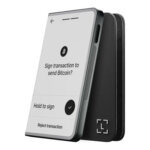




- Freeze selected outputs before spending
- Animated-QR offline signing workflow
- View-only monitoring with key-image imports
Feather Wallet Overview
- Crypto Wallet Name
- Feather Wallet
- Wallet Type
- Hot wallet (desktop)
- Custodial Status
- Non-custodial
- Built-in Swaps
- No
- Open-source
- Fully open-source
- Fiat On-ramp
- No
Additional details
- Platforms
- Desktop (macOS), Desktop (Windows), Desktop (Linux)
- Hardware Wallet Support
- Yes
- Staking Support
- None
- Supported Hardware Wallets
- Ledger, Trezor
- Hardware Connection Methods
- USB
Feather Wallet Pros and Cons
Pros
- Open-source code and build instructions
- Supports listed Ledger and Trezor models
- No developer cut of network fees
- Exports transaction history as CSV
Cons
- Monero only
- No mobile app on download page
- Initial sync is outside Tor by default
- Mac requirements conflict across docs
Feather Wallet at a Glance
| Detail | Feather Wallet |
|---|---|
| Wallet type | Self-custody desktop software for Monero |
| Custody | User-controlled keys in local wallet files |
| Platforms | Linux, Tails/Whonix, Windows and macOS |
| Source code | Open source under BSD-3-Clause |
| Assets | Monero (XMR) |
| New software-wallet backup | 16-word Polyseed |
| Other seed restoration | Older 14-word and standard 25-word Monero seeds |
| Connectivity | Remote or local node, configurable Tor and I2P |
| Signing choices | Software wallet, supported hardware device or separate offline computer |
| Cost | Free application, Monero network fees for transactions |
| Fiat purchase | Not disclosed |
| Swaps and staking | No atomic swaps in the feature matrix, not a staking wallet |
| Project | Community-funded, created by dsc and tobtoht. Jurisdiction not disclosed |
| US availability | Desktop packages are publicly downloadable. Country eligibility not disclosed |
| Current rating | 6.0/10 |
What Is Feather Wallet?
Feather is a community-developed Monero wallet created by the maintainers known as dsc and tobtoht. Development is supported through donations and the Monero Community Crowdfunding System. The project publishes its code, build instructions and documentation. It does not hold XMR for you in an exchange account.
Feather's New/Restore wizard creates a software wallet with a keys file and a separate wallet cache on your computer. Creating these local files requires no account registration or email verification.
Feather belongs among desktop self-custody crypto wallets and specializes in Monero transaction controls. It is neither a browser wallet for Ethereum applications nor a Bitcoin wallet.
Feather Wallet Security and Privacy
Local Keys and Verifiable Releases
Feather encrypts both the keys file and wallet cache with the wallet password. The cache contains records such as contacts and address labels, so protecting only the keys file does not preserve all your bookkeeping. In the usual online setup, the computer also holds the signing keys when the wallet is in use. File encryption does not turn that computer into a hardware signer.
The release process includes signed downloads and a Guix-based reproducible build system. A signature helps authenticate a release, while reproducing the build allows comparison with the published source. Neither amounts to a security audit of the whole application.
Tor Has a Synchronization Exception
Feather bundles Tor, but its default node setting switches to Tor after initial synchronization. Other network traffic uses Tor by default. A user who wants the remote-node connection routed through Tor during that first synchronization can choose Always instead. Connections to a local node are never routed through Tor by Feather.
The app initially selects a remote node at random from its curated list. Monero's download documentation confirms that Feather scans blockchain data on the user's device without sharing wallet keys with that node. Feather obtains block data and transaction-fee estimates from the selected node.
I2P is a separate option that requires running i2pd and selecting the I2P proxy setting. Feather also has network connections for price and network information, plus software updates. Keeping signing keys locally does not remove those connections.
The 2024 Sending Failure
On April 28, 2024, Feather versions up to 2.6.5 stopped constructing transactions when a Monero output-count limit was reached. The project's postmortem describes roughly five hours before the fix. Version 2.6.6 addressed that problem, but a startup regression on some systems then required 2.6.7. Monero Observer reported both releases. This was a documented sending and availability failure, not evidence of a theft incident.
Ledger, Trezor and Offline Signing
The current hardware guide lists Ledger Nano S, Nano S Plus, Nano X, Stax and Flex, alongside Trezor Model T, Safe 3 and Safe 5. It explicitly excludes Trezor Safe 7 because the required communication protocol has not been integrated into the Monero codebase. Support in another Monero app does not establish support in Feather.
For a supported device, Feather's setup wizard creates or restores a wallet file from the connected hardware. Ledger users open the device's Monero app before proceeding. This is a different setup route from entering a software-wallet seed into Feather.
Feather also supports signing with two computers. An online view-only wallet prepares a transaction, a separate offline wallet signs it, and the signed transaction returns to the online computer for broadcast. Animated QR codes or transferred files carry the data between them. The QR route requires scanning in both directions, and the offline screen is where you verify the transaction before signing. This optional setup takes additional equipment and handling.
Supported Assets and Platforms
Feather manages XMR on Monero. It does not hold Bitcoin, Ethereum, stablecoins on other networks or NFTs.
Official downloads cover Linux, Tails/Whonix, Windows and macOS. There is no Android or iOS release on the official download page. The listed Windows requirement is 10 or later.
Mac owners face conflicting documentation. The 2.8.1 download page says macOS 12 or later, while the current supported-operating-systems guide says 14 or later. Both Intel and Apple-silicon builds are listed. Check the requirement stated on the package you download.
Download, Setup and Recovery
The official Feather download page provides packages, PGP signatures and a signed hash list. On September 14, 2026, it still identified version 2.8.1, dated April 14, 2025, as the latest release.
To create a software wallet, open File → New/Restore and choose Create new wallet. Feather displays a 16-word Polyseed, then lets you name the wallet files and set a password. The seed belongs in a private offline backup, not in an email or a support conversation. Hardware-wallet users have a separate creation route in the same wizard.
Which Seed Does Feather Use?
New software wallets use 16 words. Feather can also restore the older 14-word scheme and standard 25-word Monero seeds. Polyseed includes a creation date that helps the wallet determine where to begin scanning. Although its words come from BIP39 word lists, that does not make it interchangeable with a Bitcoin or Ethereum wallet's recovery phrase.
Restoration asks for the relevant seed type and, where needed, a restore height or creation date. If a passphrase extension was used, that is part of the recovery information too. The wallet password protects local files, while the seed is the route back to funds after file loss.
What a Seed Backup Does Not Restore
Restoring the seed recovers the wallet's balance, accounts, subaddresses and transaction history. It does not reconstruct every local record. Feather specifically lists contacts, labels, transaction keys, descriptions and outgoing destination records among the information that seed restoration cannot recover. A person who needs those records should preserve the encrypted wallet files as well as the seed.
Support and Reporting
Support is available through the project's Matrix room, IRC, email and GitHub. Feather states that it has no official Telegram channel. Vulnerability reports have a private email route in its security policy.
Features That Matter in Daily Use
Coin Control
The Coins tab lets you select which outputs, or individual received amounts, are available to spend. Freezing an output excludes it from future wallet transactions until you thaw it. That can keep a particular receipt out of an automatic payment selection. It does not freeze XMR on the blockchain or stop a different wallet holding the same keys from spending it.
Other controls include manual input selection, output labels, sweeping selected outputs and sending to several destinations in one transaction. These are useful for organizing payments, but they add choices beyond entering a destination and amount.
View-Only Wallets and Payment Records
A view-only wallet can monitor incoming payments without the private spend key. It cannot correctly account for outgoing payments on that basis alone. Importing the associated key images allows it to identify spent outputs and calculate the correct balance.
Feather also supports transaction proofs and CSV history export. Those tools help with payment records, although the restore limitations above still apply if the original wallet files are lost.
Node Connection, Not Node Management
Feather can connect to a local Monero node that you operate or to a remote node. It does not include a local-node manager. Running and maintaining a node is therefore a separate job from using Feather's wallet interface.
Feather Wallet Fees
There is no charge to download Feather. Sending XMR incurs a network fee paid to the miner that includes the transaction in a block. The developers state that they take no share of that fee.
The default fee setting adjusts to pending network activity. Manual fee-tier selection can be enabled in transaction settings, adding a selector to the Send tab. Costs should be assessed from the transaction being prepared, not from a fixed dollar estimate: transaction composition and network conditions can change the amount.
Feather's feature matrix excludes atomic swaps and mining, and it is not a staking or DeFi wallet. An integrated fiat purchase service is not disclosed. Acquiring XMR elsewhere can involve that provider's fees and eligibility checks.
Who Should Use Feather Wallet?
Feather fits someone who already uses Monero on a desktop and wants control over how that wallet connects and spends.
- Choose it for selecting individual outputs or configuring a connection to your own node.
- Consider it for a two-computer setup that separates online monitoring from offline signing.
It is a poor match for someone who needs to carry one wallet for several assets on a phone.
- Choose a different app if mobile access or several cryptocurrencies are essential.
- Start with a simpler setup if you do not yet understand Monero synchronization, seed types or view-only balances.
Feather Wallet Alternatives
Monero GUI's advanced mode includes node management and blockchain pruning. Its Simple mode can use a remote node instead. Feather appeals more specifically through its selected-output controls and QR-based offline signing workflow.
For a phone-based alternative, Cake Wallet's mobile apps support Monero alongside assets such as Bitcoin and Ethereum and include an exchange function.
Final Verdict
Feather makes the most sense when a Monero user wants direct control over outputs and signing arrangements from a desktop. Its recovery and privacy settings deserve attention before funding: the new-wallet seed has 16 words, default synchronization is not fully Tor-routed, and a view-only wallet needs key images for spent-output accounting. Phone-first and multi-asset users should choose elsewhere.
Disclaimer: CryptoSlate may receive a commission when you click links on our site and make a purchase or complete an action with a third party. This does not influence our editorial independence, reviews, or ratings, and we always aim to provide accurate, transparent information to our readers.