



- Solo-mine XMR from inside the wallet
- Merchant page for receiving payments
- Pruning shrinks the full-node disk footprint
Monero GUI Wallet Overview
- Crypto Wallet Name
- Monero GUI Wallet
- Wallet Type
- Multi-platform wallet
- Custodial Status
- Non-custodial
- Built-in Swaps
- No
- Open-source
- Fully open-source
- Fiat On-ramp
- No
Additional details
- Platforms
- Android, Desktop (Windows), Desktop (macOS), Desktop (Linux)
- Hardware Wallet Support
- Yes
- Staking Support
- None
- Supported Hardware Wallets
- Ledger, Trezor
- Hardware Connection Methods
- USB
Monero GUI Wallet Pros and Cons
Pros
- Fully open source under BSD-3
- Simple mode gets you sending in minutes
- Official wallet maintained by the Monero Project
- Can run its own full Monero node
- Ledger and Trezor signing supported
Cons
- Monero only, no other coins
- Desktop only, no official mobile app
- Remote nodes can leak metadata
- 25-word seed differs from BIP-39
- Full node sync is a long first download
Who Monero GUI Wallet Is Best For — and Who Should Skip It
Monero GUI suits the XMR holder who wants the official, maximally verifiable way to self-custody the coin and will accept a desktop-only, technical product to get it.
Get it if any of these apply to you.
- XMR is a core holding and you want the Monero Project's own wallet
- You can run a local full node, or will use Tor/I2P over a remote one
- You want a wallet with no account or KYC and no company behind it
- You hold enough XMR to justify Ledger or Trezor signing
Skip it if any of these apply to you.
- You hold anything other than Monero
- You need a mobile wallet
- You want swaps and staking or fiat purchases inside the wallet
- You want a guided setup that makes the node decision for you
What Is Monero GUI Wallet and How Does It Work?
Monero GUI is the Monero Project's own desktop wallet, downloaded from getmonero.org and currently shipping as version 0.18.5.2 “Fluorine Fermi.” No company stands behind it, since the wallet is community-developed and volunteer-funded. That cuts both ways as a trust signal. No corporate owner can be acquired or subpoenaed for your keys, and nobody can pivot the product toward monetization, but there is also no support desk or legal entity to hold accountable. For the official wallet of a privacy coin, that structure is the point.
It runs on 64-bit Windows, macOS on both Intel and Apple Silicon, and Linux across the major distributions. There is no official mobile app, and anything on an app store claiming to be “Monero GUI” is a third-party product at best.
Security and Custody
Monero GUI generates and stores keys locally, and they never touch a server. The product has no account or email signup and no KYC anywhere. The full source code is public under the BSD-3 license, and releases ship with signed hashes you can check before installing. It sets the openness standard for every wallet we review, so a wallet we call partially open falls short of this one.
The node model is where privacy is won or lost, and it deserves more attention than the interface gives it. In Simple mode the wallet auto-connects to a remote node someone else runs, which gets you transacting in minutes. The cost is metadata, because a malicious or surveillance-operated remote node can log your IP address and link it to your transaction activity. The project hardened the wallet against such spy nodes in the 0.18.4.2 (August 2025) and 0.18.4.3 (October 2025) releases. The privacy-maximizing setup is Advanced mode running your own full node, with pruning available to shrink the disk footprint. If you cannot run a full node, route a compatible remote node through a Tor or I2P proxy to reduce IP-level exposure. Using an untrusted remote node over a bare connection leaks the metadata Monero exists to hide.
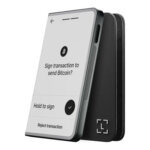
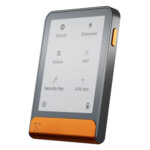
Ledger and Trezor devices can sign for larger balances, which takes the keys off the computer entirely.
The project fixes wallet and node security issues through regular releases, and the 2025 updates addressed malicious remote-node behavior. In November 2019 a compromised download of the command-line wallet was distributed through the project’s website, but that incident did not affect Monero GUI. Antivirus engines routinely flag the GUI download as malware. That warning is a long-standing false positive tied to the bundled mining code, so expect your antivirus to complain on first install.
Supported Chains and Assets
Monero GUI supports Monero and nothing else, so it holds no Bitcoin or Ethereum and no stablecoins or other tokens. That single-coin focus is deliberate and will not change. If XMR is what you hold, nothing here is missing.
Usability and Recovery
Recovery is the first thing to get right, because Monero does it differently. The wallet restores from a 25-word Monero mnemonic instead of the 12 or 24-word BIP-39 phrase nearly every other wallet uses. Every one of the 25 words is required and the format does not work with BIP-39 wallets. A newcomer who treats word 25 as optional or copies only 24 words ends up with an unrecoverable backup, so write down all 25 in order and keep them offline.
Day-to-day use is where Monero GUI asks the most of you, especially at setup. Simple mode gets a beginner sending and receiving quickly over a remote node, with the privacy cost covered above. Advanced mode exposes node management and mining controls alongside the full toolset, in an interface that is dense and unapologetically technical. Running your own full node means syncing the Monero blockchain, a long first download even with pruning enabled. Add the antivirus false positive at install and the unfamiliar seed format, and onboarding is rougher than in any mainstream software wallet. The wallet is translated into more than 30 languages, which helps, but the learning curve is built into the product.
Features
Monero GUI leaves out swaps and staking on purpose, along with any dApp browser or DeFi access. It has no fiat on-ramp either, and none of those features are on the roadmap, because each would bolt a third-party trust dependency onto a wallet built to have none. What you get instead is built for using XMR. A merchant page handles incoming payments, and the app shows fiat values next to your balance. You can solo-mine from the interface, sign with a hardware wallet and set up Tor and I2P connections for private node access. If in-wallet convenience features are the draw, pick a different wallet.
Cost
Monero GUI is free and has no subscription or premium tier, and no swap engine takes a spread. The only money you spend is the XMR network fee on each transaction, which goes to miners. Hardware is the hidden cost, because the privacy-optimal local full node needs disk space and uptime that not every user has to spare. Ledger or Trezor signing also means owning one of those devices.
Comparison with Other Wallets
-


Feather Wallet
Feather Wallet puts Monero on a desktop with controls for individual outputs, remote-node connections and offline signing. It supports no other cryptocurrency. Its appeal is the ability to decide how an XMR...
-

Monerujo Wallet
Monerujo is an Android wallet for people who spend Monero and want to choose the node their phone uses. It combines local key storage with tools for repeated payments, separate accounts and...
-

Cake Wallet
Cake Wallet brings Monero, Bitcoin and other networks into an account-free app with detailed payment and privacy controls. Those controls need attention: a shared seed is optional, Lightning has its own balance,...
Monero GUI covers one coin with no mobile version, and its full node needs a long first sync. The interface also assumes you already know what a node decision is. Our full wallet lineup has answers for XMR holders blocked by any of those, and these three are the closest fits.
- Feather suits users who want a lighter desktop Monero wallet with reproducible builds.
- Monerujo suits Monero users on Android.
- Cake Wallet suits users who want Monero alongside other chains on mobile.
Only Monero GUI is the Monero Project's own software, and that official status comes with public code and ongoing security updates. Pick an alternative if you need a phone in the loop or hold coins beyond XMR, or if you want a lighter desktop tool.
Crypto Wallets Pillar Scores
- Custody and key security 30% weight Who can authorize spending, protection of keys and signing, and independent access to every reviewed account type.9.5 / 10
- Security validation and track record 25% weight Independent security assessments, their coverage and findings, plus updates and the handling of known incidents.7.5 / 10
- Transaction safety and signing 20% weight Transaction details, signing warnings, scam checks, permission controls and the handling of unreadable requests.8.5 / 10
- Backup and recovery 10% weight Repeatable backup checks, complete restoration, recovery dependencies, costs and resilience after backup loss.8.0 / 10
- Usability, privacy and costs 10% weight Setup and everyday tasks, accessibility, support guides, data-sharing choices and device, service and transaction costs.8.0 / 10
- Assets, networks and compatibility 5% weight Asset and network support, devices, companion apps and connections needed for the uses covered in the review.9.0 / 10
Final Verdict
Monero GUI is the trust-and-openness gold standard for XMR because it is open source and non-custodial, and the Monero Project keeps it current with wallet and node security updates. Its limits are practical ones. It covers one coin on desktop only, and its seed format surprises newcomers. The interface also undersells how much the node decision matters for privacy, and installation starts with an antivirus warning. For the most trustworthy way to hold Monero on a desktop, use this wallet over your own node or Tor, with a hardware device signing anything sizable.
Disclaimer: CryptoSlate may receive a commission when you click links on our site and make a purchase or complete an action with a third party. This does not influence our editorial independence, reviews, or ratings, and we always aim to provide accurate, transparent information to our readers.