
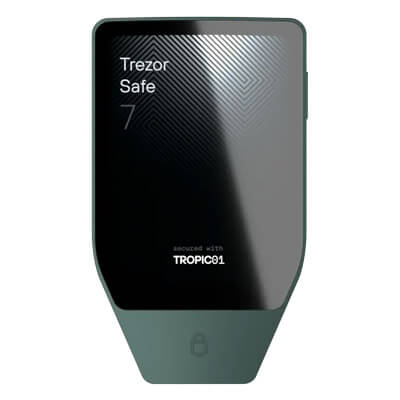
Trezor Safe 7 adds iPhone signing and a larger touchscreen, with a rechargeable battery to maintain. Its TROPIC01 chip has a disclosed physical vulnerability. Quantum protections apply to device integrity.
Trezor vs Ledger: Which Hardware Wallet Fits You?
Trezor offers owner-managed recovery shares and a lower-priced wired touchscreen; Ledger offers lower-priced iPhone signing. The featured $249 matchup is Safe 7 vs Flex, with Flex ahead in our model reviews.
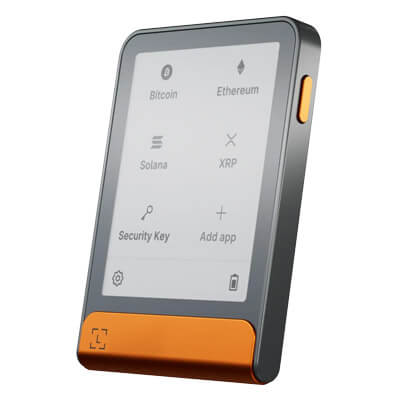
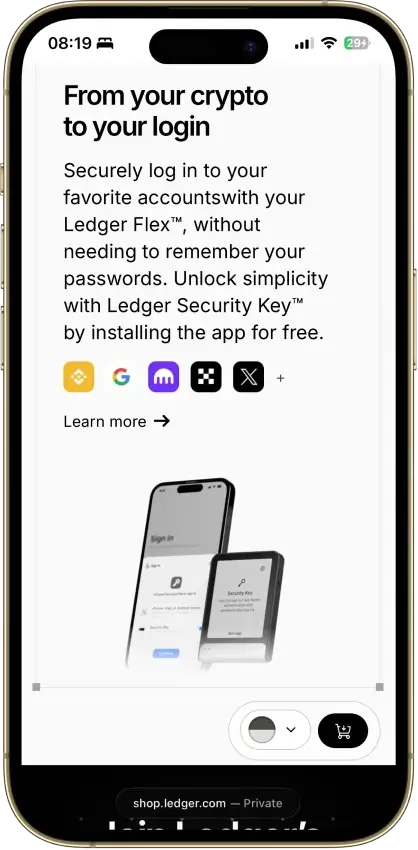
Ledger Flex offers touchscreen approval and mobile Bluetooth, with USB-C charging. Its included Recovery Key backs up the recovery phrase, not an extra passphrase. Signing coverage varies by app.
Affiliate Disclosure
Some links in this comparison are affiliate links. CryptoSlate may earn a commission if you sign up through these links. Our ratings remain editorially independent.
Overview
This comparison covers three models from each brand. The featured cards are Safe 7 and Flex, not brand-wide ratings. Safe 3 and Nano S Plus cover wired entry use, while Safe 5 and Nano X trade touchscreen controls against wireless access.
Trezor Safe 7 Ledger Flex
Compared Lineup
Safe 3, Safe 5, Safe 7
Nano S Plus, Nano X, Flex
Ordinary Key Control
Owner-controlled signing and backup
Owner-controlled signing, optional assisted recovery
Core Firmware
GPLv3 core, reproducible-build instructions, proprietary chip components
Public companion and app code, partly closed low-level firmware
Security Components
OPTIGA EAL6+ across these models, plus TROPIC01 in Safe 7
S Plus and Flex: ST33K1M5 EAL6+. Nano X: ST33J2M0 EAL5+
Touchscreens
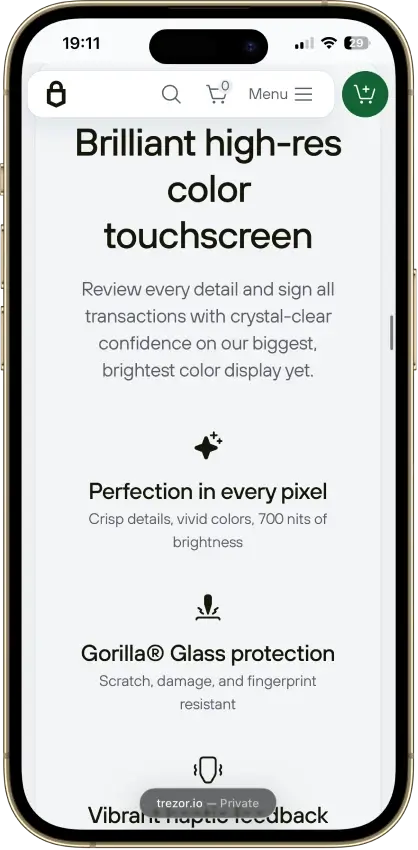
Safe 5: 1.54-inch color. Safe 7: 2.5-inch color
Flex: 2.8-inch grayscale E Ink
Owner-Managed Threshold Backup
SLIP39 threshold shares controlled by the owner
BIP39 phrase, Flex Recovery Key, optional Recover
iPhone Signing
Safe 7 through Bluetooth, not Safe 3 or Safe 5
Nano X and Flex through Bluetooth, not Nano S Plus
Published USD Prices
Safe 3 $59, Safe 5 $129, Safe 7 $249
Nano S Plus $59, Nano X $99, Flex $249
Best Fit
Recovery shares and wired touchscreen approval
Lower-cost Bluetooth or an offline backup card
Comparison scope: Safe 3, Safe 5 and Safe 7 versus Nano S Plus, Nano X and Flex. Sources checked September 9–10, 2026. Prices are published US-dollar offers, not completed checkout totals. Ledger Stax and Nano Gen5 are excluded. No hands-on device, transaction, battery or recovery testing was performed.
Screenshots
Trezor Safe 7 screenshots
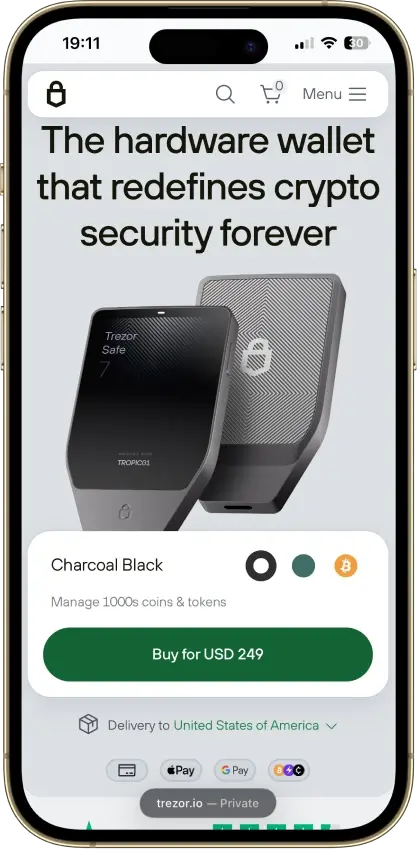
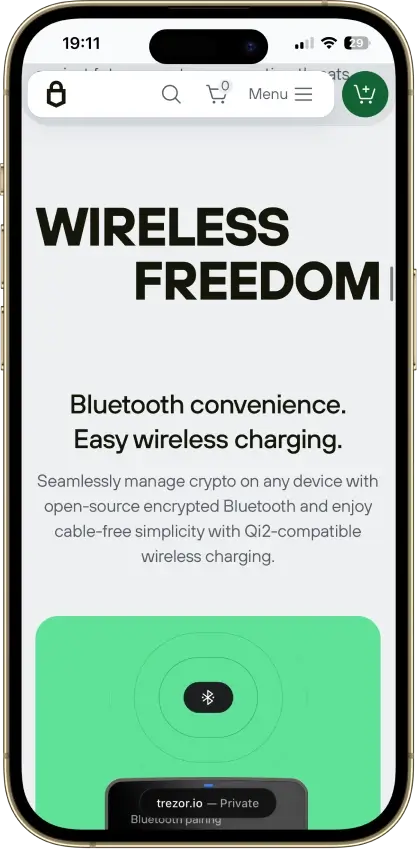
Screenshot 1 of 4
Ledger Flex screenshots
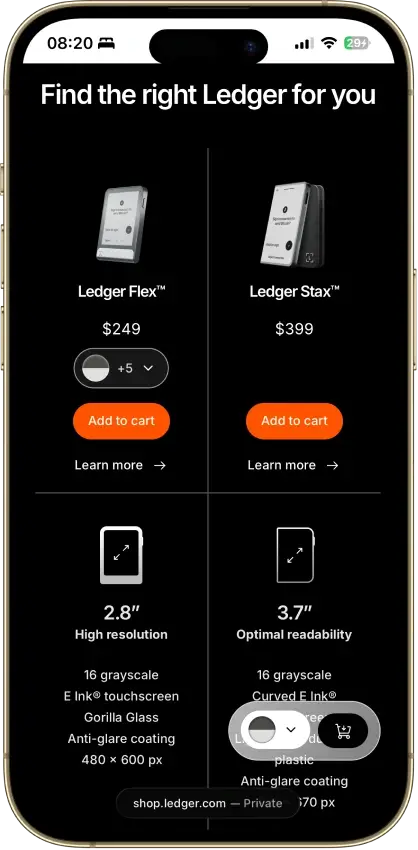
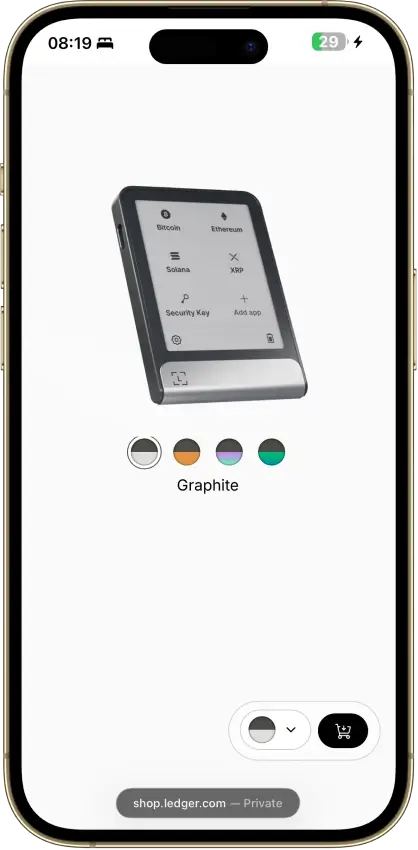
Screenshot 1 of 4
Winners By Category
Trezor is the pick for owner-managed SLIP39 threshold backups. For purchase price, the winner changes with the feature: Safe 5 is the cheaper touchscreen and Nano X the cheaper iPhone signer within this six-device scope.
Trezor Safe 7 Ledger Flex
Within these six devices the touchscreen tier starts at Safe 5's $129 and the Bluetooth tier at Nano X's $99.
Safe 3 $59, Safe 5 $129, Safe 7 $249
Nano S Plus $59, Nano X $99, Flex $249
Both support owner-controlled signing in ordinary use, with different hardware and optional-service dependencies.
Owner-controlled signing and backup
Owner-controlled signing, optional assisted recovery
Chip architecture, signing coverage and disclosed vulnerabilities address different threats and do not establish a family-wide safety ranking.
OPTIGA EAL6+, plus TROPIC01 in Safe 7
ST33K1M5 EAL6+ in S Plus and Flex, ST33J2M0 EAL5+ in Nano X
SLIP39 suits owners who want recovery divided across separately stored shares without a provider subscription.
SLIP39 threshold shares controlled by the owner
BIP39 phrase, Flex Recovery Key, optional paid Recover
Compatibility depends on the exact device, network, interface and requested operation.
Suite native accounts, EVM Clear Signing, Bitcoin-only firmware option
Ledger Wallet plus third-party interfaces, published Monero support on Nano X and Nano S Plus
Both families have wired and iPhone-capable choices, with different controls, prices and battery responsibilities.
Safe 3 and Safe 5 wired, Safe 7 Bluetooth iPhone signing and Qi2 charging
Nano S Plus wired, Nano X and Flex Bluetooth iPhone signing
Hardware prices favor different uses, while trading and staking costs depend on the provider and transaction.
$59, $129 and $249 models, Everstake 10% ETH and 7% SOL commission
$59, $99 and $249 models, provider-specific staking charges
Suite diagnostics can be declined, while Ledger Recover and Transaction Check introduce distinct data recipients.
Suite diagnostics can be declined during setup
Ledger Recover and Transaction Check add separate data recipients
Trezor provides model-specific firmware releases and build instructions, while Ledger owners must maintain device software and blockchain apps separately.
GPLv3 core firmware, reproducible-build instructions, model-specific changelogs
Public companion and app code, closed low-level firmware, separate app updates
There is no demonstrated family-wide security, privacy or lifespan winner. Choose an exact device and app route before comparing the recovery and service dependencies.
Current Lineups And Model Matchups
Within these six devices the touchscreen tier starts at Safe 5's $129 and the Bluetooth tier at Nano X's $99.
Trezor Safe 7 Ledger Flex
Wired Entry Models
Safe 3: $59, buttons, SLIP39
Nano S Plus: $59, buttons, BIP39
Middle-Tier Choice
Safe 5: $129, wired touchscreen
Nano X: $99, Bluetooth and buttons
Wired Touchscreen Price
Safe 5: $129
Flex: $249, also adds Bluetooth
Featured $249 Matchup
Safe 7: color display, Qi2, SLIP39
Flex: E Ink, USB charging, Recovery Key
Safe 3 and Nano S Plus cover wired, button-operated use, while Safe 7 and Flex add phone signing and touchscreens. Between those tiers, Safe 5 prioritizes the display and Nano X the wireless connection.
Trezor Safe 3 vs Ledger Nano S Plus
Both have published $59 prices, button navigation and USB power. Neither signs with an iPhone. Trezor Safe 3 supports SLIP39 recovery shares and Bitcoin-only firmware. Ledger Nano S Plus uses installed blockchain apps and a conventional 24-word backup, with optional paid Recover.
Trezor Safe 5 vs Ledger Nano X
The $129 Trezor Safe 5 gives a wired user a color touchscreen and haptic feedback. The $99 Ledger Nano X instead provides Bluetooth and a rechargeable battery, with buttons and a monochrome screen. Nano X can sign with an iPhone, while Safe 5 cannot.
Trezor Safe 5 vs Ledger Flex
Safe 5 costs $120 less than Ledger Flex at their published prices. Flex adds a larger E Ink touchscreen, Bluetooth and an included NFC Recovery Key. Safe 5 stays wired and offers optional microSD access protection. The microSD card supplies an additional secret required for access. Keep a separate recovery backup.
Trezor Safe 7 vs Ledger Flex
Both cost a published $249 and sign with iPhones over Bluetooth. Trezor Safe 7 has a color touchscreen, Qi2-compatible charging and SLIP39 recovery. Flex combines grayscale E Ink, USB charging and its included Recovery Key. Safe 7's TROPIC01 disclosure concerns physical chip attacks. Ledger's Ethereum app disclosures show why installed blockchain apps need separate maintenance.
Custody And Key Control
Both support owner-controlled signing in ordinary use, with different hardware and optional-service dependencies.
Trezor Safe 7 Ledger Flex
Ordinary Signing
Owner-controlled hardware approval
Owner-controlled hardware approval
Optional Provider Backup
Owner controls distribution of SLIP39 shares
Paid Recover distributes fragments to providers
Tie
Both provide owner-controlled signing in ordinary use. Evaluate optional recovery and trading arrangements separately, because the hardware brand does not remove their provider dependencies.
Signing And Storage
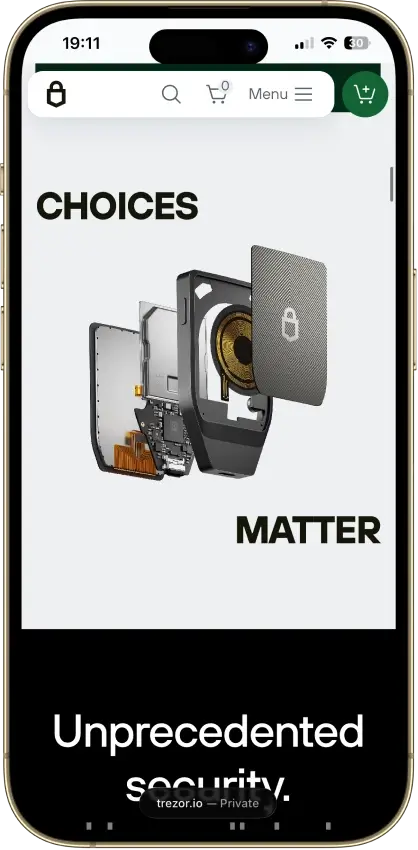
Trezor and Ledger let the owner approve spending in ordinary use without an exchange holding the wallet keys. Safe 3 and Safe 5 handle signing and store encrypted keys on their main microcontroller. An OPTIGA secret works with the PIN to protect access. Safe 7 adds TROPIC01 alongside OPTIGA. Each secure element supplies a separate secret that helps protect the encrypted wallet material.
Ledger places sensitive signing operations in its Secure Element. That architecture still depends on the code interpreting the transaction. A certified chip does not make a malicious approval safe or correct a vulnerable coin app.
Backup And Service Dependencies
A usable BIP39 backup can provide a restoration route through a compatible alternative, with the correct assets, account paths and passphrase. Trezor's SLIP39 shares need a compatible implementation. Neither brand can make a lost passphrase irrelevant.
Optional Ledger Recover sends encrypted recovery-derived material to providers after the owner's approval. Some integrated swaps also send the traded coins to an exchange provider for processing. These are separate decisions from ordinary hardware signing, so retaining wallet keys does not imply retaining possession of the traded coins at every stage.
Security And Transaction Signing
Chip architecture, signing coverage and disclosed vulnerabilities address different threats and do not establish a family-wide safety ranking.
Trezor Safe 7 Ledger Flex
Disclosed Model Limits
Older Safe 3 target and Safe 7 TROPIC01 findings
Device-specific firmware and coin-app findings
Whole-Family Safety Ranking
No matched comparative test
No matched comparative test
Physical access, malicious hosts and contract approvals require different protections. Both provide separate approval hardware, but neither chip certification nor readable signing establishes immunity to software defects.
Physical Findings And Component Scope
All six devices use secure elements. OPTIGA's EAL6+ certification applies to that component in the Safe models. Nano S Plus and Flex use the EAL6+ ST33K1M5, while Nano X uses the EAL5+ ST33J2M0. Those labels do not rank the complete devices or their apps.
Ledger's Donjon team demonstrated physical firmware tampering on an STM32F429 Safe 3 in March 2025. Trezor acknowledged authenticity-check bypasses but denied that the demonstration recovered private keys or the PIN. Safe 5 uses a different microcontroller, as its response notes. Donjon is a competing manufacturer's research team, and the tested hardware should not be generalized to every Safe model.
Donjon's June 2026 TROPIC01 research bypassed firmware verification through laser fault injection. Donjon's follow-up work also defeated the chip's MAC-and-Destroy protection. Chip maker Tropic Square separately confirmed the bypass and announced revised silicon for late 2026, not an already-shipped repair. Trezor says other Safe 7 protections prevent that chip compromise alone from exposing the wallet. The research does not demonstrate complete Safe 7 wallet extraction, and Trezor says the affected hardware cannot be repaired remotely through a firmware update.
Connectivity And Physical Attack Surfaces
USB and Bluetooth expose different communication paths, but disabling wireless use does not remove physical-tampering risks. Trezor's register lists pairing-code bypass and secure-element authenticity-proof defects, reported June 22 and August 16, 2026 respectively. These are Trezor's own reports, not independent assessments of exploitation or severity. Ledger's January 2025 MCU-update bulletin describes a device-operability defect, also catalogued by VulnCheck, with Nano X 2.4.2 and Flex 1.2.2 as the minimum corrected versions.
Coin Apps And Readable Approvals
Ledger's June 2026 Monero disclosure described view and spend keys exposed through a vulnerable app on an unlocked device connected to a compromised host. Monero app 2.1.4 introduced the correction. Ledger scoped this disclosure to Nano devices.
Zilliqa's August 2026 post-mortem reported theft involving weak signing randomness in the legacy, non-EVM Zilliqa app path on Ledger devices. Its post-mortem excludes recovery-phrase and EVM exposure. Updating an app cannot undo an account key already derived from earlier signatures. This is a specific app incident, not evidence that every Ledger model or asset was compromised.
Trezor's September 2026 Clear Signing rollout covers supported EVM contracts on updated standard firmware. Unsupported contracts retain blind-signing warnings. Ledger also provides readable signing with interaction-dependent coverage. Flex adds Transaction Check, which sends transaction information to Blockaid for risk assessment. A screening result does not guarantee that an investment or contract is safe.
Ledger's August 2026 Ethereum disclosures illustrate the remaining software risk. One flaw allowed signing operations beyond those displayed, while another could substitute a bounded token approval for an expected swap payment. Ethereum app 1.22.3 fixed both. The approval flaw could not alter the agreed asset, amount or deposit address, and moving funds required a subsequent transfer. These are minimum fix versions, not instructions to install an old release.
Recovery And Backup
SLIP39 suits owners who want recovery divided across separately stored shares without a provider subscription.
Trezor Safe 7 Ledger Flex
Owner-Managed Threshold Recovery
SLIP39 shares on the compared Safe models
No equivalent owner-managed SLIP39 arrangement here
Electronic Backup Card
Safe 5 microSD is an access secret, not a backup
Flex Recovery Key backs up words, not a passphrase
SLIP39 fits owners planning recovery across separately stored shares without a subscription provider. Someone who prefers an electronic backup card or identity-assisted recovery may instead choose Ledger's different arrangements.
Trezor supports BIP39 word backups and SLIP39 shares. A two-of-three SLIP39 arrangement needs any two shares from that set. It can survive one missing share, but storing every share together leaves them exposed to the same loss. SLIP39 divides the recovery material without adding payment co-signers.
An intact earlier SLIP39 backup can still restore the wallet after a replacement share set is generated. Continue protecting old backups against theft. Shares from different sets cannot be mixed, and a replacement wallet must support the format and account paths.
Ledger owners normally write down a 24-word backup. With Flex, the included Recovery Key adds an encrypted copy kept offline on a PIN-protected card. Enter that card's PIN incorrectly three times and its saved backup is erased. Retain the written words and confirm which replacement devices accept the card.
Ledger Recover is a different, paid service. It distributes encrypted backup material among Ledger, Coincover and EscrowTech, with two fragments and identity checks required for restoration. Availability depends on supported devices, documents and countries. The owner chooses who holds SLIP39 shares, without identity-verified providers in that arrangement.
Both families support passphrase-derived accounts, which need the exact passphrase as well as the recovery backup. Ledger's card and Recover do not preserve that extra secret. Safe 5's optional microSD protection likewise does not substitute for a backup: losing the paired access card requires recovery using the backup and any passphrase.
Networks, Assets, And dApp Access
Compatibility depends on the exact device, network, interface and requested operation.
Trezor Safe 7 Ledger Flex
Named Native Accounts
Suite: BTC, ETH, SOL, ADA and XRP
Ledger Wallet: BTC, ETH, SOL and XRP among named assets
Specific Third-Party Routes
Safe 7 Cake Monero route needs app verification
Nanos: Monero interfaces; Flex: documented Phantom links
Nano X and Nano S Plus have published Monero support, while Phantom supports Flex over its documented connections. Safe 7's Cake Wallet route needs particular care because documentation and user reports conflict.
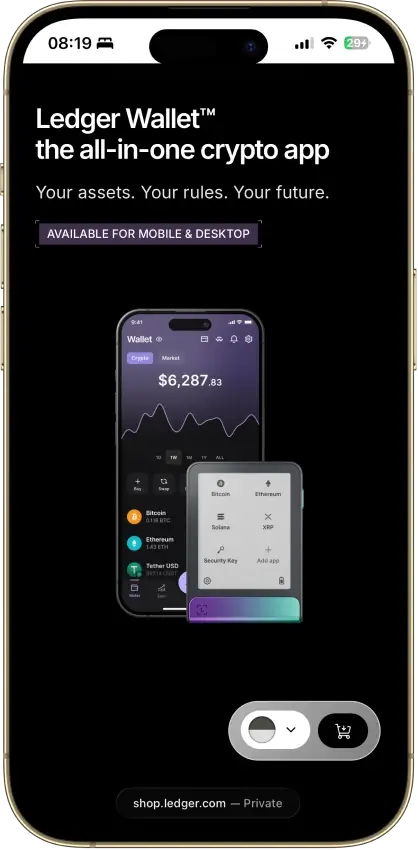
Trezor Suite manages native accounts including Bitcoin, Ethereum, Solana, Cardano and XRP. Bitcoin-only firmware excludes altcoin functions. Ledger Wallet, previously Ledger Live, also manages major assets, with additional networks available through compatible third-party interfaces.
For decentralized applications, check the device, blockchain, interface and requested operation together. Trezor's supported EVM Clear Signing works through Suite, WalletConnect and Trezor Connect. Phantom separately supports Flex over Bluetooth on mobile and a cable in its extension. Readable approvals still depend on support for the individual contract action.
Monero's project downloads page lists Nano X and Nano S Plus among supported Ledger devices, with desktop frontends documented for Nano S Plus. Cake Wallet's release announcement and a Trezor forum response identify a Safe 7 route, while older Trezor documentation conflicts and forum users report connection difficulties. Confirm the current app, platform and passphrase support rather than assuming that Safe 7 also works with GUI or Feather.
Platforms, Hardware, And Daily Use
Both families have wired and iPhone-capable choices, with different controls, prices and battery responsibilities.
Trezor Safe 7 Ledger Flex
Lowest Advertised iPhone Signer
Safe 7: $249
Nano X: $99
Battery-Free USB Models
Safe 3 and Safe 5
Nano S Plus
The iPhone options are Safe 7, Nano X and Flex, with Nano X the cheapest at the published prices. Wired models avoid battery upkeep, while wireless models add it in return for mobile access.
Safe 3, Safe 5 and Nano S Plus are USB-powered choices for compatible computers and Android phones. They avoid battery charging, but need a cable and host for signing. Safe 3 and Safe 5 include USB-C-to-USB-C cables, while Nano S Plus includes USB-A-to-USB-C, making the ports on your computer or phone relevant.
Safe 7, Nano X and Flex support Bluetooth iPhone signing. Trezor documents Bluetooth as Safe 7's only supported iPhone connection, so USB-C is not a signing route there. Turning off Bluetooth removes that signing connection, although USB signing works with supported Android phones and computers.
Older Nano X software may need a wired update before wireless OS updates become available. Ledger identifies OS 2.4.1 as that feature's minimum, but later security fixes mean owners should use the current offered release. Nano X also needs battery maintenance after extended storage.
Safe 5 offers a smaller color touchscreen without wireless use. Safe 7 adds Bluetooth and Qi2-compatible charging. Flex offers the larger grayscale E Ink screen and charges through USB.
Swaps, Staking, And Costs
Hardware prices favor different uses, while trading and staking costs depend on the provider and transaction.
Trezor Safe 7 Ledger Flex
Advertised Entry Price
Safe 3: $59
Nano S Plus: $59
All-In Transaction Cost
Depends on route, provider and network
Depends on route, provider and network
The $59 entry models and $249 touchscreen models match on published price, leaving the middle tier as a $30 choice between Nano X and Safe 5. Trading and staking costs vary with the provider and transaction, even between owners of the same device.
The published prices create three decisions: $59 wired entry models, $99 Nano X versus $129 Safe 5, and $249 Safe 7 versus Flex. Taxes, delivery, selected editions and promotions can change checkout totals. Recovery accessories or an optional subscription add costs beyond the device.
Trezor Suite integrates providers including MoonPay and Banxa for purchases, Changelly and ChangeNOW for centralized swaps, and 1inch and LI.FI for decentralized routes. Ledger Wallet also connects purchase and swap providers. Identity and regional eligibility checks belong to the selected service, so owning hardware does not waive them.
Compare final output for the same input asset and network across the providers integrated by Suite and Ledger Wallet, including separately charged sending fees. A small advertised service fee can coexist with an unfavorable exchange rate. Slippage tolerance is the maximum price movement you accept between the quote and execution. This setting limits trade execution without adding a fixed service fee.
Trezor's Everstake routes apply 10% commission to ETH rewards and 7% to SOL rewards. ETH involves provider contracts and withdrawal processing, while SOL delegation has activation and cooldown conditions. ADA delegation requires a refundable 2 ADA registration deposit. Ledger's staking routes also have provider-specific charges and withdrawal terms. Neither companion app guarantees rewards or removes validator and contract risk.
Privacy And Data Collection
Suite diagnostics can be declined, while Ledger Recover and Transaction Check introduce distinct data recipients.
Trezor Safe 7 Ledger Flex
Companion And Service Data
Suite settings, chosen providers and order records
Ledger Wallet settings, optional services and order records
Measured Data Exposure
No equivalent-session comparison
No equivalent-session comparison
Declining Suite diagnostics controls only that data-sharing choice. Ledger Recover and Transaction Check each send data to a distinct service outside ordinary signing.
Suite lets owners decline diagnostic sharing during setup. That choice does not erase shipping records or identity information given to a purchase provider.
Ledger Recover introduces identity verification and provider-held backup fragments. For Flex's Transaction Check, Blockaid receives transaction data to assess risk. Those service choices should be evaluated separately from ordinary hardware initialization.
Both companies have customer-data histories. Trezor's incidents include its 2024 support portal and the ShipMonk exposure updated in September 2026. Its September 9, 2026 warning identified a breached email provider and said it was investigating phishing sent through its legitimate domain. Ledger's 2020 customer-data exposure was followed by a January 2026 incident at commerce provider Global-e.
Contact-data exposure creates opportunities for targeted scams without demonstrating hardware-key extraction. Ledger's separate 2023 Connect Kit compromise caused losses through deceptive signing requests, another mechanism that did not require extracting a device seed. A familiar sender address or knowledge of an order cannot authenticate a recovery request.
Updates, Longevity, And Ecosystem
Trezor provides model-specific firmware releases and build instructions, while Ledger owners must maintain device software and blockchain apps separately.
Trezor Safe 7 Ledger Flex
Code And Updates
GPLv3 core firmware, restricted Suite and chip components
Public app code, closed low-level firmware, separate app updates
Guaranteed Remaining Support
No verified family-wide support horizon
No verified family-wide support horizon
Trezor provides core-firmware inspection and build instructions without making every component open. Ledger's separate app maintenance is essential, and neither company's current update activity guarantees indefinite support.
Trezor publishes GPLv3 core firmware and reproducible-build instructions for the Safe models. Suite instead uses the restricted Trezor Reference Source License. Proprietary chip components remain, so describing the entire Trezor product as unrestricted open-source overstates the difference from Ledger.
Ledger's companion software and blockchain apps have public code, but parts of its low-level firmware remain closed. It separates installed blockchain apps from the device OS. Owners must update both because a Monero or Ethereum correction can require an app update, not just new firmware.
Trezor's model-specific changelogs record security corrections, and Ledger's app disclosures show why an otherwise working device may still need software maintenance. For long-term storage, retain the backup format, exact passphrase and account information required for compatible restoration if the original device fails.
Final Verdict: Safe 7 vs Flex
Flex is the higher-rated pick in the featured $249 matchup, at 8.0 versus Safe 7’s 7.8. Choose Safe 7 if owner-managed SLIP39 shares and wireless charging are the features you need.
Affiliate Disclosure
Some links in this comparison are affiliate links. CryptoSlate may earn a commission if you sign up through these links. Our ratings remain editorially independent.
Ledger Flex wins final rating
The 7.8 and 8.0 scores belong only to Safe 7 and Flex. They do not rate every Trezor or Ledger device. For less expensive models, use the native model-matchup table above: Safe 5 for wired touch input, Nano X for lower-cost Bluetooth, or the $59 models for wired button controls.
Trezor vs Ledger FAQs
Is Trezor or Ledger safer?
Neither brand is unconditionally safer across these models and uses. Their chip architectures, firmware boundaries and disclosed vulnerabilities differ. Match the exact device and software to concerns about physical access, malicious hosts and backup loss. Component certification and a touchscreen do not certify the safety of every transaction you approve.
Do Trezor and Ledger work with iPhones?
Safe 7, Nano X and Flex support iPhone signing over Bluetooth. Safe 3, Safe 5 and Nano S Plus do not. Safe 7's supported iPhone connection is Bluetooth, not USB-C. Check the required app too, because trading and staking availability depends on the chosen app.
Is Trezor or Ledger cheaper?
Both compared wired entry models have published $59 prices. Nano X offers Bluetooth at $99, while Safe 5 offers a wired touchscreen at $129. Safe 7 and Flex each cost $249. These September 2026 US-dollar figures exclude any differences caused by delivery, taxes, selected versions and checkout offers.
Can Trezor and Ledger restore the same backup?
BIP39 provides a possible shared recovery format, but restoration also needs compatible assets, account paths and the exact passphrase where enabled. Trezor's 20-word SLIP39 backup is a different format and must not be entered as BIP39. Flex's Recovery Key requires compatible Ledger hardware, limiting replacement-device choices.
Do Trezor and Ledger require paid recovery?
No. Both provide owner-held word-backup routes without a recovery subscription. Trezor also supports SLIP39 share arrangements, while Flex includes an offline Recovery Key. Ledger Recover is a separate optional service with encrypted provider-held fragments and identity checks. None of these choices removes the need to preserve an additional passphrase.
Are Trezor and Ledger completely open-source?
No. Trezor's core firmware is GPLv3, but Suite has a restricted reference-source license and the devices contain proprietary chip software. Ledger publishes code for its companion software and blockchain apps, while keeping some low-level firmware closed. Public code can be inspected, but component licenses and testing scope still need separate checks.
Do Trezor and Ledger require identity verification?
Standard owner-held backup and signing are separate from identity-verified services. Purchase providers and some swap services can require verification, with availability depending on the provider and country. Ledger Recover adds identity checks if selected. Choosing hardware or retaining your keys does not exempt an embedded service from its requirements.
Have Trezor and Ledger had security incidents?
Yes, with different scopes. Both have customer-data and phishing histories. Ledger also has Connect Kit and blockchain-app incidents, including key exposure in specific app paths. Trezor has physical-chip research and model-specific software corrections. These are not interchangeable events or proof that every device, recovery phrase or supported asset was compromised.
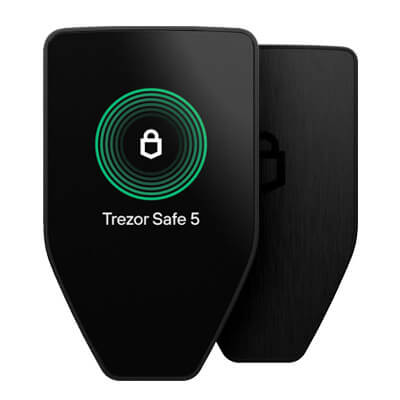

At the published prices, Safe 5 supplies a $129 wired touchscreen and Nano X supplies $99 Bluetooth signing. Safe 7 and Flex both list at $249. The feature you need therefore changes which model represents better value. These dated offers are not checkout totals.