
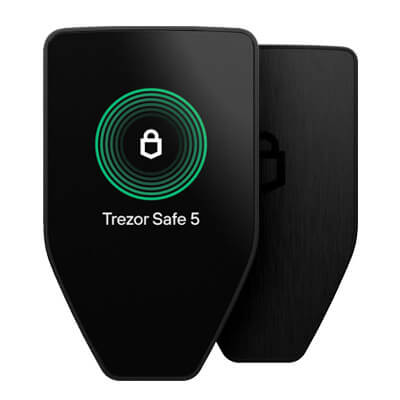
Trezor Safe 5 pairs a color touchscreen with haptic feedback for USB signing on computers and Android. Optional microSD protection adds a separate access secret. It cannot sign through an iPhone.
Trezor Safe 5 vs Safe 7: Is The Upgrade Worth It?
Safe 7 adds iPhone signing, wireless access and a larger screen for an advertised $120 more. For computer or Android USB use, Safe 5 offers battery-free touchscreen controls; the upgrade is not a proven security advantage.
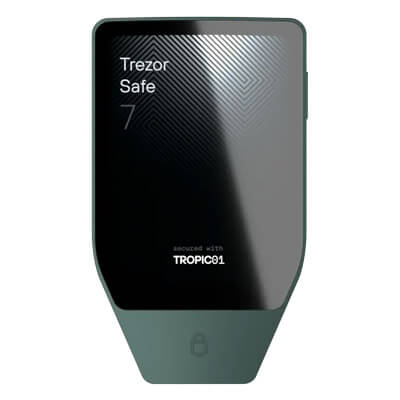
Trezor Safe 7 adds iPhone signing and a larger touchscreen, with a rechargeable battery to maintain. Its TROPIC01 chip has a disclosed physical vulnerability. Quantum protections apply to device integrity.
Affiliate Disclosure
Some links in this comparison are affiliate links. CryptoSlate may earn a commission if you sign up through these links. Our ratings remain editorially independent.
Overview
Both offer touchscreen approval and owner-managed recovery. Safe 7 adds Bluetooth, a larger display and rechargeable power. Safe 5 instead offers optional microSD access protection and depends on a USB connection.
Trezor Safe 5 Trezor Safe 7
Signing Connection
USB-C
USB-C and Bluetooth
iPhone Signing
Unsupported
Bluetooth
Touchscreen
1.54-inch, 240 × 240 pixels
2.5-inch, 520 × 380 pixels
Key Access Hardware
OPTIGA Trust M plus STM32U5
TROPIC01, OPTIGA Trust M and STM32U5
Backup Formats
SLIP39 and legacy BIP39
SLIP39 and legacy BIP39
Power
USB-powered, no battery
Rechargeable battery, USB power
Additional Card Protection
Optional microSD access secret
No microSD feature
Advertised USD Price
$129
$249
Trezor Safe 7 wins overview
Comparison scope: Trezor Safe 5 and Safe 7 standard multi-asset models, with Bitcoin-only firmware differences noted. Specifications and US-dollar offers checked September 13, 2026. Both public changelogs list firmware 2.12.4. Prices are reference offers, not delivered checkout totals. No hands-on tests of signing, battery operation, firmware or recovery were performed.
Screenshots
Trezor Safe 5 screenshots
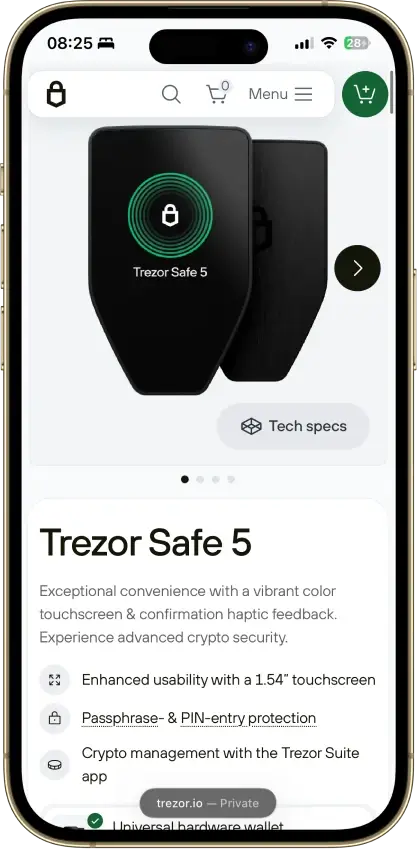
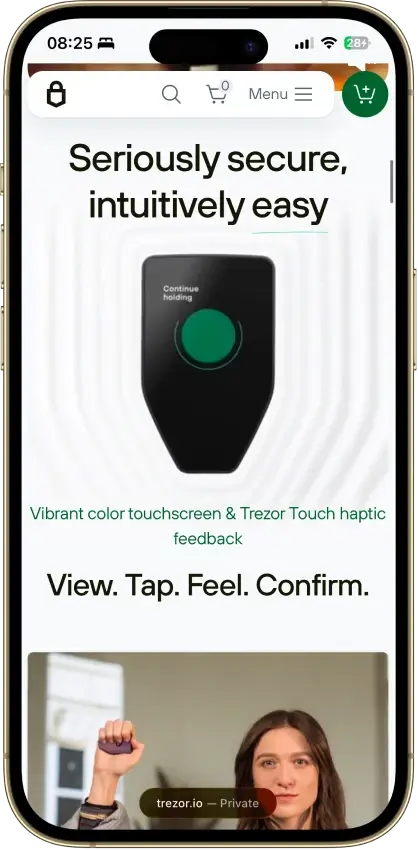
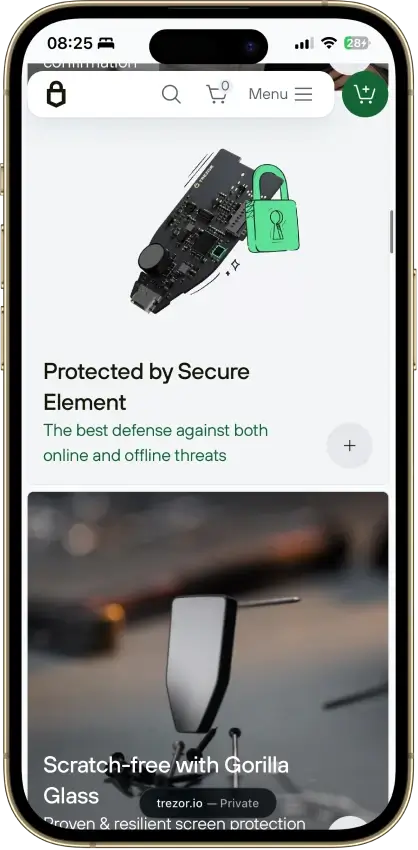
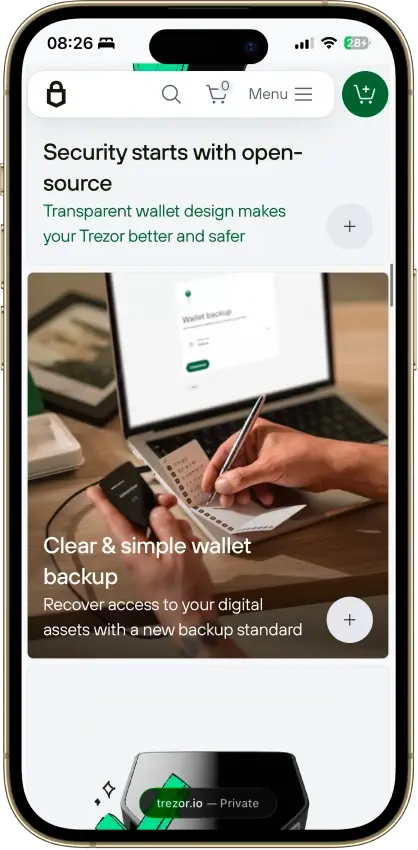
Screenshot 1 of 4
Trezor Safe 7 screenshots
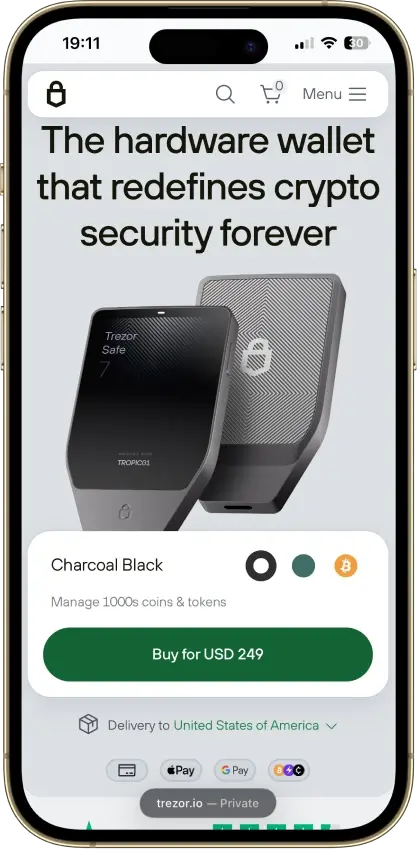
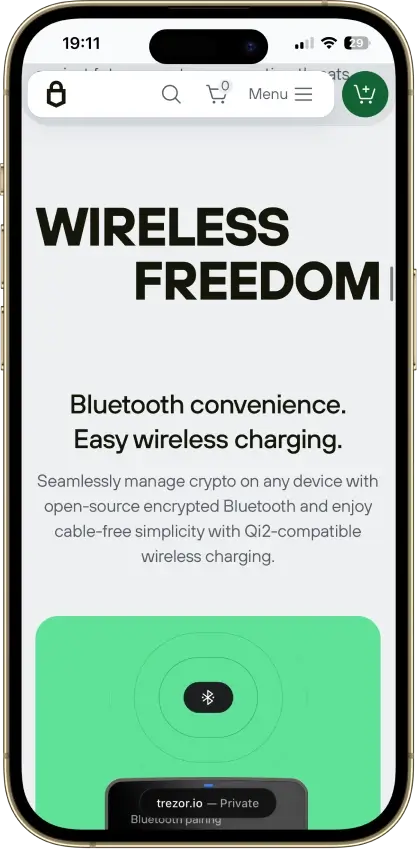
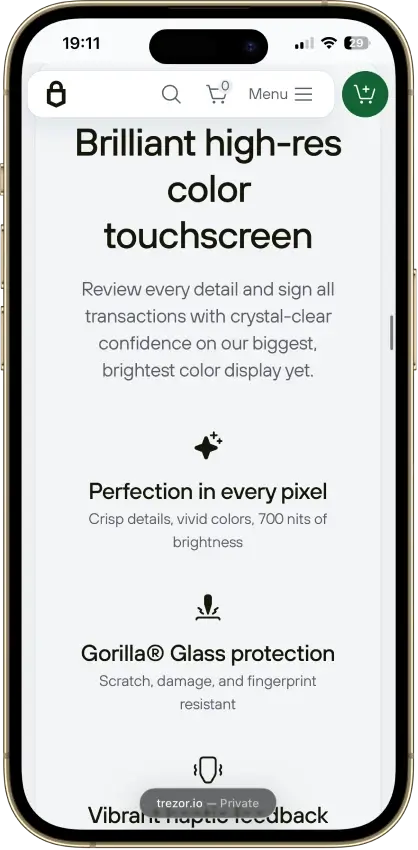
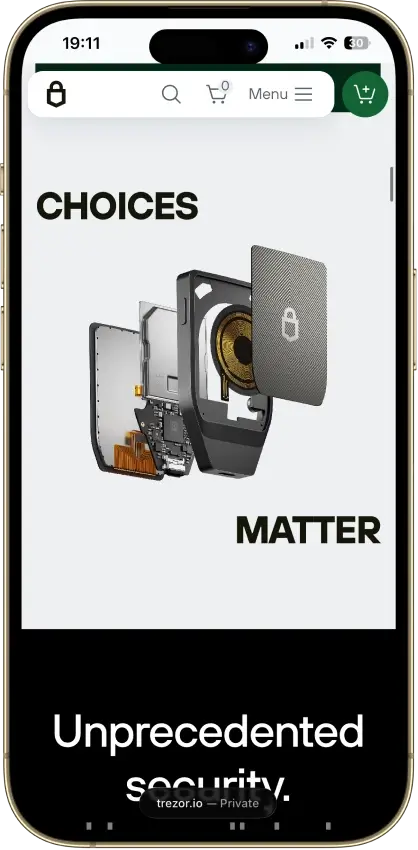
Screenshot 1 of 4
Winners By Category
Safe 7 wins on iPhone connectivity and display size. Safe 5 wins on advertised hardware price. Neither the number of secure elements nor quantum-ready branding establishes a whole-wallet security winner.
Trezor Safe 5 Trezor Safe 7
Recovery belongs to the owner, with component-specific software restrictions on either model.
OPTIGA Trust M plus STM32U5, 16 PIN attempts before reset
TROPIC01, OPTIGA Trust M and STM32U5, 10 PIN attempts before reset
Neither the larger display nor the chip count proves resistance across all attacks.
Clear Signing on updated firmware, no TROPIC01
Clear Signing on a larger screen, disclosed TROPIC01 laser weakness without a remote full repair
The backup standards match, while Safe 5's card controls device access.
SLIP39 and BIP39, optional microSD access secret
SLIP39 and BIP39, battery-powered backup check without Suite
Shared Suite assets and supported EVM activity leave neither model ahead.
Suite BTC, ETH, SOL and ADA, documented Monero GUI and CLI route
Suite BTC, ETH, SOL and ADA, Monero route through Cake with conflicting documentation
Bluetooth enables iPhone signing and the display provides more physical screen space.
USB-C only, 1.54-inch screen, 23 g, no battery
USB-C and Bluetooth, iPhone signing, 2.5-inch screen, 45 g, 330 mAh battery
The advertised hardware costs $120 less, while providers price their services separately.
$129 advertised, same Suite swap and staking providers
$249 advertised, same Suite swap and staking providers
Suite settings and external providers matter for either model's data exposure.
Suite analytics consent, Tor and custom backend options
Suite analytics consent, Tor and custom backend options
A different hardware or update design is not a guarantee of usable lifespan.
Separate firmware changelog, firmware 2.12.4
Separate changelog, firmware 2.12.4, post-quantum update verification, no committed TROPIC01 revision date
Shared backup standards do not mean identical app compatibility. Check Monero’s specific frontend separately, and do not treat iPhone signing as confirmation that every Suite trading service is available on iOS.
Custody And Key Control
Recovery belongs to the owner, with component-specific software restrictions on either model.
Trezor Safe 5 Trezor Safe 7
Key-Access Hardware
OPTIGA secret protects encrypted main-chip storage
OPTIGA and TROPIC01 contribute separate secrets
Incorrect PIN Limit
16 attempts before reset
10 attempts before wallet erasure
Tie
The hardware arrangements differ, but both give you responsibility for the same essential recovery secrets. Software-license restrictions remain on individual components and the shared companion app.
Where The Backup Is Protected
The recovery material belongs to you whichever model you choose. Trezor Suite prepares transactions on the host, and approval occurs on the hardware.
Safe 5 stores encrypted private keys on its main microcontroller. A secret in its OPTIGA Trust M secure element works with the PIN to protect that storage. Safe 7 adds TROPIC01 to a design in which two secure elements contribute separate secrets. Its encrypted wallet backup remains in the STM32U5 microcontroller's flash and is not stored on either secure element.
Trezor documents different retry limits: 16 incorrect PIN entries for Safe 5 and 10 for Safe 7 before the device resets or erases the wallet. Restoration then depends on a usable backup. The PIN limit therefore affects access to that device, not someone's ability to restore stolen backup words elsewhere.
What You Can Inspect
GPLv3 core firmware and published reproducible-build instructions cover both models, allowing comparison of a build with a release.
OPTIGA software is proprietary, and Donjon identifies proprietary portions of TROPIC01, including its CPU boot ROM and laser detectors. Suite uses a separate reference-source license that restricts reuse and distribution. Paying for Safe 7 does not buy an entirely unrestricted open-source device-and-app stack.
Security And Transaction Signing
Neither the larger display nor the chip count proves resistance across all attacks.
Trezor Safe 5 Trezor Safe 7
Supported Clear Signing
EVM contract descriptions on updated standard firmware
EVM contract descriptions on updated standard firmware
TROPIC01 Disclosure
Does not contain TROPIC01
Affected chip, no complete remote hardware fix
No clear winner
Safe 7 offers a larger approval surface but has a material disclosed chip weakness with no remote full repair. The available research does not provide a matched whole-device attack comparison that establishes Safe 5 or Safe 7 as universally safer.
Readable Approval Has Limits
Color touchscreens and haptic feedback are included on both devices. Safe 7's screen is larger, but a larger display cannot decode an unsupported contract. Trezor's September 2026 Clear Signing release covers supported Ethereum and EVM transactions on updated standard firmware for both models.
The feature uses ERC-7730 descriptions to present supported actions, amounts and destinations. An unsupported contract still triggers the blind-signing experience and warning. Trezor's announcement does not specify the required firmware version.
The OPTIGA component in each model has CC EAL6+ certification. The evaluation concerns that component, not the complete wallet, a dApp or every firmware release.
The TROPIC01 Disclosure
TROPIC01 samples were the target of a June 2026 disclosure from Donjon, the research team at rival manufacturer Ledger. Laser fault injection bypassed signature verification and enabled unauthorized firmware. The work required prepared chips and laboratory equipment, rather than a Bluetooth message sent to an untouched wallet.
The finding expanded after the initial experiment. Hardware-protected secrets resisted Donjon's first investigation, but further work by the lab and Tropic Square found ways to compromise them. Restricting maintenance mode also proved insufficient: Donjon reached it using an extra fault before installing its firmware.
For Safe 7 owners, chip compromise and complete wallet recovery are distinct outcomes. These published experiments establish the former, not extraction of the wallet. Trezor attributes that separation to its remaining hardware protections and says the TROPIC01 flaw alone cannot reveal the PIN or backup. It also acknowledges that affected hardware cannot receive a complete remote fix.
Safe 5 does not contain TROPIC01. That fact does not prove it wins every physical-attack scenario. Donjon's separate supply-chain demonstration targeted Safe 3. Trezor's response excludes Safe 5 from that particular finding, citing its different microcontroller.
Recovery And Backup
The backup standards match, while Safe 5's card controls device access.
Trezor Safe 5 Trezor Safe 7
Recovery Standards
BIP39 and SLIP39 plus any exact passphrase
BIP39 and SLIP39 plus any exact passphrase
Additional Feature
Optional microSD unlocking secret, not a backup
Battery-powered backup check, not standalone restoration
Tie
The backup standards and exact-passphrase requirement are shared. Safe 5 offers optional card-based access control, while Trezor documents a battery-powered backup check without Suite for Safe 7. Recovery material remains necessary with either feature.
Recoverability Is Largely Shared
Recovery on either device accepts SLIP39 backups of 20 or 33 words, or legacy BIP39. SLIP39 can use one share or several shares with a threshold. In a two-of-three arrangement, two valid shares from that set restore access, while a single share is insufficient.
Earlier valid recovery copies remain usable after you create a replacement multi-share set. Protect those copies too, and do not combine shares from separate sets to meet a threshold.
An optional passphrase derives a separate wallet. Its exact characters are needed alongside the backup, including spaces and capitalization. A typo can open an empty wallet, and customer support cannot reset the missing secret. Keep its offline recovery record separate from the backup and device.
Trezor documents SLIP39 restoration in compatible third-party wallets, including Electrum and Sparrow. Asset support and account derivation still need to match. Both Trezor touchscreens allow on-device recovery input. Safe 7 can check an existing wallet's backup on the device without Suite, using its battery. Starting a wallet recovery still requires Suite, so the standalone check is not a complete computer-free restoration procedure.
Safe 5's MicroSD Is An Access Control
The optional microSD feature in Trezor Safe 5 binds device access to a secret on a card. Format the card as FAT32, then enable the feature with Trezor's command-line utility, trezorctl. Afterwards, unlocking needs both the paired card and the PIN.
The card contains no recovery words and cannot replace the wallet backup. If it is lost or damaged, recovery depends on that backup and any passphrase. Keeping the card separately creates another access requirement, but also another item to retrieve whenever you need the configured device.
Safe 7 does not provide this microSD feature. Its two secure elements stay inside the device, while Safe 5's card secret can be kept separately.
Networks, Assets, And dApp Access
Shared Suite assets and supported EVM activity leave neither model ahead.
Trezor Safe 5 Trezor Safe 7
Named Suite Assets
Bitcoin, Ethereum, Solana and Cardano
Bitcoin, Ethereum, Solana and Cardano
Monero Frontend
Documented GUI/CLI route
Cake route reported; verify version and platform
Tie
Access is shared for the Suite assets and supported EVM activities compared here. Monero needs its own app-specific decision, so this tie should not be read as identical compatibility across every third-party wallet.
Compare An Asset And An Operation
Suite supports Bitcoin, Ethereum, Solana and Cardano on both models. Using Bitcoin-only firmware removes the altcoin functions. A hardware purchase therefore needs to match the selected firmware as well as the assets you intend to hold.
For supported EVM interactions, both can use Suite and compatible WalletConnect or Trezor Connect integrations. Clear Signing coverage depends on the contract description and firmware. Holding a token on the device does not guarantee that every third-party interface supports its staking or contract operations.
Before a withdrawal, check that the receiving account's network works through your chosen hardware-and-app combination.
Monero Requires A Separate App Check
Monero is outside Suite. Trezor documents Safe 5 use with Monero GUI and CLI, but its Safe 7 guide still describes companion support as pending. In contrast, Cake's v6.2.0 release announced Trezor Monero integration, and a July Trezor forum reply identifies Cake as a Safe 7 route. Other replies report difficulty finding that connection.
Those sources establish a documentation conflict, not a verified current setup on every phone. Confirm the actual Cake version and platform before relying on it. Do not assume Safe 5's GUI route works unchanged with Safe 7's different protocol. Monero recovery also has a shared limitation: Trezor's SLIP10 key derivation may prevent importing the backup successfully into another manufacturer's wallet.
Platforms, Hardware, And Daily Use
Bluetooth enables iPhone signing and the display provides more physical screen space.
Trezor Safe 5 Trezor Safe 7
iPhone Signing
Unavailable
Bluetooth, not USB
Display And Power
1.54-inch touchscreen, USB-powered
2.5-inch touchscreen, rechargeable battery
Safe 7 enables phone-based signing that Safe 5 cannot provide on iOS, with more physical screen space for approvals. The advantage comes with battery maintenance and does not remove individual app or service restrictions.
Signing From An iPhone
Safe 5 uses USB-C with a compatible desktop computer or Android phone. An iPhone can provide limited portfolio functions, but cannot sign with Safe 5. Buying a different cable does not supply the missing iOS hardware connection.
Bluetooth on Trezor Safe 7 supports iPhone signing, as well as Android and compatible Windows, macOS and Linux computers. On an iPhone, USB-C charges the wallet but does not carry its signing connection. Android and desktop users can choose USB instead and disable Bluetooth in the device settings.
Trezor Host Protocol encrypts and authenticates Safe 7's USB and Bluetooth communications, and Safe 5's firmware also includes the protocol. During pairing, compare the code on the host with the device's code. An authenticated connection does not tell you whether a requested token approval is sensible or whether the connected dApp deserves access.
Screen Space And Power
Safe 5 has a 1.54-inch, 240-by-240-pixel display and weighs 23 g. Safe 7 has a 2.5-inch, 520-by-380-pixel display and weighs 45 g. Both support touch input, including PIN and passphrase entry.
Safe 7's 330 mAh LiFePO4 battery charges over USB-C or Qi2-compatible wireless charging. It is not user-replaceable. Trezor says the device can work on USB power if the battery is depleted, which helps wired users but does not create USB signing on an iPhone.
Safe 5 needs external USB power and has no battery to charge. Safe 7 has an official IP54 dust-and-splash rating, not an IP67 immersion rating.
Swaps, Staking, And Costs
The advertised hardware costs $120 less, while providers price their services separately.
Trezor Safe 5 Trezor Safe 7
September 13 Advertised USD Price
$129
$249
Swap And Staking Costs
Provider, network and contract dependent
Provider, network and contract dependent
Safe 5 leaves computer and Android USB buyers with a $120 lower advertised hardware bill. Swaps and staking still depend on the selected provider's conditions and pricing.
The $120 Hardware Difference
The September 13 official offers are $129 for Safe 5 and $249 for Safe 7 in US dollars. The $120 difference buys the wireless connection, larger screen and different hardware design.
The checkout total for the selected edition adds any taxes and shipping charges to that price. Trezor directs buyers to its country selector for delivery eligibility. Optional metal backup storage, a microSD card or wireless charger belongs in a separate accessories budget.
Sending transactions incurs network fees, while purchases and swaps add the selected provider's pricing. The hardware price is separate from those transaction costs.
Provider Costs Remain Separate
Suite supports centralized swaps and decentralized EVM routes. A centralized provider receives the funds for processing, and a failed order may require identity checks before a refund. A DEX token swap can require an allowance followed by the exchange transaction. Unlimited allowance permits continuing access to that token balance, beyond a single intended swap.
Staking costs are separate from the purchase price. Trezor's published Everstake commission is 7% for SOL and 10% for ETH, charged on rewards, not on the initial stake. Registering ADA delegation needs a 2 ADA refundable deposit, with network and pool costs as well.
ETH staking depends on Everstake's contracts and infrastructure, with Trezor warning that provider failure may prevent recovery of staked funds. SOL has activation and cooldown periods. Keeping the signing keys does not eliminate these service risks or guarantee a return.
Suite's public page contains conflicting statements about iOS trading availability. Safe 7's ability to sign on an iPhone should not be treated as confirmation that every trading offer is available there. Available offers need checking in the installed app, including the provider's eligibility rules.
Privacy And Data Collection
Suite settings and external providers matter for either model's data exposure.
Trezor Safe 5 Trezor Safe 7
Suite Controls
Optional analytics, desktop Tor and custom backends
Optional analytics, desktop Tor and custom backends
Measured Data Exposure
No equivalent-session comparison
No equivalent-session comparison
No clear winner
Suite and provider dependencies apply to either model. Turning off Safe 7's Bluetooth does not delete order records, change a trading provider's identity requirements or undo newsletter exposure.
Suite offers controls for optional usage analytics, with Trezor documenting consent before that collection. Disabling usage data still records the decision, and manually submitted feedback is a separate action. Neither hardware model makes the companion app a zero-data service.
Desktop Suite includes Tor and custom backend options. A Bitcoin user can select a personal Electrum server instead of the default backend. These choices change who receives network requests, while public blockchain records and voluntarily shared addresses remain separate sources of exposure.
Ordering either wallet creates commerce records. Trezor's policy distinguishes ordinary order information from invoice records and provider-held payment details, with different retention rules. An identity check for an optional trading provider is also separate from generating keys on the device.
The September 2026 Brevo incident illustrates another shared dependency. Trezor said attackers used its newsletter account to send a phishing message to roughly 347,000 email addresses. SecurityWeek independently reported the incident. Trezor said no other Trezor system was touched and treated those newsletter addresses as potentially reusable for phishing, without confirming that its full list was exported.
The message tried to induce installation of software requesting wallet backups. A familiar sender address therefore cannot authenticate a recovery request. Visit the official service independently, and never provide backup words through an email link or support conversation.
Updates, Longevity, And Ecosystem
A different hardware or update design is not a guarantee of usable lifespan.
Trezor Safe 5 Trezor Safe 7
Guaranteed Support End
No fixed date disclosed
No fixed date disclosed
Post-Quantum Device Integrity
No equivalent feature claimed here
Update verification and device attestation, not coin signatures
No clear winner
Maintained firmware and compatible software are necessary for either device. Safe 7's additional integrity features are relevant, but they neither guarantee a longer life nor remotely repair the disclosed TROPIC01 hardware weakness.
Safe 5 and Safe 7 keep separate firmware changelogs. The July 2026 entries record Bitcoin and Solana signing corrections, plus a pairing-related security fix for Safe 7. Patch entries alone do not show that users were attacked.
Safe 7's quantum-ready architecture concerns device integrity. Trezor documents hybrid classical and post-quantum verification for updates, plus post-quantum microcontroller attestation. Bitcoin and other networks retain their own transaction-signature rules. Safe 7 does not make an existing Bitcoin balance quantum-proof simply by holding its keys.
Tropic Square planned revised silicon for late 2026, but Trezor's response makes no commitment about when an updated chip will appear in Safe 7. A plan for new chips is not confirmation of the revision in today's retail device.
Neither model's official product page lists a support end date as of September 13. Maintain a usable backup independently of assumptions about parts availability or future firmware.
Final Verdict
Safe 7 is our higher-rated overall pick, with iPhone signing and a larger approval screen. Safe 5 is the lower-cost choice when computer or Android USB signing already meets your needs.
Affiliate Disclosure
Some links in this comparison are affiliate links. CryptoSlate may earn a commission if you sign up through these links. Our ratings remain editorially independent.
Trezor Safe 7 wins final rating
The existing review scores are 7.8 for Safe 7 and 7.5 for Safe 5. This overall ranking is not a security-test result. The disclosed TROPIC01 hardware weakness has no complete remote fix, while Safe 5’s USB-only design limits phone use.
Trezor Safe 5 vs Safe 7 FAQs
What are the main Trezor Safe 5 vs Safe 7 differences?
Safe 5 is a $129 USB-powered touchscreen device. Safe 7 is advertised at $249 and adds Bluetooth, iPhone signing, a larger screen and a rechargeable battery. Their key-protection designs differ, while both support SLIP39 and BIP39 recovery. Only Safe 5 provides the optional microSD secret for controlling access to the device.
Is Trezor Safe 7 safer than Trezor Safe 5?
The available evidence does not establish an overall ranking. Safe 7 adds a second secure element and post-quantum device-integrity features, but TROPIC01 has a disclosed physical vulnerability. Safe 5 lacks that chip, without being proven immune to other attacks. Both need current firmware and careful handling of backups and transaction approvals.
Can Trezor Safe 5 and Safe 7 both sign on an iPhone?
Only Safe 7 can sign through an iPhone, using Bluetooth. Its USB-C port is for charging on that platform. Safe 5 can provide limited iOS portfolio functions but needs a compatible computer or Android device for signing. Buying a different cable does not remove that Safe 5 limitation.
Can I move from Trezor Safe 5 to Safe 7 with the same backup?
Both accept supported SLIP39 and BIP39 backups, so a compatible restore can recreate the wallet on Safe 7. Any passphrase must also be reproduced exactly. Restoring the same recovery material on two devices gives both control of those accounts, but the shared backup remains a single target for theft.
Do Trezor Safe 5 and Safe 7 need a microSD card for recovery?
Neither requires a microSD card to restore a wallet from its supported backup. Safe 5 can optionally bind device access to a card secret, making the card and PIN necessary for unlocking that configured device. Losing the card makes the separate backup important. Safe 7 does not offer that microSD feature.
Is Trezor Safe 7 worth $120 more than Trezor Safe 5?
It can be worthwhile if you need iPhone signing or want the larger touchscreen. Computer and Android USB users retain touch controls and the same recovery standards with Safe 5. The price difference reflects September 13, 2026 advertised USD offers, before checkout differences. Service fees and security merit separate decisions.
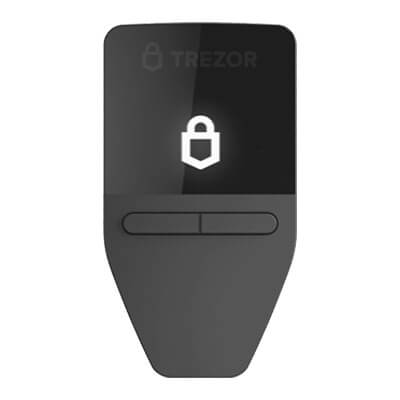

The US-dollar offers checked September 13 were $129 for Safe 5 and $249 for Safe 7. Both require a usable backup and any exact passphrase. Safe 7’s standalone backup check is not a complete restoration without Suite.