
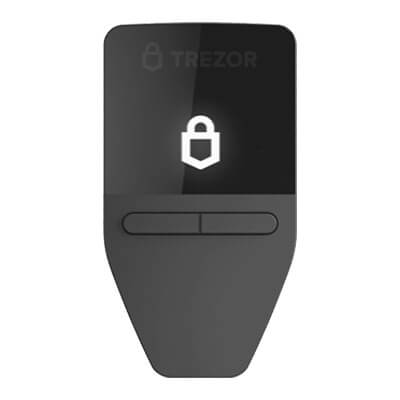
Trezor Safe 3 offers button-operated approval on a small hardware screen. USB signing works with computers and Android, not iPhone, while recovery depends on your saved words or shares.
Trezor Safe 3 vs Safe 5: Is The Touchscreen Worth Paying For?
Safe 5’s touchscreen suits frequent PIN, passphrase or recovery-word entry. For occasional USB transfers, Safe 3 offers the same main backup and account options at a lower advertised price; neither signs through an iPhone.
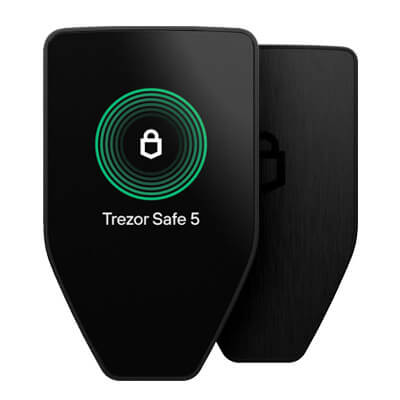
Trezor Safe 5 pairs a color touchscreen with haptic feedback for USB signing on computers and Android. Optional microSD protection adds a separate access secret. It cannot sign through an iPhone.
Affiliate Disclosure
Some links in this comparison are affiliate links. CryptoSlate may earn a commission if you sign up through these links. Our ratings remain editorially independent.
Overview
Start with how often you use the device controls. Both work over USB with a computer or Android phone, but Safe 5 trades the smaller button-operated display for a color touchscreen and haptic feedback.
Trezor Safe 3 Trezor Safe 5
Listed US Device Price
$59, Cosmic Black
$129, Black Graphite
On-Device Input
Two buttons, monochrome display
Color touchscreen, haptic feedback
Key Control
Owner-held backup, encrypted keys on main chip
Owner-held backup, encrypted keys on main chip
Backup Standards
BIP39 and SLIP39
BIP39 and SLIP39
Extra Card Protection
No microSD slot
Optional microSD unlocking secret
Main Suite Accounts
BTC, ETH, SOL, ADA and XRP
BTC, ETH, SOL, ADA and XRP
Signing Connection
USB with desktop or Android
USB with desktop or Android
Future Firmware Support Deadline
Not disclosed in product pages, FAQs or shop terms
Not disclosed in product pages, FAQs or shop terms
Tie
Comparison scope: Trezor Safe 3, including revision-specific security limits, vs Trezor Safe 5. Standard multi-asset firmware and US offers verified September 12, 2026. No hands-on testing.
Screenshots
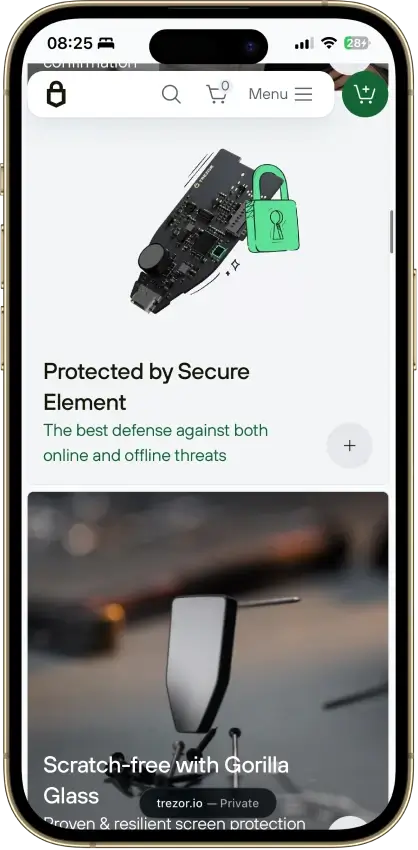
Trezor Safe 3 screenshots
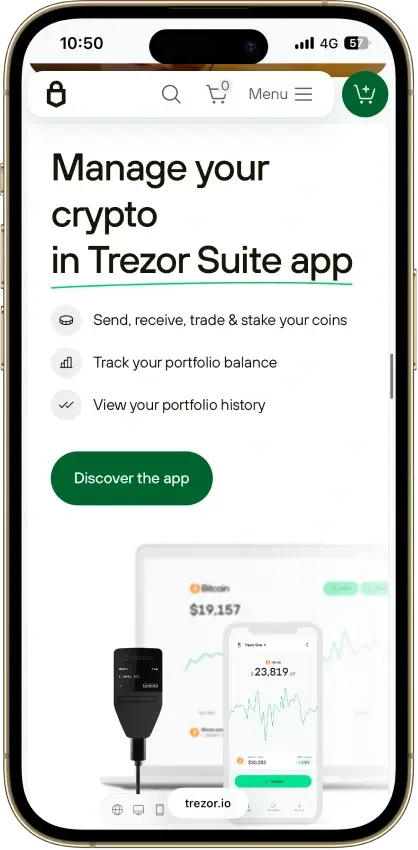
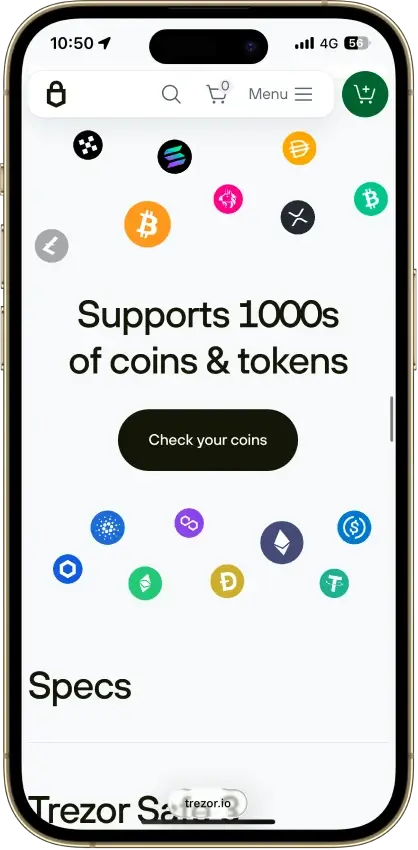
Screenshot 1 of 4
Trezor Safe 5 screenshots
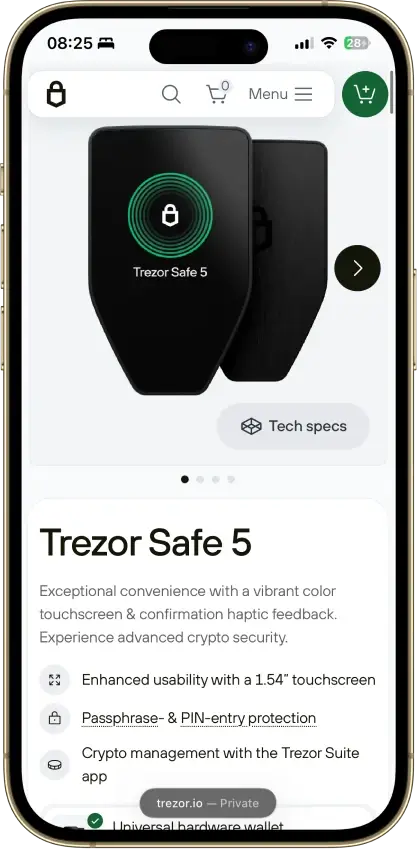
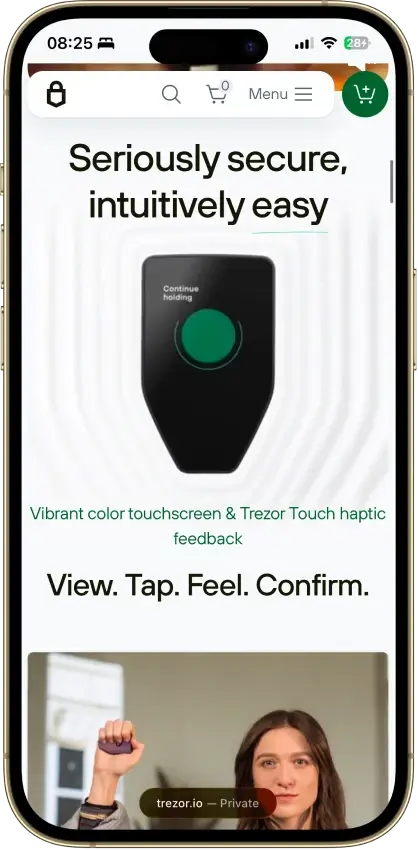
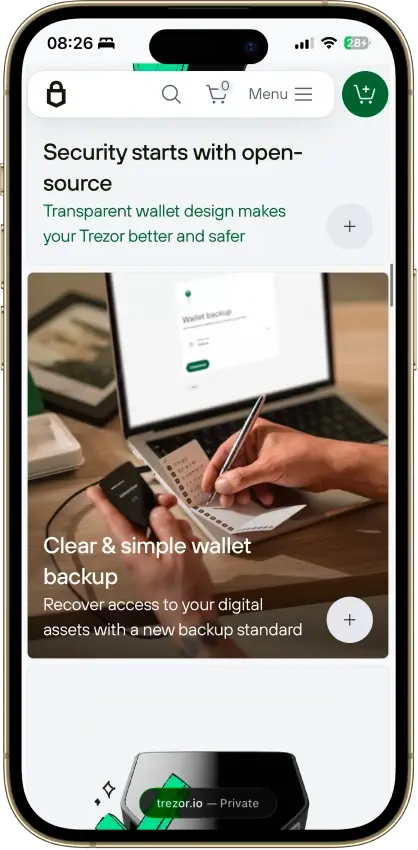
Screenshot 1 of 4
Winners By Category
Safe 3 wins on the dated advertised hardware price. Safe 5 is our touch-input pick. Shared backup formats and named Suite accounts do not establish equal security or identical support for every third-party app.
Trezor Safe 3 Trezor Safe 5
Both let holders manage their own keys and restore compatible backups without a support-account reset.
Owner-held backup, encrypted keys on the main chip, OPTIGA Trust M V3 secret
Owner-held backup, encrypted keys on the main chip, OPTIGA Trust M V3 secret
Shared signing controls do not resolve differences between physical attack targets and current hardware revisions.
Clear Signing and PIN enforcement, older STM32F429 revision targeted by Donjon in March 2025
Clear Signing on a color screen, PIN enforcement, STM32U5 chip outside that demonstration, optional microSD control
Both recover through BIP39 or SLIP39, with the same need to retain any exact passphrase.
BIP39 and SLIP39, button entry of recovery words
BIP39 and SLIP39, touchscreen T9-style entry, optional microSD unlocking secret
Both cover the named Suite accounts, while additional app functions need model and network compatibility.
Suite BTC, ETH, SOL, ADA and XRP, WalletConnect and Trezor Connect
Suite BTC, ETH, SOL, ADA and XRP, WalletConnect and Trezor Connect
Touch controls suit frequent on-device input, although both require desktop or Android for USB signing.
Two buttons, 0.96-inch monochrome OLED, 14 g, USB with desktop or Android
1.54-inch color touchscreen, haptic feedback, 23 g, USB with desktop or Android
Occasional holders pay $70 less for the device without losing the compared Suite services.
$59 listed, same Suite purchase, swap and staking providers
$129 listed, same Suite purchase, swap and staking providers
Both use Suite's privacy controls and share exposure to Trezor's shopping and service providers.
Same Suite backend, Tor and analytics controls, same provider-data exposure
Same Suite backend, Tor and analytics controls, same provider-data exposure
Both have current maintenance records, without a disclosed support deadline in product pages, FAQs or shop terms.
Launched October 2023, firmware 2.12.4, reproducible builds for T2B1 and T3B1
Launched June 2024, firmware 2.12.4, reproducible builds for T3T1
The $70 purchase saving is separate from swap and staking costs. Safe 5’s optional microSD control adds an access requirement, not a replacement recovery backup.
Custody And Key Control
Both let holders manage their own keys and restore compatible backups without a support-account reset.
Trezor Safe 3 Trezor Safe 5
Key Protection
Main-chip keys encrypted using PIN and Secure Element secret
Main-chip keys encrypted using PIN and Secure Element secret
Support Reset For Lost Backup
Not available
Not available
Tie
Both serve holders who want control of their keys and a standards-based recovery route. The shared custody arrangement does not establish identical resistance to physical tampering, and neither offers an account reset that replaces your backup.
Where The Keys Reside
Both devices create the wallet locally. Trezor describes their OPTIGA Trust M V3 secure element as holding a secret that combines with the PIN to encrypt the private keys. Ledger's Donjon researchers place those encrypted keys and transaction signing on the main microcontroller, outside the secure element.
The secure element releases its secret after correct PIN entry. A reset follows sixteen incorrect entries, with the chip deleting its secret. The chip's CC EAL6+ certification concerns that component, rather than certifying every part of the wallet and its connected services.
Moving Away From Trezor
BIP39 and SLIP39 backups provide routes to compatible devices or software. A replacement needs support for the format, passphrase and account types holding your assets. A BIP39-only restore cannot accept a 20-word SLIP39 backup.
A usable backup restores access without the original PIN, but support cannot recreate missing recovery material. Optional trades and staking can introduce provider custody or contract dependence beyond this base wallet design.
Security And Transaction Signing
Shared signing controls do not resolve differences between physical attack targets and current hardware revisions.
Trezor Safe 3 Trezor Safe 5
Clear Signing
Supported EVM contracts with updated standard firmware
Supported EVM contracts with updated standard firmware
Physical Attack Findings
2025 demonstration targeted older STM32F429 revision
Different STM32U5, outside that demonstrated target
No clear winner
For holders considering remote signing errors and physical tampering together, these sources do not establish an overall security winner. Safe 5 has a different microcontroller from the tested Safe 3 and an optional card control, while Safe 3 also provides device-based approval and PIN protection.
Physical Research Needs A Model Boundary
Ledger's Donjon team published a Safe 3 firmware-tampering demonstration in March 2025. It targeted an STM32F429-based device and bypassed authenticity and firmware-hash checks. The recovered pairing secret was not the owner's wallet backup, and the experiment did not demonstrate extraction of a locked owner's seed or PIN.
Donjon described how altered firmware could manipulate randomness and enable later theft. Trezor acknowledged the bypasses and said Safe 5 was unaffected because of its newer microcontroller. Ledger is a competing manufacturer, and its researchers identified Safe 5's different STM32U5 chip without demonstrating that attack against it.
Safe 3 has two documented revisions, T2B1 and T3B1, with a post-release chip upgrade in the latter. Store metadata does not guarantee the revision shipped. Ask Trezor about a particular unit before applying the older hardware finding to it.
Read The Device Approval
Both products support Trezor's September 2026 Clear Signing feature with updated standard firmware. Trezor says supported Ethereum and EVM contracts can show readable actions, amounts and destinations on the device through Suite, WalletConnect or Trezor Connect. Coverage requires an appropriate ERC-7730 contract descriptor.
Unsupported contracts retain the blind-signing warning. A readable approval also leaves you responsible for deciding whether the contract and requested permissions are acceptable. Safe 5 shows that information on a larger color screen, without establishing a measured reduction in scams or mistakes.
Code And Additional Controls
Trezor's GPLv3 license covers the core firmware, while other repository components have separate licenses. Ledger's researchers describe OPTIGA's software as closed. The app has a different restriction: its Trezor Reference Source License allows reference use within a company, but not distribution beyond it. Unrestricted open-source access does not extend across the entire system.
Trezor publishes build-verification instructions and operates a bug bounty for devices, applications and infrastructure. Neither constitutes a guarantee that the currently installed firmware has no flaws. Safe 5 also offers optional microSD access protection, discussed below, while both retain secure-element PIN enforcement.
Recovery And Backup
Both recover through BIP39 or SLIP39, with the same need to retain any exact passphrase.
Trezor Safe 3 Trezor Safe 5
Recovery Formats
BIP39 and SLIP39
BIP39 and SLIP39
Optional Extra Unlocking Card
No microSD slot
Paired microSD secret, not a wallet backup
Tie
Both offer the same main standards after device failure and require intact recovery secrets. Safe 5 uses T9-style touchscreen selection for recovery words, but its extra card cannot recover a missing backup or passphrase.
Restore The Wallet, Not The Old PIN
After device loss or damage, restore the correct backup on compatible hardware, then open any passphrase wallet with its exact passphrase. A forgotten PIN requires a wipe and restore, so check your backup before erasing a working device. A backup exposed to someone else calls for a new wallet and a transfer of funds, not restoration of the compromised secret.
Current Safe 3 and Safe 5 setups default to a 20-word SLIP39 backup. Older Safe 3 units can start with a 12-word BIP39 default, and both support legacy BIP39 recovery. Moving to Safe 5 therefore does not require abandoning an existing supported backup.
With SLIP39, recovery can depend on a single share or a chosen minimum from several shares. For example, two shares belonging to a three-share set can restore it. This is a backup arrangement, not transaction co-signing. Separate the shares geographically without making the required minimum inaccessible to the intended recovery person.
Changing A Backup Arrangement
Newer SLIP39 multi-share backups require compatible recovery software, including Trezor firmware 2.7.2 or later. Creating another backup set does not invalidate an older usable set. Shares from separate sets cannot be mixed to meet a threshold.
Suite does not convert BIP39 to SLIP39. Trezor discourages its advanced command-line conversion and recommends creating a new wallet and transferring funds instead. Its guidance also requires a new wallet when changing the backup arrangement for SLIP39 backups created before June 2024.
A passphrase adds another recovery secret on either device. Case and spaces matter, and a mistyped passphrase can open a different, empty wallet. Keep an offline record separately from the device and backup. Trezor cannot reset it.
Safe 5's Card Has A Different Job
Optional microSD protection puts an additional unlocking secret on a card. Once enabled, Safe 5 requires the paired card and PIN for access. Setup uses a FAT32-formatted card and Trezor's trezorctl command-line tool, version 0.11.6 or later.
The card contains no wallet backup. Losing it requires restoration from the actual backup and any passphrase. Enabling this control adds separate card storage and retrieval to your routine.
Networks, Assets, And dApp Access
Both cover the named Suite accounts, while additional app functions need model and network compatibility.
Trezor Safe 3 Trezor Safe 5
Named Suite Accounts
BTC, ETH, SOL, ADA and XRP
BTC, ETH, SOL, ADA and XRP
Non-Bitcoin Functions
Require standard multi-asset firmware
Require standard multi-asset firmware
Tie
For holders using the named Suite accounts, either device provides the compared network access. Additional dApp functions remain dependent on the app, network and firmware, so a larger screen alone does not justify a network-coverage win.
Main Accounts And Firmware Choices
Both devices support Bitcoin, Ethereum, Solana, Cardano and XRP accounts through Trezor Suite. The standard firmware provides the non-Bitcoin functions. Bitcoin-only firmware excludes those functions on both models, so the installed firmware matters more than the touchscreen for this choice.
Check the chain, account and token contract before withdrawing from an exchange. Similar-looking addresses are not proof that Suite supports the intended deposit route.
The Safe 3 wallet review covers its supported-account and setup choices in more detail. Paying for Safe 5 does not change which of the main accounts compared here you can manage through Suite.
Connecting To Applications
Suite's desktop settings manage WalletConnect sessions and applications using Trezor Connect. Hardware-signature requests still need compatibility with the specific app, chain and transaction type.
Solana account management is native to Suite, while compatible apps such as NuFi provide Solana dApp access. Check the model and intended function before funding it. Displaying an account does not prove a contract interaction will work.
Platforms, Hardware, And Daily Use
Touch controls suit frequent on-device input, although both require desktop or Android for USB signing.
Trezor Safe 3 Trezor Safe 5
Input And Display
Two buttons, 0.96-inch monochrome screen
1.54-inch color touchscreen and haptics
USB Signing Platforms
Compatible desktop and Android, not iPhone
Compatible desktop and Android, not iPhone
Safe 5 is our choice for frequent on-device input because its touchscreen handles PINs, passphrases and recovery words directly. Safe 3 can perform those tasks with buttons, and both still require desktop or Android for the USB signing workflow.
Buttons Or Touch Input
Safe 3 combines two buttons with a 0.96-inch monochrome OLED at 128 × 64 pixels. Safe 5 has a 1.54-inch color touchscreen at 240 × 240 pixels, haptic feedback and Gorilla Glass 3. Its touchscreen handles PIN entry, passphrases and T9-style recovery-word selection.
Safe 3 also accepts these secrets on the device, using button navigation. Both keep recovery-word entry off the computer. Frequent passphrase entry gives touch controls a recurring use, while occasional transfers may not justify their cost.
The Safe 5 touchscreen review explains its controls and optional card setup. Neither model has demonstrated superior accessibility or fewer input errors here. Check that you can read the approval display comfortably.
USB Setup And Phone Limits
USB-C connects either device to a compatible computer or Android phone. Each includes a USB-C-to-USB-C cable, so a USB-A-only computer needs a compatible cable or adapter. Safe 3 weighs 14 g, compared with Safe 5's 23 g.
New devices arrive without firmware. Suite guides installation and authenticity checks before wallet creation, backup and PIN setup. Stop if packaging or setup requests appear suspicious, even if a software check succeeds. Obtain the application through Trezor's official website.
Trezor excludes swaps, sending, setup and device management from its iOS support. Neither device connects to an iPhone for signing, even through a USB-C port, so neither suits iPhone-only transaction approval.
Support And Purchase Protection
Both use Trezor's documentation and support channels, beginning with its Hal assistant for help requests. The June 16, 2026 shop terms state a two-year commercial warranty for defects under normal use. Their consumer withdrawal provisions specify 15 days, with sealed-packaging and condition restrictions. Check the contract applying to your order, especially when buying from a reseller.
Swaps, Staking, And Costs
Occasional holders pay $70 less for the device without losing the compared Suite services.
Trezor Safe 3 Trezor Safe 5
September 12 US Offer
Cosmic Black: $59
Black Graphite: $129
Trading And Staking Costs
Provider quote, network charges and service terms
Provider quote, network charges and service terms
Safe 3 saves occasional holders $70 on the listed device purchase while supporting the compared Suite services. The saving does not remove trading costs, staking risk or the need to compare a live provider quote.
The $70 Purchase Difference
On September 12, 2026, Trezor's US offers listed Cosmic Black Safe 3 at $59 and Black Graphite Safe 5 at $129. Applicable delivery, taxes or import charges affect the checkout total. Safe 5's optional microSD card and metal backups for either model add to the purchase cost.
There is no subscription charge for managing wallets in Suite, although transfers require payment to the network. Safe 5's price does not include a demonstrated discount on those fees or on a provider's exchange quote.
Trading Through Providers
Both access Suite's integrated services, including Banxa and MoonPay purchase offers, Changelly and ChangeNOW centralized swaps, and 1inch or LI.FI decentralized routes. Availability and identity checks depend on the provider, location, payment method and asset.
Centralized swaps send the input assets to the provider for processing. Refund handling can also involve identity checks. A 1inch or LI.FI route uses contract permissions, with an exact-amount allowance or an unlimited allowance that permits future access to that token balance. Hardware approval does not cancel the permission afterward.
Compare the final amount received and separately displayed network costs before signing. A slippage setting controls how far the execution price may move from the quote. It is not itself a service fee.
Staking Costs And Access
As of September 12, Trezor lists a 7% Everstake commission on SOL rewards and a 10% commission on ETH rewards. Those percentages are not promised returns or fees on the entire staked principal. SOL staking has activation and cooldown periods, while ETH withdrawals depend on the staking system's processing.
Everstake's contracts and infrastructure handle Suite's ETH staking. According to Trezor's risk disclosure, failure of that provider could leave the stake unrecoverable. ADA delegation instead has a refundable 2 ADA registration deposit, network fees and applicable pool terms, while delegated account funds remain spendable. Partner eligibility and service terms still apply to both devices.
Privacy And Data Collection
Both use Suite's privacy controls and share exposure to Trezor's shopping and service providers.
Trezor Safe 3 Trezor Safe 5
Suite Privacy Controls
Tor, supported custom backends, optional analytics
Tor, supported custom backends, optional analytics
Measured Data Exposure
No equivalent-session comparison
No equivalent-session comparison
No clear winner
Privacy-conscious holders get the same Suite controls with either device and face the same provider-data considerations. Choosing Safe 5's screen does not change the information supplied when shopping, subscribing to newsletters or completing third-party identity checks.
Suite Controls Apply To Both
Suite connects to Trezor-operated blockchain servers by default. Users can choose a custom Blockbook backend for supported coins or an Electrum server for Bitcoin. That changes who handles the blockchain queries, provided the chosen server is reachable and maintained.
The desktop app also offers Tor and optional usage-data sharing. According to Trezor's analytics documentation, IP addresses reach AWS and Sentry but are stripped from Trezor's logs. Error reports have a stated 90-day retention period. Performance records may remain longer. These are company disclosures, not an independent traffic audit.
Turning off diagnostics does not hide blockchain transfers or erase payment-provider records. Trezor's shopping-data summary also allows longer retention for unresolved orders and invoices.
Recent Provider Incidents
The ShipMonk shipping-data breach expanded to cover roughly 67,000 additional US customers in Trezor's September 4, 2026 disclosure. Older orders exposed names, contact details and delivery addresses, despite previous assurances of deletion. The Block independently covered the update. Trezor distinguished the provider breach from its own infrastructure and hardware, which it said were not compromised.
On September 10, Trezor identified Brevo as the newsletter provider behind the previous day's phishing campaign. Roughly 347,000 subscribers received a fake STM32 vulnerability alert. Trezor said it suspended the provider account and warned subscribers, but could not confirm whether the address list had been exported. SecurityWeek corroborated the campaign and reported that the extent of any fund losses was unclear.
The fake alert sought wallet backups through a malicious app. It was not proof of a new chip vulnerability. An email or purported support agent asking for recovery words is a reason to stop, not to disclose them. Both Safe models share this customer-communications exposure, regardless of their approval interface.
Updates, Longevity, And Ecosystem
Both have current maintenance records, without a disclosed support deadline in product pages, FAQs or shop terms.
Trezor Safe 3 Trezor Safe 5
Firmware Checked September 12
2.12.4, model-specific revision logs
2.12.4, T3T1 log
Guaranteed Support End
No fixed date disclosed
No fixed date disclosed
No clear winner
Long-term holders have current maintenance records and public build instructions for both models. Without a promised maintenance deadline, a buyer cannot choose between them on remaining support time.
Safe 3 launched on October 12, 2023, and Safe 5 on June 14, 2024. Their model-specific firmware records remain active. On September 12, both Safe 3 revision logs and Safe 5's log listed version 2.12.4, dated August 19, 2026.
July's 2.12.2 included Solana and Bitcoin signing or confirmation fixes. Safe 5's 2.12.1 release, dated June 17, 2026, also fixed device locking when only SD protection was enabled. These entries record patch history. They are not evidence that an owner's wallet was exploited.
Trezor publishes reproducible-build instructions for Safe 3's T2B1 and T3B1 variants and Safe 5's T3T1. Install the official update for the connected model, not another device's firmware with the same version number.
Trezor's product pages, device FAQs and shop terms give no guaranteed firmware-support deadline for either model. The hardware warranty is a separate promise from ongoing software maintenance. Safe 5's later launch does not establish a longer remaining support period.
Compatible third-party interfaces can reduce dependence on Suite for supported accounts. A spare device still cannot replace a backup if both devices are lost together.
Final Verdict
Our reviews rate both wallets 7.5, so the overall result is a tie. Choose Safe 3 for lower-cost occasional signing, or Safe 5 if you will regularly use its touchscreen.
Affiliate Disclosure
Some links in this comparison are affiliate links. CryptoSlate may earn a commission if you sign up through these links. Our ratings remain editorially independent.
Tie
The equal review scores do not mean every feature or attack surface is identical. Safe 3 has revision-specific hardware findings, and Safe 5’s optional card protection needs separate storage. Neither earns an overall security win from this comparison.
Trezor Safe 3 vs Safe 5 FAQs
What are the main Trezor Safe 3 vs Safe 5 differences?
Safe 3 uses two buttons and a monochrome screen, while Safe 5 adds a color touchscreen, haptic feedback and an optional microSD access-control feature. Their September 12, 2026 US listings differed by $70. Both use USB signing and support BIP39 and SLIP39 backups, so the higher price does not buy a different recovery standard.
Is Trezor Safe 5 safer than Trezor Safe 3?
An overall safety ranking is not established. Donjon's March 2025 demonstration involved an older Safe 3 design. Trezor excluded Safe 5 from the affected hardware. That result should not be extended to every Safe 3 revision. Both still need genuine firmware, careful transaction approval and protected recovery material.
Can Trezor Safe 3 and Trezor Safe 5 restore the same wallet?
Yes, when both support the backup format and accounts involved. Restore the appropriate BIP39 backup or sufficient SLIP39 shares, then use the exact passphrase if one was enabled. Newer SLIP39 backups need compatible firmware. Using the same backup on two devices gives both access to the same wallet, rather than creating independent recovery secrets.
Do Trezor Safe 3 and Trezor Safe 5 work with an iPhone?
Neither connects to an iPhone for signing. Trezor's iOS exclusions also cover swaps, sending, setup and device management. Use a compatible computer or Android phone for their USB signing and setup. An iPhone-only user should choose hardware with explicit signing compatibility.
Does Trezor Safe 5's microSD card replace a Trezor Safe 3 backup?
No. Safe 5's optional microSD feature stores an additional secret for unlocking that device. It does not hold a replacement wallet backup. Safe 3 has no equivalent card slot, but both still need BIP39 or SLIP39 recovery material. A lost Safe 5 card requires restoration from the backup and any passphrase.
Is Trezor Safe 3 or Trezor Safe 5 cheaper for staking?
Safe 3 costs less to buy, but both use the compared Suite staking arrangements. As of September 12, 2026, Trezor lists Everstake commissions of 7% on SOL rewards and 10% on ETH rewards. Network costs, pool terms and withdrawal conditions remain separate. The device price does not establish a better staking return.
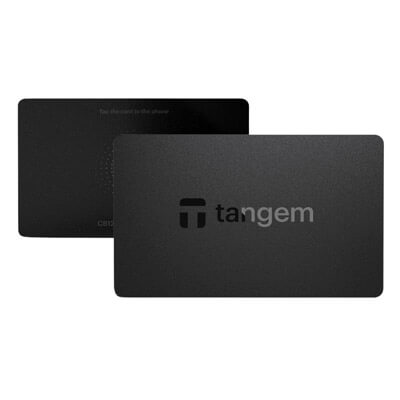

The advertised US offers checked September 12 put Safe 3 at $59 and Safe 5 at $129. That $70 premium buys different controls, not a demonstrated reduction in transaction errors or a broader set of the Suite accounts compared here.