

Exodus offers native desktop portfolio management and model-specific Ledger and Trezor connections. Its mobile cloud backup needs a passkey, swap costs vary by quote, and mobile dApp connections have ended.
Exodus vs Trust Wallet: Which Crypto Wallet Fits You?
Exodus offers native desktop apps, while Trust Wallet retains mobile EVM dApp connections after Exodus removed them. Trust Wallet’s classic and SWIFT accounts have different recovery rules.

Trust Wallet combines multichain accounts with optional cloud backup and a separate SWIFT passkey wallet. Classic and SWIFT recovery differ, and the September network changes require checking continued access for affecte...
Affiliate Disclosure
Some links in this comparison are affiliate links. CryptoSlate may earn a commission if you sign up through these links. Our ratings remain editorially independent.
Overview
Trust Wallet is the higher-rated all-round option. Exodus has the clearer advantage when a native desktop app is central to your routine.
Exodus Trust Wallet
Desktop Portfolio
Native Windows, macOS and Linux applications
Browser extension for computer use
Standard Custody
Locally generated software keys
Locally generated classic-wallet keys
Optional Cloud Recovery
Encrypted secret file plus passkey, same-OS restore
Classic encrypted backup plus password, or separate SWIFT passkey account
Native Network Examples
Bitcoin, Ethereum and Solana, with platform-specific functions
Bitcoin, Ethereum and Solana in classic wallets
Mobile WalletConnect Use
Unavailable in Exodus Mobile, per the September 13, 2026 update
EVM WalletConnect v2 connections
Hardware Accounts
Desktop Trezor models and separate mobile Ledger/Safe 7 connections
Ledger through the extension
Signing Warnings
Certain Web3 extension requests and suspicious connections
Security Scanner on supported mobile/extension requests
Public Code
Hydra and asset libraries, with other components unpublished
Wallet Core library, not a complete-app source guarantee
Swap Pricing
Variable spread reflected in the quote
Advertised standard 0.7% wallet component, eligible stablecoin waivers
Trust Wallet wins overview
Based on the updated reviews, with Exodus mobile dApp removal and Trust’s announced network transition checked September 17, 2026. This is a documentation-based comparison, not a version-specific hands-on test.
Screenshots
Exodus screenshots
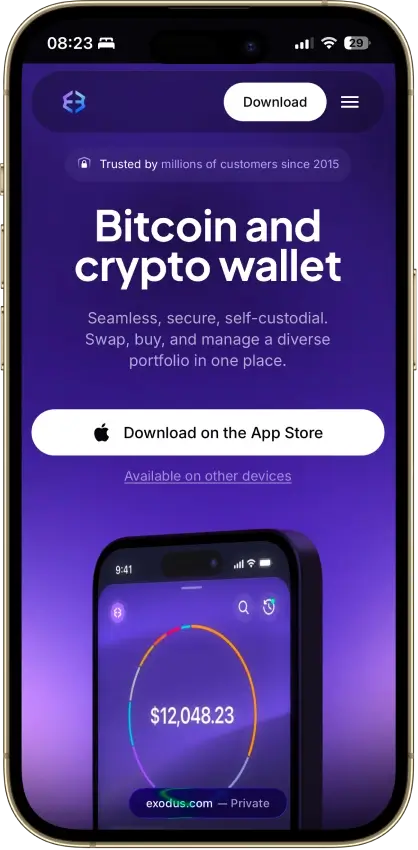
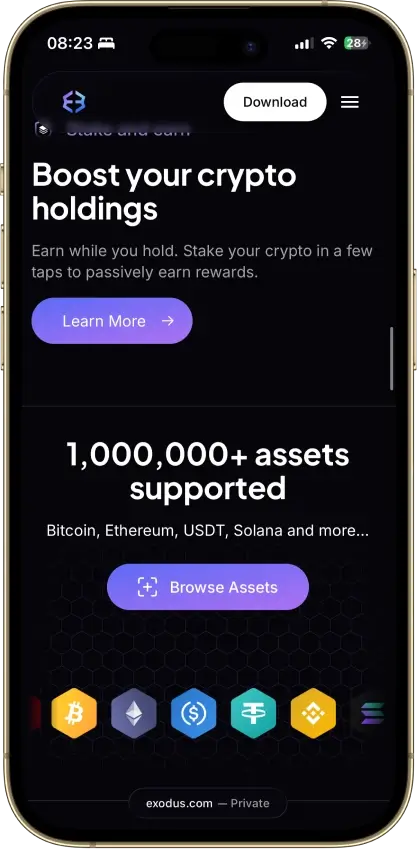
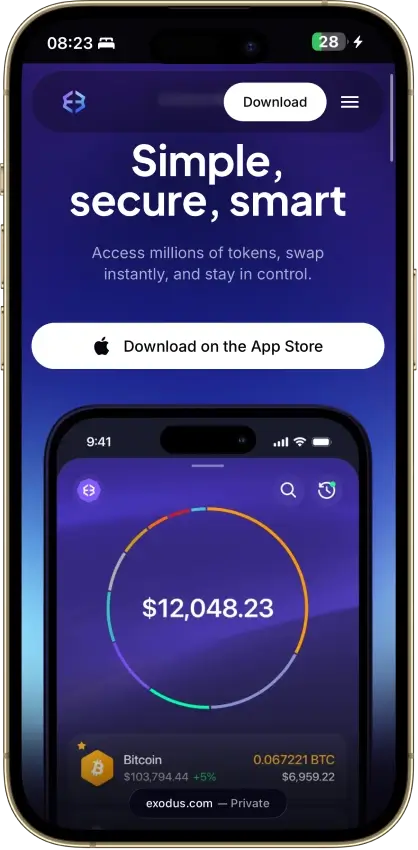
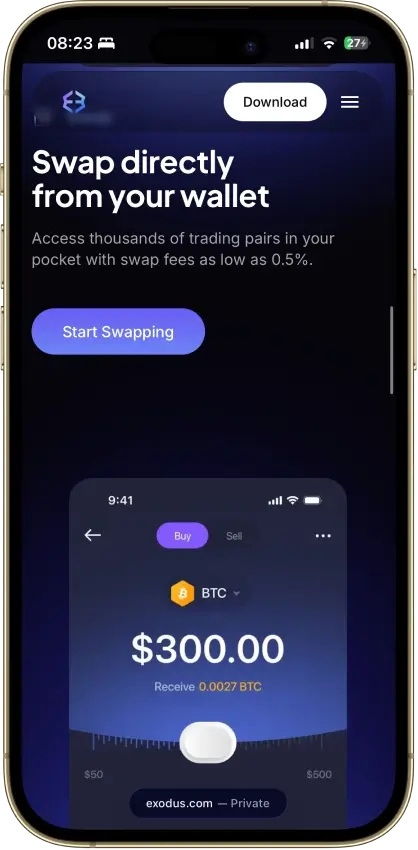
Screenshot 1 of 4
Trust Wallet screenshots
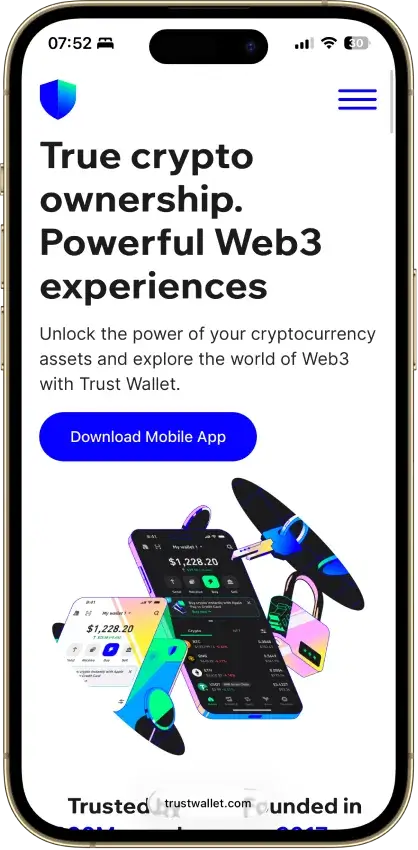
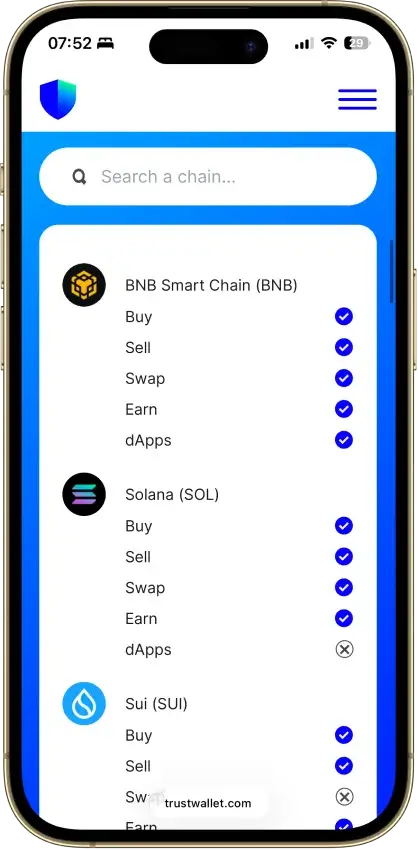
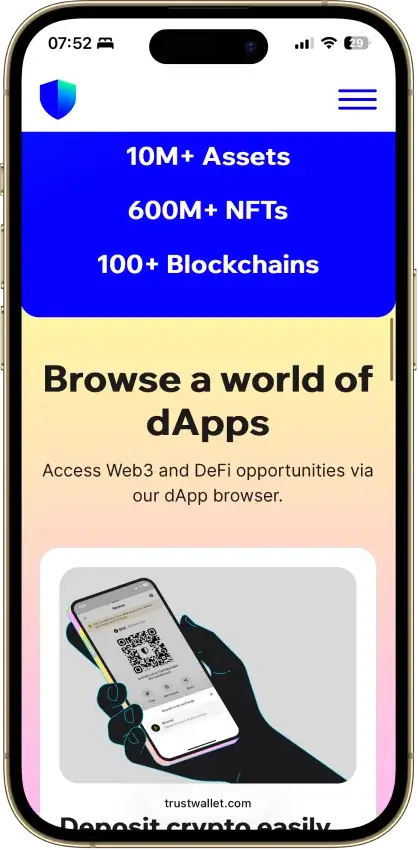
Screenshot 1 of 4
Winners By Category
The two clear workflow advantages are mobile EVM connections for Trust Wallet and native desktop apps for Exodus. Other rows describe trade-offs without assigning an unsupported winner.
Exodus Trust Wallet
Both ordinary software wallets place key and backup control with the owner. Optional accounts and services introduce separate dependencies.
12-word secret and keys generated locally, desktop Trezor or mobile Ledger accounts sign on the device
Classic keys generated and encrypted locally, Ledger through the extension, optional SWIFT smart account
Signing checks cover limited requests, and historical incidents concern specific releases. Current safety requires an account-specific assessment.
Web3 extension warnings and simulation of certain requests, Hydra and asset libraries public, internal reviews
Security Scanner on supported requests, Wallet Core under Apache 2.0, malicious extension 2.68 in December 2025
Exodus passkey backup, Trust classic password backup and SWIFT protect different recovery arrangements.
Phrase, or encrypted iCloud or Google Drive file plus passkey within one OS family
Phrase, or classic cloud backup plus password, or SWIFT passkey recovery
Trust classic mobile wallets support EVM WalletConnect connections, while Exodus has removed mobile WalletConnect.
Bitcoin, Ethereum, Solana and custom TRON tokens, mobile WalletConnect and the dApp browser removed
Bitcoin, Ethereum, Solana and native TRON, mobile EVM WalletConnect v2, SWIFT on a separate EVM list
Native desktop applications and compatible Trezor signing suit computer-based portfolio management.
Native Windows, macOS and Linux apps, iOS, Android, Chrome and Brave, desktop Trezor and mobile Ledger or Safe 7
iOS, Android, Chrome and Brave extension, Ledger through the extension
Variable execution prices, promotional wallet fees and different staking routes require a matched comparison.
Variable spread in the quote, Everstake staking with ETH on mobile and Aptos on desktop
0.7% advertised wallet component, eligible same-chain stablecoin waiver, ETH, SOL and TRX staking
A privacy ranking would require matching service use and measuring the resulting data flows, beyond the two notices.
No customer account, addresses and transaction IDs logged for API swaps, local history after Trezor pairing
Device and usage data, transient IP processing, optional cloud backup adds a Google or Apple dependency
Exodus changes client features and Trust retires selected networks, so continued access needs more than retaining the app.
Mobile WalletConnect removed, hardware signing split between desktop and mobile
September 15, 2026 support withdrawal announced for Polygon zkEVM, Moonbeam, MultiversX and Nano
Trust Wallet leads overall on our existing review ratings, 8.0 versus 6.0. That does not make it the better choice for every platform or a universal security or cost winner.
Custody And Key Control
Both ordinary software wallets place key and backup control with the owner. Optional accounts and services introduce separate dependencies.
Exodus Trust Wallet
Standard Software Keys
12-word secret and private keys generated locally
Classic-wallet keys generated and encrypted locally
Separate Signing Accounts
Supported Ledger or Trezor accounts sign on hardware
Ledger extension accounts sign on hardware; SWIFT is a separate smart account
For ordinary phrase accounts, both put signing authority with the owner. Choose a backup arrangement you can maintain, and distinguish that account from any hardware signer or optional smart account.
Key Generation And Storage
Exodus creates a 12-word recovery secret and private keys on your device. Its standard software wallet does not give Exodus a copy that support can use to restore access. The Exodus software custody model therefore leaves protection of that installation and its backup with you.
Trust Wallet's classic accounts also generate and encrypt keys locally. Someone with the phrase can access the same credentials through compatible software.
A hardware connection changes where the selected account signs. Exodus's connected Ledger or Trezor uses the device's credentials, separately from the software portfolio. Trust Wallet's Ledger extension connection follows the same distinction. Importing a hardware wallet's phrase into either software app would expose that secret to the host instead.
Portability And Vendor Dependence
Recovery words can work in compatible software if an app becomes unavailable. Compatibility depends on the network and account derivation, meaning how individual addresses are generated from the secret.
Exodus's cloud option backs up its software secret. Trust's SWIFT is a different smart-contract wallet using passkeys, so classic phrase-based portability should not be assumed for it. Swapping or staking through either app can also introduce a provider or contract whose operation is outside your control.
Security And Transaction Signing
Signing checks cover limited requests, and historical incidents concern specific releases. Current safety requires an account-specific assessment.
Exodus Trust Wallet
Transaction Checks
Warnings and simulation for certain Web3 extension requests
Security Scanner for supported mobile and extension requests
Assessment Limits
Public libraries and internal reviews do not cover every shipping component
Wallet Core and historical extension audits do not certify every current app
Trust's incident history deserves attention, while Exodus's internal security program does not establish superior resistance to current attacks. Evaluate the exact client, account and signing request instead of treating an audit or a warning system as a safety guarantee.
Code And Audit Scope
Exodus releases Hydra and asset libraries but leaves other components unpublished. Its security program describes manual code and dependency reviews. Those internal processes are not equivalent to an independent assessment of every current shipping application.
The Apache 2.0 license covers Trust's Wallet Core library, not necessarily every consumer-app component. WalletScrutiny's July 2024 Android assessment found that the assessed release could not be reproduced from complete public source. Its result concerns that build, leaving today's installed app untested by that assessment.
CertiK assessed Trust Wallet extension 0.0.200 on February 24, 2023. External libraries providing key derivation and wallet creation fell outside that assessment, along with other exclusions. Its coverage remains limited to that extension version and scope.
Signing And Scam Resistance
Exodus Web3 Wallet can warn about suspicious connections and simulate certain requests before approval. Trust's Security Scanner automatically checks supported mobile and extension requests for risks such as dangerous permissions. Its coverage can miss new scams and some off-chain signatures.
Full remote-service and request-payload mappings for the compared checks are Not disclosed. A preview does not establish local-only processing or harmless contract behavior.
For connected hardware accounts, inspect the device's transaction details before approval. The Exodus desktop Trezor workflow requires on-device authorization, which Trezor independently describes. That protects the signing boundary, but approving an unwanted contract can still authorize unwanted spending.
Extension Incidents
In April 2023, competing hardware vendor Ledger's Donjon team detailed a weak random-number generator affecting early Trust extensions. Trust's own Wallet Core repository records the generator correction merged on November 21, 2022. Changing the generator protects later generation, but does not make an already-exposed recovery phrase secret.
The malicious 2.68 Chrome release in Trust Wallet's extension security history was replaced by clean version 2.69. Trust's December 2025 advisory identifies affected logins on the 24th, 25th and 26th, but excludes those later than 11:00 UTC on the 26th. The operator also excluded its mobile app from this incident. Separately, Wiz identified exposed store and development credentials, corroborating a likely supply-chain link. Moving an exposed account to a phone does not replace its compromised credentials.
Recovery And Backup
Exodus passkey backup, Trust classic password backup and SWIFT protect different recovery arrangements.
Exodus Trust Wallet
Phone Lost, Phrase Retained
Restore the software wallet in compatible software
Restore the classic wallet in compatible software
Optional Cloud Backup Used
Encrypted file and passkey, within the original OS family
Classic backup and password, or SWIFT's separate passkey recovery
Hardware Device Lost
Use that Ledger or Trezor account's own recovery method
Use the connected Ledger account's own recovery method
Phrase Already Exposed
Restoring it preserves the exposed credentials
Restoring it preserves the exposed credentials
Exodus suits someone prepared to preserve a backup file and passkey within one mobile OS family. Trust classic wallets require a different cloud password, while SWIFT adds another account architecture to understand before funding it.
Lost Devices And Optional Backups
Exodus offers an optional mobile backup that encrypts the software secret in iCloud or Google Drive. To decrypt the file, you need the passkey saved in your device's passkey manager. Restoration needs both pieces and a device in the same operating-system family as the original backup. This route requires a separately configured wallet backup, beyond a routine phone backup.
Trust Wallet's classic encrypted cloud backup instead requires its separate backup password. Support cannot reset that password. A written phrase provides a different recovery route, so losing cloud access does not necessarily mean losing the wallet if a usable phrase remains.
SWIFT uses a passkey for a separate smart-contract account. Its recovery environment and supported networks differ from classic Trust Wallet. Preserve access to the passkey and its associated cloud environment rather than treating a fingerprint as a standalone backup.
Moving Between Installations
Exodus synchronization places the same software wallet on more than one device. It does not create an independent recovery secret for each copy. Its setup instructions pair an existing wallet with an empty installation and warn that restoration can overwrite a wallet already present.
Both ordinary phrase wallets follow BIP39, but matching words alone does not guarantee matching addresses. Exodus publishes its asset-specific derivation paths, while Trust's Wallet Core documentation specifies BIP44/BIP84 account derivation. An independent wallet can restore supported accounts only when those paths and networks match. Keep account-address records to check the result. Treat the two brands' cloud backups as separate recovery routes.
Networks, Assets, And dApp Access
Trust classic mobile wallets support EVM WalletConnect connections, while Exodus has removed mobile WalletConnect.
Exodus Trust Wallet
Mobile EVM dApp Connections
WalletConnect and mobile dApp browser removed
Classic mobile WalletConnect v2 connections
Network Coverage
Bitcoin, Ethereum and Solana, with client-specific functions
Classic multichain accounts; SWIFT has a separate EVM list
The advantage is classic mobile EVM WalletConnect access, not a larger headline chain count or universal dApp compatibility. Exodus has removed WalletConnect from mobile, while its Web3 extension remains a separate browser option.
Holdings And Platform Limits
Bitcoin, Ethereum and Solana are shared examples, so holding those assets does not decide the comparison. Exodus's Web3 extension and mobile/desktop apps have different feature coverage. Its custom TRON tokens are available on mobile and desktop, but not in Web3 Wallet.
Trust Wallet's classic product supports native TRON as well as Bitcoin, Ethereum and Solana. Its optional SWIFT product has a separate EVM network list, including Base, Arbitrum and BNB Smart Chain. A SWIFT account is not a passkey replacement for every classic-wallet network.
Check swap availability separately from token display in Exodus. Trust's custom-network configuration supports EVM networks, not arbitrary non-EVM chains.
Mobile dApp Connections
Trust Wallet supports mobile WalletConnect v2 connections to Ethereum Virtual Machine, or EVM, applications. A compatible application can request a connection by QR code or link. This makes Trust the better fit for someone opening a new mobile wallet specifically for that workflow.
Exodus's September 13, 2026 support update says WalletConnect and the dApp browser have been removed from Exodus Mobile. This replaces the earlier creation-date restriction and affects existing mobile connections too. Its Web3 extension remains a separate browser option. Connecting hardware does not restore mobile WalletConnect.
Trust's developer documentation describes Solana WalletConnect support, but its homepage marks Solana dApp access unavailable. Those conflicting statements do not justify promising that any particular Solana application will connect.
Platforms, Hardware, And Daily Use
Native desktop applications and compatible Trezor signing suit computer-based portfolio management.
Exodus Trust Wallet
Native Desktop Applications
Windows, macOS and Linux apps
Computer access through the browser extension
Hardware Signing Route
Desktop Trezor models or separate mobile Ledger/Safe 7 integrations
Ledger through the browser extension
Native desktop software and compatible Trezor signing give computer-based portfolio users a defined workflow. Trust remains useful on a computer through its extension for a supported Ledger account.
Desktop, Mobile And Connected Devices
Both wallets have iOS/Android apps and Chrome/Brave extensions. Exodus additionally provides native Windows, macOS and Linux applications, whereas Trust's computer interface is its extension.
Exodus hardware accounts need a model-specific check before choosing a host:
Trezor Model One, Model T, Safe 3 and Safe 5 connect to Exodus desktop through USB. Their synchronized mobile portfolios are view-only.
Trezor Safe 7 connects to Exodus mobile through Bluetooth. Its synchronized desktop portfolio is view-only.
Ledger Nano X and Flex connect to Exodus mobile through Bluetooth. Those Ledger portfolios remain mobile-only.
Exodus excludes Bitcoin-only firmware from those Trezor connections. Ledger and Safe 7 must first be set up in their respective vendor apps. The supported asset list belongs to each integration, not the full hardware product catalog.
Trust Wallet connects Ledger through its browser extension. Mobile hardware access is a separate compatibility question.
Support And Accessibility
Exodus offers chatbot and email support, with a route to human assistance. It explicitly rules out telephone and Telegram support.
Keep recovery credentials and Exodus sync QR codes out of support requests. Comparative response times and accessibility performance are Not disclosed, so support quality does not decide this round.
Swaps, Staking, And Costs
Variable execution prices, promotional wallet fees and different staking routes require a matched comparison.
Exodus Trust Wallet
Swap Wallet Charge
Variable spread reflected in the quoted output
Advertised 0.7% component, with qualifying same-chain stablecoin waivers
Staking Restrictions
Asset-specific routes; desktop Trezor staking unavailable through Exodus
Asset, network and provider conditions vary
Check Trust's eligible wallet-fee waiver against the amount Exodus quotes after all costs. Staking users also need the matching asset, account type and exit terms before comparing costs.
Wallet Costs And Swap Quotes
Both software wallets are free to download. Sending crypto normally incurs a network charge, while optional services introduce their own pricing. Owning a compatible hardware signer is a separate purchase from using either free app.
Exodus uses a variable swap spread reflected in the amount you receive. Its swap service sends assets to a third-party API provider and returns the destination assets after execution. That provider step is distinct from holding an asset in a self-custody account.
Trust Wallet advertises a standard 0.7% wallet swap component. A stablecoin offer announced August 27, 2026 waives it, but only for qualifying in-app trades that stay within one supported network. The promotion excludes Ethereum and trades across chains. Users still pay gas.
Trust can waive its wallet fee for qualifying USDC-to-USDT swaps on Base. Compare the same input, token contracts, network and timestamp against Exodus, including gas and costs outside the quoted output.
Staking And Provider Conditions
Exodus uses Everstake for staking services, with routes differing by asset. Ethereum staking is mobile-based, including compatible Ledger portfolios, while Aptos staking is on desktop. Its desktop Trezor connection does not support staking through Exodus.
Trust offers staking for assets such as ETH, SOL and TRX, with network and provider conditions. Displayed returns alone do not identify the better route. Compare validator or service deductions, exit delays, claiming requirements and contract risks for the asset you intend to stake.
For purchases in either app, payment providers determine their own fees and identity checks. Creating a software wallet without an identity check does not promise the same treatment from an embedded financial service.
Privacy And Data Collection
A privacy ranking would require matching service use and measuring the resulting data flows, beyond the two notices.
Exodus Trust Wallet
Service Data
API swap addresses and transaction IDs, plus service analytics
Device and usage data, with transient IP processing
Optional Cloud Dependency
Apple or Google account plus the saved backup passkey
Classic backup password or a separate SWIFT passkey environment
The notices describe data handling, not a measured comparison of two identical sessions. Choose the services and backup accounts you are willing to expose information to, and secure local portfolio history as well as signing credentials.
Wallet Activity And Cloud Accounts
Exodus does not require a customer account for its ordinary wallet. Its February 2026 privacy policy nevertheless describes logging wallet addresses and transaction IDs for exchanges through third-party APIs, plus service-interaction analytics. Website IP and advertising-cookie practices are separate from those wallet service flows.
Trust Wallet's notice covers device and usage data. It describes transient IP processing to apply regulatory requirements and connect selected outside services. Check each provider's record-handling terms separately.
Optional cloud recovery adds Apple or Google account access to protect. That remains a separate dependency even when the app's ordinary wallet creation requires no customer account.
Local History And Optional Services
Trezor's Exodus guidance says the desktop app stores public account information and transaction history locally after pairing. Keeping signing keys on hardware therefore does not make portfolio activity invisible to someone with access to that computer.
Exodus keeps support history for use in later requests. A self-custody label is insufficient grounds for calling either app anonymous.
Updates, Longevity, And Ecosystem
Exodus changes client features and Trust retires selected networks, so continued access needs more than retaining the app.
Exodus Trust Wallet
Changes To Track
Mobile dApp removal and model-specific hardware support
Announced September 15 network-transition date has passed; verify installed access
Future Access
Keep compatible recovery and account records independent of the app
Keep compatible recovery and check affected EVM/non-EVM access routes
Both require maintaining recovery access independently of a familiar interface. Trust users should check September's network transition. Exodus users need to track client and hardware compatibility.
Exodus has removed WalletConnect from its mobile app, while its hardware integrations divide signing between desktop and mobile. Synchronizing software accounts does not make every hardware portfolio usable on every device.
Trust Wallet announced September 15, 2026 as the end of built-in support for networks including Polygon zkEVM, Moonbeam, MultiversX and Nano. Its notice, rechecked September 17, still describes the announced transition rather than a separately confirmed rollout. It offers manual configuration for affected EVM chains. For the affected non-EVM chains, users need a different wallet interface that supports their network.
That change removes an interface, not the assets from their blockchain. Anyone holding an affected asset needs a verified access plan before relying on a future Trust installation. The announcement does not mean Exodus supports every affected network or is an automatic migration destination.
Consumer-feature continuity depends on maintained applications as well as public libraries. Guaranteed future support windows are Not disclosed.
Final Verdict
Trust Wallet wins overall with an 8.0 review score against Exodus’s 6.0. Choose Exodus instead when native Windows, macOS or Linux portfolio management matters more than mobile dApp access.
Affiliate Disclosure
Some links in this comparison are affiliate links. CryptoSlate may earn a commission if you sign up through these links. Our ratings remain editorially independent.
Trust Wallet wins final rating
Trust Wallet’s classic mobile WalletConnect route is the practical distinction for EVM dApp users. Exodus remains a useful desktop choice, including supported Trezor accounts. Neither recommendation removes the need to protect recovery credentials or check the exact network, hardware and service you plan to use.
Exodus vs Trust Wallet FAQs
Is Exodus or Trust Wallet better for beginners?
Exodus fits a beginner who wants a native computer app to manage a portfolio. Trust Wallet fits someone starting with mobile EVM dApps through WalletConnect. Neither replaces backup preparation. Choose the account type first, because Trust SWIFT, classic cloud backup and Exodus's passkey-protected backup have different recovery requirements.
Is Exodus or Trust Wallet safer?
There is no supported universal safety winner. Trust Wallet's extension has a documented vulnerability and malicious-release history, with the latter explicitly excluding its mobile app. Exodus's internal reviews and selected public libraries leave comparative resistance to today's threats unresolved. Both still require protecting recovery credentials and inspecting transaction permissions.
Is Exodus or Trust Wallet cheaper for swaps?
Compare matched quotes, not just advertised percentages. Exodus's spread varies, while Trust advertises a standard wallet component and waives it for eligible in-app same-chain stablecoin trades. That offer excludes Ethereum and cross-chain swaps, with gas still payable. The amount delivered after all relevant costs determines the cheaper execution.
Can Exodus and Trust Wallet use the same recovery phrase?
A phrase can restore accounts in compatible software, but that does not promise every asset or address will appear identically in both apps. Check network and derivation compatibility before any migration. Trust SWIFT and cloud-backup files are separate arrangements. Reusing a phrase also gives both installations access to the same credentials.
Do Exodus and Trust Wallet work with Ledger?
Yes, through different interfaces. Exodus connects Nano X and Flex by Bluetooth on mobile, with its Ledger portfolios remaining mobile-only and without WalletConnect. Trust Wallet connects Ledger through its browser extension. Check the relevant model, network and device app, and keep the hardware account's recovery separate from software-wallet backups.
Can Exodus and Trust Wallet both connect to mobile dApps?
Trust supports mobile EVM WalletConnect connections. Exodus’s September 13, 2026 update says mobile WalletConnect and the dApp browser have been removed, including existing connections. Its Web3 extension is a separate browser option. Trust's conflicting Solana statements mean you should check the exact Solana application instead of assuming equivalent connectivity.
How do Exodus and Trust Wallet recover a lost phone?
Recovery depends on what you preserved before losing it. Exodus can use its software phrase or a configured encrypted file and passkey within the original mobile OS family. Trust classic wallets can use their phrase or password-protected cloud backup. SWIFT needs its passkey arrangement, and connected hardware accounts retain separate backups.


The comparison covers Exodus desktop, mobile and Web3 extension against Trust Wallet classic mobile and extension accounts. SWIFT and connected hardware accounts are treated separately because their signing and recovery arrangements differ.